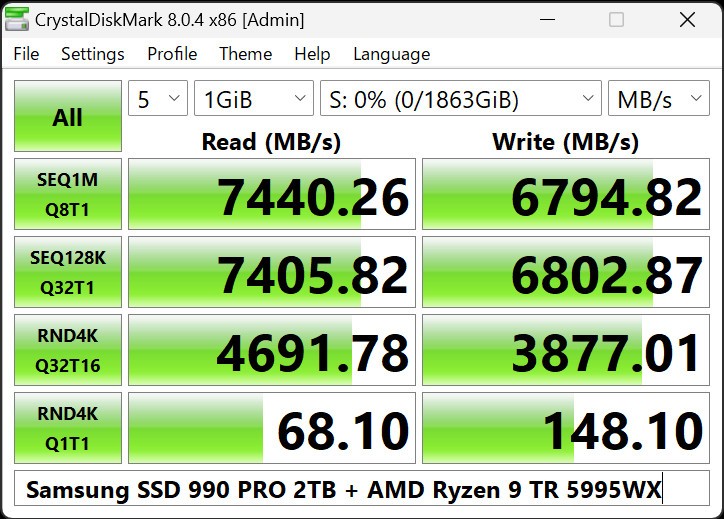
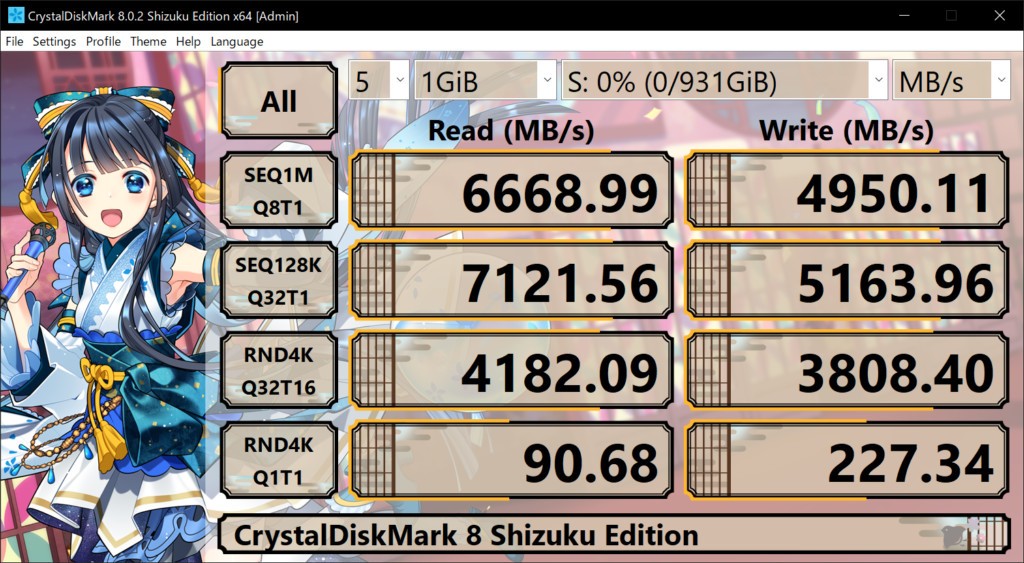
When you first encounter CrystalDiskMark, it may seem like a straightforward utility, but once you dive into it, you realize it’s a tool built with precision and versatility in mind. It was created to provide users—whether casual testers or professionals—with clear insight into the performance of their drives. Unlike many benchmarking utilities that overwhelm you with complexity, CrystalDiskMark focuses on being accessible, configurable, and dependable. It has become a go-to solution for quickly gauging disk performance across hard drives, SSDs, USB storage, and even network drives.
The software is developed by Crystal Dew World and is available in several editions, including the Standard Edition, Aoi Edition, and Shizuku Edition. These variations share the same benchmarking core but differ in presentation and profiles. It’s not just a static tool either—updates continue to refine and expand its capabilities. That level of ongoing support ensures compatibility with new technologies while retaining the same trusted core features.
Why should I download CrystalDiskMark?
CrystalDiskMark is worth downloading because it provides a clear, effective, and flexible way to measure disk performance. At its core, the software measures both sequential and random read/write speeds, and it even includes mixed performance measurements that help simulate more complex workloads. This is crucial if you want to understand not just peak throughput but also how your storage behaves in real-world usage.
The tool offers multiple modes for measurement, including Peak Performance, Real World Performance, and Demo. Peak Performance gives you the absolute maximum numbers under stress conditions, while Real World Performance reflects more practical scenarios. Demo mode offers a lighter showcase if you want to quickly see results without pushing hardware. These profiles ensure you’re not stuck with one type of test but can switch depending on your needs.
CrystalDiskMark also gives you direct control over test parameters. You can set the number of test runs (between 1 and 9, with 5 as the default), adjust the test size (ranging from 16MiB all the way up to 64GiB), and select which drive to benchmark. For low-speed storage like USB sticks, smaller test sizes are suggested, while large SSDs benefit from higher test sizes. The ability to measure network drives adds another layer of usefulness, though this requires running the program without administrator rights to ensure the drives are displayed.
Beyond measurement, CrystalDiskMark is user-friendly. Results can be copied to the clipboard, saved as text files in UTF-16LE format, or exported as images in PNG, JPEG, or BMP. Themes, font settings, zoom options, and language support add polish and accessibility. The presence of predefined settings such as “Default” or “NVMe SSD” makes it easy to get started without needing advanced knowledge, but you can still go into the details if you want to customize block size, queue, and thread counts.
Is CrystalDiskMark free?
Yes, CrystalDiskMark is completely free to use. It is distributed under the MIT license, which explicitly grants permission to use, copy, modify, merge, publish, distribute, sublicense, and even sell copies of the software. This open and permissive license makes it highly accessible for both individuals and organizations.
Unlike many other benchmark tools that lock features behind paywalls, CrystalDiskMark delivers its full functionality at no cost. There are no hidden restrictions on test sizes, units, or performance modes. Everything listed on the official site is part of the free package.
That said, the developers provide an option for donations to support ongoing development. Suggested contribution tiers are displayed on the website, allowing appreciative users to give back. It’s a sustainable approach: the tool remains free for everyone, while those who want to support its continued evolution can do so voluntarily.
This combination of free access and open licensing has made CrystalDiskMark one of the most widely used disk benchmarking tools worldwide. The fact that it has remained free since its original release in 2007 further demonstrates the developer’s commitment to openness and user accessibility.
What operating systems are compatible with CrystalDiskMark?
CrystalDiskMark has a remarkably broad range of compatibility. It supports both client and server editions of Windows, making it suitable for everyday users as well as IT professionals.
On the client side, the software runs on Windows XP, Vista, 7, 8, 8.1, 10, and 11. This covers over two decades of Windows versions, ensuring compatibility with both legacy systems and modern machines. On the server side, it supports Windows Server 2003, 2008, 2012, 2016, 2019, 2022, and even 2025, making it useful in enterprise and datacenter environments.
The software works across different architectures, including x86, x64, and ARM64. This flexibility ensures it runs on a wide range of hardware setups. However, the official site notes that the installer and x64 version do not support Windows XP or Server 2003 (NT5.x), and older systems like Windows 95, 98, Me, NT4, and 2000 are not supported at all.
Whether you choose the Zip Edition or Installer Edition, installation is straightforward. The Zip Edition can be uncompressed into any folder and removed simply by deleting the files, while the Installer Edition integrates with Windows’ “Add or Remove Programs” for easy uninstallation. Both methods ensure users of varying technical comfort levels can get it running without hassle.
What are the alternatives to CrystalDiskMark?
In case you are seeking benchmarking software other than CrystaldiskMark, there are some other options that can be used for different benchmarking requirements.
AnTuTu Benchmark is one of the widely recognized ones and is typically run on mobile phones to gauge the overall performance, i.e., CPU, GPU, and storage. Although AnTuTu has a wider set of benchmarks, it is not as disk performance-specific as CrystalDiskMark.
The other alternative is 3DMark, a graphics-oriented, game performance benchmarking suite. It is used to test the capabilities of the system and the GPU by running rigorous graphical tests. Though not a storage performance tool, most people who want an all-encompassing performance profile would use 3DMark in combination with CrystaldiskMark to represent both graphics and storage performance profiles.
Another popular benchmark is Maxon Cinebench, particularly for those who test CPUs. It tests the performance of the system with rendering workloads. Once more, this renders it complementary as opposed to overlapping because Cinebench will provide you with an idea of the strength of the CPU, whilst CrystalDiskMark is the undeniable winner in terms of storage speeds.
Lastly, OCCT is a testing tool that specializes in monitoring and stability. It is applied to test power supplies, GPUs, and CPUs under stress. Although OCCT does not substitute CrystalDiskMark, it has a part to play in making sure that the system is stable under load, and therefore, it is another tool that a user wishes to have when they want to test everything regarding their hardware.