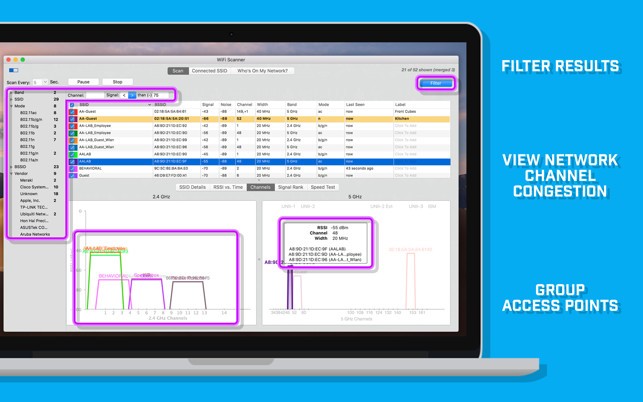
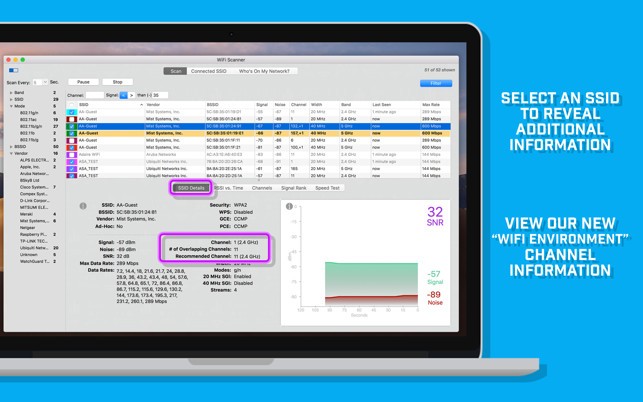
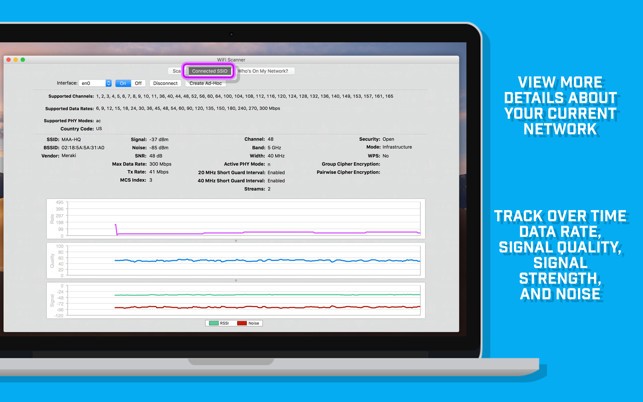
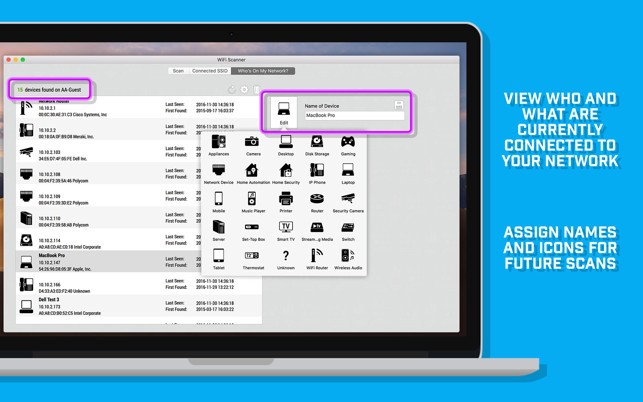
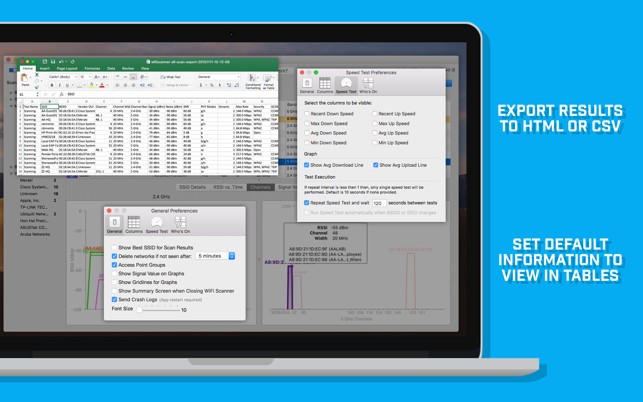
WIFI SCANNER is a professional utility designed to give you a clear picture of all the wireless networks operating around you. Think of it as a window into the invisible world of Wi-Fi signals. When you launch it, the software immediately begins to scan your environment and lists every available network along with detailed information about each one. This isn’t just about seeing the name of the Wi-Fi in your building; you also get to view critical details like the signal strength, encryption type, security level, and even the channel each router is using.
For many people, Wi-Fi feels like magic—you connect and expect it to work. But when things slow down or the connection keeps dropping, it’s often because of interference, overlapping channels, or weak signals. For professionals who need a good connection, WIFI SCANNER takes away the guesswork. By providing a visual map of what’s going on behind the scenes it helps you pinpoint why your connection might be lagging.
Network administrators, IT professionals can use it to troubleshoot, optimize the placement of routers, or simply understand which networks are nearby. With features like real-time signal monitoring and graph displays, it’s easy to see patterns that explain performance issues. Instead of endlessly rebooting your router, you can actually identify the root of the problem.
Why should I download WIFI SCANNER?
There are countless reasons to keep WIFI SCANNER in your toolkit. If you’ve ever struggled with dead zones in your house or noticed that your internet works fine in the kitchen but crawls in the bedroom, this tool shows you why. By analyzing where the signal weakens, you can reposition your router or consider adding an extender.
Another big reason is interference. In apartment complexes or office buildings, dozens of routers often fight for space on the same channels. WIFI SCANNER shows which channels are crowded, letting you switch your router to a quieter one. That small adjustment can make your connection much faster and more reliable.
For businesses, it’s even more critical. Picture a café offering free Wi-Fi. If customers constantly complain about poor connections, it hurts your reputation. With WIFI SCANNER, you can run quick diagnostics and fix issues before they become problems.
Security is also a major factor. The software reveals what type of encryption nearby networks are using. If your own router is still on outdated security settings like WEP, you’ll know it’s time to update. By keeping an eye on this, you protect your personal data and prevent unwanted access.
And finally, it’s just handy to have real-time insights. Instead of guessing whether your neighbor’s new router is interfering with yours, you can see it on the screen. That kind of clarity makes managing Wi-Fi far less frustrating.
Is WIFI SCANNER free?
WIFI SCANNER offers a free trial period for Windows users. Download the demo and you will be able to familiarize yourself with the interface and the tools offered by the software. Once the trial period is over, you’ll have to buy a license for WIFI SCANNER. For Windows, this license is a subscription, and the price will depend on the use you’ll have of the software.
For macOS users, there is no demo available. You’ll have to purchase the software directly from the Mac App Store. The good thing is that it is a one-time payment, not a subscription like in the Windows case.
What operating systems are compatible with WIFI SCANNER?
WIFI SCANNER is designed to be compatible with both Windows and macOS. The software is compatible with Windows 11 or MacBook users who are seeking to optimize their home Wi-Fi connections or those seeking to manage office connections, respectively.
It works well on Windows and offers significant insights into the networks available, and provides administrators with tools to control and tune up configurations. On macOS, the interface is neat and simple, as it meets the design criteria of Apple but also has sophisticated features.
Among the major advantages, it does not limit you to a single ecosystem. Most IT practitioners work on both Mac and Windows, depending on the task at hand, and with software that is compatible with both, you do not have to have two tools operating on the same task. Its feature set is also not a problem since it is not confusing to switch between systems.
What are the alternatives to WIFI SCANNER?
Although WIFI SCANNER is powerful, it is not the only one in the market. You can take into account some alternatives, depending on your needs.
Real WiFi works by providing you with real-time details on the behavior of your network as you move within it. People often use it when they want to check coverage in a wide area, such as in their own home or office, to determine where the signal is weaker. Heatmaps are offered by Real WiFi, so it is easy to see dead zones. It comes in particularly handy when an individual is planning router positioning or Wi-Fi range expansion.
WiFi Analyzer is one of the widely used Android apps due to its ease and portability. It is mobile and can operate right off your phone to scan networks without having to carry a laptop. WiFi Analyzer is a fast and free method to scan to determine which channels are not busy or to test signal strength in various rooms. Although it lacks the features of WIFI SCANNER, it is excellent when it comes to a fast glimpse.
Wireshark is the giant in the industry, and it is not only about Wi-Fi, but a complete network protocol analyzer. IT professionals use it to perform deep packet inspection, debug sophisticated problems, as well as to analyse traffic at a microscopic level. The learning curve is steeper, however, when you want to know everything about all the bits and bytes traversing your network, Wireshark cannot be rivaled. It is a free, open-source, and highly potent program, but it may be overwhelming to the less technical.