inSSIDer is a Wi-Fi analysis tool designed to show you how your wireless network is configured and how it interacts with surrounding networks. Since 2007, it has been one of the leading programs in this category, trusted by users who want to understand their Wi-Fi environment without needing a background in networking.
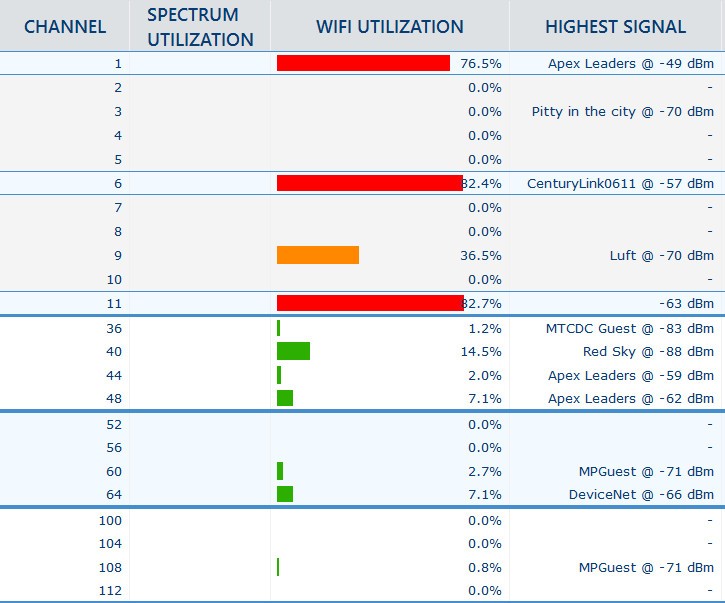
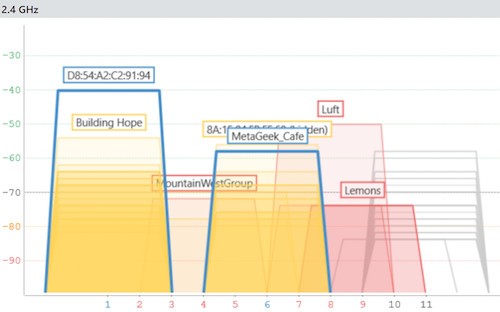
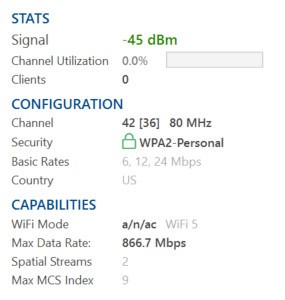
The main purpose of inSSIDer is to take away the confusion that comes when you only know your Wi-Fi feels slow or unstable, but cannot see why. It provides you with a clear view of your access points, their signal strength, channel usage, channel width, and the type of Wi-Fi standard in use. Making these details visible gives you the chance to see which factors are affecting your connection speed and stability.
The tool focuses on clarity rather than complexity. It gathers all the important details about your Wi-Fi and lays them out in one place so you don’t have to dig through multiple router settings or technical dashboards. It not only shows the configuration of your own access points but also displays nearby networks that may be interfering. This is especially helpful in crowded areas like apartment buildings, where many routers operate at the same time. With inSSIDer, you get a real-time picture of what is happening in the airwaves around your devices, and that picture helps you understand why your Wi-Fi might be fast, slow, or inconsistent.
Why Should I Download inSSIDer?
The main reason to download inSSIDer is to take control of your Wi-Fi instead of guessing what is wrong. Many people experience drops, buffering, or lag but have no idea whether the problem comes from their router, their provider, or interference from nearby networks.
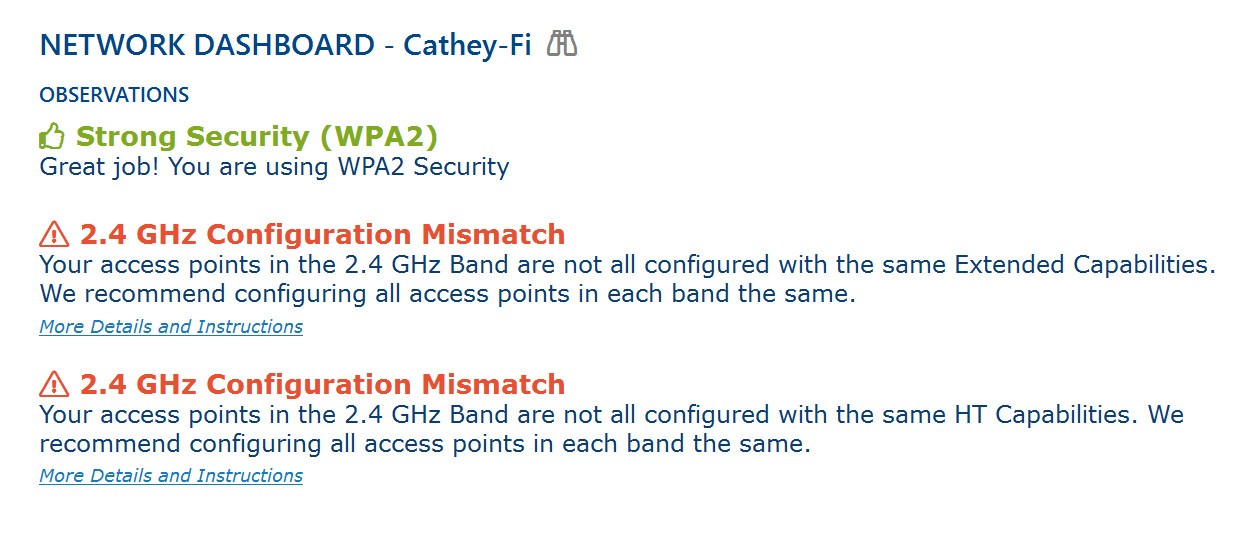
inSSIDer cuts through that uncertainty by showing exactly where issues are coming from. It explains in plain language what is working well, what could be adjusted for better performance, and what needs to be fixed quickly to avoid constant frustration. This makes it far more than just a technical scanner. It becomes a practical tool for improving speed and reliability.
Another strong reason is that inSSIDer highlights your Wi-Fi security. A lot of households and small businesses run outdated security protocols without realizing it, which puts them at risk. inSSIDer checks the encryption and tells you whether your setup is secure or not. Along with performance improvements, this makes it a solid tool for protecting your network.
The software also provides suggestions supported by guides and videos, so you are not left wondering what to do with the information. Once you see the analysis, you can make changes to your router settings, adjust channels, or even upgrade hardware with confidence because you know what will make a real difference. For users tired of trial and error, this clarity alone is a strong reason to download inSSIDer.
Is inSSIDer Free?
Yes, inSSIDer is entirely free. Contrary to other metageek’s software, you can download inSSIDer to see your Wi-Fi network, nearby access points, and some basic information about channels and signal strength. This helps get an overview of your environment, and for many casual users, it may already solve basic questions.
If the functionalities included in inSSIDer are not enough for your requirement, then you can transfer to another tool from the same editor, like MetaGeek App or Chanalyzer with Report Builder.
What Operating Systems Are Compatible with inSSIDer?
inSSIDer is compatible with Windows (inSSIDer 5) and with macOS via inSSIDer 5 for Mac Beta (macOS 10.14 Mojave and 10.15 Catalina). It has been built with both platforms in mind, so users do not have to worry about being left out depending on their device. On Windows, it integrates smoothly with common configurations and provides detailed metrics across a wide range of hardware. On macOS, it gives the same level of clarity, focusing on the essential details of access points and surrounding networks.
This compatibility is important because Wi-Fi issues are not limited to one type of user. Whether you are working on a PC or managing tasks from a MacBook, you can run inSSIDer and get the same clear results. The interface has been designed to stay consistent across platforms, so the experience of navigating its features does not change. That makes it easier to switch between devices without having to learn the program again. As long as you are using a modern version of either Windows or macOS, you can rely on inSSIDer to function smoothly and deliver accurate insight.
What Are the Alternatives to inSSIDer?
One of the programs that will give you similar information on your Wi-Fi network is WifiInfoView. It also scans the available networks and displays the information of available networks in terms of SSID, signal strength, channel, and type of security. It does not present you with the information as processed as inSSIDer; however, it does provide you with enough raw data that can allow you to get an idea of the networks that surround you and how they may be incompatible with your network. This allows it to be a no-brainer for users who wish to have a light utility with no extra features.
Another substitute that is popular is NetSpot. NetSpot is also more concerned with visualization and mapping than WifiInfoView. You can also conduct a survey of the place and the heat maps of your Wi-Fi connection with its help it. This may be extended to bigger ones like the office or the multi-room houses, where the area is not fully covered. You can see the specific spots of good or bad signal coverage and, thus, you can install routers or extenders in the locations where you are sure to have the best coverage. NetSpot is biased in favor of the user who would rather learn in a more graphical way of learning about Wi-Fi.
The other type of tool is the WLAN Optimizer, which is the opposite of the two above. It also does not just analyze, but offers the chance to edit and manipulate the Wi-Fi settings to achieve a better performance. It is useful in reducing lag due to network scanning in the background and it also alters the manner your device communicates with wireless networks. This makes it attractive to gamers or any other person who may want to minimize latency. Although it may lack the eye opener that inSSIDer does, it is still a good solution should you be in need to enhance performance within a short span.