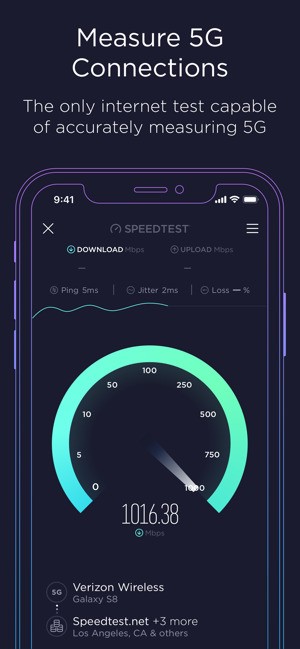
Ookla Speedtest is a straightforward way to find out how well your internet service is performing. It checks your connection in a matter of seconds and gives you three key values: download speed, upload speed, and latency. Download speed shows how quickly you can receive files, upload speed shows how fast you can send them, and latency is about the delay in communication between your device and the internet. These numbers together give a full picture of how strong or weak your connection is at that moment.
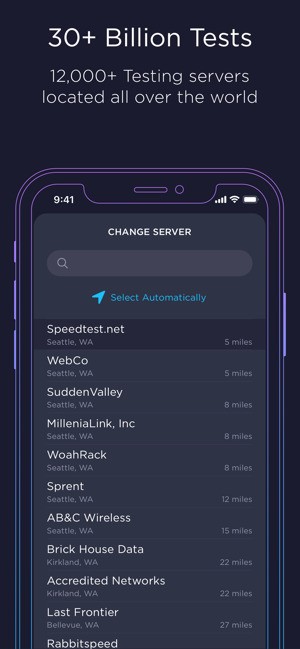
The reason Speedtest has become so popular is that it runs on a very large global network of servers. That means when you press the button, it connects to a nearby server that reduces interference and makes the results reliable. It does not matter whether you are on broadband, Wi-Fi, or a mobile connection, because the tool adjusts automatically. Millions of people now use it daily to confirm if they are getting the internet quality they are paying for. For gamers, for streaming, or simply for regular browsing, Speedtest acts like a quick checkup that is simple to understand and trusted worldwide.
Why Should I Download Ookla Speedtest?
The first reason is accuracy. You do not need to go through menus or complicated settings. You just open the app or browser and tap once, and in less than a minute, you know where your connection stands. That clarity saves time when you are unsure whether a slow load is because of the site you are visiting or your own network.
Another reason is the way it adapts to different devices. You can use it on mobile phones, computers, and even TVs. On mobile, it helps you test coverage as you move between places. On the desktop, it can show you if your home Wi-Fi is running at full strength or not. The TV version helps when you want to check why a show is buffering. And for more advanced users, the command line tool brings the same results directly into a terminal window.
Speedtest also goes beyond simple numbers. It has a map feature that shows mobile carrier coverage across regions. These maps are built from real results gathered from users, so you can see which provider is strongest in your area. This kind of data is practical when you are deciding whether to switch carriers or when you travel and want to know what to expect.
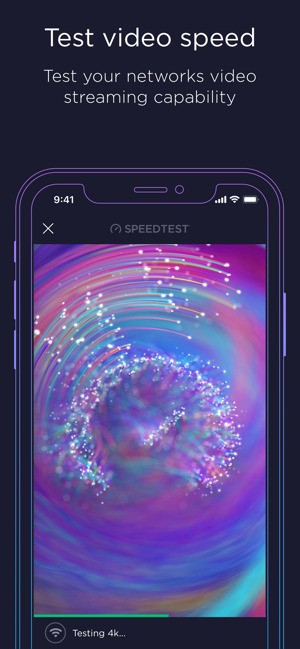
There is also the video quality test, which checks how your internet holds up during streaming. It shows resolution, buffering, and load times. That way, you can prepare for watching movies or sports without interruptions. For people who value privacy, there is Speedtest VPN. It lets you keep your browsing safe and hidden with a free monthly allowance, and for those who want unlimited use, there is a premium plan.
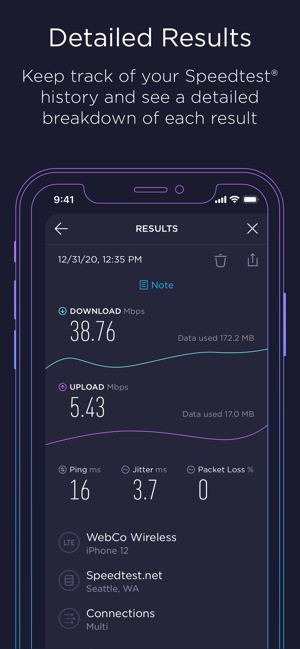
The app also stores your past results. That history helps you track changes over time and, if needed, prove whether your provider has been delivering the speeds promised. In homes, offices, and professional setups, this record becomes valuable evidence. Overall, downloading Ookla Speedtest means having a reliable way to test, track, and secure your connection, all in one place.
Is Ookla Speedtest Free?
Yes, it is free. You can download the app or use the browser version at no cost and still get full access to the main features, such as download, upload, and latency checks. You also get access to maps, video testing, and a record of your past results.
The free version has ads, but they do not interfere with the tests. If you prefer no ads and unlimited VPN use, there is a premium upgrade, but the core service remains free for everyone. That balance between open access and optional extras is why it is so widely adopted.
What Operating Systems Are Compatible with Ookla Speedtest?
Ookla Speedtest works on nearly all major systems, which makes it flexible for users. On mobile, you can install it on both Android and iOS devices. That means, whether you carry an iPhone or a wide range of Android phones, you can run a test with the same level of accuracy. On desktop, apps are available for Windows and macOS, making it convenient to test without needing a browser. This is useful for users who run checks often and want quick access.
For more technical users, the CLI version is available. This brings the test to the command line, where administrators or developers can run automated checks or include results in scripts. It is designed for those who prefer working directly with system tools rather than graphical interfaces.
Speedtest also goes beyond the usual devices and offers an Apple TV app. With this, you can test while preparing to stream movies or shows. It answers a common question: Is the stream slow because of the provider or because of the connection? That clarity is what makes the tool so versatile. Whether it is for phones, laptops, desktops, or TVs, Speedtest fits into daily use and does not require a special setup. This broad compatibility ensures it remains accessible to everyone, regardless of platform.
What Are the Alternatives to Ookla Speedtest?
Although Ookla Speedtest is the most popular tool, alternatives exist that can be used for other purposes.
One of them is called the Meteor Speed Test. It is constructed by demonstrating the impact of your connection on actual apps. Rather than simply stating the numbers, it informs you about the performance of apps such as video streaming, social media, or messaging in regard to your current speed. This simplifies it when people do not worry about technical aspects, but they want to understand whether their connection is powerful enough with their favorite apps.
Another alternative is OpenSignal. It pays significant attention to the coverage on mobile and gives descriptive maps indicating where each carrier operates optimally. These maps are based on user data and point to strong or weak service areas. Opensignal particularly comes in handy when deciding between providers or when you travel a lot and wish to find out which provider is more reliable in the destinations that you are visiting.
The third one is nPerf speed test. It is a speed testing app that is integrated with a set of browsing and streaming tests and provides you with a more comprehensive picture of how your internet performs in various scenarios. It does not simply end at download and upload, but also investigates the behavior of your network under varying forms of usage. Speedtest is much more recognizable, but nPerf is appreciated due to its elaborate nature.