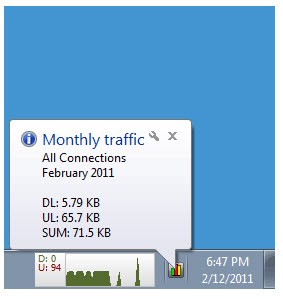
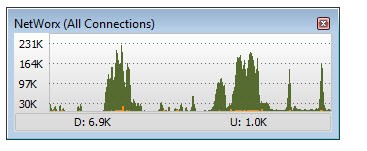
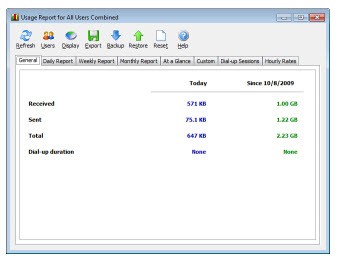
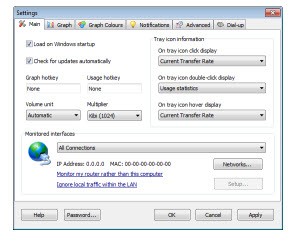
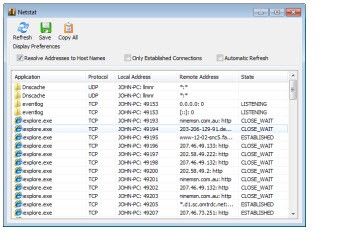
NetWorx is a desktop bandwidth monitor built for clear, dependable measurement. It tracks real-time throughput and keeps hourly, daily, weekly, and monthly totals so patterns are visible instead of being guessed. You can target a local network adapter or query a compatible router through SNMP or UPnP to reflect usage beyond a single computer when several devices share the same connection. A floating live graph surfaces spikes the moment they happen, and a per-process list ties those spikes to the exact apps responsible.
Historical views let you step back and see how routine traffic adds up over time, which is useful when you need to verify a data cap, audit a busy week, or confirm that a fix actually worked. Alongside the meter, NetWorx includes a Speed Meter for on-demand or scheduled throughput checks and a Connection Monitor that records downtime and round-trip times across the day. Alerts help catch anomalies or warn before a limit bites, and reports export cleanly when you need proof. The overall idea is straightforward: immediate visibility when something changes, and reliable totals when you look back.
Why should I download NetWorx?
Most people notice the internet only when it misbehaves. NetWorx turns that frustration into information. The live chart gives instant feedback when a download starts, a stream ramps up, or a background sync wakes up. Hourly and daily totals reveal slow drifts, like updates creeping into the afternoon or a new tool quietly talking more than it should.
Per-app attribution replaces hunches with a ranked list, which makes conversations with colleagues, family, or your ISP simpler because the numbers are specific. Scheduled speed tests collect comparable snapshots over time; you can build a baseline for good days and recognize the moment performance slides below it.
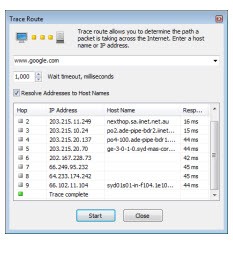
The Connection Monitor logs outages and latency, which helps separate local Wi-Fi noise from line-level issues. Router polling matters when usage is shared across phones, consoles, and laptops: interface counters reflect the whole pipe, not only one machine. Quotas and alerts reduce surprises with prepaid data plans.
Exported reports help when you need to attach evidence to a ticket or document for service quality compliance. None of this is about hype; it’s about having measurements that stand on their own, so you can make decisions without guesswork.
Is NetWorx free?
NetWorx is not freeware. It offers a time-limited evaluation and then requires a license for ongoing use. There are no ads inside the application. The evaluation period is long enough to answer practical questions: does per-process accounting line up with what Task Manager or Activity Monitor suggests, do router counters match your ISP’s portal when SNMP or UPnP polling is enabled, and does the alert logic behave the way your policy requires.
If you plan to monitor at the router, validate that the device exposes the right interfaces and that credentials or discovery are set correctly. If your goal is workstation-level attribution, test on a typical day with the tools your team actually uses. After that trial, the decision tends to be simple: either the numbers align with reality and the workflow fits, or it doesn’t. The model is direct: evaluate, verify, and license if it meets your needs.
What operating systems are compatible with NetWorx?
NetWorx is compatible with modern desktop platforms, specifically Windows and macOS. On Windows, it attributes usage to individual processes, maintains running totals by hour through month, performs scheduled speed tests, raises notifications based on quotas or thresholds, and can query supported routers for interface counters when SNMP or UPnP is available. On macOS, it provides live graphs, historical totals, and notifications, with feature nuances that reflect platform differences. Because certain capabilities depend on hardware support and permissions—especially router polling—results vary with device configuration.
The safest approach is to test the same features on both platforms during the evaluation, confirm that adapter selection is correct, and verify that results match a second source when possible. If your environment blends Windows desktops with a macOS laptop on the same network, using router counters as a common ground can simplify comparisons. Either way, the goal is consistency: live visibility when something changes, and consistent totals that you can trust over weeks and months.
What are the alternatives to NetWorx?
Wireshark is not a quota tracker; it is a protocol analyzer. It sniffs packets and allows you to drill into headers and streams, and latency down to the microscopic level. Take it when you are required to validate what is on the traffic (handshakes, versions of TLS, retransmissions, DNS failures) or need to diagnose a service that is not working, or just to check that a patch has altered the wire behavior, not only the totals. It is more technical than NetWorx and too much when it comes to hourly limits, yet it is impossible when the question is what exactly is going across the line and why?
Fing - Network Tools traces system IDs and traffic of the network. It is good with instant finding, identifying devices, and simple health-checking, either on a phone or a computer. When it is something new in Wi-Fi coverage or what device is consuming the router, Fing is quick to inventory, find vendors, and perform basic tests. It is also a little less bandwidth-intensive in terms of long-horizon bandwidth accounting than NetWorx, but visibility across numerous devices when you have names, MACs, and presence numbers requires more than process totals.
PRTG Network Monitor is network and server full scale monitoring. It monitors interfaces, services, SNMP sensors, flows, availability, and performance across numerous nodes, and has dashboards and alerts that are suitable for the operations of a team. Use it when you require centralized control, i.e., multiple routers, switches, hosts, as well as services are visible in a single view with policies, notifications, and historical reports at scale. It is also more cumbersome to install than NetWorx, but it spans much more of the usage history of a single workstation.
nperf speed test is concerned with the quality measurement of download and upload throughput, latency, browsing responsiveness, streaming, and coverage maps in selected areas. It can be helpful when one needs to know how the line is running now or whether the streaming is stuttering with the current conditions, not the application that required 12 GB of data this week. When periodic tests are paired with NetWorx, you have the benefit of isolating raw capacity problems and application behavior, simultaneously providing you with moment-in-time quality and long-term accounting.