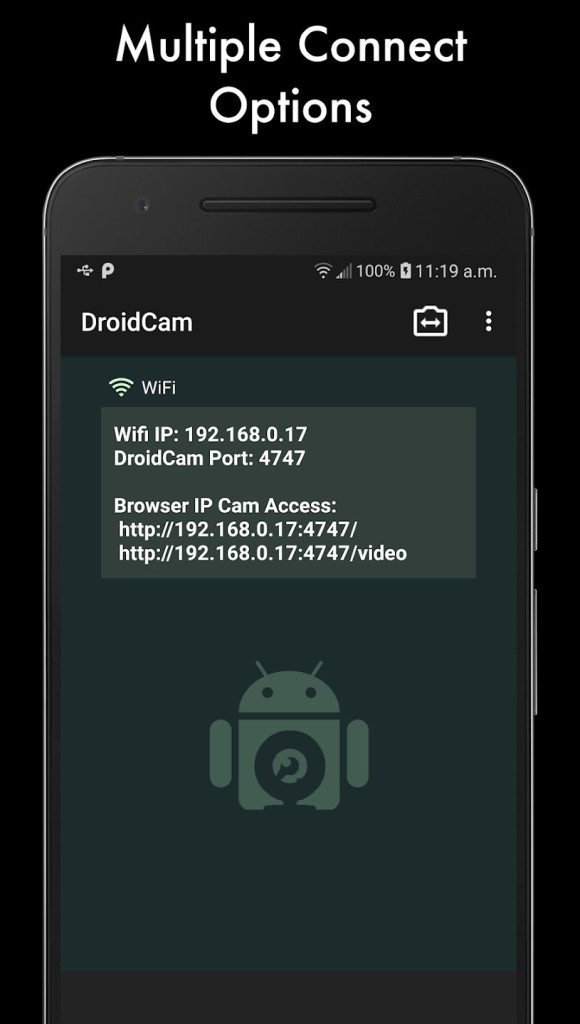
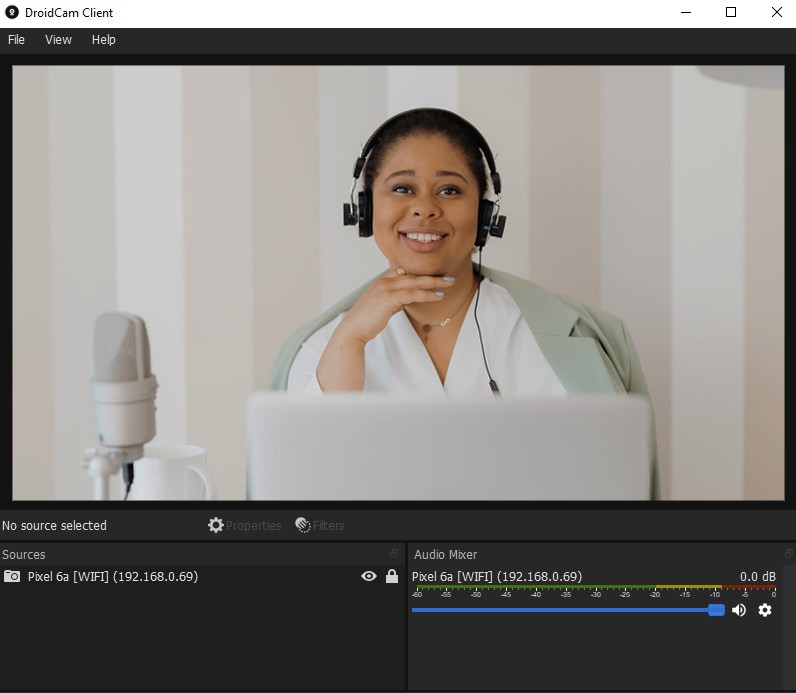
DroidCam lets you use your phone or tablet as a camera for your computer without buying a dedicated webcam or capture device. You install the DroidCam app on your mobile device and connect it to the DroidCam Client on Windows or Linux. The newer client provides a more advanced interface with features such as automatic Wi-Fi device discovery, camera controls, video adjustments, overlays, and 60-FPS support. If you already use OBS Studio, the DroidCam OBS plugin provides direct integration without requiring a separate PC client.
The connection can use either Wi-Fi or USB, depending on your setup. DroidCam is designed for low-latency, peer-to-peer video transfer, while the phone provides the camera hardware. You can use the resulting feed for video calls, remote classes, recordings, or streaming, and audio capture is also available when you need to use the phone's microphone. The OBS plugin adds more flexibility for content creation, including multiple devices, camera controls, and video production features.
Why Should I Download DroidCam?
DroidCam is useful if you want to improve your computer's camera without purchasing a separate webcam. A modern phone can provide a more capable camera than many built-in laptop webcams, while the app lets you position the phone wherever you need it. You can connect over Wi-Fi for a cable-free setup or use USB when you want a direct connection between the phone and computer.
The newer DroidCam Client also gives you more control over the video than the original software. Depending on your setup and the capabilities of your phone, you can adjust options such as exposure, focus, zoom, and colors, as well as rotate, flip, or mirror the image. The client can also add text, image, and media overlays, making it useful beyond simple video calls. For users working with OBS Studio, the dedicated DroidCam plugin provides an even more complete production workflow.
DroidCam can therefore serve different purposes, from replacing a basic laptop webcam to providing a flexible camera source for streaming and recording. The free version covers basic webcam use at standard definition, while the Pro upgrade is available for users who need higher resolutions and additional controls.
Is DroidCam Free?
DroidCam is free to use with its core features and provides unlimited standard-definition video without a watermark. You can use your phone as a webcam and connect over Wi-Fi or USB, while audio capture is also supported. The software works with common communication applications such as Zoom, Discord, and Microsoft Teams, as well as with OBS Studio through its dedicated integration.
A Pro upgrade is available when you need higher video quality and additional features. Depending on the version and connection method, Pro can unlock 720p and 1080p HD video, as well as 1440p and 2160p video through the OBS plugin. Other Pro features include image and color adjustments, remote camera controls, access to additional camera lenses when supported by the phone, and other advanced settings.
The current DroidCam Pro offering provides both one-time and annual payment options. The DroidCam Client and OBS plugin themselves are free to download and use, while the Pro upgrade is purchased through the mobile app. The exact features available can vary between the regular PC client and the OBS plugin, so users can choose the setup that best matches how they intend to use their phone as a camera.
What Operating Systems Are Compatible with DroidCam?
DroidCam supports Android and iOS devices, with computer-side options for Windows and Linux and direct OBS integration available on Windows, Linux, and macOS. The current Windows client supports Windows 10 and 11; older Windows versions may use the old DroidCam version (we linked it for you). Linux users can either use the DroidCam Client or integrate DroidCam directly into OBS Studio, while Mac users can use the DroidCam OBS plugin with OBS Studio.
For a straightforward webcam setup, Windows and Linux users can install the DroidCam Client and link it with the mobile app. OBS Studio users can instead install the DroidCam OBS plugin, which works across Windows, Linux, and macOS and lets you add one or more phones directly as OBS sources. The plugin supports both Wi-Fi and USB connections and can handle video resolutions up to 4K on supported devices.
The best connection method depends on your setup. Wi-Fi provides a convenient cable-free connection, while USB can provide a more direct link when you want to avoid relying on your local wireless network. For longer streaming sessions, keeping the phone connected to power can also help prevent the battery from running down.
What Are the Alternatives to DroidCam?
If your main usage case is OBS Studio, use DroidCam OBS . Unlike the regular DroidCam workflow, the OBS plugin connects the phone directly to OBS and lets you add multiple devices as camera sources. It supports Wi-Fi and USB connections, hardware-accelerated video, and resolutions up to 4K, while remote camera controls can be accessed through OBS. This makes it particularly suitable for streaming, recording, and multi-camera productions.
Camo is a webcam application that turns a phone into a camera for a computer, with an emphasis on image quality and camera controls. It provides options for adjusting the picture and choosing between available phone lenses, making it a good alternative for users who want more control over how their video looks. It is particularly suited to people who want a polished desktop webcam experience rather than a basic phone-to-PC connection.
iVCam Webcam is another phone-as-webcam solution designed for connecting a mobile device to a computer. It supports common video-conferencing and streaming scenarios and provides a relatively straightforward way to use a phone as an external camera. It can be a useful alternative if you want a dedicated webcam application with a simple setup and a range of quality options.