ActiveInbox is not a new mail app; it’s an add-on that runs right inside Google Chrome and Gmail. The idea is that emails are not just messages; they’re tasks you have to do. Instead of letting them pile up and hoping you don’t forget, you can turn them into tasks, put dates on them, and track them until they’re done. It keeps Gmail the same but adds structure to it.
You don’t switch tools. It works in Chrome as an extension. Once installed, Gmail gets extra options. You can file messages into projects, add notes, break long conversations into subtasks, and see related emails while you’re replying. The main promise is that you stop losing track of things. Emails don’t sink to the bottom and disappear.
It’s been around for years, since 2006. It isn’t a side project that will vanish. It has users across companies and teams, people who live in Gmail every day and need it to behave like a to-do list as much as an inbox.
Why should I download ActiveInbox for Gmail?
Because email is really a stack of small tasks disguised as messages, ActiveInbox changes the way you see them. You receive something, someone asks you to do something, you reply, then you have to wait for them to answer, then maybe follow up. Without a management system, things just sit.
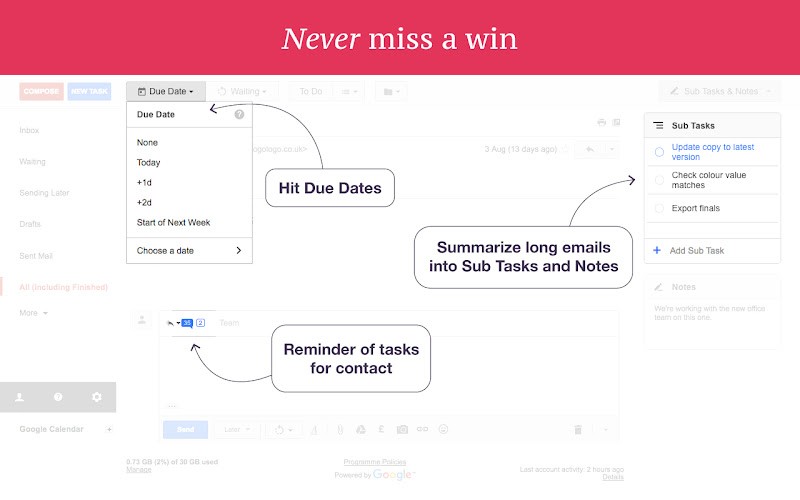
That’s where ActiveInbox is useful for Gmail users. You can put deadlines directly on an email. Even if it’s a tiny job, it gets a due date, and you get a reminder. That stops the little promises you make from being forgotten.
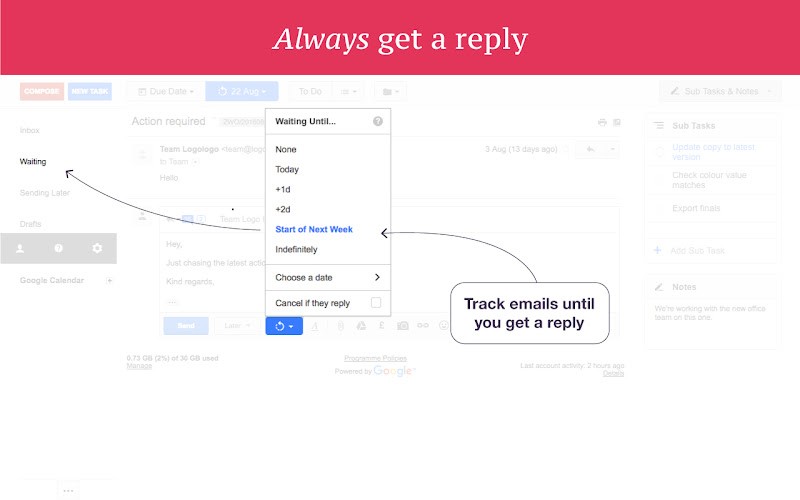
It gives you a Follow-Up area, too, where every email you’ve sent that’s waiting on someone else gets listed. Instead of remembering who hasn’t replied, you open that section and see it. Nothing slips just because you assumed they’d respond.
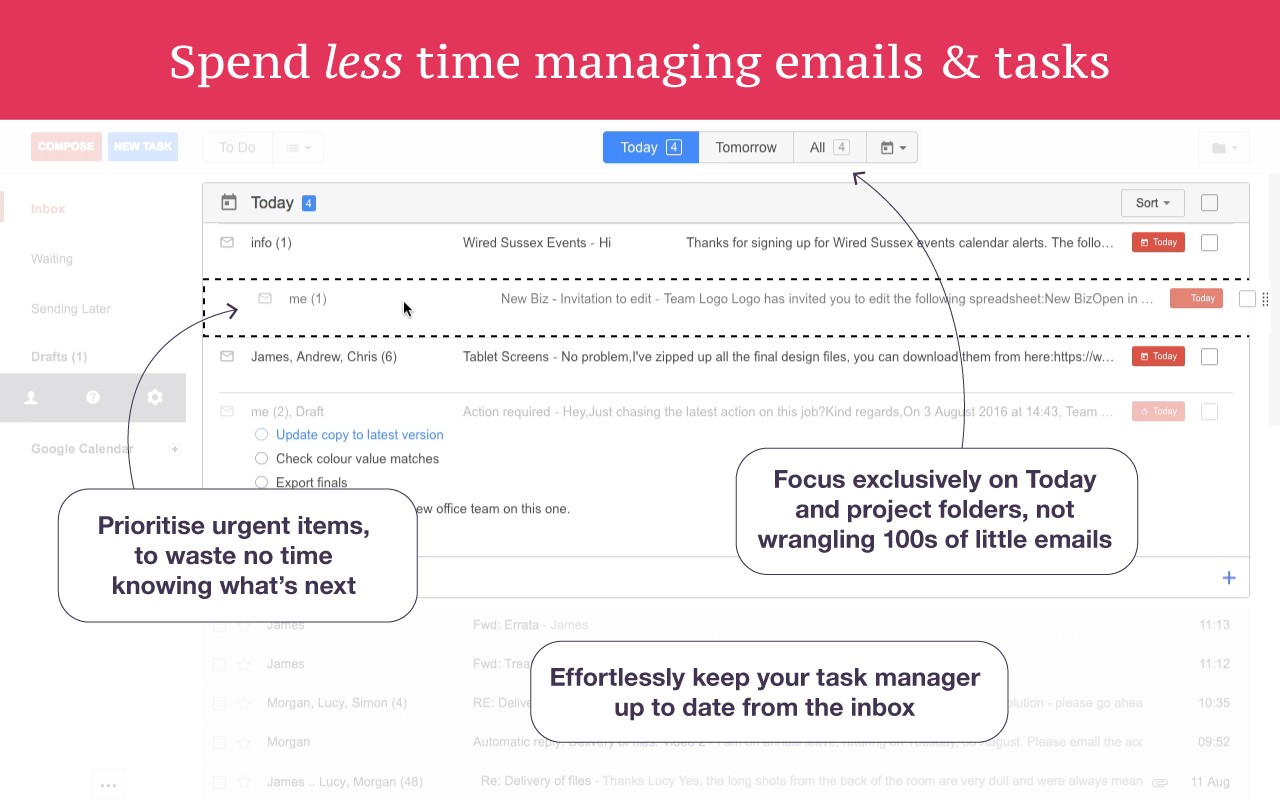
Sorting matters as well. You can group things into projects or by person. If you need to process all messages from one client in a block, you can. If you want to split your day into chunks, you drag the urgent ones to the top and work through them. That sense of order keeps you moving when the inbox feels endless.
Long conversations become easier, too. Instead of re-reading ten messages to remind yourself what was agreed, you make subtasks and notes attached to the thread. Next time you open it, you will see what has to be done. And while you’re writing replies, it shows you related emails. That means no second-guessing about whether you’re missing context. Everything linked is right there while you type.
So the reason to download ActiveInbox is not to get a new shiny app. It’s to make Gmail itself enough, so you don’t run to outside task managers, sticky notes, or memory alone. If you live in Gmail, this turns it into a proper place to work, not just a flood of messages.
Is ActiveInbox for Gmail free?
There’s a free trial. You install it from the Chrome Web Store and test it for yourself. After that, it’s paid if you want to keep it long-term. The point is, you don’t have to gamble money before you know if it fits your way of working. You try it first.
What operating systems are compatible with ActiveInbox for Gmail?
It works anywhere Chrome works. Windows, macOS, Linux—it doesn’t matter. You don’t need a separate app for each system; you just use Gmail in Chrome, and the extension adds its layer.
On mobile, it’s not the same because mobile Chrome apps don’t support extensions. So the real use is on desktops or laptops where you’re handling big volumes. That’s where the task features actually help.
So the requirement is simple: Gmail and Chrome on a computer. That’s it.
What are the alternatives to ActiveInbox for Gmail?
Users of Gmail, some tools might interest you. They will give you new functionalities that will simplify your usage of your Google Mail account. Most of them are extensions for the Google Chrome browser.
Checker Plus for Gmail is one choice. It’s also an extension for your browser, but instead of tasks, it’s about fast access. You get notifications from your inbox, and you can read and reply without even opening Gmail in a new tab. It saves time if your focus is on alerts and quick replies, as you don’t have to open Gmail every time you need to answer an email.
Mailtrack for Gmail is simple: it tracks if someone opened your email. Like a read receipt but clearer. It doesn’t add task systems, it doesn’t add due dates, but if your worry is “did they even see my message,” this is what it covers.
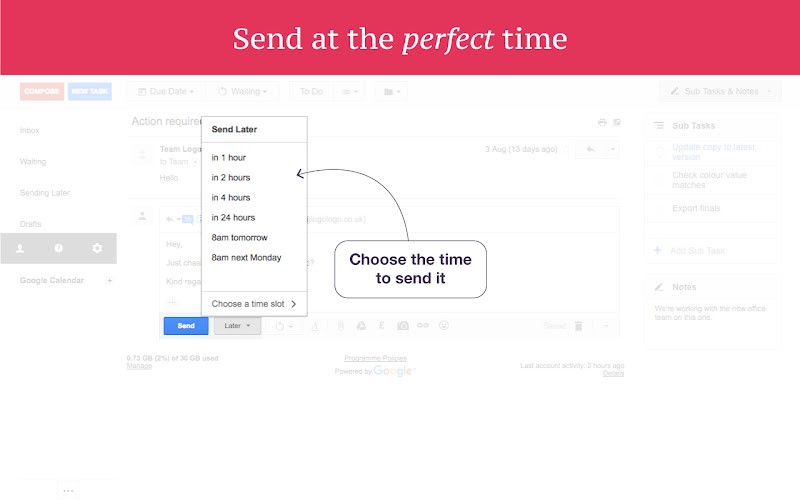
Boomerang for Gmail is more of an inbox manager. It lets you schedule when emails go out, and it reminds you to follow up if no reply comes. It also has options to pause your inbox when you don’t want to be disturbed. It’s more about timing and follow-ups than about full project-style management, but it simplifies your life anyway.