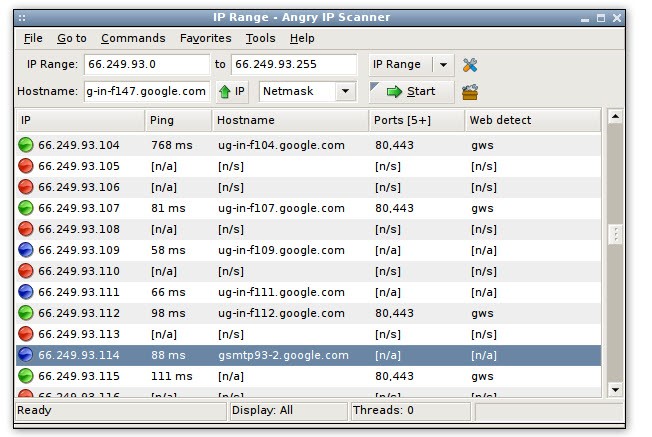
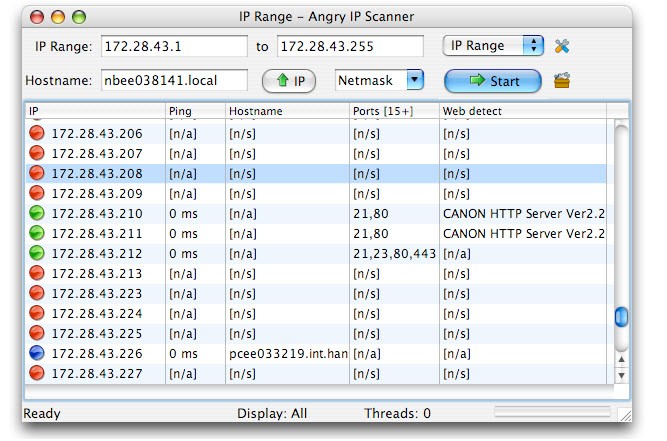
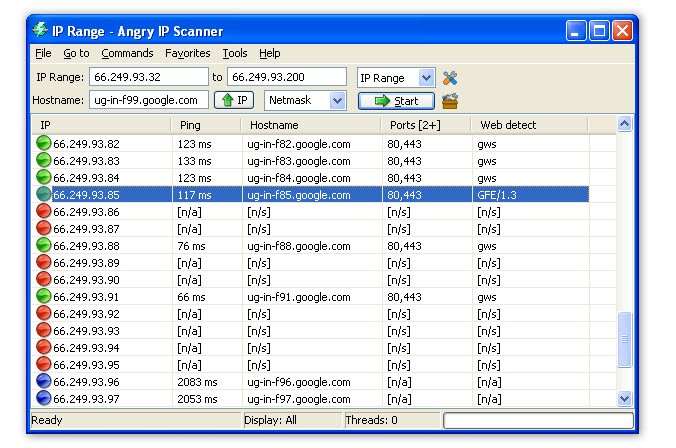
Angry IP Scanner is a fast, open-source network scanner that checks IP addresses and ports across any range you give it. It’s small, cross-platform, and built in Java, so it runs on Windows, macOS, and Linux. You point it at a range, a random sequence, or a file, and it pings each address to see if it’s alive, then it can resolve hostnames, pull MAC addresses, scan ports, and show extra details if you add plugins.
It runs each IP on its own thread, which is how it keeps scans moving fast even when you test large networks. The program is maintained by Anton Keks and is distributed under GPL v2; the source code is public, so you can inspect it or extend it if you write Java.
Results appear as they come in, and you can save them in CSV, TXT, XML, or IP-Port list formats. There are small practical features included: NetBIOS info for Windows hosts, web server detection, favorite IP ranges you often visit, and customizable openers to launch actions straight from the results.
Plugins let you fetch more data per host — anyone who can write Java can add a fetcher, pinger, exporter, or feeder to change what the scanner collects or how it works. Angry IP Scanner keeps things simple and transparent: it’s meant for discovery and monitoring, not for stealthy exploitation.
Why Should I Download Angry IP Scanner?
You should download Angry IP Scanner if you want a no-nonsense tool that quickly shows what’s online and which ports respond. It’s useful when you need a snapshot of a network without installing heavyweight suites or signing up for cloud services.
Copy the portable build to a USB drive, start it up, and scan; no install means no registry clutter and no fuss when you’re done. For admins and engineers, this is handy for quick checks, for example, to confirm whether a service is reachable, to see which devices replied on a subnet, or to export a list of live hosts for later analysis.
The speed matters: multi-threading moves things along and gives timely results. You can export scans for reports or automate tasks with the command-line interface when you need to script recurring checks.
Plugin support matters when you want more than default columns — fetch extra attributes, add custom exporters, or build a feeder that reads addresses from a specific inventory format. The app doesn’t try to hide its activity; it’s open about how it works and deliberately lacks stealth features. That means it is suited to legitimate monitoring and troubleshooting rather than covert scanning.
Is Angry IP Scanner Free?
Yes, Angry IP Scanner is free and open-source. It is licensed under GPL v2, which lets you use, copy, and modify the software following that license. The project provides binaries and source code on the official site so you can check what’s inside. There are no paid tiers or hidden costs tied to the scanner itself; what you download is the working program.
Because it’s a network tool, some antivirus products may flag it as potentially unwanted. That often happens with utilities that perform scanning because heuristics try to catch risky behaviors. The official builds are clean; if you need reassurance, you can review the published source code or read the FAQs on the official site. The emphasis is on openness: since it’s open-source, administrators can confirm there are no trojans or malicious components in the official distributions.
What Operating Systems Are Compatible with Angry IP Scanner?
Angry IP Scanner is compatible with Windows, macOS, and Linux. It runs on Java, so as long as the proper Java runtime is present, you can run it on those platforms. For Windows users, there is a recommended installer that includes a Java runtime for convenience, and a standalone executable if you prefer to use your own Java installation (64-bit OpenJDK/Java 17+ is required for the current builds).
For macOS, there are bundles for Intel and Apple Silicon, which include Java so you can open the app directly; macOS Gatekeeper may require you to allow the app in Security settings on first run. On Linux, you can run the Java build as usual, provided you have a current Java runtime.
Legacy support exists: the last version that runs under Java 8 is 3.7.6, and an older 2.x line is available for very old Windows systems. The portable versions do not require installation and work the same way across platforms, which makes the scanner flexible for field work, quick checks, or running from different machines without changing system configuration.
What Are the Alternatives to Angry IP Scanner?
PRTG Network Monitor is another way of doing things: instead of scanning the network manually and quickly, the PRTG monitor specializes in enterprise-type monitoring that is continuous. PRTG monitors uptime, bandwidth, health of the devices, and alerts about problems, which makes it useful when you need to have a long-term view and automated notifications of many devices. It is more scoped; it is designed to be managed centrally and reviewed continuously, as opposed to being scanned once.
SoftPerfect Network Scanner will be a good substitute in cases when you desire extensive discovery with a user-friendly GUI. It recognizes common folders, displays MAC addresses, has SNMP or WMI read out where possible, and offers detailed reporting and settings. It is rather inclined to in-depth analysis of Windows networks and does not have the same features as a lightweight portable scanner.
Fing - Network Tools is targeted at home users and small offices. Users can easily discover devices and have readable labels on devices. The Fing is user-friendly, and it brings out devices in a local network in a manner that is understood by nontechnical users. It is concerned with simplicity and ease as opposed to plug-in-based extensibility.