Auslogics Disk Defrag is a straightforward and useful program that will help you upgrade your PC’s performance by organizing and removing the clutter the hard drive accumulates all the time.
If your computer has started to slow down in response to your inputs, if files are taking a long time to open, and if there is any lag in general use from your system, fragmented files may be one of the issues.
As data is saved and deleted, the files are scattered throughout the disk over time. That scattering makes things slower because your system will have to try hard to put everything together when running a program or opening something.
Auslogics Disk Defrag attempts to fix this. What it does is analyze your disk, it locates fragmented files, and it brings them all closer together, so your hard drive doesn’t have to go crazy searching for pieces. This type of organization may sound lightweight, but it can make a big difference in time for older devices employing old forms of hard drives.
It is lightweight and it is fast. Unlike the built-in Windows defragmenter, you will not be stuck for hours just waiting. You receive rapid performance enhancements and easily understandable stats later. It’s not flashy. It just works and makes your system feel more refreshed.
Why should I download Auslogics Disk Defrag?
The frustration is one of the primary reasons why individuals search for a defrag tool, such as this one. Computers slow down. When you open a folder, it also takes longer than it used to. Games stutter, while apps freeze for a moment before they respond. Those are the indicators that something within doesn’t operate as smoothly anymore. Auslogics Disk Defrag returns some control to you. You don’t need to know what clusters or sectors are. All you need to do is launch, scan, and defrag, and leave it to clean things up. That’s the appeal here. It’s not a complicated process. You really make an improvement in just a couple of clicks.
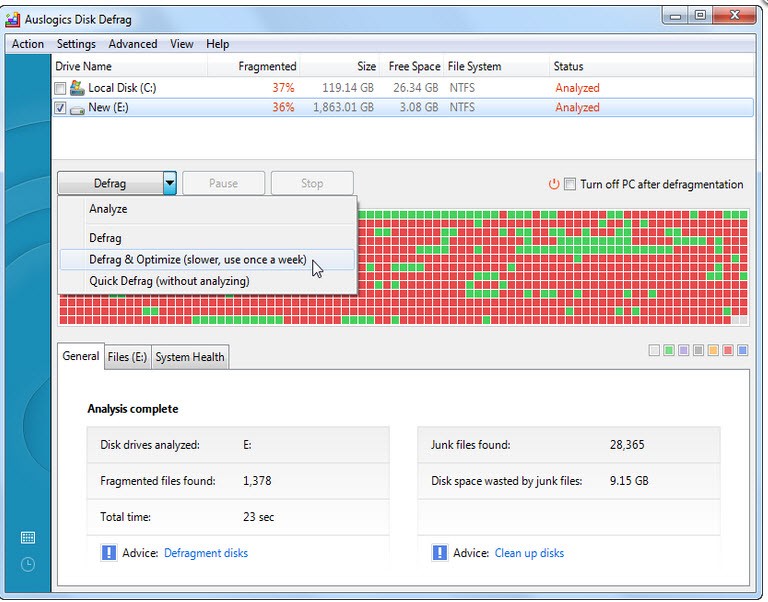
What’s useful is that it displays the results visually. You can see the fragmented blocks and where they were rearranged to sit together. It’s satisfying, like really clearing out a messy room. Not only does it improve the speed, which you can see. Programs can load more consistently. File searches become faster. Boot-up times may be faster if you haven’t defragmented for a while. And for users who have large media libraries or game installations scattered over disks, such optimization is really beneficial. What it does is put all of those files back in a more beneficial form that’s easier to access.
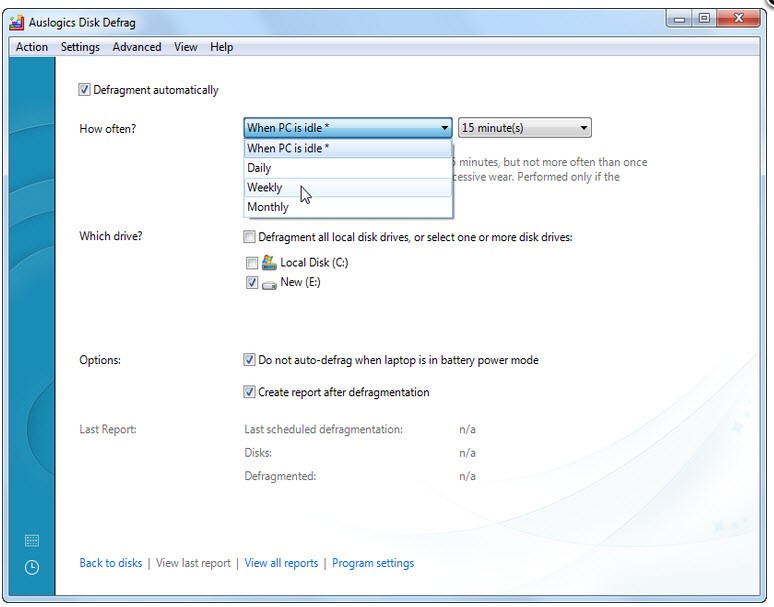
Another good reason is its customizability. Even though default scan and fix settings are good for most users, you can dig deeper and schedule defrags for nights or weekends when you do not use your PC. Even if needed, you can exclude certain files or drives. That makes it a good choice, regardless of whether you’re a beginner or a more experienced user who is looking for specific control. There’s also an option of optimizing SSDs, even though SSDS don’t exactly need defragmentation in the same sort of way that HDDS do. But Auslogics also provides smart options for those as well, but in favoring more trimming and stabilizing performance.
Some users just enjoy knowing their system is maintained. Defragging with Auslogics is a little like getting your car an oil change. Perhaps you don’t get immediate results, but your system works faster in the long run. It’s also convenient if you are trying to keep an aging laptop or desktop living longer. Rather than invest in a new machine, you receive a bit more mileage from the one that’s already yours. And that peace of mind, your files are being organized more smartly, is a perk you experience while working.
Is Auslogics Disk Defrag Free?
Of course, Auslogics Disk Defrag can be downloaded and used for free. There is a paid one, the Pro version, which introduces some advanced features, but the basic defragmentation and optimization tools are free. It is the ultimate fair offer for personal users, since one is not compelled by anything to upgrade the moment they decide to use the software as much as they please.
What Operating Systems Are Compatible with Auslogics Disk Defrag?
Auslogics Disk Defrag is Windows compatible. It works smoothly on Windows 7, Windows 8, Windows 10, and Windows 11. Whether you’re using an older laptop or a newer desktop, it will probably be compatible if it’s a Windows system. It doesn’t natively support macOS and Linux. Installation is quick, and the application itself isn’t space-intensive either. It requires very few system resources, so you can run it in the background while you are doing other work. It is a compact, limited-scope instrument that gets along nicely enough with most hardware setups.
What Are the Alternatives to Auslogics Disk Defrag?
Auslogics Disk Defrag does a great job at its task, but there are other programs that do the same.
One of them is by IObit, Smart Defrag. This tool is concerned with integrating defragmentation with disk optimization, thus not only cleans, but also makes your PC run faster. It has a simple interface and some automation capabilities, allowing for easy setup and forget. It also supports SSD trimming and boot-time defragging, which comes in useful when the files, which are related to Windows startup are scattered. It’s slightly more ostentatious in terms of design, but there are real performance increases, and it’s still free with optional upgrades paid for by you, the end user.
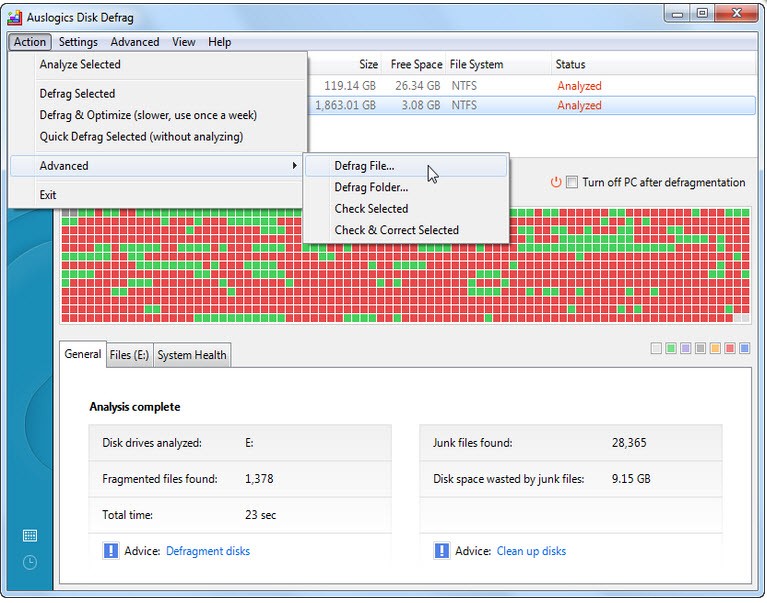
Another option is Defraggler by Piriform, the authors of the same program as CCleaner. Defraggler gives you detailed control. You can either defrag an entire drive or, instead, choose individual files or folders. That’s useful when you don’t have time to make a system scan, and you want to correct either a particular program or an issue. It also provides in-depth reports about fragmentation levels and performance. Some people may find it a little bit technical when you first start to use it, but once you become familiar with it, it is a pretty strong and reliable option. It’s also not heavy, which makes it good for older ones.
Then we have O&O Defrag, which is a little more professional in its methods. It has higher-level scheduling, multiple optimization algorithms, and very deep system integration. It’s more intended for power users or businesses, but everybody can try it. It’s not free, but it has a free trial version where you can see what it offers. One of its best features involves zone filing to sort out the most used files to faster disk regions and the other to different disk regions. O&O is a worthwhile substitute if you enjoy micromanaging system performance.