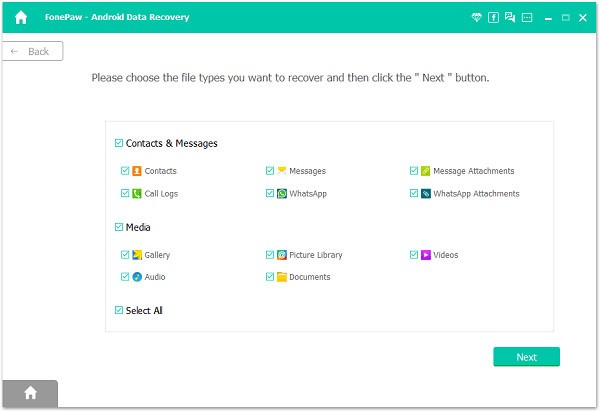
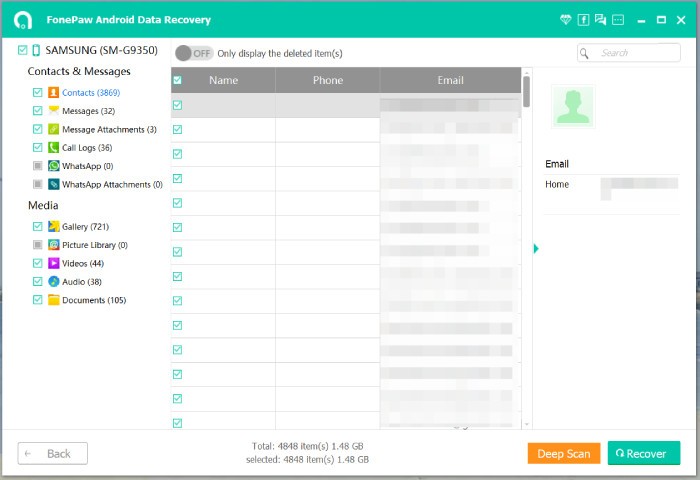
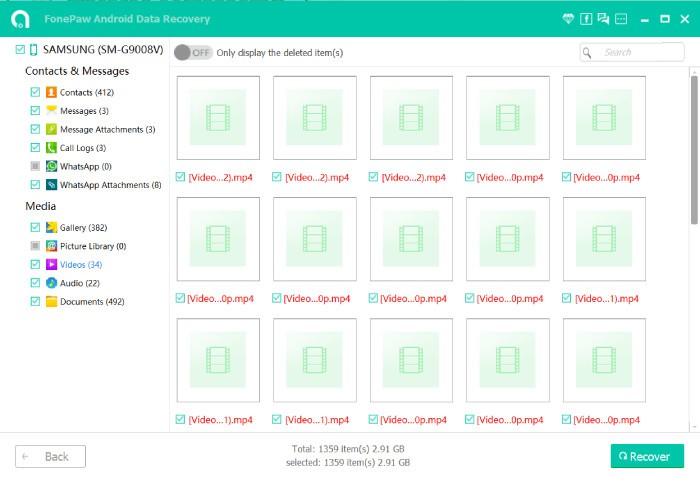
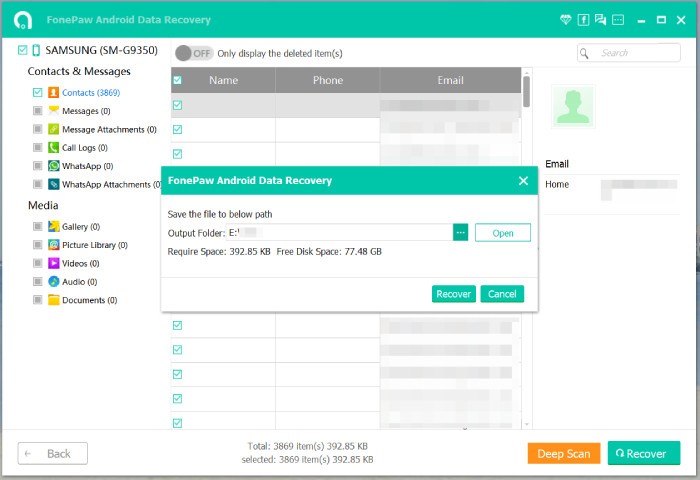
FonePaw Android Data Recovery is a software application that allows you to recover lost or deleted data from your Android phone or tablet. It is not an application you download or create on your mobile device. It is a program that you run on a computer and use for the purpose of searching for files that are missing or deleted on a phone. This may include everyday messages, photos, videos, media files shared in WhatsApp, calls, contacts, and documents. The idea is simple. You plug in your device to your computer, the software works its magic, and if you are lucky, you get your files back.
All these features apply to internal storage as well as externally connected SD memory cards within devices. That means that even if a file gets lost in the memory card, this software can retrieve it. It is not always possible to get back everything every time, but it shows this program what is possible to find. That helps you decide what to recover and not to restore everything. It becomes very helpful for those who have lost a file on their phones through an incident of an accidental deletion of a document or when the phone or devices crash, reformatted due to some technical problems.
Why Should I Download FonePaw Android Data Recovery?
Everyone will agree that accidentally losing data on their phone is all too familiar. A single wrong tap, a wrong system update, or the miscreant of your child borrowing your phone or laptop sends your messages, pictures, and notes down the drain since they aren’t backed up. Many of those who use computers do not make backups often, and cloud syncing is not perfect for all data. That is where FonePaw Android Data Recovery comes in handy. It isn’t exactly a guarantee, but it will provide the opportunity to attempt to retrieve the lost data before it is lost permanently.
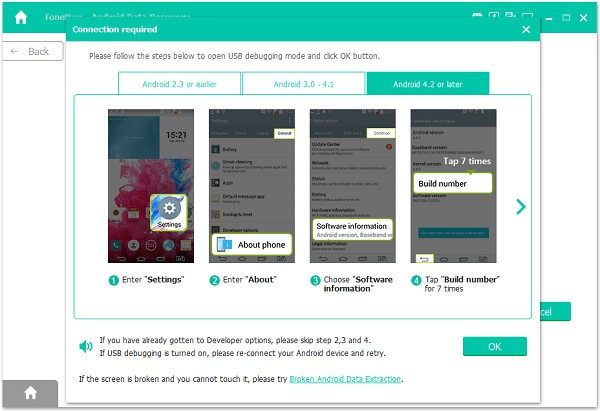
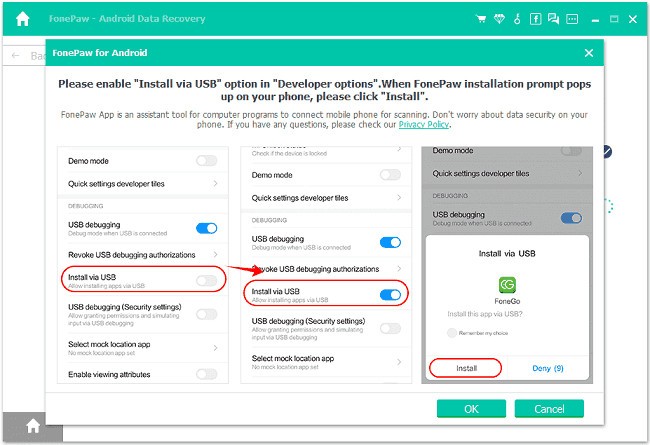
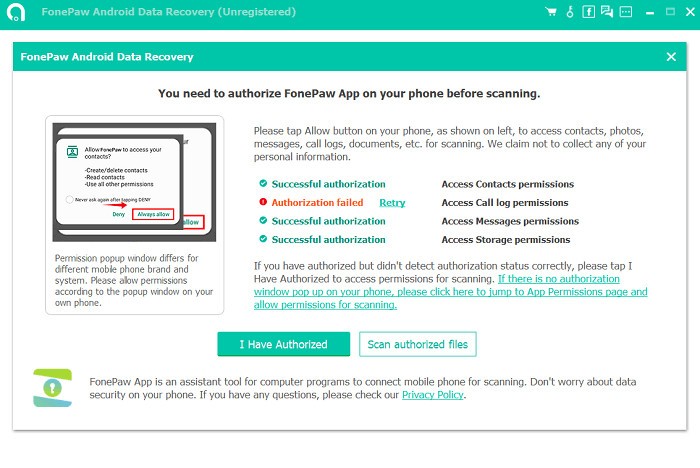
What makes it worth trying is the simplicity of the process. Once you have the download done on your personal computer, all you need to do is connect your phone using a USB cable and follow the on-screen instructions of the program. Be sure to allow USB debugging on your phone, since it sounds complicated but is quite simple. Then, the software searches across your device and displays the results to you. It is probably the deleted photos you once saved in your gallery, or the call logs of the past calls you made or received, or even snippets of chats from messaging applications.
The only positive aspect is that there might be a preview window of sorts before any actual recovery takes place. It’s not guess work, you’re not in blind. It appears before deciding to recall the file, contact, or message, for instance. Thirdly, it is effective as opposed to other applications, which primarily restore files from the storage space of the mobile phone. It also supports SD cards. They can also work with secure digital cards, which are usually abbreviated as SD cards.
Is FonePaw Android Data Recovery Free?
Despite having a paid version, it is also possible to use FonePaw Android Data Recovery without any charges, but this will come with some limitations. Data that may be recovered can be previewed free of charge with a trial version of the program. To recover files, you will need to use the full version that is available for purchase. It is not an app subscription, which means it is necessary to pay for it once and for all, though the price is quite ok in return for the possible savings. For many people, retrieving a single important photo or document is good enough reason to pay the amount.
What Operating Systems Are Compatible with FonePaw Android Data Recovery?
FonePaw Android Data Recovery application supports Windows and macOS. Concerning Windows, it is compatible with the most recent releases, such as Windows 11, 10, 8, and 7. It works well on macOS across the current and previous versions of the Mac operating systems.
As long as the computer can host standard software, and it has a port to connect the phone using a USB cable, then it will be fine. High graphics are not necessary in the program, and neither are high specifications. It behaves as a regular utility application, so older models of laptops should be able to run it. The most significant criterion is that your phone must be recognized by the computer when connected.
What Are the Alternatives to FonePaw Android Data Recovery?
Of all the available options, the most popular one is Dr.Fone by Wondershare. It is an old software that has all that a mobile user would need in terms of a toolbox. Data recovery is just one part of it. It also encompasses the possibility of transferring a phone and unlocking it, as well as erasing data. Dr. Fone supports multiple operating systems as well as multiple models of numerous brands of smartphones. Although it does the same as FonePaw, but in a more centralized control panel. The former is more general and easier to maneuver, while the latter provides a more specific service that FonePaw offers. Furthermore, Dr.Fone can be used for Android but also iOS.
The other related app is PhoneRescue for Android. They can also use it to fully get back deleted text messages, missed/dialed/ received calls, pictures, and other documents for Android phones. PhoneRescue does not contain any invasions to the interface and concentrates on both easy-to-navigate and effective recovery. It only endeavors to make the process as easy-going as possible for the users with the help of the suggested guidelines. Besides, PhoneRescue also offers opportunities for the rooting of devices and for the fixing of different system problems, which may appear in case with the software of the devices if not the files. It also exists for iOS users.
FoneLab Android Data Recovery offers scan and recovery services and is compatible with almost all Android brands and models. FoneLab and FonePaw could be considered the same, but they are developed by different companies and, therefore, may be more suitable for different users based on their experience and preferences. They are like all three options of start initiation for searching lost files, a view of the files that can be restored and a complete restoration option for those files.