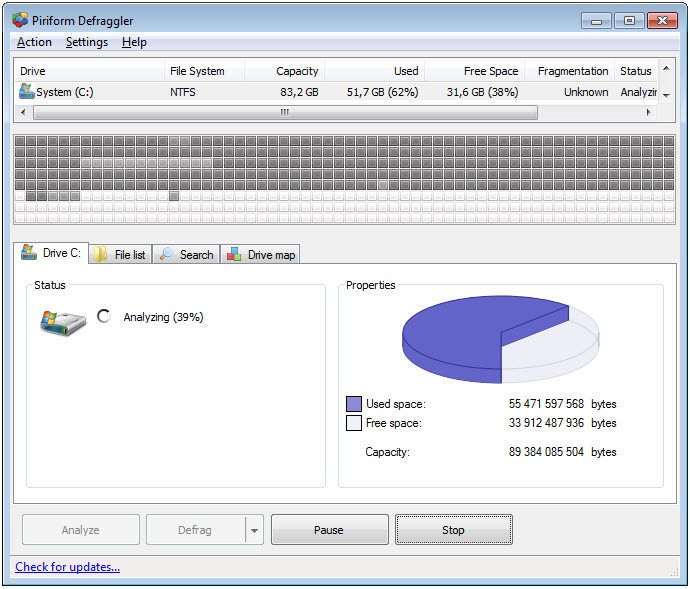
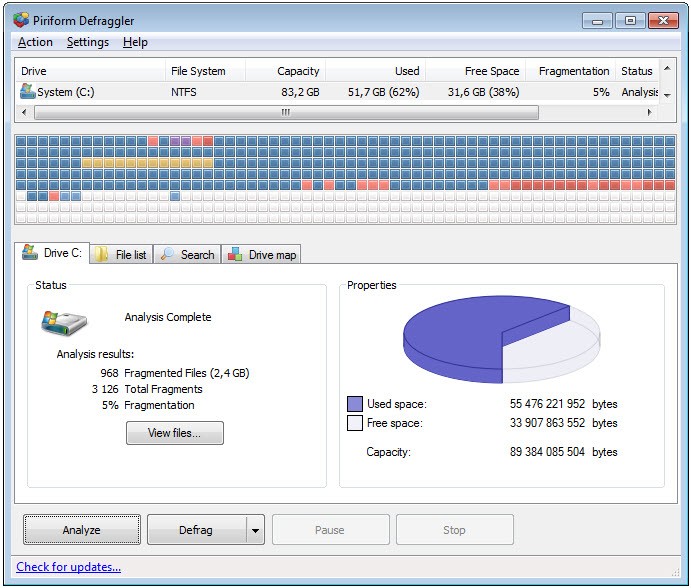
Defraggler is a very light program for one quiet but crucial task: helping your hard drive to breathe again. It is not a revolution for your machines. It does not promise a miraculous speed boost. But what it does is authentic. One day, your files turn out to be scattered across your disk in parts. These small pieces get harder for your system to find and stitch back together when you open something. That’s where Defraggler gently sneaks in. It brings the pieces closer together again. It makes some sort of order out of clutter.
Further to the fact that while the built-in Windows defragmenter sort of works behind a curtain, with Defraggler, the user can see everything. You receive some sort of map of your disk, indicating those blocks that are filled and those that are fragmented. It’s possible to do the defrag on the entire drive or individual files.
Such an extent of control is unusual in a free tool. It doesn’t ask questions. It doesn’t push ads. It just opens, works, and makes your system feel lighter when it’s over. It is designed for users who need to do maintenance quietly and make it a thing of the past. Nothing fancy. Just something that works.
Why should I download Defraggler?
Defraggler is not attempting to be a system optimizer or a suite of complete utilities. It doesn’t check your computer for malware or recommend twenty things that can be uninstalled. It just defragments. But it does that job nicer than most. If your system has been slow, if opening files takes a few more seconds to complete than even half a second ago, and especially if you are still on a typical hard drive rather than a solid-state drive, Defraggler makes a distinct difference.
It allows you the chance to run a full defrag, which will take more time, or a quick one if you are in a hurry. You can set it to run overnight or when idle, so you will never be troubled by it. It also enables you to defragment only one file or folder, which is quite helpful when only one thing seems to lag, and you don’t feel like processing the entire drive. Those little touches matter. They give the perception that the program is valuing your time. It’s not a way of showing, it’s a way of quietly assisting.
What also makes Defraggler useful is its lightweight. It loads up fast, it doesn’t capture memory, and it doesn’t try to get you to install stuff that you didn’t ask for. In today’s world, most utilities are dressed in other accessories or packed up with side offers that clutter the experience. But this one stays focused. If you’re a little more experienced, you’ll also like the reports it generates after each session. They’re not too difficult to follow but contain just enough information for those who like to check up on things.
And if you’re the kind of person who likes to look after your machine, perhaps not daily, but from time to time, this is one tool that is worth hanging on to. You don’t use it every week, but you will be glad you have the program installed should you have to use it. It provides a sort of comfort that your system’s storage is not functioning, but is functioning well. It's simple. It's quiet. And it stays there like a worthy wrench should in your digital toolbox.
Is Defraggler free?
Defraggler is free to download, and it is free to use too. The free edition contains all basic defragmentation mechanisms. There is also a paid version with automatic updates and priority support, but for most people, it will be more than it takes to use it free of charge. In the free edition, there are no irritating ads and limitations. You install it, you run it, it’s done. Defraggler can also be found as part of the CCleaner Pro offer.
What operating systems are compatible with Defraggler?
Defraggler is made for Windows. It is compatible with most modern Windows versions such as Windows 7, 8, 10, and 11. It works smoothly whether on a 32-bit or 64-bit system and especially works well on machines with traditional hard disk drives. The tool is not essential on SSDs, and Defraggler itself will identify this and recommend things accordingly.
It doesn’t require too much power from the system, making it workable even on old machines or lower-spec desktops. No fancy rig needed to use it. It’s stable – both launched directly from the explorer as well as from the Windows Explorer. It’s reliable, it integrates well with Windows Explorer, you can right-click on a file in the explorer and defragment from there.
What are the alternatives to Defraggler?
If Defraggler is not quite hitting the spot for you or curious to see what's out there, you’ll find a few other tools that are looking to provide similar benefits (with a slightly different flavor). Each one, but all the same, aims to clean up your hard drives better, faster, and a little more orderly over time.
Smart Defrag from IObit is a more “visual” and more modern-looking tool. It is not just defragmentation, but also something they call optimization, a bit of extra file organizing to help boot times. It is a little more colorful, has the dashboard feel, and there is real-time monitoring if that’s the sort of feedback you want. It also fires quietly in the background – it tries to be as automatic and in the background as possible if you prefer something of that kind, which Smart Defrag attempts to fill. It is tentative in design, but it has a beneficial visibility to some users.
Another earlier favorite is the Auslogics Disk Defrag. It’s fast, compact, and rather rich in details. It shows you page by page what is happening inside your drive, it indicates fragmentation levels, and offers disk health monitoring. It’s beneficial for users who enjoy looking at numbers and knowing what is happening in the background. There is also a feature that reconfigures system files to allow for faster boot-ups, a little boost for aging machines, and a welcome one.
O&O Defrag is the more professional, more polished one of them all. It doesn’t come at no cost, but it offers you a more advanced interface and a richer set of features. It also has intelligent scheduling as well as various defragmentation approaches, with firm SSD support, although, once more, many SSDs do not need much defragging. O&O Defrag is for people who care about control; there are lots of settings to adjust how your system is optimized. If you are the kind of person who loves system maintenance and doesn’t want to mess anything up, O&O may seem to be more enjoyable to operate.