O&O Defrag allows users to boost their computer performance through the optimization of disk file storage structure. The continuous use of computers causes files to split and distribute their segments throughout the entire storage system. This is called fragmentation.
The operation of your computer becomes slower because your system needs to navigate multiple areas to collect fragmented file components. O&O Defrag organizes fragmented file sections into order, so your system can search and access files at increased speed. Similar to tidying a chaotic space, you immediately recognize the position of everything and achieve better system performance.
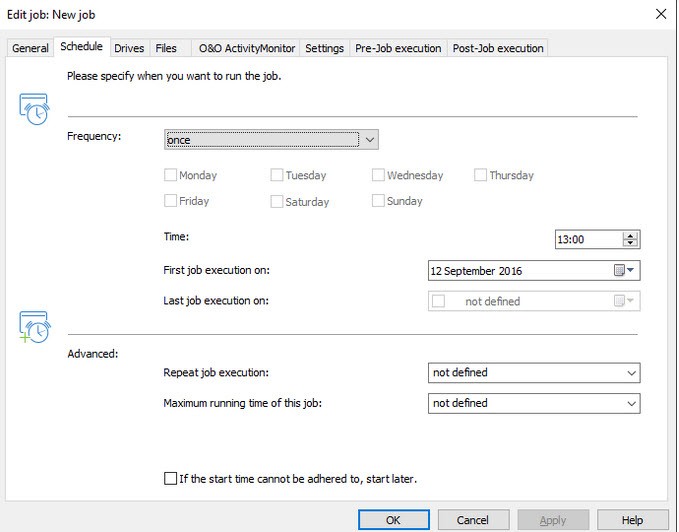
The computer application operates as a background process where minimal user intervention is required after the setup. Once you set the schedule, the system can perform defragmentation operations without needing manual activation. The software includes dedicated settings that optimize SSD storage while keeping the SSD operating smoothly without inflicting damage to its internal mechanism.
The program provides extensive disk cleaning features, which result in increased overall computer efficiency as well as improved responsiveness. O&O Defrag offers beneficial features to extensive PC users such as gamers, video editors, and anyone who wants their outdated system fresh without extra hardware purchases.
Why Should I Download O&O Defrag?
The question marks your thoughts since Windows contains its own built-in defragmentation utility, yet you decide to try another program. While it is true that Windows does offer basic maintenance through its built-in tool, the capabilities of O&O Defrag extend multiple stages beyond that standard option.
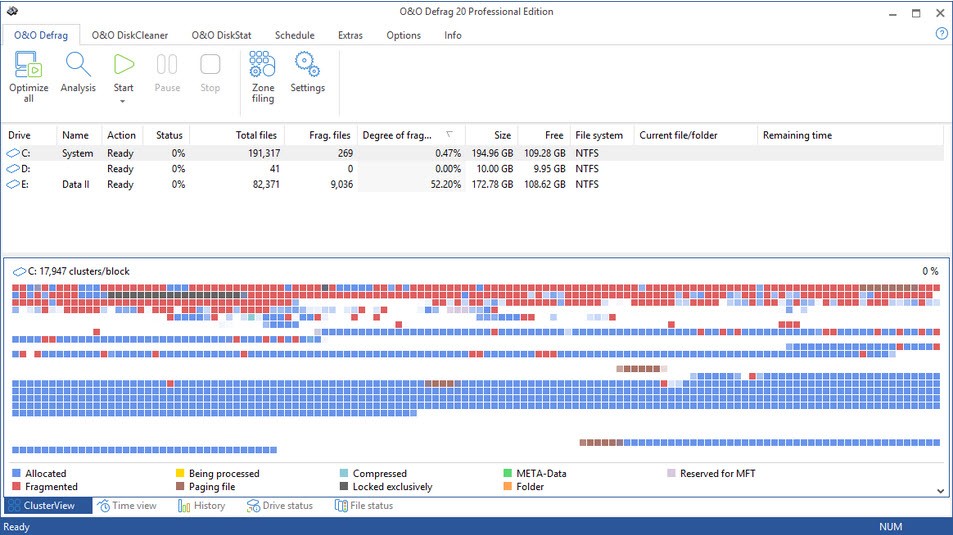
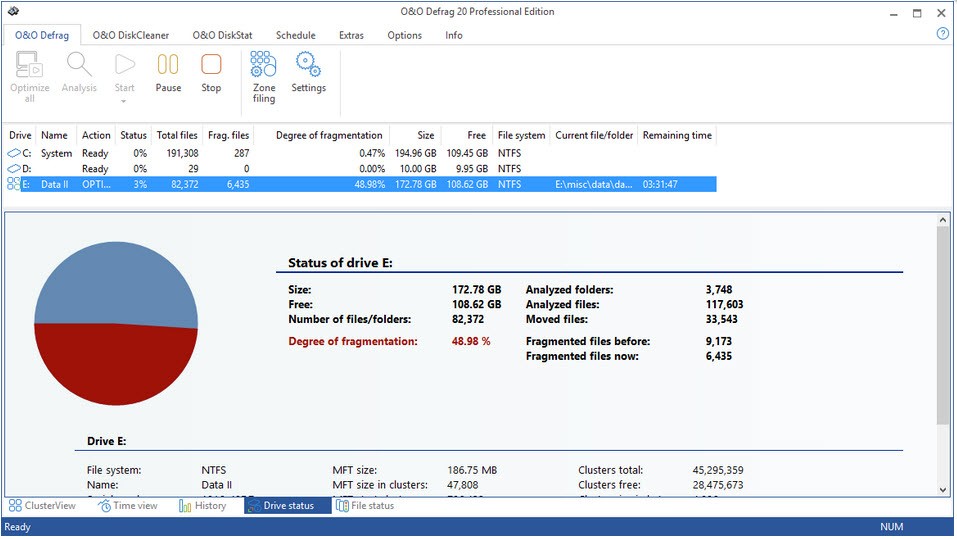
The default Windows tool has essential features that execute the operations satisfactorily, although it provides minimal information about its processes. O&O Defrag provides you with control features to determine the depth of clean-up operations, and it displays comprehensive reports regarding its actions. People who want to monitor system activities or visualize their system performance can achieve this through this software.
Performance improvement serves as one of the essential reasons to download the software. Every computer user has experienced sluggish performance, which leads to delayed program launches and gameplay slowdown, an extended boot process, and an overall feeling of system restriction.
The fragmentation of files produces a considerable amount of that slowness. Each scattered file requires the hard drive to perform additional tasks to access it. Through its consolidating ability, O&O Defrag prevents computers from using additional energy by preventing discontinuous data access. Your PC will become faster and more responsive even with this one optimization.
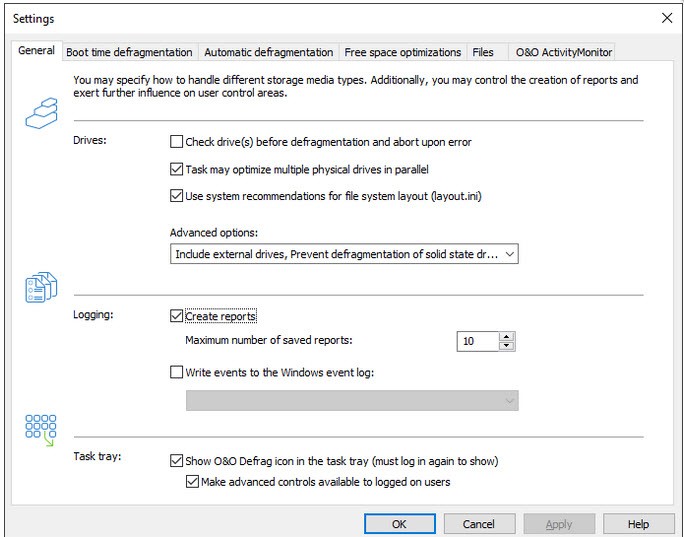
Users can pick their preferred defragmentation mode from among the options provided by the program according to their specific needs. Many users prefer silent operations during work hours, while others select deep cleaning during their absence from the workstation. The software uses intelligent algorithms for SSD optimization that protect their lifecycle without performance reduction. O&O optimizes SSD structures through its advanced features while using TRIM support and background optimization to achieve this enhancement. Your PC system recognizes both your storage device type and applies the most beneficial course of action for it.
Users must understand both immediate and long-lasting advantages when employing this solution. The way your system operates on the disk determines the amount of physical damage your hardware components will experience. The disk maintenance conducted on SSDs prolongs their operational period.
Regular maintenance tasks for PCs can be done with this program. Changing the oil in a car has the same effect as disk defragmentation because both processes maintain operational efficiency. Modern defragmenting methods not only enhance today's system operations, but they also contribute to lengthening your computer's lifespan.
Is O&O Defrag Free?
The free trial of O&O Defrag enables users to experience its core features before they need to buy a license. O&O Defrag provides complete access to essential functions throughout its trial period, but a purchased license becomes necessary to maintain continuous use. All advanced tools, together with additional features, are included only in the paid version. During the trial, you can test O&O Defrag to determine its effectiveness without incurring payment, which offers a balanced opportunity.
What Operating Systems Are Compatible with O&O Defrag?
The Windows operating system users benefit from O&O Defrag. Users can operate O&O Defrag on Windows 10 and Windows 11 while the program remains fully functional on Windows 7 and Windows 8 systems. The program only functions on Windows operating systems and excludes Linux and macOS. Regardless of your desktop or laptop type, along with a 32-bit or 64-bit configuration, O&O Defrag will install properly on your system. Access to administrator privileges is required during the installation process for proper configuration of the program.
What Are the Alternatives to O&O Defrag?
There are alternative defragmentation tools available for users who need different functionality than what O&O Defrag provides. These tools present varying functions within different pricing models, where users can find some tools available at no cost. Alternatives match specific requirements based on what users need, so they might prove more appropriate.
The widely used alternative defrag tool is Smart Defrag, created by IObit. Users can access its features free of charge, together with simple and detailed defragmentation capabilities. As part of its functionality, the tool includes both a game optimizer together with boot-time defrag, which enables it to execute maintenance during Windows startup before full system loading. Users with average computing needs to find these tools provide sufficient functions to maintain system performance. This tool avoids overwhelming users while letting them exercise sufficient control throughout the process.
Defraggler stands out as an excellent option since its developer team consists of those who created CCleaner. The speed and ease of use are Defraggler's main features, while it provides users with the ability to defrag individual files and folders, which most tools do not offer. Defraggler provides a beneficial feature that allows users to clean select large files through individual operations rather than conducting full storage checks. The program delivers performance stats along with map data, together with clear monitoring features beyond standard free tools, thus making it optimal for light observation needs.
Approved system utilities provider Auslogics Disk Defrag continues to offer its services in the industry. The program provides fast, simple functionality as standard while extending more capabilities in the Pro edition. The free version of this software provides both quick disk defragmentation services and optimization tool,s and basic file cleaning capabilities. The program includes additional system health features such as disk error examination and performance optimization tools that make it an all-purpose system management utility.