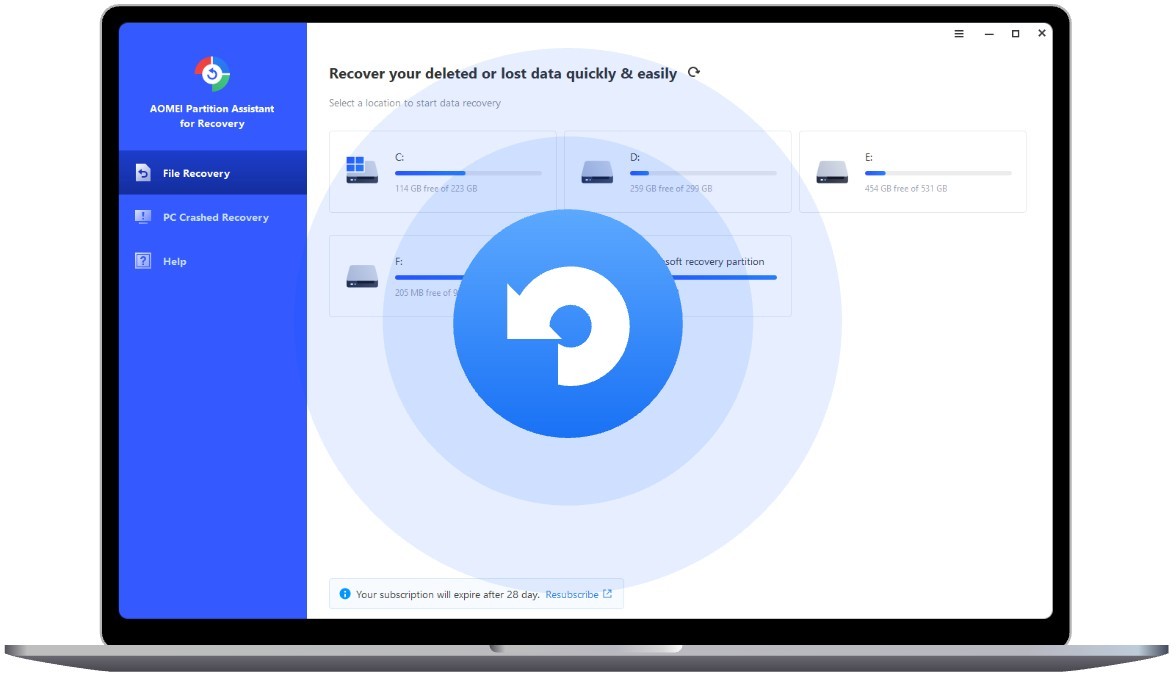
The disk partition management solution called AOMEI Partition Assistant provides advanced partition control features to storage users. It provides functionality beyond tech requirements since it supports ordinary users who want to work with partitions without endangering their information. Users find all necessary tools for drive management tasks, including HDD to SSD transition or hard drive partition cleanup operations within this software package, which simplifies the process through user-friendly interface features.
AOMEI Partition Assistant proves useful because it simplifies complex partition processes into manageable actions through simple mouse clicks. You can avoid both running terminal commands and BIOS navigation to complete your tasks. Through its graphical user interface, the program displays disk visualizations that users can modify through slider controls or choice-based menus.
This tool accommodates NTFS along with FAT32, exFAT, dynamic disks, plus other drive systems. Security is a main priority for this tool, which enables users to manage changes in virtual mode until they confirm their actions to avoid mistakes. The program operates as a behind-the-scenes workhorse that presents straightforward features to users.
Why Should I Download AOMEI Partition Assistant?
Most people realize the vital importance of disk partitions only when something goes wrong, such as when their drive fills up while other storage areas maintain ample free space. The management solution provided by AOMEI Partition Assistant serves this purpose. AOMEI Partition Assistant provides storage configuration control, allowing you to solve typical issues while maintaining file security in your Windows environment. The software provides practical solutions for the expansion of system drives, as well as the resolution of errors caused by bad sectors or RAW partitions.
AOMEI Partition Assistant stands out from other products because users find it incredibly easy to operate. The software interface involves simple language that system administrators, along with nonprofessionals, can understand. The software displays its tools through straightforward language and provides graphic disk displays that help you monitor real-time operations. You will find all your necessary tools precisely in your view for performing disk operations. The software limits your mistakes because changes are not executed immediately. AOMEI software remains in a pending stage between execution until you use the apply button, which provides enough time to evaluate your decisions.
The process of drive migration requires this program as a fundamental solution. When you replace your current drive with an SSD, you need to use this tool. With Partition Assistant, users can make a complete disk or operating system backup to a new hard drive without redoing all their installed applications. The software offers support for MBR and GPT partition types and includes features to change partition styles between them, which helps users transition between different systems or fix their UEFI boot problems.
Progressive users unlock additional concealed functionalities throughout the program. The program enables users to construct MBR structures and examine disk sectors and alter partition types, and develop bootable media for disk management tasks that do not require Windows startup. The program hides advanced features from users except during interactive searches for that information. Users who need only partition resizing or new partition creation can perform those tasks without needing to learn advanced terminology or venture into dangerous procedures.
System-related backup solutions are a strong feature of the software. The Partition Recovery Wizard and Make Bootable Media functions within the software give users options to fix boot failures and corrupted partitions. Security-minded users can use the SSD secure erase capability to erase data without compromising their SSD longevity, since this method differs from traditional formatting techniques.
The application works in the background to improve your hard drive organization when you require better control over data storage location. It is only when a situation arises that saves you from total data loss or restores it that you realize how useful this application has been.
Is AOMEI Partition Assistant Free?
All essential functions, such as partition creation, resizing, formatting, and merging, operate within the free version of AOMEI Partition Assistant. Users who require professional functionality, including OS migration and SSD secure erase tools, along with dynamic disk conversion, can access these functionalities through the Professional edition, yet need to acquire a valid license payment. The daily partition requirements of most users can easily be met using AOMEI Partition Assistant's free version.
What Operating Systems Are Compatible with AOMEI Partition Assistant?
AOMEI Partition Assistant operates on all versions of Windows from XP to Windows 11, Windows 10, Windows 8, Windows 7, and Windows Vista. Both 32-bit and 64-bit systems are supported. The server edition of AOMEI Partition Assistant supports Windows-based servers and works effectively on laptops, desktops, and professional versions. The software operates smoothly on current computer devices regardless of their processing capability. The software installs easily and operates efficiently with system resources; therefore, background operations do not impact machine performance.
What Are the Alternatives to AOMEI Partition Assistant?
Other partition management solutions currently in the market perform equivalent tasks but bring different advantages.
Minitool Partition Wizard stands as the most famous tool available in this category. Minitool Partition Wizard enables users to access its free and paid versions, which include basic functions such as resizing and partition recovery, and merging alongside a more graphical user interface. The interface shows graphical elements that come with benchmark testing and disk analysis capabilities. This tool proves beneficial for those who need disk information in combination with partition features.
EaseUS Partition Master ranks among the most preferred software solutions for users. The software offers users both free and paid versions alongside its well-documented support documentation and has existed throughout multiple years. The OS migration service and tools for SSD partition alignment and recovery, similar to AOMEI, can be found in this software. The free version of the tool maintains some features accessible to users after installation, but it requires a paid subscription for full usage. Users who favor user-friendly tools with polished interfaces should consider this program as their choice for partition management.
Users can choose IM-Magic Partition Resizer Free for their resizing requirements. The tool offers lightweight functionality compared to competing tools because it focuses only on partition resizing and moving features without data loss. The tool maintains a simple interface without the additional features provided by AOMEI or EaseUS, yet remains lightweight to operate. Users seeking basic partition resizing functions without unnecessary features can rely on the efficient operation of IM-Magic Partition Resizer Free without affecting their system performance.