GeForce Experience is developed by NVIDIA to work alongside your GeForce graphics card. It doesn’t replace games, but it acts as a handy assistant if you are fond of playing on PC. It keeps running in the background and boosts your games without the need to change any advanced settings.
It is best known for helping players change the game’s settings to get the best performance. A new game will detect the devices you have and will change its graphics settings to achieve a fine balance between looking good and performing well. In this way, you will not be bothered by making many small changes or carrying out plenty of experiments. It immediately takes care of everything you need to do in one move.
However, there is a lot below the surface as well. GeForce Experience can record games being played, provide driver updates, and offer in-game filters as well. This software makes PC gaming convenient by uniting all your actions in one spot. Even though you can still change your games, GeForce Experience helps out a lot, so you don’t have to spend much time adjusting settings.
Why Should I Download GeForce Experience?
If your system runs on an NVIDIA GPU, installing GeForce Experience is a smart move. It is free to use, and it makes your life less complicated in many ways. Those small moments when the game stutters are well known to gamers. It helps with this issue by ensuring that drivers are always updated automatically. You can do this once in a while since you won’t need to constantly monitor the NVIDIA website. It will just inform you and help you during the installation process.
However, the best aspect appears when you’re trying to polish the look of your game. Very few people have enough spare time and tech knowledge to change the advanced graphics settings for each game. GeForce Experience takes care of all those tasks. It lists your computer’s GPU, processor, and RAM, and after that, it suggests settings for each game in your catalogue. Of course, you can adjust your habits as you work with them, yet this helps you begin.
It also deserves to be mentioned how seamlessly the software fits into your regular gaming routine. Nothing needs to be done or checked all the time—it operates quietly in the background at all times. Updates for your drivers are mentioned by the program. When you set up a new game, your computer is ready to make it run better. Unless you wish to customize it, you don’t have to pay much attention to it. Many gaming tools try to grab your attention, so it’s rare for one to work smoothly without getting noticed. After a while, you see it as something you can never do without.
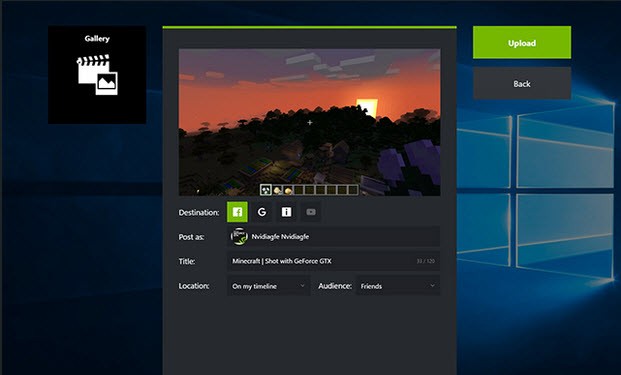
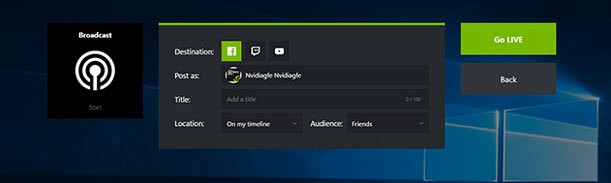
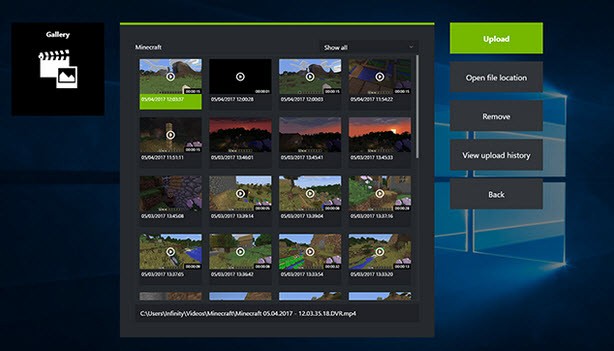
Streaming and game recording, included in the system, make a big impact. Instead of going with other heavy tools, use ShadowPlay to get the job done easily. Since it is already built-in and very light, it doesn’t slow down your games a lot. It’s possible to save highlights, take screenshots, or stream live gameplay, all using the same place.
When you value style in gaming, you’ll be happy to know that NVIDIA Freestyle is available as an inbuilt tool. Using this, you can choose to make your games look better by enhancing colors or applying contrast filters to have them appear like a movie. If Instagram gives filters to photos, Freestyle filters help make your gameplay feel unique and visually rich, and better. It all takes place live, and it can improve the atmosphere in various games.
If you want to stay in front of the competition, you can use its performance overlay stats to watch your GPU’s performance. Even though you may not use this all the time, it becomes useful when your PC starts to lag.
The program will never interfere with your PC’s functions. It doesn’t make noise, helps you achieve your present work process, and is not a burden in any way. It’s mainly about making your gaming life better, rather than trying to control it. That’s the reason many gamers set up this software shortly after creating or updating their PCs. It quietly takes care of the routine tasks that people would not notice.
Is GeForce Experience Free?
GeForce Experience is available to use totally for free. Everything in GeForce is available for no charge and without a subscription. An NVIDIA GPU gives you the chance to download and use the program free of charge.
What Operating Systems Are Compatible with GeForce Experience?
GeForce Experience was made to serve Windows platforms. It operates on Windows 10 and Windows 11 with ease, but currently, the official support for Windows 7 is no longer offered. Having an NVIDIA graphics card is necessary, and some extra features can only be used with updated generational units. Unfortunately, you need Windows with an NVIDIA card to make use of this software, since it doesn’t support macOS or Linux.
What Are the Alternatives to GeForce Experience?
For those of you who want something different or if you doubt GeForce Experience, you can try out other programs that aim to give you the same benefits.
GameFire is a program that checks all your computer hardware instead of just one component. Instead of just working on graphics or NVIDIA, GameFire tries to increase your game’s performance by stopping some Windows services and tasks while you are playing. Your goal should be to let your game make more use of what’s available, mainly for those using low-end PCs. It won’t make automatic changes as GeForce Experience does, yet it brings a gain in frames and cuts down background noise from your OS.
There is also an option called NVIDIA App. It is a more modern model that’s being released over time. It uses what GeForce Experience has and makes it better by creating a new look, better performance, and additional real-time functions. At some point, one may end up removing GeForce Experience, though they still both exist currently. NVIDIA App intends to improve things, making it operate smoothly and with clearer organization of its options. People who enjoy using the latest tools could try to switch to the NVIDIA App.