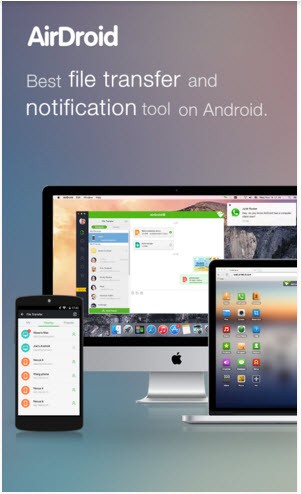
AirDroid provides a solution for remote control of Android phones and tablets through your computer. The software runs remotely through wireless Wi-Fi without needing a cable connection or complex configuration steps. The wireless Wi-Fi connection enables users to transmit documents between hardware devices and display mobile screen content on their personal computer, and respond to messages without physical connections. AirDroid exists to provide users with flexible device interaction while eliminating the requirement of USB cables.
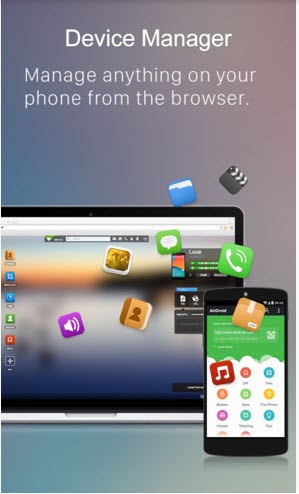
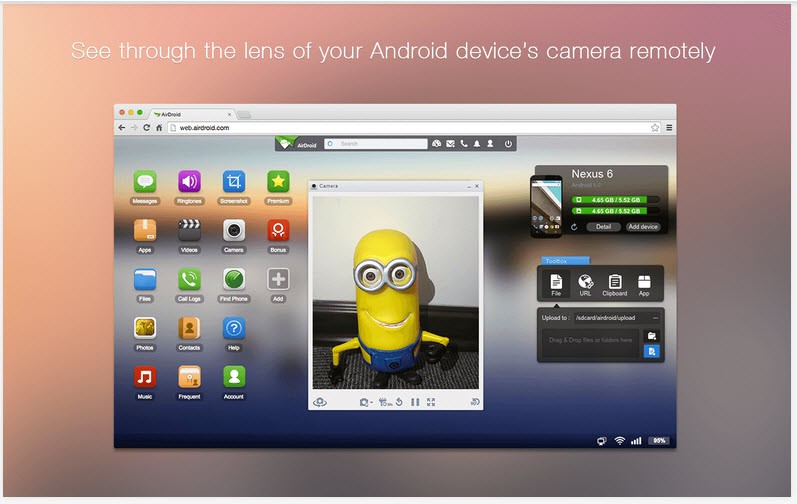
The AirDroid software operates through your phone and computer or browser interface to provide you with desktop control of phone system components. AirDroid provides users with functionality to transfer images and duplicate videos and send documents, and allow file transfer by drag and drop between devices. With the screen mirroring feature, your mobile display appears in real time on your computer, through which you can interact with your phone by using a mouse.
The tool enables users to monitor their phone usage without constant phone-handling while working or studying. Finding your misplaced phone is possible through this feature, which provides additional safety measures. After trying AirDroid, the simple process of using cables for file transfer seems out of date.
Why Should I Download AirDroid?
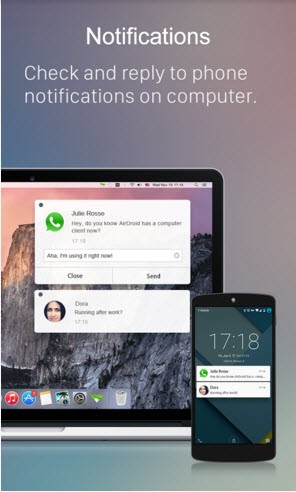
Adding AirDroid enhances daily phone usage functionality. The utility value of this tool becomes evident after trying it because users end up counting on it daily. When you’re working at your desk with your computer, a phone interruption through a message becomes noticeable.
The application works as a descriptor that enables you to read and provide responses to messages without interrupting your current screen activity. The app protects both your productivity and time through its ability to maintain your focus, hence making it particularly useful during academic tasks or remote work, or when facing various work demands simultaneously.
Among all the uses of AirDroid, file sharing ranks as the most crucial feature for users. The need to send images to your email or plug a phone to exchange files has become obsolete with AirDroid. Transferring full folders becomes possible, and the transfer process operates fast when using a high-speed Wi-Fi connection. The application has an uncomplicated design that enables users with any technical ability to learn how it works.
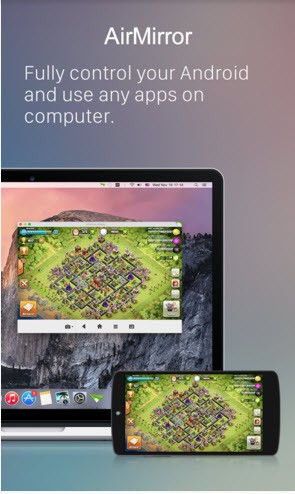
Screen mirroring functions are among the core features that motivate users to try the system. AirDroid enables users to view their phone display on their computer screen, through which they can control their device with a mouse or trackpad movement. Users can perform software app examinations as well as record their screen activities and guide users through processes using video chat, thanks to this feature. The Android phone can be managed through the remote control system, which enables comprehensive control from a distance. When your phone is located distant from you, but you need to check something, you can remotely access the device without moving.
Users appreciate the convenience of desktop SMS sending and receiving capabilities as a practical feature. Using one keyboard to type messages becomes more convenient than moving between devices since you already spend time at your computer typing. The application permits users to maintain a connection through both phone charging and working across different areas.
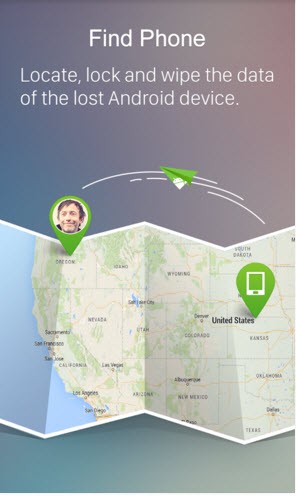
But that’s not all, AirDroid also offers features that assist users in locating their missing devices. The platform allows you to access your phone's location through maps and grants you control to both lock your device and wipe data from it when unwanted users get hold of it. Peace of mind through this technology will prove relevant for your daily life.
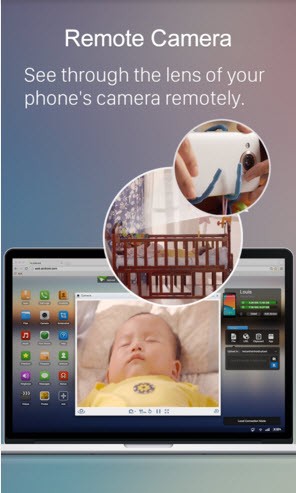
AirDroid provides users with a premium subscription package after they exhaust all the capabilities of its free version. Premium access to AirDroid enables users to get unlimited data transfer functionality, as well as remote camera access and support for handling multiple devices. To boost your work productivity while reducing device communication barriers, you receive complete benefits from the free version of AirDroid.
Is AirDroid Free?
The free version of AirDroid features complete essential tools, which include file transfer functionality, along with screen mirroring capabilities and notification syncing. Remote camera access and unlimited data transfer belong to the premium version, although the free version includes other standard features. The application offers free benefits initially, followed by subscription-based access to premium tools that you can use after testing the base features.
What Operating Systems Are Compatible with AirDroid?
You can run the AirDroid application on Windows or macOS, while the platform provides browser-based functionality as an alternative to installation. The mobile application AirDroid serves to connect Android devices with computers running Windows and macOS through the Google Play Store.
The program does not provide complete functionality for iOS users, making it most suitable for Android platform users. The speediest and most stable operations from AirDroid require that both your computer and phone join the same Wi-Fi network. Users can operate this program on typical current devices without needing a high-end computer.
What Are the Alternatives to AirDroid?
Users who require solutions different than AirDroid have multiple reliable options to explore.
The first one is Vysor. Developers and people who require computer-based phone control primarily use Vysor for their operations. The screen mirroring application allows remote control through USB, while it functions via Wi-Fi. The system stands out because users find it dependable alongside its straightforward installation process, when screen interaction represents their main concern. The free version of Vysor allows users to mirror their screen, but the premium tier enables wireless connection with improved resolution.
The Your Phone application by Microsoft now operates under the name Phone Link. The Windows 10 and 11 versions of Phone Link enable computer users to connect their Android mobile devices through pre-installed software. Phone Link through Microsoft enables users to read messages while viewing notifications and placing calls, and accessing cellular apps from their desktop interface. Those who use Samsung phones benefit from this commodity because Samsung provides expanded system integration through it. The basic capabilities of file sharing are limited, but the notification and communication features maintain strong and reliable performance.
Another option is Intel Unison. Intel Unison serves as a newer tool designed for computers operating on Windows with Intel processor chips. The technology demonstrates the unification approach between PC desktops and mobile phones. Through this application, users can both send files and view alerts and messages, and make and receive calls from their computer interface directly. Vysor functions with Android and iOS devices because it supports users who work with multiple operating systems. The system runs at high speed with no interruptions, making the Intel Unison feature blend nicely with your operating environment as long as your hardware uses modern Intel chips.