Cyberduck is a versatile file transfer solution that serves users who need straightforward methods to move documents from their computer systems to cloud services and remote servers.
As your data transfer control center, Cyberduck grants access to multiple file transfer methods, which include FTP, SFTP, WebDAV, Amazon S3 server access, along with Google Drive and Dropbox. This application does not contain any unnecessary features or add-ons. The application focuses on safe file sharing between various operating systems while maintaining proper functionality.
Everyone can understand this software since it shows a tidy layout, which makes sense to users. The world of server tools can be challenging to handle, but Cyberduck exists as a simple tool that will bring relief to your struggles. The software works on macOS and Windows operating systems and works hand in hand with the default macOS Keychain and Windows Credential Store to avoid repetitive password entry.
The single lightweight application offers a full suite of functions that includes bookmarking, file preview, synchronized folder access, and multiprotocol accessibility. All users within web development environment, server administration, cloud management, and file transfer needs should utilize this tool due to its efficiency and protection features. You don't need to know a lot. Users need to only power on and use their connection features with their server to reach the midpoint.
Why Should I Download Cyberduck?
The process of file transfer should not require users to face complicated procedures. Users require a straightforward tool for accessing remote files, and Cyberduck represents this solution effectively for such needs. The essential features Cyberduck offers include server management to website hosting users who also require cloud backup functionality, working in a simple interface that avoids becoming complex. This software maintains a simple, unobstructive design that avoids complicated functionalities.
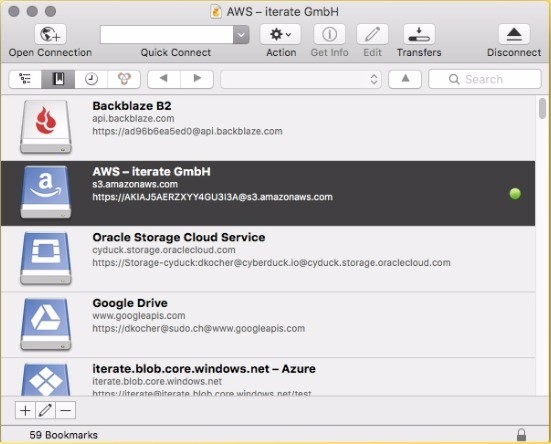
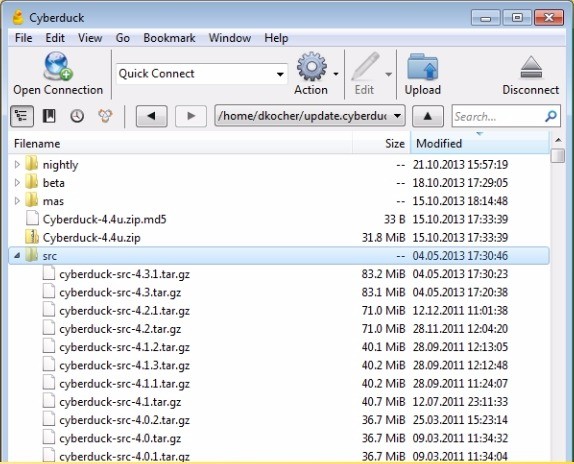
The application provides instant server and cloud connection setup features. The program operates with a dialog system that performs standard drag-and-drop functions. The software arranges all features in easy-to-use interfaces without requiring additional window searching. The process of moving images to an FTP server remains simple with this tool. You can easily upload files to Cyberduck by putting them inside its main interface. To retrieve content from a Google Drive directory, just use Cyberduck. The program allows you to treat your Drive files identically to local desktop data for retrieval purposes.
This application gains more value from its capability to automatically send open files to external editing tools. Once you establish an SFTP connection to your website files, you can launch your preferred editor to open HTML, CSS, and PHP files while keeping the automatic save feature. Cyberduck handles the upload automatically. The entire process occurs without actual file downloads or local storage or back-up, followed by upload actions.
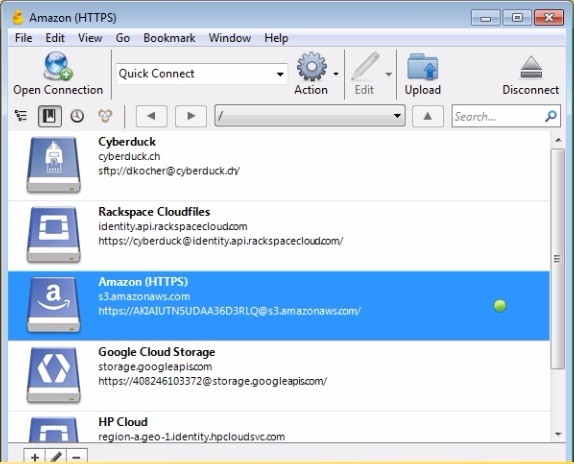
New users find the tool accessible because it seamlessly connects to storage services such as Amazon S3 and Azure while offering an interface that eliminates the commands needed with command-line tools. Without any need for bucket or key learning, Cyberduck enables users to control their cloud files through its intuitive interface.
Security concerns should be put to rest because Cyberduck uses stringent encryption methods. Data protection occurs from start to finish when you use SFTP and similar secure protocols for file transfers. With the Cryptomator encryption system, Cyberduck allows users to apply encryption security to their files even before their machine transfers them through the interface.
Is Cyberduck Free?
The software program Cyberduck has no hidden fees because it operates at 100% free for all users. Users get unrestricted features free of charge without encountering any hidden restrictions in Cyberduck. Free users can access all features through their platform experience, which costs a minimal price in the Mac App Store, but users can donate through optional support to sustain development. The entire file transfer system operates without charging users any fee.
What Operating Systems Are Compatible with Cyberduck?
The software application Cyberduck functions for Windows OS systems in combination with macOS operating systems. The platform functions and user interface match exactly on both Windows and macOS, so moving between mixed-team workstations avoids confusion. Keychain integrates seamlessly for macOS users, but Windows users have system credential manager capabilities.
Cyberduck provides macOS and Windows users access to its Command Line Interface tool called duck, but the available Graphical User Interface works perfectly on macOS and Windows systems. A supported operating system, jointly with a steady internet connection, is the only requirement needed to start using this tool.
What Are the Alternatives to Cyberduck?
The customer base searching beyond Cyberduck will find additional file transfer tools offering their specific advantages.
The popular substitute to Cyberduck stands as FileZilla. The popularity of FileZilla extends throughout numerous years because users understand why it persists as a favorite. All protocols have adoption through this platform, along with open-source accessibility and multi-platform compatibility. The application features two panes arranged next to each other, showing local and remote directories combined with numerous configuration settings. Users who want detailed control elements such as queues and transfer speed fields should consider FileZilla as their preferred tool. Professional users often consider this software perfect, but casual users may indicate its less modern looks alongside enhanced complexity.
Users who favor Windows operating systems should consider SmartFTP because it stands as a commercial transfer software solution specifically designed for this platform. The advanced features in SmartFTP include FXP protocol support, together with advanced scheduling options and direct cloud file transfers. The program brings an extensive set of features that appeal to businesses using sophisticated server architectures. SmartFTP provides professional transfer monitoring features and automation along with scripting functions and real-time transfer monitoring, but requires users to pay for its usage. SmartFTP delivers an excellent solution for users operating in enterprise-level corporate IT infrastructure and hosting environments.
WinSCP stands as the preferred selection for Windows operating system users who need file transfers. The application provides a fast two-pane interface that operates on a light system. This system implements SFTP in addition to SCP and FTP protocols while gaining its reputation from secure file transfer operations on Windows servers. Repetitive file transfer automation features, together with scripting capabilities in WinSCP, enhance its functionality as a tool for system administrator tasks and developer file batch operations. Despite not offering cloud integration of Cyberduck the WinSCP tool maintains its basic function as a local and simple server file management solution.