OpenMTP is a free macOS desktop app for transferring files between Android phones and Mac computers. It gives you a fast, direct way to move photos, videos, music, and entire folders between devices without relying on cloud storage or dealing with complicated sync workflows.
For Mac users who have struggled with the instability of other Android file transfer tools, OpenMTP offers a noticeably more reliable and flexible experience. It was built specifically to address the crashes, disconnections, and limitations that plagued Google's official Android File Transfer app for years.
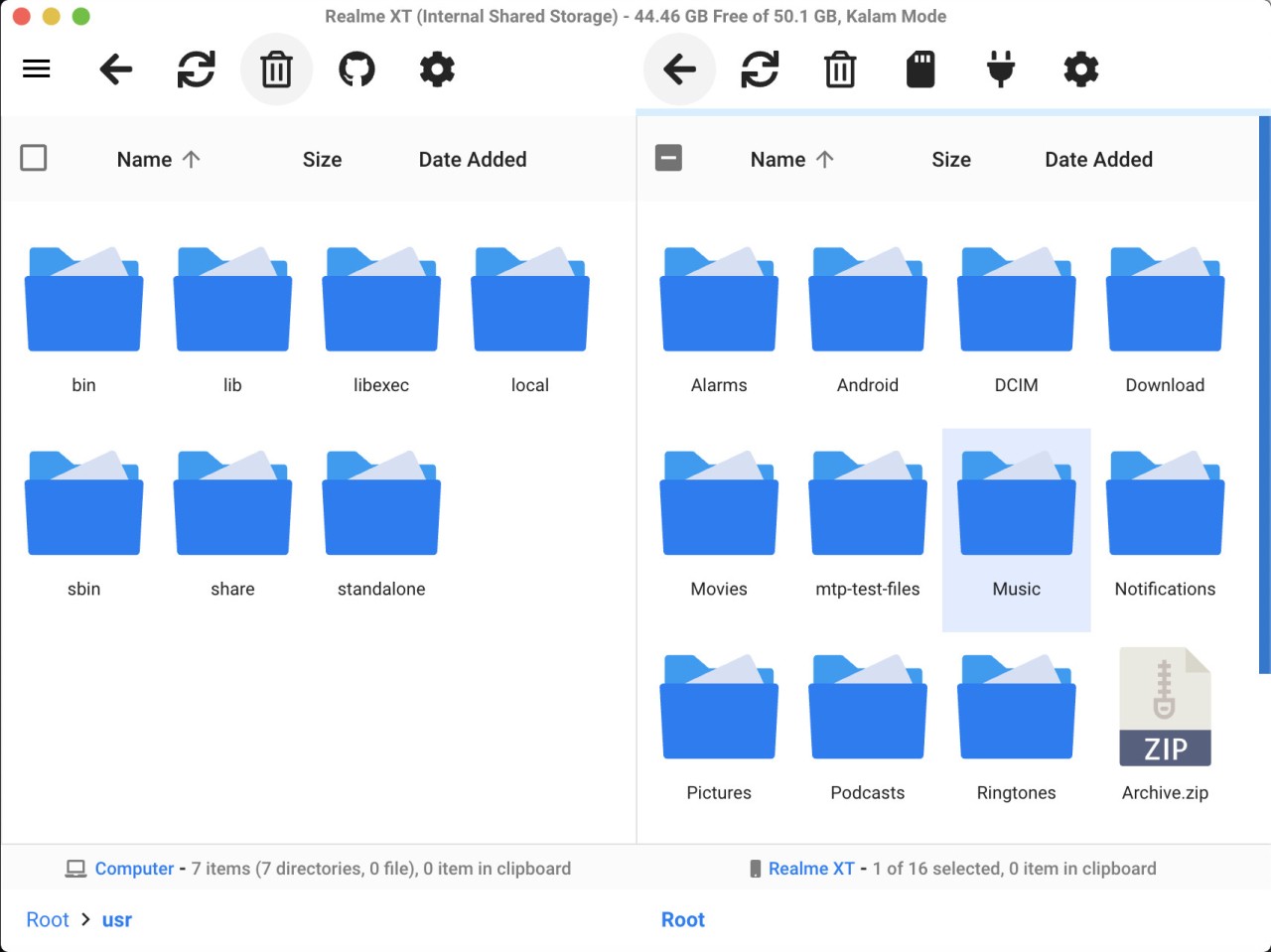
The tool uses MTP (Media Transfer Protocol), which is the standard method Android devices use to exchange files over a USB connection. OpenMTP displays your Mac files and your Android phone's contents side by side in a split-pane interface, and you can drag and drop files between the two. Transferring multiple files and entire folder structures at once works smoothly, which is an area where many competing tools tend to stumble. Whether you are backing up your phone, organizing storage, or just pulling vacation photos off your device, OpenMTP keeps the process simple and fast.
Why Should I Download OpenMTP?
Anyone who has used Google's Android File Transfer on a Mac has probably run into crashes, random disconnections, or frustrating limitations when trying to move larger files. OpenMTP was created specifically because those problems were so common, and it solves them well.
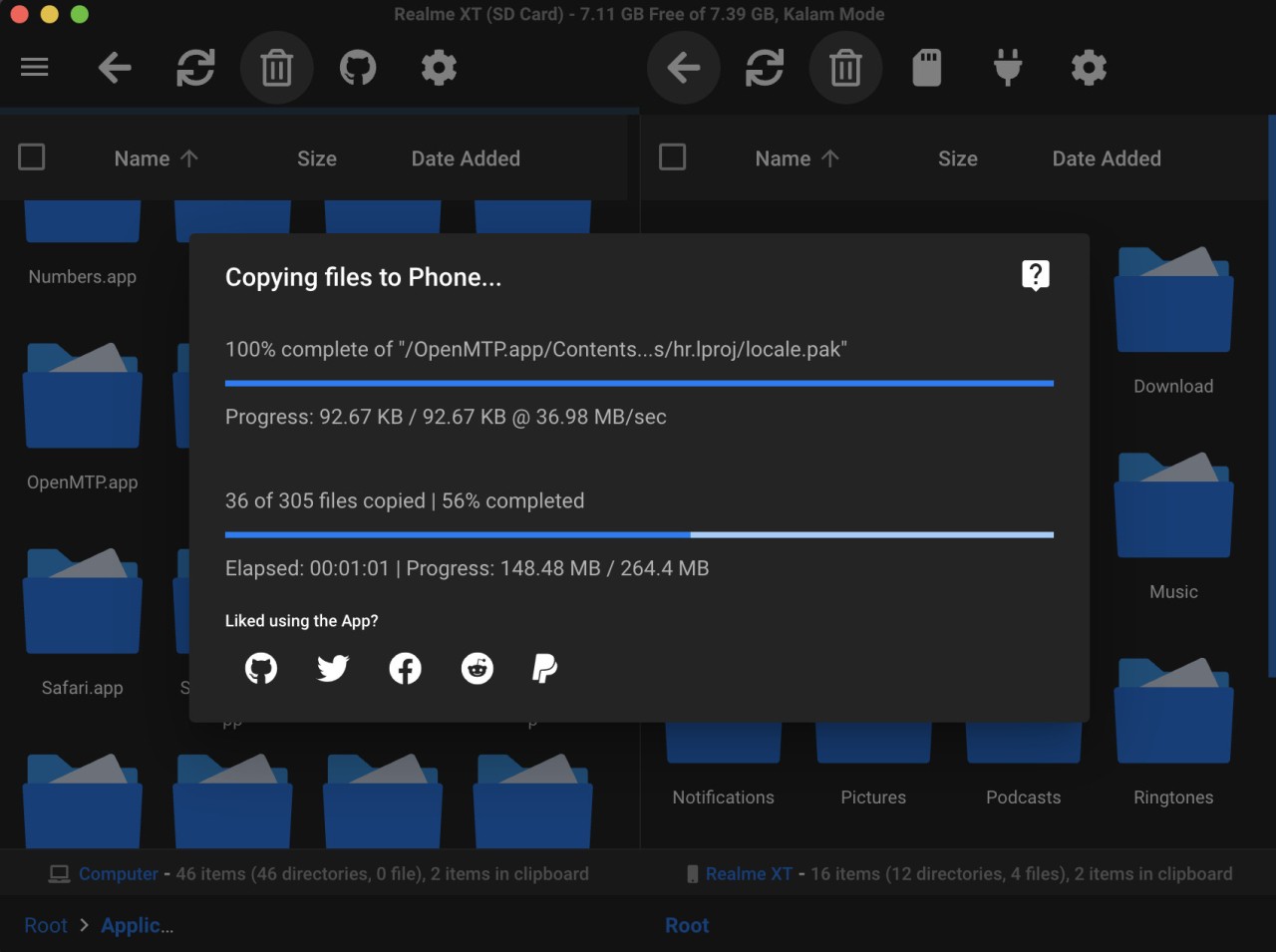
The biggest reason to download OpenMTP is its ability to handle large files and bulk folder transfers without choking. You do not have to drag files over one at a time or worry about the app freezing halfway through a transfer. Performance is consistently fast and stable, which saves real time if you regularly move data between your phone and your Mac.
The two-pane layout is a huge part of what makes the app pleasant to use. Your Mac folders appear on one side, and your Android phone's file system appears on the other. If you have ever used a traditional file manager or an FTP client, the experience will feel immediately familiar. You can copy, move, and organize files directly between the two devices without uploading anything to a cloud service first. For users who value privacy or want full control over where their files go, that direct local transfer is an important advantage.
Getting started takes almost no effort. After you download and install OpenMTP, just connect your Android phone to your Mac with a USB cable and make sure MTP mode is enabled on the phone. The app detects the device and shows its contents right away. There is no complex setup process and no accounts to create. Advanced users can tweak settings if they want more control, but the defaults work well for most people out of the box.
Being open source is another significant point in OpenMTP's favor. The code is publicly available, and community contributors help improve the software over time. There are no hidden fees, no premium tiers, and no ads cluttering the interface. OpenMTP is built to solve one specific problem, and it does that job exceptionally well. For Mac users who need a dependable way to transfer files to and from Android devices, it is one of the strongest tools available.
Is OpenMTP Free?
OpenMTP is completely free to download and use. The software is open source, which means there are no purchase costs, subscription fees, or in-app purchases of any kind.
Every feature is fully accessible from the moment you install it. There are no locked premium tiers, no trial periods, and no ads. You get the complete experience at no cost.
What Operating Systems Are Compatible with OpenMTP?
OpenMTP was built exclusively for macOS. It does not support Windows or Linux, but that is by design. The app exists to fill a gap that macOS users specifically face when trying to transfer files from Android devices, a situation where the available tools have historically been unreliable.
The app works with any Mac that meets the minimum system requirements and any Android phone that supports MTP over USB. After installing OpenMTP and connecting your phone with a USB cable, you enable MTP mode on the device, and the app displays your phone's file system immediately. OpenMTP supports macOS Catalina and all later versions of the operating system.
What Are the Alternatives to OpenMTP?
AirDroid is one of the most popular alternatives for moving files between Android and Mac. Instead of using a USB cable, AirDroid works over Wi-Fi, letting you transfer files wirelessly through a browser or desktop app. Beyond file transfers, the desktop version also lets you view phone notifications and send text messages from your computer, which many users appreciate as a bonus. The free version does impose file size limits on transfers, though, and wireless speeds will generally be slower than what you get with a direct USB connection through OpenMTP.
Google's Android File Transfer is the default option that most Mac users encounter first. As the official tool from Google, it handles the basics and works without additional software for simple, small transfers. The reason so many people look for alternatives, however, is that Android File Transfer has a long history of buggy behavior. It tends to crash when handling large files or multiple folders, and the interface feels dated and limited. For occasional small transfers, it can get the job done, but anyone who moves files frequently or in bulk will quickly run into its shortcomings.
Google Drive offers a different approach entirely by routing transfers through the cloud. You upload files from your Android device to Drive, then download them to your Mac, or vice versa. The upside is that no USB cable is needed, and you can access your files from multiple devices. The downsides are noticeable, though. Transfer speeds depend entirely on your internet connection, file size limits apply on the free tier, and you lose the fine-grained control over file placement that a direct transfer provides. For users who prefer to keep their files local or who need offline access, cloud-based transfers can feel like an unnecessary extra step.