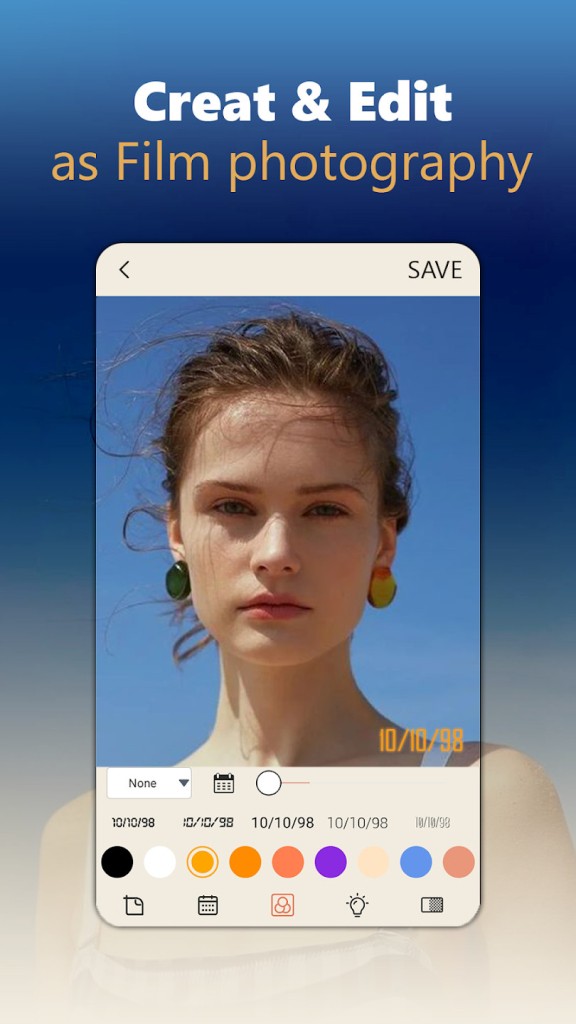
Dazz Cam is a photo and video editing application for Android and iOS mobile devices. The app works as a camera, ensuring all the pictures and videos you take with its help look like they were taken on a real analog camera from the 80s and 90s.
Photos from the 90s have a certain vibe to them that modern cameras cannot replicate. Editing your photos to make them look like they were taken 30 years ago takes too long, and the result rarely justifies the effort. That’s where Dazz Cam comes in, functioning as a film camera you can access through your smartphone.
To make your photos look as authentically 90s as possible, the app uses a mix of filters and effects that include vintage grain and vignette edges. Consequently, the photo is taken directly through the filters, creating a perfect 90s masterpiece. If you like the photo without filters, you can save the original file as well.
Why Should I Download Dazz Cam?
Dazz Cam is not just another photo editing application. It recreates the experience of taking pictures on a retro analog camera, directly through the screen of your phone. If you use it, you don’t have to go through rounds of edits and fine-tuning to make your photo look the way you want; all the appropriate filters and effects are built into the app. As a result, the app is very popular among those who experience nostalgia over the 80s and 90s era, and wish to travel back in time, even if just momentarily.
Next time you want to take a picture and make it look retro, simply open Dazz Cam and shoot away. All the appropriate filters will be applied to your photo automatically, making it look like a snapshot from the 1980s. You will see what the end result will look like in the viewfinder, which takes the guesswork out of capturing the moment.
Dazz Cam has options. You can recreate 135/120 film, Polaroids, and even disposable camera photos. For videos, you can choose between VHS and 8 mm film.
You might already have pictures or videos that need editing that you took before discovering Dazz Cam. The app can help with those, too, as it has editing capabilities. Open your photo or video in Dazz Cam and apply retro filters to them to make them look vintage.
The app has a free version with limited capabilities and a paid version with access to advanced features. It is suitable for iOS and Android devices.
Is Dazz Cam Free?
Dazz Cam is available to download for free. You can use all of its basic features, including retro camera filters, free of charge. If you wish to gain access to all of its features, filters, and effects, then you will need to purchase a subscription. Users have the option to pay per week or year, or purchase a lifetime subscription.
What Operating Systems Are Compatible with Dazz Cam?
Dazz Cam is available for iOS and Android mobile devices.
What Are the Alternatives to Dazz Cam?
If you enjoy analog photography in the digital realm, then there are many other applications you may find useful.
Vintify is a photo and video editing application that allows users to apply vintage filters to their works. There is a variety of pre-made filters and effects you can choose from that will make your photos look like they were taken on an analog camera in the 80s or 90s. Among them are filters like VHS grain and plastic wrap, which have a familiar, nostalgic feel. In addition to that, you can add frames and date stamps to your photos. Those who wish to stay in control can edit settings like saturation, blur, and contrast by hand.
8mm Vintage Camera is another application that has the power to turn your modern photos and videos taken on your phone into nostalgic memories from years past. Unlike Dazz Cam, this app has a wide variety of filters ranging from the 1920s and noir to the 70s. The photo editor has other features that can help create a retro image. For instance, there is a button that shakes the photo to recreate the feel of old-time cameras. You can also add appropriate camera sound effects to your photos.
Flashback by Epilogue is a phone application that promises to turn your device into an 8-bit pixel camera. You can choose from two modes: software and hardware. In software mode, you get to recreate that retro effect using built-in effects and filters. Hardware mode is a bit more complex, requiring a GB Operator device and a Game Boy Camera cartridge. The app features additional filters and color palettes you can apply to your photos. You can also change settings like exposure and contrast by hand.