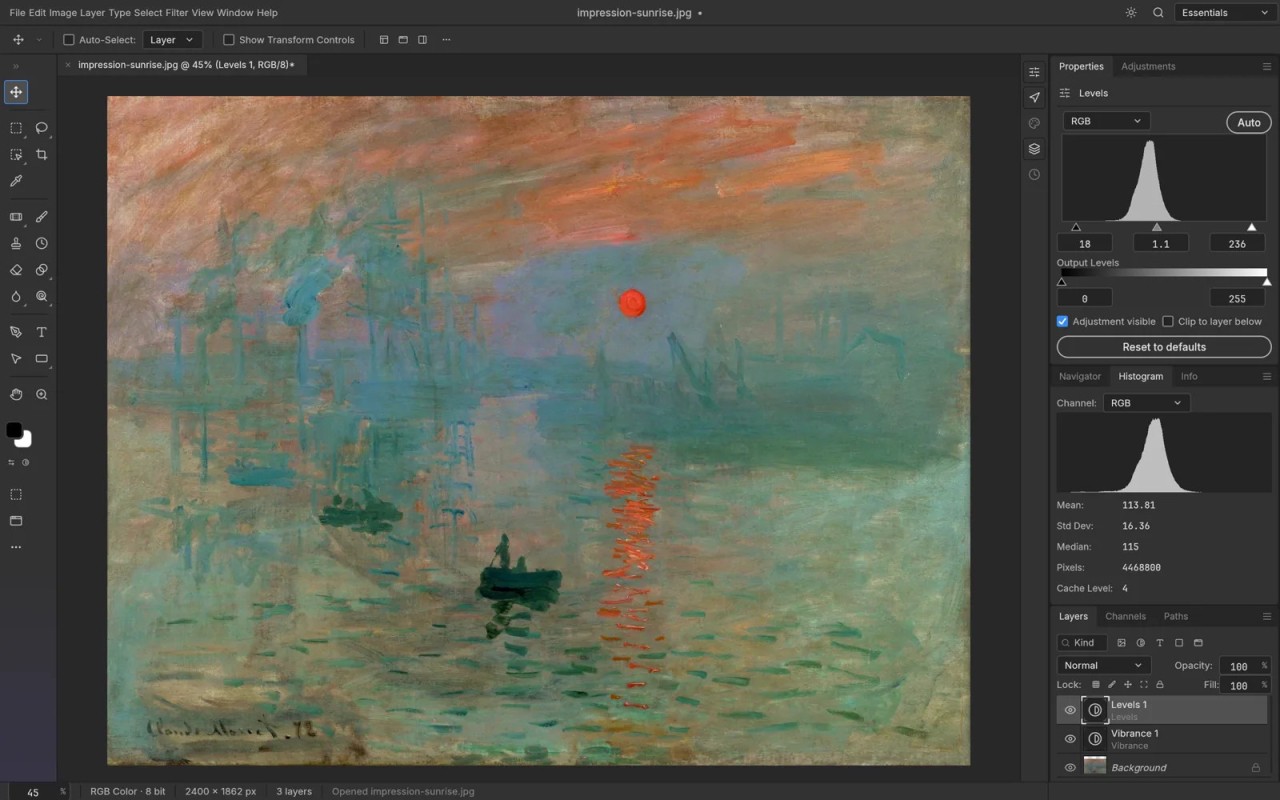
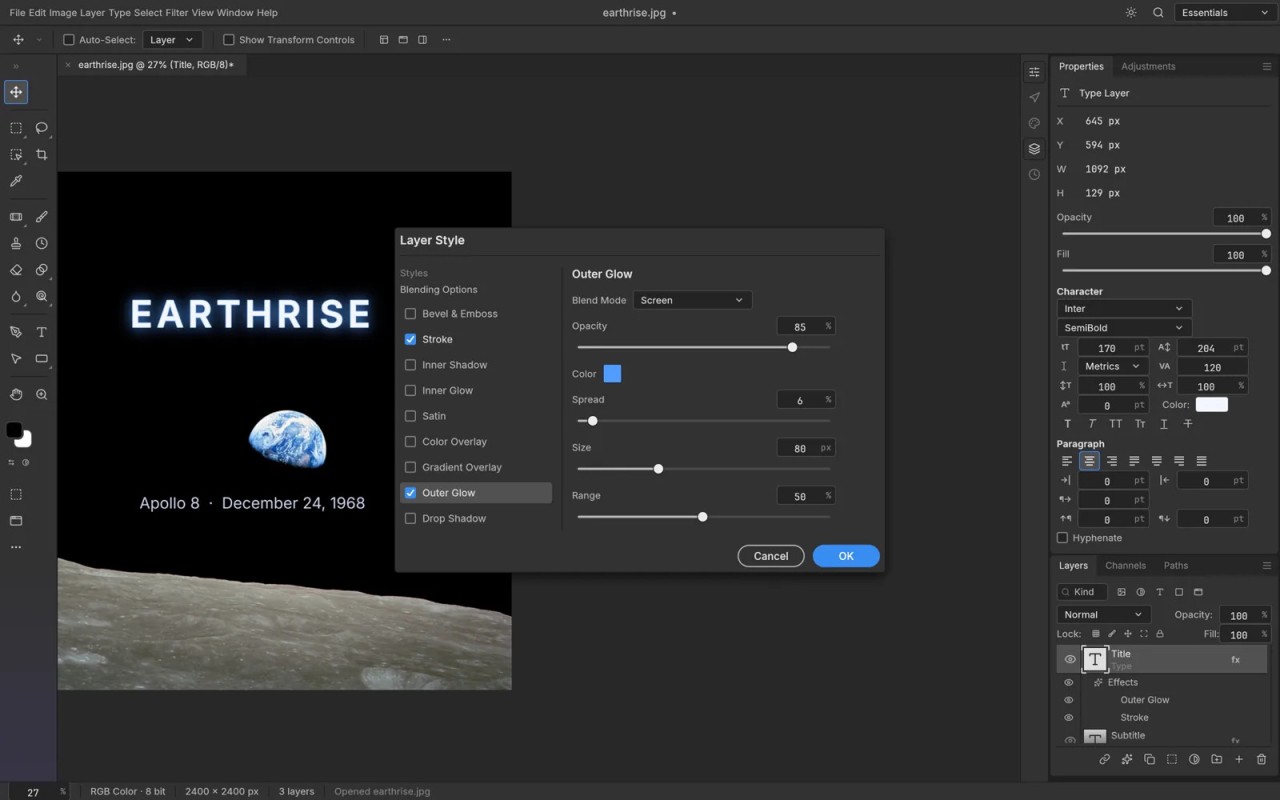
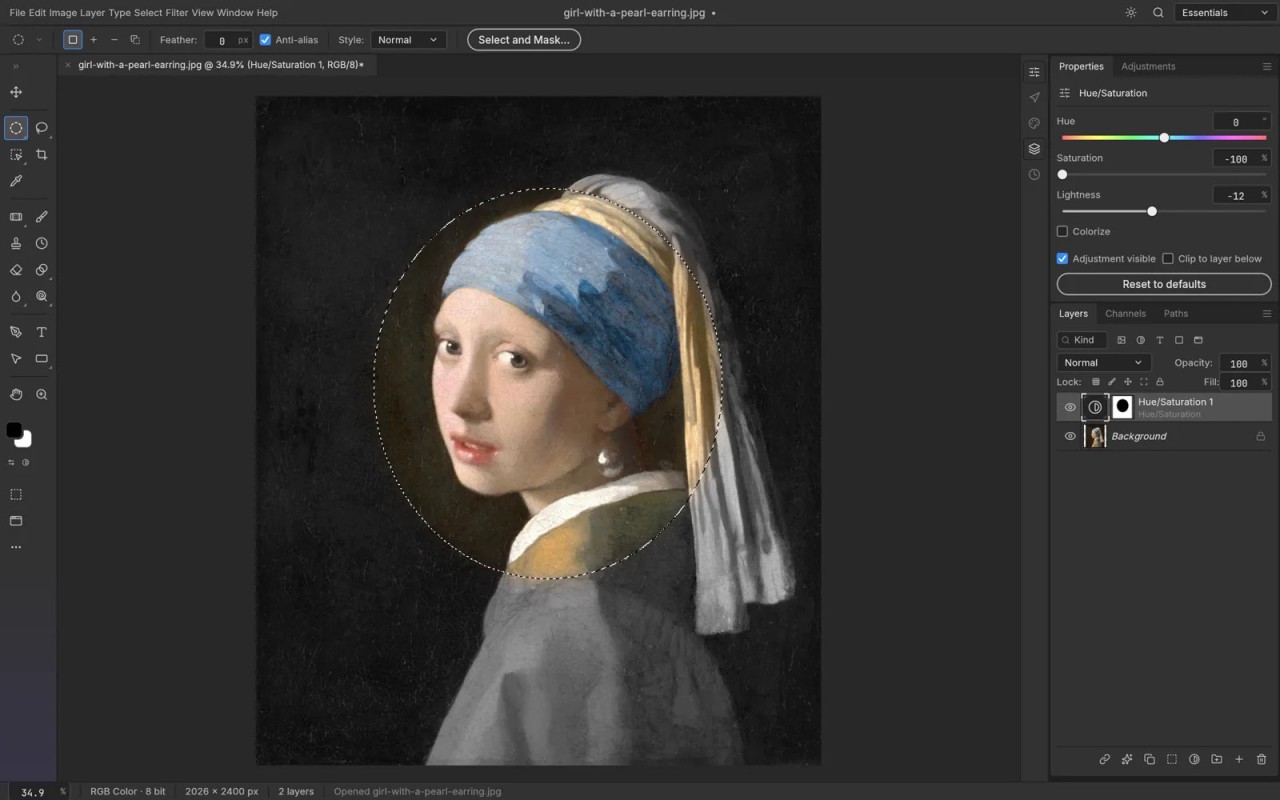
PhotoCraft is an open-source image editing program designed as a free alternative to Adobe Photoshop. Written entirely in Rust, it runs locally, allowing you to edit images without relying on a cloud service. Its features include layers, masks, adjustment layers, layer styles, text, vector shapes, and brushes. It also supports layered PSD files, the format used by Adobe Photoshop, as well as PSB documents.
PhotoCraft is part of the ArtCraft project, which aims to provide free, open-source alternatives to popular creative software. The project brings together applications for image editing, video editing, vector illustration, page layout, and other creative tasks. The tools are developed from scratch in Rust, using Claude AI, with their source code available for public review on GitHub.
PhotoCraft is designed for Windows, macOS, and Linux, with a WebAssembly version that can run in a web browser. However, the official website currently describes the software as an early-alpha release, so availability and features may change as development progresses.
Why Should I Download PhotoCraft?
PhotoCraft offers a range of image editing tools inspired by Adobe Photoshop. It lets you adjust colors, apply effects, make selections, and create compositions using multiple layers. The software includes 16 types of adjustment layers for modifying brightness, contrast, saturation, and other color properties. You can combine adjustments, disable them when needed, or apply them selectively using masks, without permanently altering the original image.
The app also supports layer styles, allowing you to add effects such as shadows, outlines, glows, and gradients to images and text. These styles can be reused across layers to maintain a consistent look. Selection tools and mask refinement features also help isolate objects and separate subjects from their backgrounds. The exact selection tools and their capabilities may vary depending on the version you're using.
PhotoCraft includes tools for adding and editing text. You can customize properties such as the font, size, color, spacing, and alignment. Text can remain editable after being added to a composition, and you can enhance it with layer styles. You can also transform images, text, and shapes by resizing, rotating, skewing, or distorting them. The history feature lets you return to an earlier editing step if you're not satisfied with a change.
When you're finished, you can export your work in a supported image format and configure the available output settings. PhotoCraft also supports layered PSD and PSB documents, making it easier to work with files associated with Adobe Photoshop.
Another advantage is that PhotoCraft is designed to work locally, without requiring an internet connection or an account for its core editing functions. Its source code is publicly available, and a browser-based version provides another way to try the application without installing a native desktop build (but requires Internet).
Is PhotoCraft Free?
PhotoCraft is a free, open-source image editing program developed as part of the ArtCraft project. Its source code is available on GitHub under permissive open-source licensing. You can use the core image editing features without paying for a subscription or creating an account.
The application is designed to run locally, rather than relying on a cloud-based editing service. This makes it an option for users who prefer to work on their own devices. However, PhotoCraft is still in early development, so its available features and distribution options may evolve.
What Operating Systems Are Compatible with PhotoCraft?
You can download PhotoCraft on Windows, macOS, and Linux. On Windows, it supports 64-bit and ARM64 versions, as well as 32-bit versions (for older versions of the software). A portable version is also available for Windows. The software also offers binaries for FreeBSD 14 on computers equipped with an x86_64 processor.
In addition, PhotoCraft offers a self-hosted WebAssembly version that lets you use the application in a web browser without a local installation.
What Are the Alternatives to PhotoCraft?
Several image editing programs offer alternatives to PhotoCraft, whether you're looking for professional tools, open-source software, or an editor that runs in your browser.
Adobe Photoshop is one of the most widely used image editing programs, particularly among professionals working in design, advertising, fashion, and publishing. It offers layers, masks, filters, advanced color adjustments, and support for numerous image formats, including PSD, JPEG, and PNG. It also includes AI-powered features for generating content, removing unwanted objects, and modifying images. Compared with PhotoCraft, Photoshop offers a more established ecosystem and a broader range of professional features. However, access to the full software requires a paid subscription.
GIMP is another alternative to consider. This free, open-source image editor provides layers, customizable brushes, selection tools, filters, and color correction features. It supports a wide range of image formats, including JPEG, PNG, and TIFF, and its functionality can be extended with plugins. GIMP is a mature option for users who want extensive editing capabilities without a subscription. PhotoCraft, by contrast, aims to provide a workflow inspired by Photoshop, with features such as adjustment layers, layer styles, and layered PSD and PSB support.
Photopea is a web-based image editor that runs in a browser, so you don't need to install desktop software. It can be used without creating an account and supports formats such as PSD, XCF, JPEG, PNG, and WebP, along with other image formats. Its features include layers, masks, filters, drawing tools, text editing, and color adjustments. You can export your work in several formats. Unlike PhotoCraft's locally running desktop application, Photopea is primarily designed for browser-based editing and may be a convenient option when you need to work on different computers.