Camtasia Snagit is a screen capture and screen recording tool from TechSmith that sits inside the wider Camtasia product suite. Its purpose is simple: grab whatever is on your screen as an image or a short video. Where it earns its keep is everything that happens next, since it pairs capture with an editor built for explaining things. You can drop arrows onto a screenshot, highlight the part that matters, number a sequence of steps, or blur out something nobody else needs to see.
People use it for how-to guides, bug reports, feedback on designs, and the kind of quick walkthrough that would otherwise take four emails and a meeting. Snagit has been around long enough to have become the default answer for teams who deal in screenshots all day, and TechSmith points out that it is used across every Fortune 500 company.
That said, it suits solo workers just as well. If you have ever tried to describe a software problem in words and watched the other person misunderstand you twice, this is the category of tool that fixes that. You can download Snagit for Windows or macOS, and one license covers both.
Why Should I Download Camtasia Snagit?
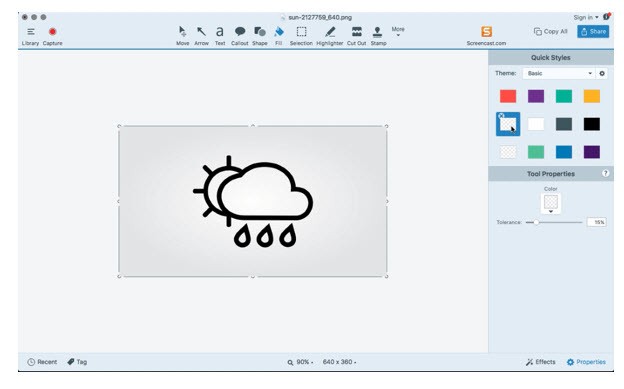
The honest starting point is that your operating system already has a snipping tool, and for a quick snapshot it works fine. Snagit is aimed at the step after the snapshot. Its editor lets you add callouts, arrows, highlights, text, and step numbers, so a screenshot stops being a picture and starts being an instruction somebody can actually follow.
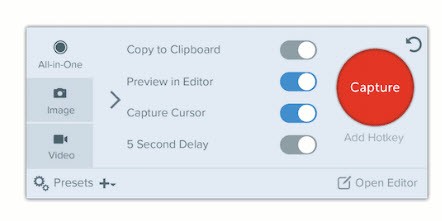
Capture itself goes further than the built-in options too. You can grab a region, a single window, the whole screen, or a scrolling page, which means an entire webpage or a wide spreadsheet with too many columns comes out as one clean image instead of three stitched together badly. Text recognition reads the words inside a screenshot so you can edit, copy, or delete them without going back to the source.
Step capture is the feature most people end up talking about. Rather than taking a dozen separate screenshots of a process, you click through it once, and Snagit produces a numbered screenshot for every click, assembled into a guide that is ready to hand over. Anyone who has ever documented an internal process by hand will understand why that matters.
Then there is Smart Redact, which finds sensitive information in a capture and hides it in one click. If you share screenshots that contain customer names, account numbers, or anything else that should not travel, that alone justifies the download.
Video is part of the package as well. Snagit records your screen, your microphone, and your webcam as picture-in-picture, so you can talk somebody through a task instead of typing it out. Recordings can be trimmed, clips combined, and background noise removed automatically. You can also turn a video into a GIF, which is often the fastest way to show a short interaction inside a chat message or a wiki page.
Sharing is deliberately quick. One click copies a link to your clipboard, and captures can go straight into email, Slack, documents, YouTube, Google Drive, or Dropbox. Everything you capture lands in a searchable, taggable library, and since Snagit can find text inside images, hunting down that one screenshot from three weeks ago is less painful than you would expect. There is also a Simplify tool that turns a detailed screenshot into a stripped-back graphic, handy when the real interface is too cluttered to make your point.
Is Camtasia Snagit Free?
No, Snagit is a paid product, though there is a fully functional free trial that runs for 15 days. During the trial, you get the paid version rather than a cut-down edition, so you can judge it properly before deciding.
After that you need a license to carry on, and TechSmith sells it as a one-time purchase rather than forcing you into a subscription. Volume discounts start at five licenses and scale from there, which is worth knowing if you are buying for a team. TechSmith does not currently offer a permanently free tier of Snagit, so if free is a hard requirement, look at the alternatives below.
What Operating Systems Are Compatible with Camtasia Snagit?
Snagit runs on Windows and macOS, and a single license covers both platforms. On the Windows side you need Windows 11, Windows 11 on ARM (23H2 or higher), Windows 10 (20H2 or higher), or Windows Server 2016, 2019, or 2022, and only 64 bit Windows is supported.
You will also need .NET 4.7.2 or later plus the WebView2 Runtime, which comes bundled with the installer. TechSmith recommends an Intel i5 6th generation CPU or the AMD equivalent, moving up to an Intel 8th generation or newer chip for video recording, along with 8 GB of RAM and 1.6 GB of disk space.
For macOS, supported versions are macOS Golden Gate (27), Tahoe (26), and Sequoia (15). Most features are identical across both platforms, though newer additions sometimes arrive on one before the other. One quirk worth flagging: the Snagit Printer is not available on Windows on ARM.
What Are the Alternatives to Camtasia Snagit?
BB FlashBack Express is a free screen recorder for Windows 10 and 11 that records screen, webcam, and audio with unlimited recording time and no watermark. You can annotate live while recording, generate automatic subtitles, highlight cursor actions with click ripples, and trim or edit recordings afterward. It is a video-first tool rather than a screenshot tool, so it does not compete with Snagit on image capture and markup. For anyone who mainly needs to record walkthroughs on Windows and does not want to pay, it is a strong free download.
Mirillis Action! comes at screen recording from the gaming side. It records Windows desktop and gameplay in HD; supports resolutions from 2K up to 4K and beyond; live streams to Twitch, YouTube, and Facebook; and uses NVIDIA NVENC, AMD APP, or Intel Quick Sync hardware acceleration to keep performance smooth. There is a Time-Shift option for saving a moment you did not plan to record, plus benchmarking with live FPS readouts. It runs on Windows only, with a 30-day trial and a lifetime license after that. Gamers and anyone recording high-framerate content will get more out of it than Snagit.
ScreenPal, formerly Screencast-O-Matic, is the cloud-centered option. It combines screen and webcam recording with an image editor, a video editor, secure hosting, video quizzing, and analytics, and it works on Windows, Mac, iOS, Android, and Chromebook. AI tools handle transcripts, captions, chapters, and translation into more than 100 languages. Free signup gets you started, with paid plans adding the collaboration and hosting features. It suits educators and teams who want everything hosted and shareable in one place rather than a desktop capture tool they own outright.