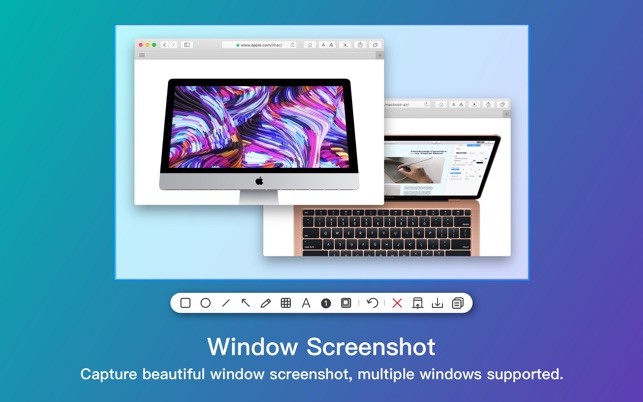
Xnip provides macOS users with a compact utility that serves as a powerful screen capturing solution. The program goes beyond standard screenshot functionality. This unobtrusive program enters your work routine as a silent assistance tool which enhances operations discreetly.
Using Xnip provides users with more than an automated screenshot function because it turns screenshots into a quick creative workflow. Xnip silently provides help to users who need to capture screen sections or scroll through windows or mark up images when working away from their desks.
The application finds many users through its excellent compatibility with visual content delivery, such as designers and teachers, alongside developers and users interested in image-based explanations. Xnip avoids forcing users to search through device menus because it operates smoothly from one interface.
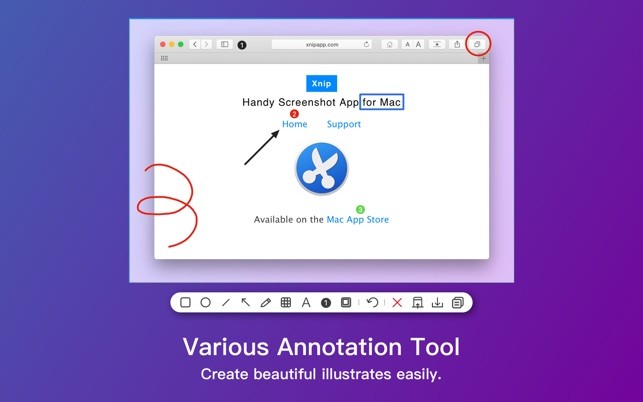
Xnip works as a background service that enables you to create markup on your screen with drawing tools and text annotation alongside area blurring and cropping features in a seamless workflow. Xnip reveals itself as a necessary application only after users start utilizing its features. The application suddenly creates an impression of perfect design integration, which should have existed from the beginning.
Why Should I Download Xnip?
The need for Xnip as a screenshot alternative raises questions because most devices already allow screenshot capture. Recognizing how the built-in tools for image capture and annotation fail to meet your needs, you already understand why Xnip offers a solution. It is also one that is specifically available for macOS users.
The tool achieves its attractiveness due to its elegant design. Users encounter a smooth experience with Xnip because they avoid complicated learning paths and complex screens along with distracting elements. The program provides proper tools to effectively capture visible screen content. Xnip provides valuable assistance when delivering material through remote connections.
The layout requires your developer's attention regarding the specific breakdown point. You can use Xnip for both tasks: showing colleagues the design layout problems or demonstrating specific technical processes. Operating Xnip provides users with a quick method to grab content followed by marking features, then sharing within mere seconds.
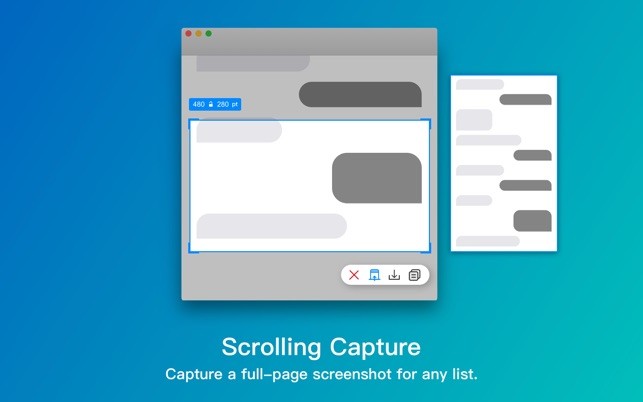
The application presents a powerful feature for managing scrolling screenshots. The ability to handle complete screen captures becomes effortless using Xnip because the application simplifies the documentation of entire webpages or chat logs or code snippets which span multiple displays. The tool enables you to capture screenshots without having to combine multiple parts.
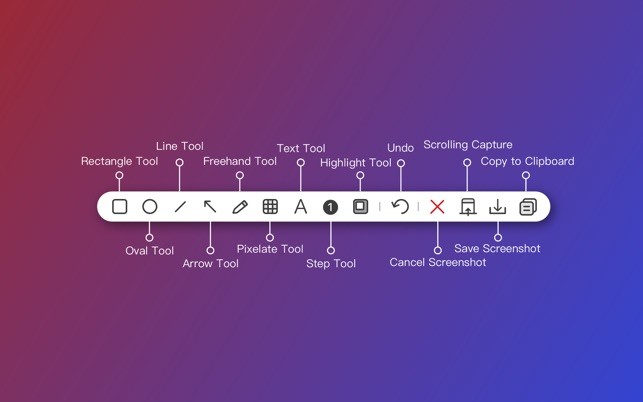
The absence of extravagant features gives Xnip its greatest advantage. All available tools are practical for real usage, including rectangles, arrows, text labels, blur, highlight, and crop, which function naturally. The application allows you to pull and release materials without any complicated steps. The annotation feels smooth. The interface stays quiet. The process becomes simple because you finish your work within the application, which serves most users.
Xnip serves as a quiet helper tool which enables digital workers including web creators and software examiners as well as project organizers and educational professionals to visualize their communication while enabling rapid workflow. It saves time. It avoids misunderstandings. And it makes things clearer.
The Xnip application avoids burdening your system because it operates with minimum resource usage. It’s efficient and lightweight. The program operates from your menu bar until you choose to close it for use. Xnip automatically matches itself to various tasks at hand without asking you to accommodate its uses to your work.
This low-profile tool fixes a substantial annoyance, thus developing into a necessary element of your everyday use. Every user should install Xnip since this tool provides an easy-to-use interface that focuses on delivering assistance over clutter.
Is Xnip Free?
The free Xnip core features suit the needs of most users effectively. You can access basic Xnip features without cost yet advanced requirements like scroll capture and cloud storage need you to get the paid edition.
You should consider the affordable price of Xnip because it offers a few enhanced capabilities that prove particularly useful for regular users. Note that the free version contains ads.
What Operating Systems Are Compatible with Xnip?
The software Xnip functions exclusively within macOS, so Mac users can benefit from this tool straight away. Xnip functions smoothly on current macOS iterations and adopts the system workflow naturally. Users of Windows and Linux cannot benefit from Xnip since the software exists exclusively for Mac users, and Apple devices do not support the software.
This application remains within the Apple framework by providing performance enhancements for users who primarily operate within the Mac environment. It performs smoothly on macOS systems, and the development team efficiently adopts changes to system updates. Xnip provides dependable functionality as an app for its designated platform. It operates just on one operating system, but maintains reliable performance there.
What Are the Alternatives to Xnip?
Xnip serves Mac users well, but alternative solutions exist for this purpose. Different users will discover alternative tools depending on their operating system choices and work methodologies.
Screenpresso provides a solution for Windows platform users, but its functions are intended for this specific operating system. Although it has divergent interface elements, it includes multiple useful features to record videos and capture screenshots. This tool enables its users to draw on screenshots while also creating instructional materials alongside history management tools. The increased feature set provides users with a single-platform image communication if they need a complete collaborative solution. Xnip maintains a lightweight feel in its operations, while Screenpresso brings slightly bulkier functionality. Users who require thorough screen capture customization should choose this option because it requires a slightly more complete installation process.
ShareX provides users with a robust alternative that operates specifically on the Windows operating system. Users enjoy this available-for-free tool because it includes many features alongside its community-building structure. You can perform any type of screenshot operation, including full screen capture, active window selection, scrolling screenshot capture, and freehand drawing, along with region-based selections from ShareX. ShareX provides users with options for screen recording and workflow automation, file uploading services, as well as third-party platform connection features. But with power comes complexity. New users might find ShareX difficult to handle because the tool appears complex for users who need basic annotation features alone. ShareX has developed into an advanced tool for those people who enjoy technical exploration.
XRecorder delivers a screen-recording solution that targets Android users above all. Noteworthy as a tool intended for the Android platform, XRecorder provides suitable recording capabilities for mobile tutorial and gaming sessions as well as application walkthroughs. Users find XRecorder easy to operate along with its great editing abilities and a stable recording process. Xrecorder serves the same basic function as Xnip which helps users capture visible content in order to improve their explanations. The tool serves as an acceptable choice for users who need to record across different platforms.