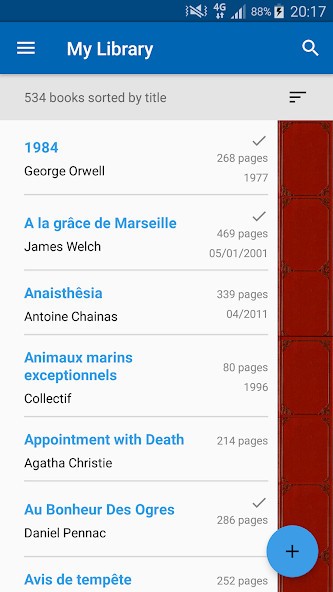
You like reading, and your shelves are full of books. And every so often you buy a book that you already have. That happens to all of us. The solution is simple: take your book list with you everywhere on your smartphone so you can check if you already have a book before buying it. With My Library, all Android users can create their book list and access it when they need.
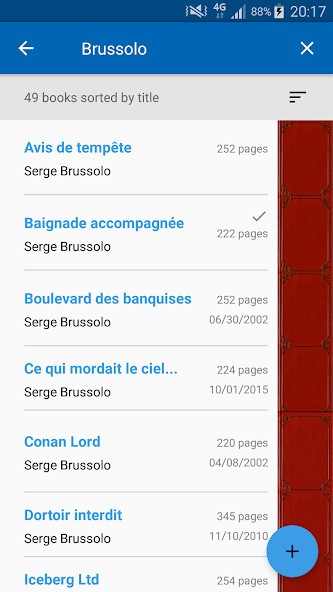
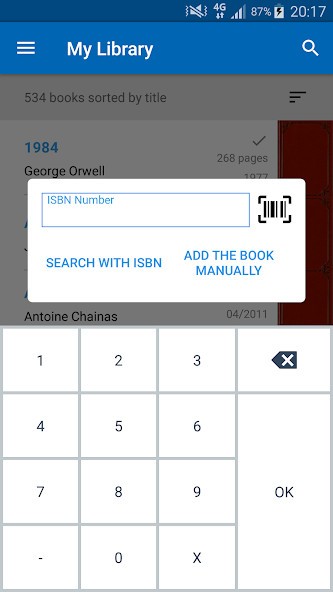
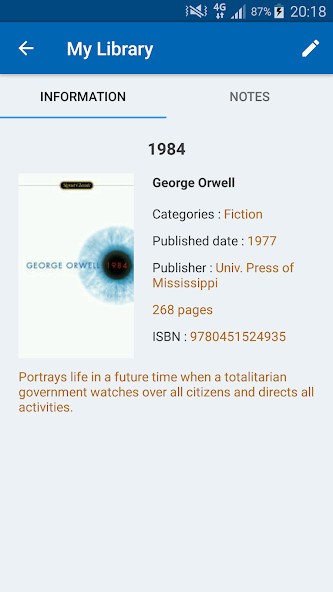
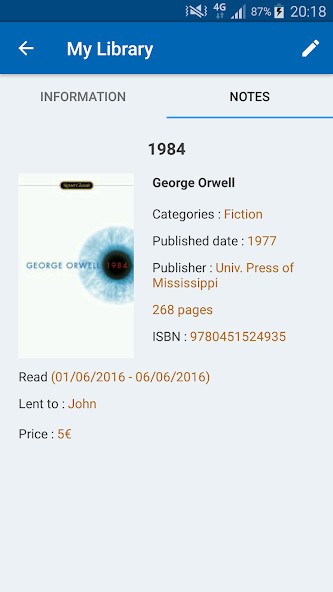
My Library helps you keep an organized list of what books you own. Scan a barcode, type an ISBN, search by keyword, or enter details by hand, and the app pulls in the title, author, cover, description, publisher, and other metadata from sources like Google Books and Amazon when it can. Once a book is in your library, you can sort by title, author, category, read or unread status, and use search to find specific books quickly. There are tools for managing a wishlist, exporting your data to Excel, importing it again later, and viewing basic statistics on your collection.
Why Should I Download My Library?
My Library keeps tracking your books simple and easy to do offline. You are not creating a public profile or joining a reading community; you are simply building a list of your own books so you can see what you have and what you still want to read. Adding titles is easy with several upload options such as barcode scanning and ISBN search.
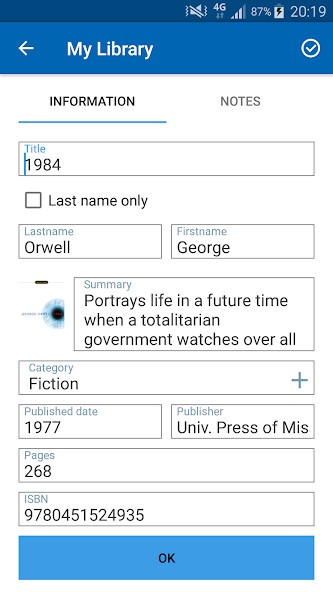
For books that might be harder to find, manual entry has you covered for older or niche titles that do not show up in online databases. Once you are done, you have a searchable catalog that lives on your device, which is handy if you buy second-hand books or borrow a lot and want to avoid duplicates.
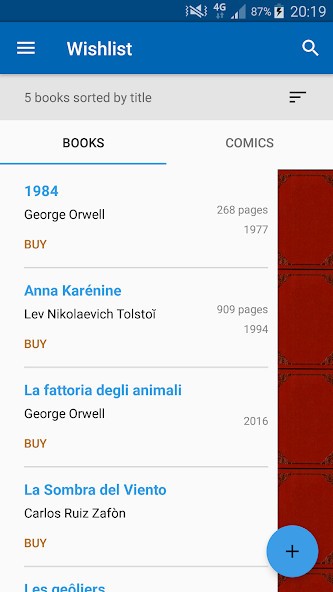
It is also deliberately light. There are no ads, no recommendation feeds, and no push toward reviews or ratings. Instead, you get simple sorting, read and unread tracking, a wishlist, and statistics so you can glance at how big your library is or how it breaks down by category. For people who prefer spreadsheets but want something easier to maintain on a phone, the Excel export and import options give you both: quick capture on your phone, plus a file you can keep as a backup or open on a computer later.
Is My Library Free?
My Library is completely free to download and use on Android. It is ad-free, with no in-app purchases or subscription layers sitting behind the core features.
What Operating Systems Are Compatible with My Library?
My Library is an Android app. It is available through Google Play and runs on Android phones and tablets. The app stores your collection locally and uses online services only when fetching metadata, so once your library is built, you can still browse and search your books without a constant connection.
There is no iOS, Windows, or macOS version of this specific app. If you want to keep the same data on other platforms, you rely on the Excel export and import features and move that file into another program rather than syncing the app itself.
What Are the Alternatives to My Library?
Librarian Pro is the closer match if you want a more general catalog on desktop. It is a full inventory system for books, movies, music, games, and other items, with smart collections, loan tracking, borrower profiles, and online lookups that pull details and cover images from sites like Amazon. Compared with My Library, Librarian Pro feels heavier and more feature-rich, designed to run on macOS and Windows with bigger collections and more media types. My Library stays narrow and simple on Android with a focus on personal books and quick search.
My Book List is a good option on iOS if you want a similar idea in the Apple ecosystem. It lets you scan barcodes, search for titles, and build a personal library, with categories, read status, statistics, and cloud sync between iPhone and iPad. Compared with My Library, My Book List leans a bit more into extras like visual shelves, recommendations, and reading stats, while My Library keeps things more stripped back and local.
Goodreads is the broader alternative if you want social features on top of tracking. It is a web and app platform where you log what you are reading, rate and review books, follow friends, and browse recommendations based on the wider community. Compared with My Library, Goodreads is less about maintaining a clean, private inventory of what sits on your shelves and more about sharing opinions, finding new titles, and treating books as part of a social feed. My Library is for quietly knowing what you own; Goodreads is for talking about it.