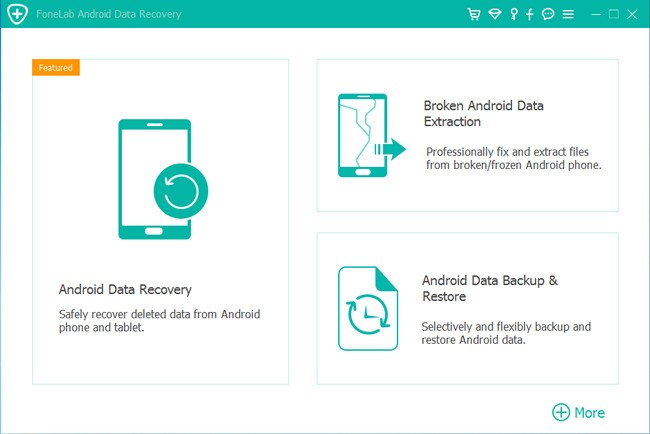
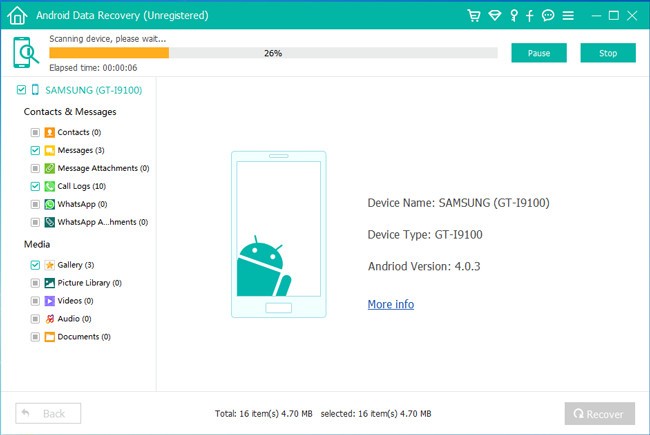
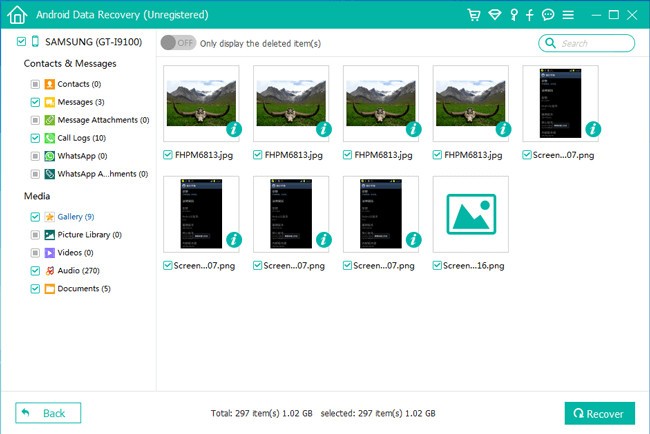
FoneLab Android Data Recovery software is designed to help Android users recover data they thought was gone for good. From losing photos after a system update to accidentally deleting contacts, this tool has the benefit of scanning in the background and restoring hard-to-lose items.
It works on most Windows or Mac desktops, and you simply connect your phone to your computer via USB and allow the software to work its magic. It doesn’t rely solely on rooted devices, making it more accessible to the average user who has not otherwise customized their phones.
The software can support a lot of data: messages and call logs, pictures, videos, documents, and even WhatsApp attachments. The program scans your device, phone memory, and memory card to go deep and retrieve the pieces that other applications can miss. Having both a plain interface and a real-time preview, you can preview the files and choose what to recover. It is of use as it makes you feel in control, and you don’t have to restore everything blindly. The tool attempts to go in and pull out what it can, even when your device is broken or stuck in a boot loop.
It is also viable since it supports various Android smartphone brands. Whether it’s Samsung, Huawei, LG, Sony, or Motorola, the brand that you have does not matter. You just need a PC that is able to detect your phone (provided that it uses Android), upon which the tool starts its functions. That is one thing that makes FoneLab unique: it's compatible with most Android brands and goes out of its way to extract files out of sticky situations. This whole process is like something you’d normally ask a tech expert to handle, but here all it takes is a software download.
Why Should I Download FoneLab Android Data Recovery?
Information loss occurs within a second, and often, you don’t even realise it. A careless tap of a finger in the wrong location and the valuable travel album, vital text messages, or address books are all gone. That panic when your photos disappear after a restart, we’ve all been there. It’s not about waiting for disaster; it's about being ready when it strikes.
Not only users, but also people working with phones frequently can find this type of software helpful. Maybe you are a specialist in such technologies or a person who helps relatives and friends recover data in everyday life. FoneLab saves time you'd otherwise waste on complicated workarounds. It makes data recovery quicker, smoother, and far less stressful. It is nice to have it installed, whether you only use it once in a while or frequently.
We should not forget about its compatibility. Many tools only work with specific phone models or Android versions. FoneLab attempts to spread its net to the broader area, cooperating with both well-known and less famous brands. This simplifies your life when you have more than one Android machine. It rarely fails, even with newer Android versions. Updates make it even better to scan through the new version of Android and security optimization.
It is also accompanied by flexibility. You don’t have to recover everything at once. Suppose you just want to recover messages, yet you neither need the videos nor the music. You can selectively recover just the files you require. And should your phone be in good working condition, but you erased some of your files, the software’s direct scan mode is fast and straightforward.
The value of having this tool can’t be overstated. Whether it is when you are travelling, at work, or accessing, storing memories, and any other important information on your phone, there is nothing like knowing you have some backup to erase that might come about as a result of carelessness. It can’t bring back the moment, but it can recover the file, and sometimes, that’s enough.
Is FoneLab Android Data Recovery Free?
The FoneLab Android Data Recovery also has a free version, allowing previewing and scanning files that can be restored. To finally download and save the data, however, an upgrade to the paid version will be required. This is a fair way to let you try it before buying.
What Operating Systems Are Compatible with FoneLab Android Data Recovery?
The software can be used on Windows and macOS-based computers. It will work on most of the recent builds, such as Windows 7, 8, 10, 11, and macOS Mojave, Catalina, Big Sur, and subsequent ones. To scan, you will have to plug in your Android phone using a USB cable and enable USB debugging. It works with most Android brands and versions, so compatibility isn’t a problem provided your computer is able to detect the device.
What Are the Alternatives to FoneLab Android Data Recovery?
FonePaw Android Data Recovery is also a good application that has similar data recovery features, including support for deleted contacts, text messages, WhatsApp data, photos, as well as call logs. It also contains the quick scan and the deep scan options. Similar to FoneLab, it is not very difficult to work with and provides a trial version to view the recoverable files prior to making an investment. Its interface is a little more modern to some users, but overall, it handles most recovery scenarios just as well.
PhoneRescue Android takes a slightly different approach, adding system repair tools to the recovery tools. Although it also recovers lost messages, pictures, and so on, it is also recognized to repair frozen phones in system errors or if your phone is stuck on a frozen screen. Its handholding interface is also entry-level friendly, and it is compatible with a large number of devices. In case you are worried about losing the data as well as having a busted phone, then this app provides a little more in terms of repairs.
Dr.Fone by Wondershare is most likely one of the more recognizable brands of mobile data recovery. It is not new and contains recovery, repair, unlocking the screen, and transferring data features. They are more expensive, but they can be considered a full-service toolbox. Its recovery process is comprehensive, and it supports specific modules of WhatsApp, social applications, and rooted phone access. It’s ideal for users who prefer an all-in-one toolbox over a simple recovery app.