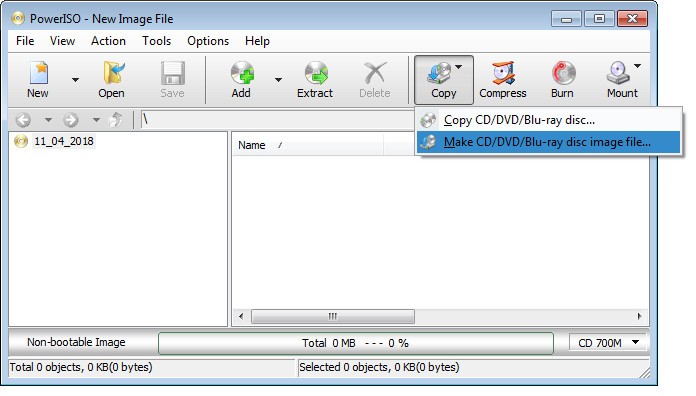
PowerISO is a desktop application tool designed to create, modify, mount, compress, encrypt, and extract ISO files and disc image formats such as BIN or NRG. It is best known for its ease of use and versatility in terms of managing CD, DVD, and Blu-ray disc image files.
Whether you’re burning a bootable USB, opening a .BIN or .ISO file, or converting formats, PowerISO offers everything in one package. It is compatible with nearly every image compression format (ISO, BIN, NRG, CDI, and DAA), and it can be used as a burner and emulator for virtual drives.
Individuals usually employ PowerISO in instances where they need to work with operating system image files, need to create backup copies of their software, or when running software in disc-based programs on systems that do not have CD/DVD drives. The image files are also mountable as virtual drives, thus you don’t need to burn a CD to use the information.
The software is particularly useful to IT professionals, gamers, and users who have accumulated large collections of software or system tools. PowerISO is efficient, lightweight, and has a low learning curve; thus, it can easily be used by everyday users whose technological aptitude is limited.
Why Should I Download PowerISO?
PowerISO should be downloaded if you need a disc image file manager or in case one need to work with virtual drives regularly. It is a complete solution to all that is related to ISO and other disc formats. It is utilized by many users whenever they wish to boot USBs in order to install operating systems. With a few clicks, it is possible to convert an ISO into a running, bootable device. This alone makes it a valuable tool for anyone who installs systems or repairs computers on a regular basis.
The other good reason is that it can compress and encrypt ISO files. In case of big disc images, in which you are required to save some space, or send it safely, PowerISO enables you to compress the file size and password-protect it. This makes it perfect when there is a need to back up some sensitive data or exchange some software files through networks or through email without risking a security breach. And since it is also compatible with opening and editing ISO files, you do not need to extract all of it to make minor changes or edits. You are able to open the image and also add or remove files and save it again.
It is equally easy to browse image files on PowerISO without the need to burn a CD or a disc. Suppose you just downloaded a game or an item of software in the form of an .iso. You can not only mount the image as an actual drive onto a virtual drive, but you can also run it as if it were on a disc. This saves time and materials, and all of it is a lot less inconvenient, particularly in laptops or systems which now no longer have disc drives.
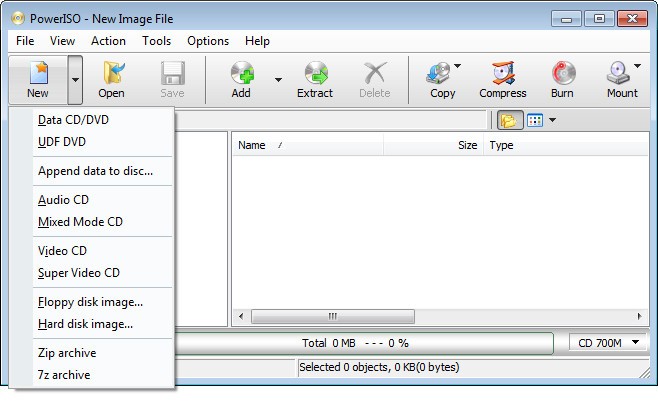
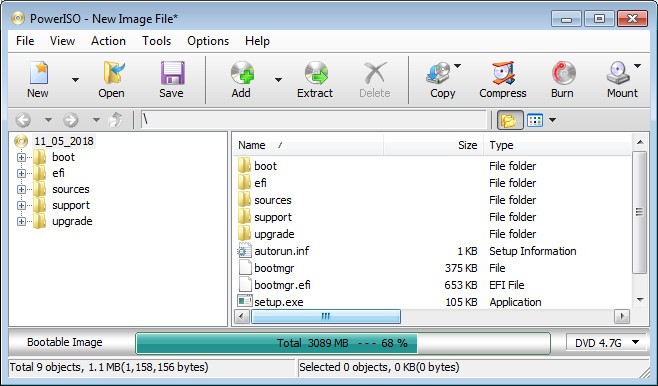
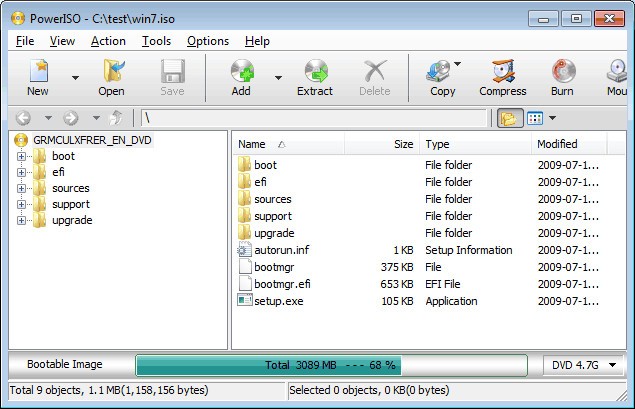
It is also very useful due to the interface. It’s not overloaded with irrelevant options and complicated menus. Much of what you are going to require is available on the front dashboard. Burning, mounting, or editing is helped and even seems intuitive. That’s why it’s well-suited to both the novice and the expert.
It is also possible to determine built-in shell integration, meaning the ability to right-click over an image file and easily view PowerISO features, mounting, opening, burning, and converting it without running the application separately. All these small conveniences add up, and it becomes an essential tool in terms of everyday procedures such as file and system imagery.
One more factor in downloading it is the smoothness of its work, even on older computers. It uses minimal memory and processing power and performs most tasks in a short period. From personal backups to bootable Linux tests or archiving discs, PowerISO will do it and will not slow you down.
Is PowerISO Free?
PowerISO has a free trial version containing the core features of the software, and it has limitations, like file size when creating or editing images. Within it, you can only enjoy the limited features, whereby you can only edit a limited number of times, and it will not support high compression. To have all of this accessible, a license must be purchased. Nonetheless, the trial still supports many core functions, making it perfectly valid in many common activities.
What Operating Systems Are Compatible With PowerISO?
PowerISO is available on the operating systems of Windows, including Windows 7, 8, 10, and 11. It is also compatible with outdated versions, such as Windows XP. It is mainly made to run under Windows, but is capable of running on or being emulated on Linux or macOS through compatibility layers or virtualization software, although unofficial native versions of those platforms are not offered. The software is very light and does not need very high system requirements, and thus it works even in a mid-range or outdated PC.
What Are The Alternatives To PowerISO?
Several PowerISO alternatives exist, which have the same purpose and could have a different focus on operating with disc images.
The alternative that is the next closest is UltraISO. Similar to PowerISO, it can take actions on creating, editing, converting, and mounting ISO files. It also provides a comparable interface and functionality, which is why it is a good option and can be fully trusted by users in need of a specific ISO tool. An additional feature that is well-regarded is its stability and accurate management of creating bootable images, which is significant to system builders and information technology professionals.
Daemon Tools is another popular utility. It also mounts ISO and other image files to virtual drives. It is more focused on virtual disc emulation. It is reputable for accommodating countless formats and giving the ability to create multiple virtual drives simultaneously. This is why gamers and users who run older software are very likely to use Daemon Tools. It does not provide as many editing functions as PowerISO, but it is exceptional when it comes to the smooth running of disc-based applications, even if there is no physical disc available.
Another decent and easy-to-use option is Virtual CloneDrive, which is based on the mounting of ISO files in particular, although it works well for general use too. It lacks all the editing and creation capabilities of PowerISO or UltraISO, but does one thing seriously well: it converts ISO files into usable drives on your system without the need to burn anything in the first place. It is also totally free and absolutely light, which makes it an ideal program for those people who do not want to use the added features but simply need to be able to access their ISO files quickly and easily.