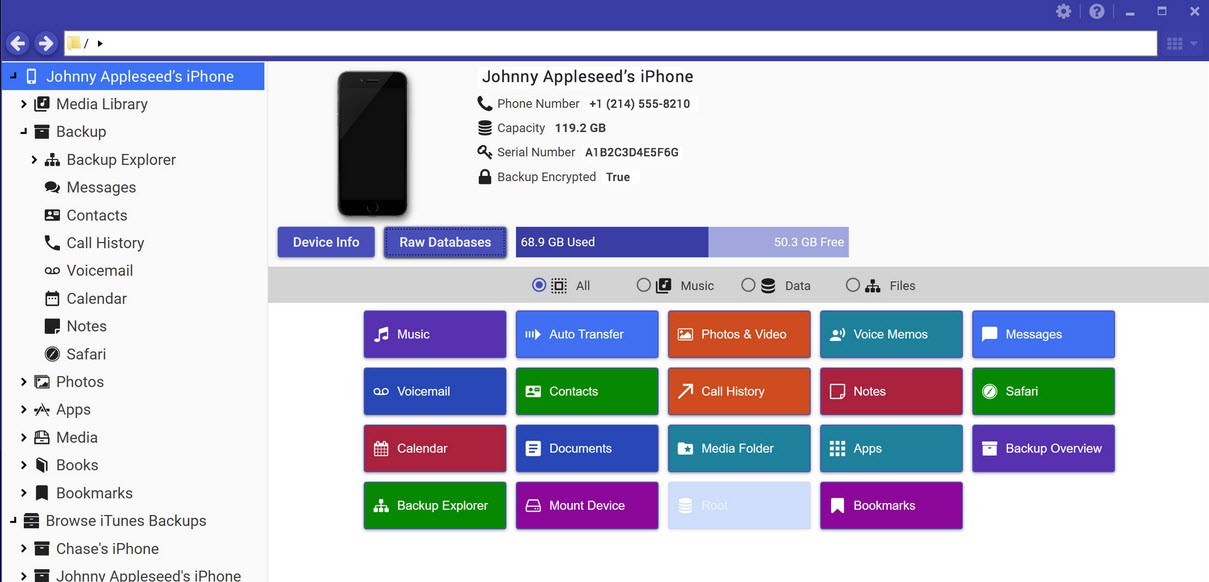
The software platform called iExplorer lets users access Apple mobile products through expanded control functions. The application works as a solution for users experiencing restrictions with file transfers between Apple mobile devices and personal computers using iTunes.
The software caters to everyday users who need music downloads, photo backups, and app message access. Using the software requires no specialized knowledge. The program transforms Apple devices into an open system that provides simple data transfer capabilities for saving and organizing files.
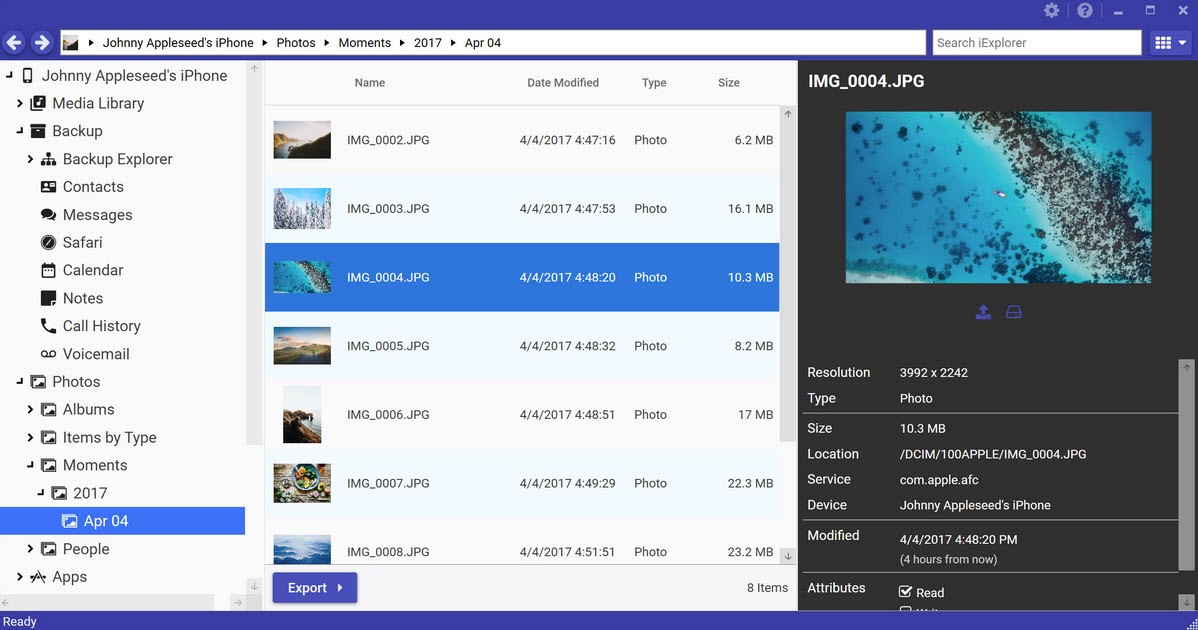
The user interface behaves similarly to typical computer folder navigation. The uniqueness of this program lies in its ability to grant access to music files, photos, voicemail recordings, call history information, notes, contacts, and iMessage communication. iExplorer serves as a centralized platform that gives users full data control, since it operates outside Apple's standard limitations.
Why Should I Download iExplorer?
iExplorer is an effective solution because it helps users overcome the limitations imposed by iTunes. Users also value the program for saving fundamental files such as voice messages. After setup, the software enables user control through its display, which allows you to access and manage different parts of your Apple mobile device. Your device remains flexible while you search through settings or libraries.
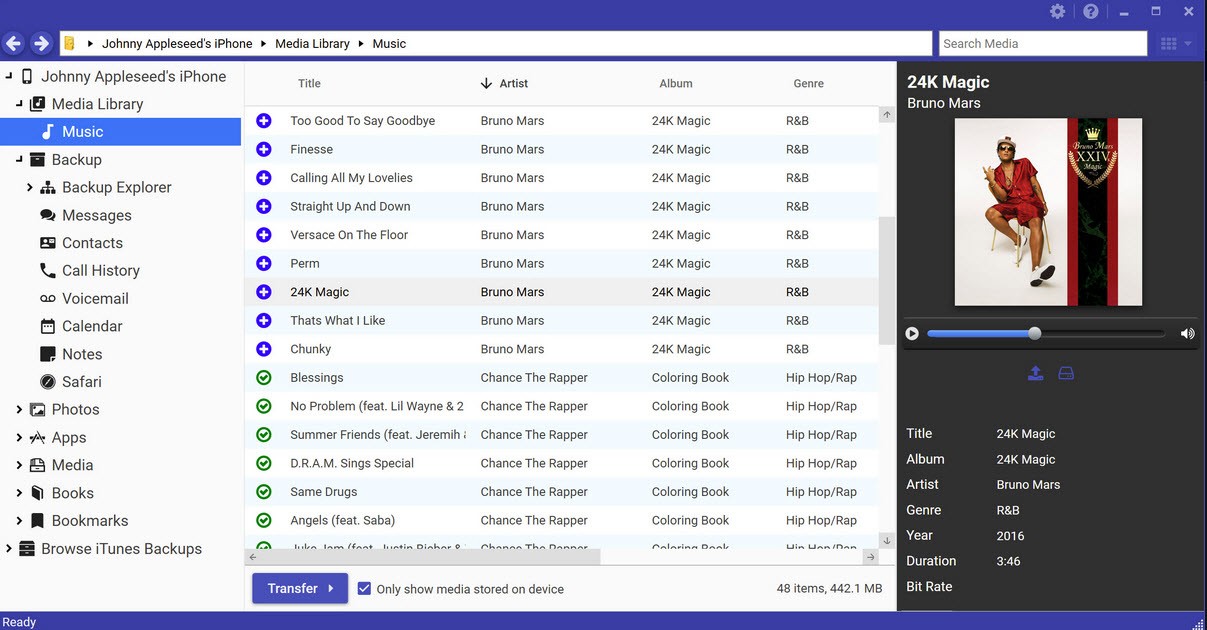
The software enables users to bypass iTunes limitations and move their Apple device media files, including music, movies, and playlists, to their computer. Your music might be stored on your mobile phone, but inaccessible on your PC. iExplorer enables you to retrieve it all without difficulties. Message exporting is more convenient through this program too.
The Messages app may contain important information you might want to store in readable form. Users can easily perform such exports with iExplorer. The software allows you to save attachments, such as images or videos, in its system.
The software has outstanding backup access capabilities. The backup file contains retrievable pieces in case your phone breaks and you need to restore your data. This way you can relax if you depend on your phone for daily activities.
iExplorer allows you to retrieve notes and voice memos. The interface maintains a basic structure with no confusion. The program doesn’t have a steep learning curve; all you need to do is connect your device.
The app provides flexibility to users, and ensures you don’t have to jailbreak your phone or use additional tools. Apple users who want more control over their data through a user-friendly interface can find the solution in iExplorer.
Is iExplorer Free?
iExplorer has a free version with limitations. You need to purchase a license for full access. The free trial only permits track transfers and file viewing. The core components of iExplorer come with a single purchase, which many prefer over continuous subscription charges.
What Operating Systems Are Compatible with iExplorer?
Users can operate the software seamlessly on macOS and Windows operating systems. The application works with Windows 10 and 11, and macOS Monterey and Ventura.
The developers of iExplorer continuously update the software to ensure compatibility with new operating systems. A simple computer with an iPhone USB/Lightning cord serves as the minimum requirement to operate this program.
What Are the Alternatives to iExplorer?
iExplorer has some standout features, but there are alternatives. Three popular iOS management tools available right now are AnyTrans, CopyTrans, and iMazing. All target different user needs.
AnyTrans works mainly as an extensive tool for file transfers and backup operations. The software is marketed as an entire solution suite that handles all iOS device needs, ranging from social media backups to media file management. The interface design looks contemporary and sleek, and the program delivers helpful guidance to new users. These features tend to attract individuals who have no experience with such apps.
CopyTrans feels a bit more modular. The toolset is distributed across small separate applications. That means music, contacts, images, and other content categories are all separate. CopyTrans gives you control of your application installation processes and selections. Task-oriented users who need a streamlined solution will find CopyTrans very useful.
iMazing continues to uphold a strong reputation after years on the market. The main features of iExplorer and iMazing are comparable; both grant users access to message and music transfers, as well as backup browsing. The distinction is that iMazing offers extensive backup and restore system controls. Through deeper backup file investigations, users can automate processes and enjoy the app’s user-friendly interface. The app is suitable for experts and novices alike.