The main purpose of Lantern is to provide internet access when it’s hard to reach. Lantern operates as a solution for bypassing blocked websites through restricted networks and specific geographic regions.
The program doesn’t demand attention through complex features, and works quietly in the background.
The software uses peer-to-peer and proxy network routes to redirect your packets until censorship barriers dissolve. Setting up Lantern requires minimal technical knowledge from users. The design of Lantern requires no understanding of its operational mechanics. All you need to do is install the tool. Conversations start flowing. Videos start playing. Lantern enables internet access, particularly for places that restrict users from accessing the internet.
The service runs discreetly in the background until you attempt to reach blocked websites and discover them unblocked. Lantern functions as an extension that helps people pass security firewalls and achieve network connectivity.
Why Should I Download Lantern?
Sometimes the internet can be restricted. You can encounter streaming difficulties with particular videos because of your current geographical position. Digital walls appear to block certain news from view occasionally. Lantern acts as a tool that destroys those online barriers. Users select Lantern over its competitors due to its operational effectiveness. It delivers access. That’s all. And that’s everything.
The daily internet restrictions experienced by people who reside or conduct business in certain countries make Lantern an essential app. The software keeps you readily connected to outside networks whenever needed.
You can continue to access services like social and streaming platforms from anywhere. The software works automatically after installation. There is no complex setup process, and you don’t need to register. The program is incredibly easy to use.
Lantern has a minimal impact on operations. It operates silently without affecting system performance and doesn’t add any unnecessary elements to your screen. The application will not disturb you with unnecessary notifications or ads. It just connects you to the internet, which is exactly what you need in a hurry. Lantern doesn’t offer the anonymity of a VPN, but you don’t need total privacy to use it. In general, its purpose is not to hide but to guide your activity online.
The system design of Lantern makes it almost undetectable, so you can forget all about it while it works in the background. The magic of Lantern will become immediately apparent to you when you come across blocked links in your browser. The encrypted network service Lantern operates is a discreet solution to restoring access online. Lantern exists as both an app and a necessary connection point, which students need for research and others for information. It also serves as a vital tool for travelers making international calls.
Is Lantern Free?
Lantern provides users with access to blocked content through its free version. The free service provides sufficient functionality for people who are not intense internet users. Lantern has two versions—free and paid. Each has distinctive speeds, but the free variant is more popular.
What Operating Systems Are Compatible with Lantern?
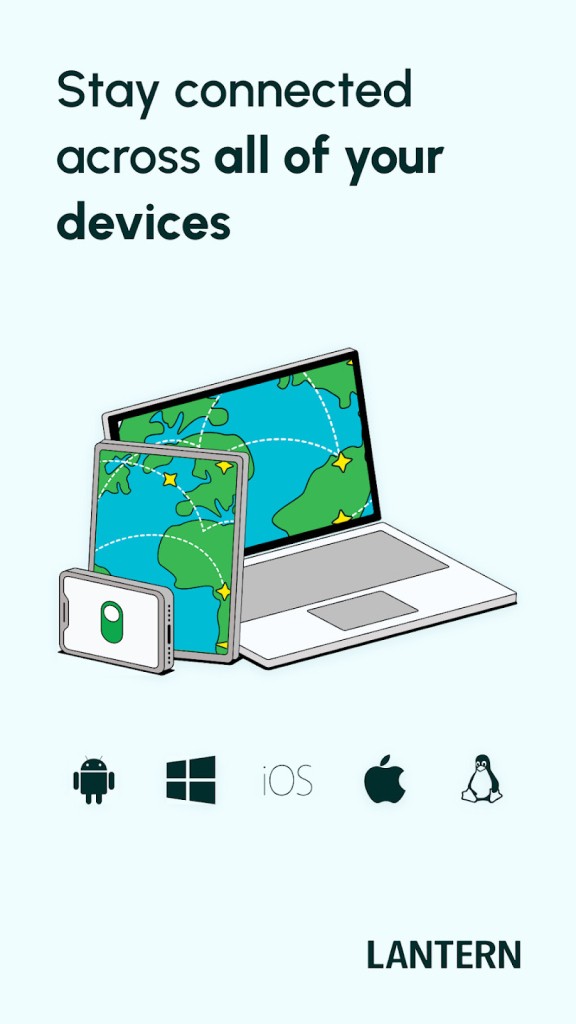
Lantern is compatible with most main operating systems. Users of Windows and macOS operating systems face no difficulties when installing this application. The app is available for download on Android as well. Linux users must perform the installation manually because the software may not be stable on this operating system.
Lantern has not received an iOS platform release yet. Other than that, it is ready to operate on most typical desktops and laptops and Android devices.
What Are the Alternatives to Lantern?
Users who find Lantern insufficient or require different capabilities can utilize other popular tools that target the same challenges.
One tool that is frequently selected by users is Ultrasurf. Since its release years ago, Lantern has acquired many fans who depend on its lightweight firewall bypass functionality. Ultrasurf doesn’t need installation. You can use this tool through its executable file, so users can hide it by storing it on a USB drive. The tool features a simple interface that maintains connectivity despite low peak time speeds by offering access unavailable to other platforms.
Another solid option is Freegate. The tool maintains popularity in restricted content areas among users who operate in territories banning Western content. Freegate operates through proxy systems and remains small. People in regions with pervasive censorship opt for the tool because it provides them with dependable, fast access to external websites. Freegate provides reliable functionality, even though its interface may look dated. The setup process may create confusion, but after establishment, it delivers expected results successfully.
Then there’s Psiphon. The solution combines VPN and SSH alongside HTTP Proxy into a single tool that adaptively chooses the best approach based on the encountered censorship type. The system selects the top connection approach without requiring users to make any technical choices regarding their internet pathways. Psiphon offers users of iOS devices a comprehensive solution since it supports the operating system, whereas Lantern does not. The system operates below complete anonymity but provides users with effective methods for removing censorship barriers. The application provides network access, even though performance can sometimes be shaky because it functions as a backup when other methods fail.