BetterMouse is a utility for people who would like to use a third-party mouse with their Mac computer. The app will replace unnecessarily resource-heavy programs and help you customize mouse controls. As a result, you can enjoy a smooth experience with any mouse of your choosing. BetterMouse is a paid app that only requires one payment for a lifetime of use. If you’re not ready to commit, you can test the app with a 7-day free trial. The app is quite lightweight and won’t drain your computer resources.
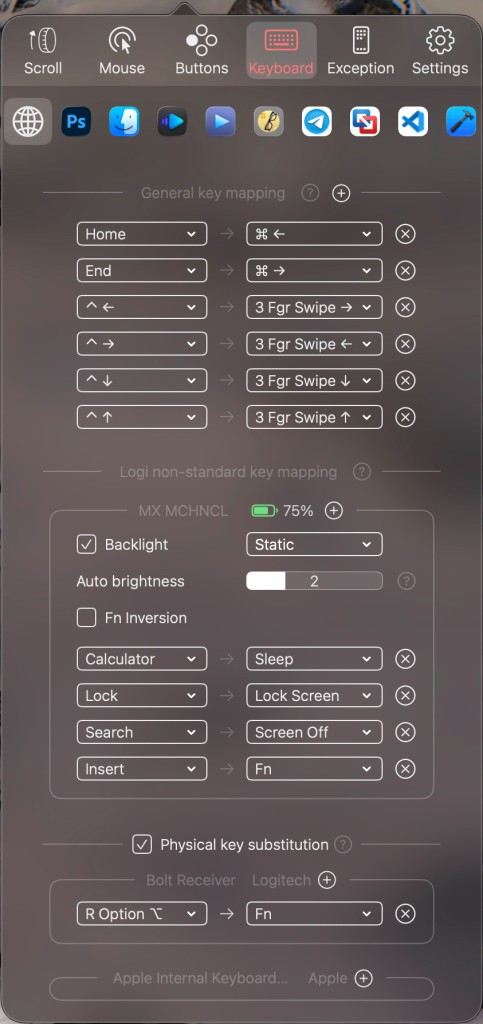
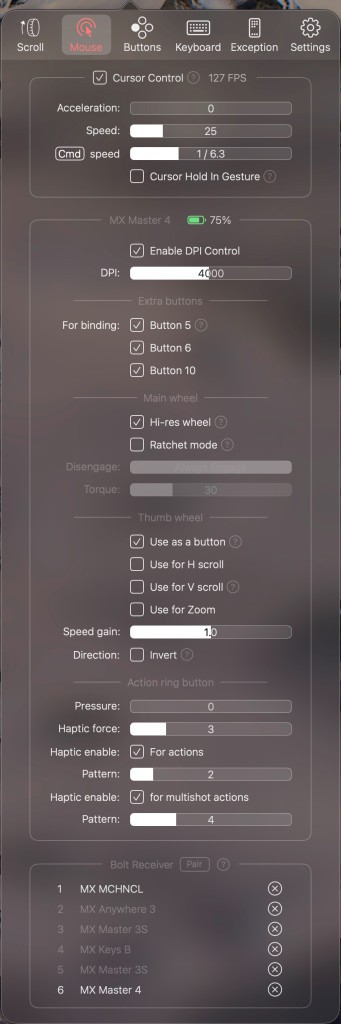
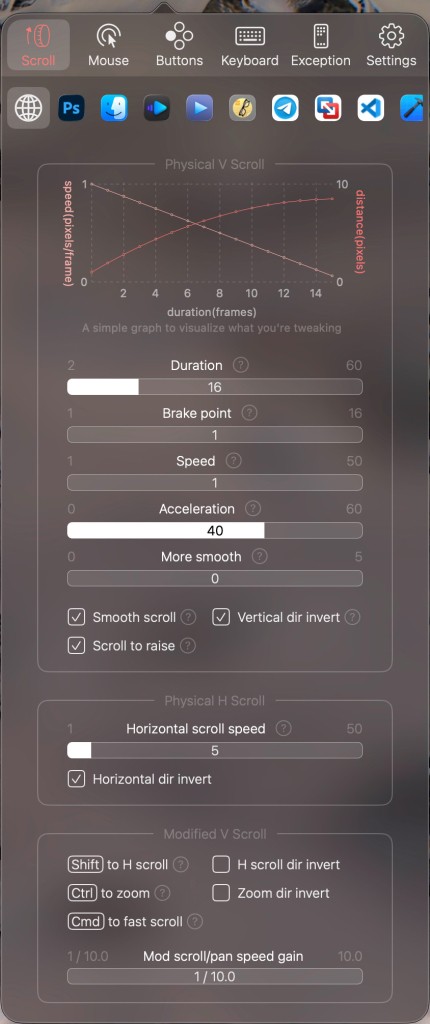
The application can help you turn your mouse into the perfect addition to your computer by customizing its controls. For starters, you can customize the scrolling controls and increase or decrease acceleration. The same goes for cursor control, which is greatly appreciated by gamers and editors. Then, you can use the buttons on your mouse to your advantage and create shortcuts.
Why Should I Download BetterMouse?
You can benefit from BetterMouse if you use a third party mouse with your macOS computer and do not appreciate its native mouse handling options. The truth is, customizing your mouse controls and optimizing its handling can be rather complex. If you want to make the process easier, then BetterMouse is your best friend.
BetterMouse is a lightweight application for macOS computers. It won’t slow your computer down or drain its resources. If you ever choose to remove the app from your computer, you won’t find any useless files lingering around. It is a paid app, but you can try it for free with a 7-day free trial.
If you are bothered by the less-than-smooth scrolling experience that is quite common in Macs, then you can have more control over all of its parts, including duration and acceleration, with BetterMouse. You can make better use of the buttons on your mouse with the app too, as it allows you to assign shortcuts to different buttons. This feature can span different apps, as you have the option to set up unique controls for individual programs on your computer. In addition to that, you can change the speed and acceleration of the cursor. If you need to be quite precise with the cursor, you can turn acceleration off, which is a popular option for gaming.
Is BetterMouse Free?
No, BetterMouse is not a free program. There is a one-off payment you will need to make before using the app. You can test the app for free with BetterMouse’s 7-day free trial. It doesn’t require a registration, so you can start using it right away.
What Operating Systems Are Compatible with BetterMouse?
BetterMouse was developed for macOS computers specifically. You can download and use it on your Mac with macOS 11.0 or higher, with an Intel or Apple Silicon processor.
There is no BetterMouse app for Windows and Linux computers.
What Are the Alternatives to BetterMouse?
There are popular alternatives to BetterMouse on the market. Check out the ones below if you are looking for an app with similar features.
SteerMouse is an application for macOS computers that lets you customize mouse controls and more. You can customize button commands and make using your mouse a more seamless experience. In addition to regular mouse commands, you can implement chording, which is when you use multiple buttons at the same time for shortcuts. The app gives you great control over the wheel and cursor as well, allowing you to change their sensitivity and speed. SteerMouse is a lightweight application that can be purchased with a one-time payment.
Mac Mouse Fix is a free application that lets you customize the experience of using a third-party mouse on your Mac computer. As many Mac users struggle with choppy scrolling, this app can fix the issue. You can set up shortcuts for your mouse buttons and make better use of the accessory. The platform runs well on macOS and is quite lightweight.
Cursr is a more global solution to mouse control. It presents itself as a solution for multi-display setups, and is famously available on Windows 10 and 11. The goal of the app is to connect your monitors and make the mouse move seamlessly between them. If you’re using multiple displays and would like to improve your experience, Cursr can be very helpful. There is a free tier and a paid tier with a free trial.