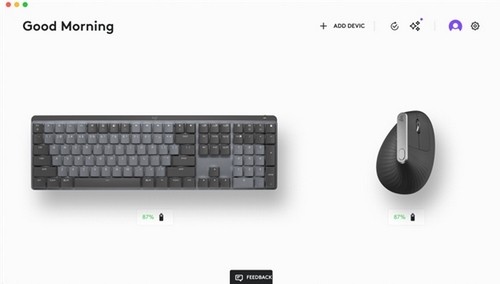
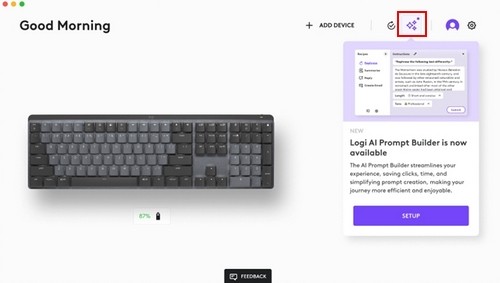
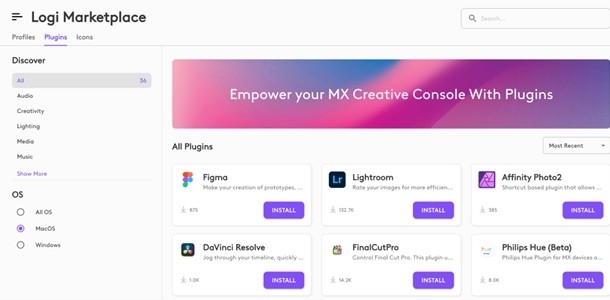
Logi Options+ is Logitech's official customization software for its supported mice, keyboards, webcams, touchpads, and presentation remotes. Logi Options+ is the replacement for the older Logitech Options software, which itself replaced the Logitech Unifying Software. Logitech Options has now reached the end of support and is no longer maintained, making Logi Options+ the recommended tool for anyone using a compatible Logitech device.
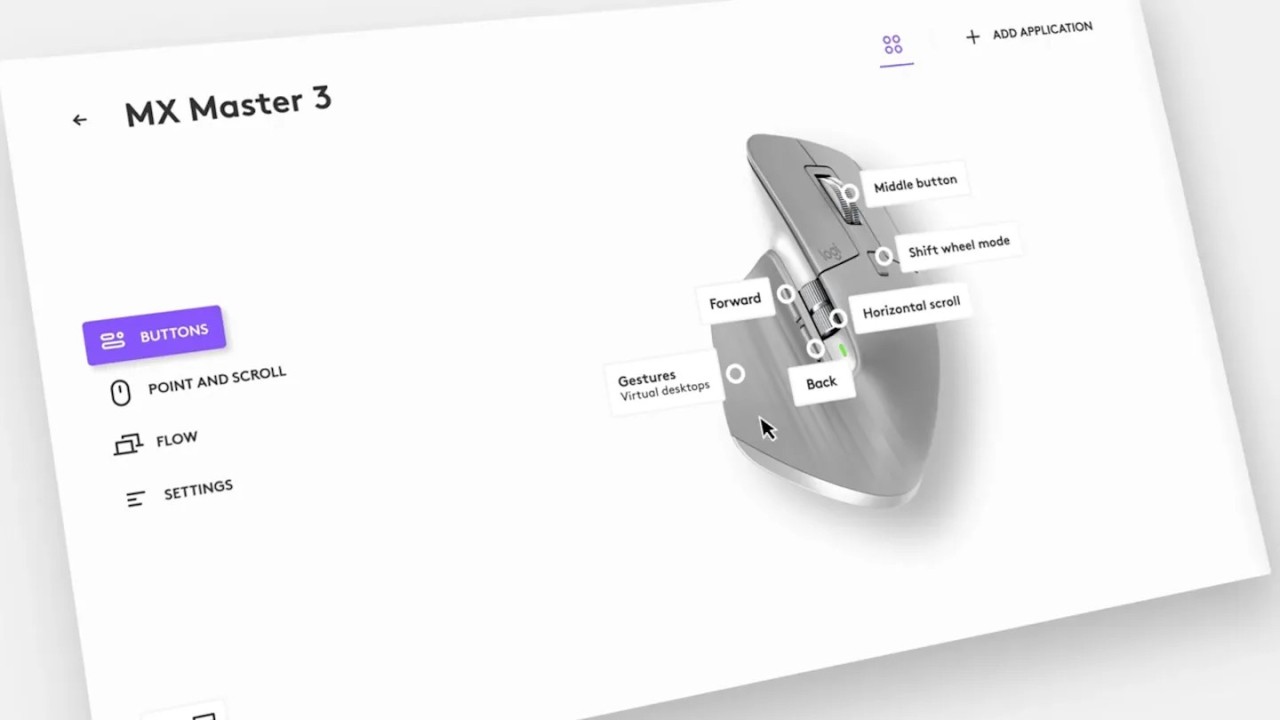
The idea behind Logi Options+ is straightforward: Logitech mice and keyboards often come with extra buttons and features that do nothing with default settings. Logi Options+ is what unlocks these buttons. You can reassign every button on your mouse, set different behaviors per application, fine-tune pointer speed, adjust scrolling direction and speed, monitor battery levels, and receive notifications when Caps Lock is active. Rather than using a single global setup for a device, Logi Options+ supports per-application profiles, so the same button can do one thing in Photoshop and something else entirely in a browser or spreadsheet.
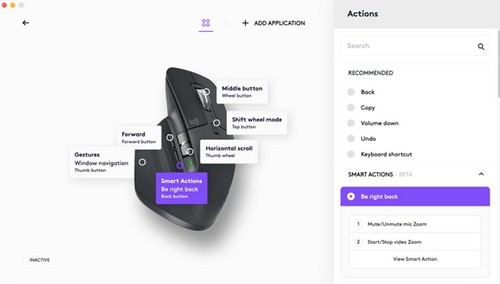
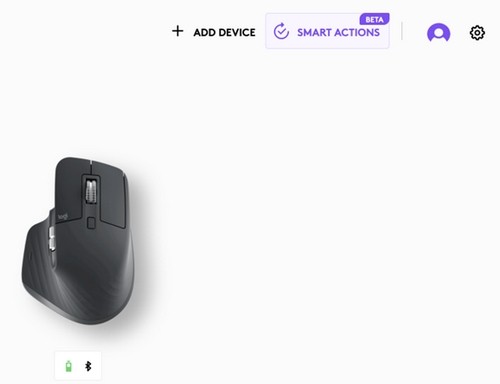
The Logi Options+ interface is clean and user-friendly, featuring a diagram of your connected device and letting you click to assign each individual button. Setting up a new application profile takes just a few clicks, and Logitech provides predefined configurations for popular apps, including Google Chrome, Microsoft Teams, Adobe Photoshop, Premiere Pro, Final Cut Pro, Excel, and Zoom.
Beyond basic button remapping, Logi Options+ has evolved into a more capable automation platform over time, particularly for users with MX series devices.
Why Should I Download Logi Options+?
Many download Logi Options+ because without it, many of the buttons and features on your Logitech device simply will not work. The extra thumb buttons on an MX Master mouse, for example, do nothing useful until you assign them a function in the software. Once configured, those buttons can launch applications, trigger keyboard shortcuts, switch between windows, control media, or execute multi-step Smart Actions that automate several tasks at once with a single click.
Smart Actions are a practical feature for users who repeat the same sequences of steps throughout the day. You can build an action that opens a specific application, adjusts system settings, and sends a keyboard shortcut all in one trigger. Ready-made templates cover common use cases, and custom actions are not difficult to build from scratch.
Logitech Flow is a standout feature for anyone who works across two computers. When both machines have Options+ installed and are on the same network, the cursor moves seamlessly from one screen to the other when pushed to the edge of the display. Text, images, and files can be copied on one machine and pasted on the other, and this works across Windows and macOS. For anyone who regularly switches between a laptop and a desktop or personal and work machines, Flow removes most of the friction from that workflow.
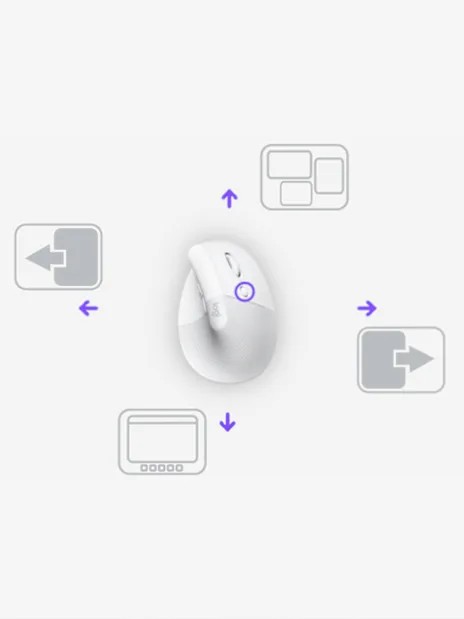
Gesture controls let you hold a button and move the mouse up, down, left, or right to trigger different actions, effectively multiplying the number of assignable functions without adding more physical buttons. Battery-level monitoring and Caps Lock notifications help prevent minor disruptions during the day. Logi Options+ also supports webcam configuration for compatible Logitech cameras, so you can adjust image settings and video meeting behavior from the same interface.
For business deployment, Logi Options+ supports mass rollout via SCCM, Intune, and Jamf, and individual features can be disabled via command-line parameters.
Is Logi Options+ Free?
Yes, Logi Options+ is completely free to download and use. There are no paid tiers, subscriptions, or feature restrictions. The software is provided by Logitech as part of the device ecosystem for supported products. If you own a Logitech device, you can download Logi Options+ for free.
What Operating Systems Are Compatible with Logi Options+?
Logi Options+ runs on Windows and macOS, covering both Intel and Apple Silicon Macs. There is no Linux version.
The software supports a considerable range of Logitech devices, mostly from the MX and Pebble lines, with the supported device list continuing to expand. Gaming peripherals are handled separately by Logitech G HUB rather than Logi Options+.
What Are the Alternatives to Logi Options+?
BetterMouse is a macOS utility that gives users precision control over mouse behavior. It handles pointer acceleration, scroll speed, smooth scrolling, and button remapping in ways far beyond what the base macOS does. BetterMouse is particularly valued by users who connect non-Apple mice to a Mac and find the default behavior frustrating. BetterMouse is a paid software with no free version.
SteerMouse is another macOS-only third-party mouse driver that provides precision control over pointer speed, button assignments, scroll behavior, and application-specific settings. It has been available for many years and has a strong reputation for stability and compatibility with a massive range of mice, including older models that may not have official macOS drivers. SteerMouse is a paid one-time purchase.
Finally, Mac Mouse Fix is a free and open-source macOS utility that improves the performance of third-party mice, particularly around smooth scrolling and gesture support. Mac Mouse Fix is simpler than BetterMouse or SteerMouse, covers the essentials well, and is actively maintained. Mac Mouse Fix is a strong option for users wanting better mouse behavior on macOS without paying for a dedicated driver.