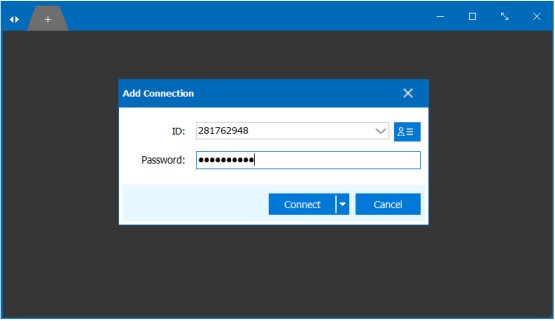
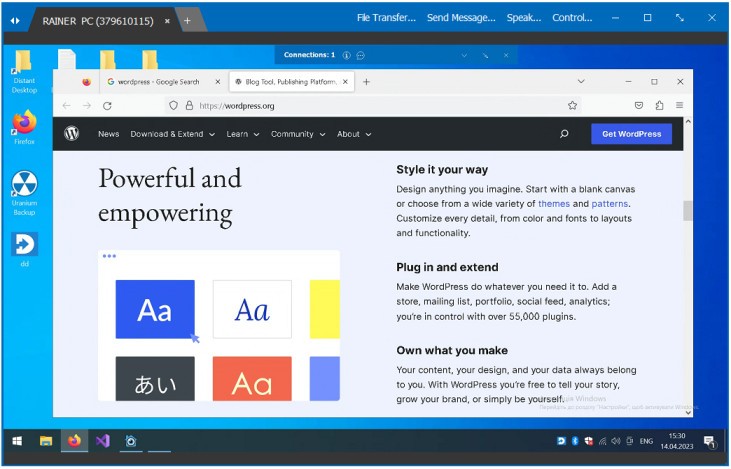
Simple is Distant Desktop, which is a remote desktop application that allows connecting to another computer remotely and managing it. It is to be used by individuals who do not need a complicated installation to provide fast distance access. Only download the program and run it on both PCs, and connect with the help of the ID and the password that are shown on the screen. You do not have to register an account and thus can start instantly.
Distant Desktop aims to enable you to use a remote computer and feel like you are in front of a computer. Once you have connected, you can also use the mouse, type, open files, and use programs as on your desktop. File transfer is also possible in the software, and thus, you can transfer files and folders between the machines during a session. It is convenient to use at work, for troubleshooting, or to share documents.
Remote Desktop has communication products as well. It has built-in text chat to send a brief message and voice chat is available with the assurance of a microphone and speakers or a headset. View-only mode is also a useful feature because with it, the remote user may view your screen, but not manipulate it. This mode is the best for training, demos, or presentations.
Distant Desktop has security built in. Screen sharing, audio, and video as well as file transfer connections, are encrypted. It is also possible to add the trusted IDs to limit access to your computer. Distant Desktop, in brief, is a universal remote-access utility, based on simplicity, minimal security, and day-to-day use.
Why Should I Download Distant Desktop?
Distant Desktop can be a suitable option in case you want an easy method of connecting to a computer that is not close to you. It is ideal in everyday chores such as assisting a family member to solve an issue, viewing work documents at home, or performing tasks on a computer during one’s commuting period. This process is also a connection that is not complex and can attract users who do not like complex connections.
Users like the fact that Distant Desktop is flexible to your internet bandwidth. It maintains the use of sessions in less than ideal connection. The interface is also bare bones, and therefore, you can know what each option does without drawn-out instructions.
It also facilitates several networks. You can access multiple computers simultaneously, and this comes in very handy when handling IT support or system administration. Several people can use one computer when necessary. The file transfer can be achieved with a single click, thus the ease with which one can share documents or formulas.
Access to the distant desktop is unattended. You can be able to connect to the computer at any time using a fixed ID and password when it is set up as a service, and no one is available on the other side. Additional characteristics such as remote printing, Wake-on-LAN, and direct system commands provide a greater ability to control without introducing complexity.
Nonetheless, Distant Desktop is impractical for everyone. Users who require more of an enterprise tool, mobile access, or cloud-based management may turn to other providers. Distant Desktop is a suitable option if you like simplicity and can meet the minimum requirements. In case advanced automation or mobile control is required, compare it with the other tools first.
Is Distant Desktop Free?
Distant Desktop is sold under free conditions for personal and commercial uses. The fundamental features are free. The precise limitations are not well presented in the information shared. Many users can depend on Distant Desktop to provide them with daily use of remote access at no cost. Usage restrictions may apply in cases of heavier use or advanced professional needs, and further details are generally outlined on the official site. To determine what is provided and what may be paid as part of the long-term professional use, a person should visit the official site to get the cost-related pricing information.
What Operating Systems Are Compatible with Distant Desktop?
Distant Desktop is designed for desktop operating systems. It works both with Windows and macOS. The app can be executed on either system and can interact between the systems without requiring variations or complicated configuration. Both platforms are the same in terms of the setup process. Install the application, open it, and then log in with the ID and password. Performance is defined by the hardware and connection to the internet of your device, whereas compatibility is defined by these two operating systems. Linux, Android, or iOS are not discussed at all. Hence, Distant Desktop will be primarily focused on users of Windows and Mac operating systems, but not mobile devices or other systems on servers.
What Are the Alternatives to Distant Desktop?
TeamViewer is one of the options that is very popular and has numerous advanced features, among which is mobile access. It has a free version, which is not as extensive, and its paid plans may be expensive for the business. Many users download TeamViewer when they need mobile access and a wide range of advanced remote features.
Another possible substitute is HopToDesk, which focuses on simplicity and free usage. It is compatible with various platforms and is frequently picked by users who desire a light remote desktop utility that does not require any sophisticated installation. It has simpler features that may be adequate for daily work. Users often download HopToDesk for quick remote access without dealing with complex setup steps.
An alternative that allows individuals to gain greater control over the data and privacy of this system is RustDesk, an open-source option that allows users to self-host their servers. This will be attractive to technical users, and the configuration may be more complex than other tools, such as Distant Desktop. Technical users usually download RustDesk when they want more control over hosting and privacy settings.