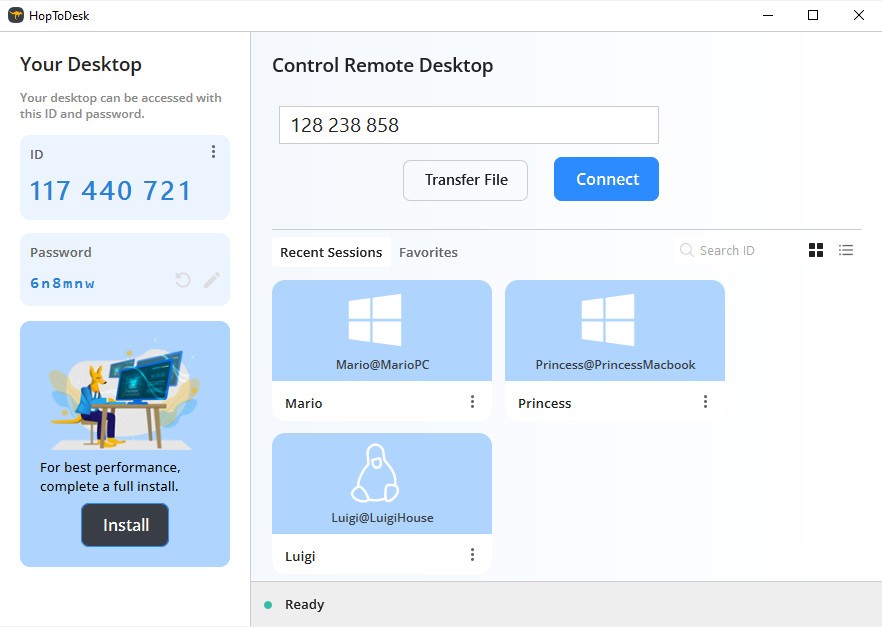
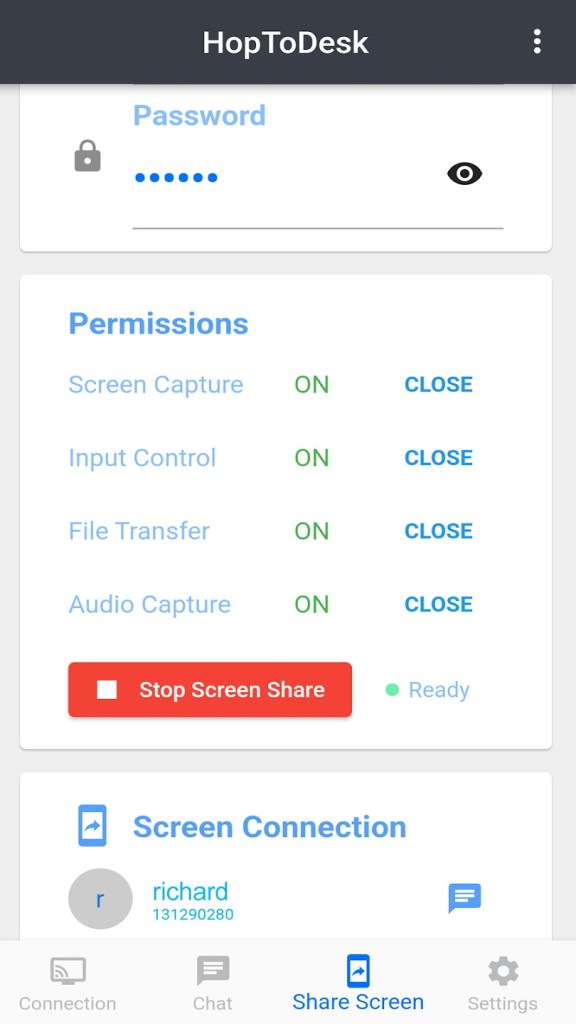
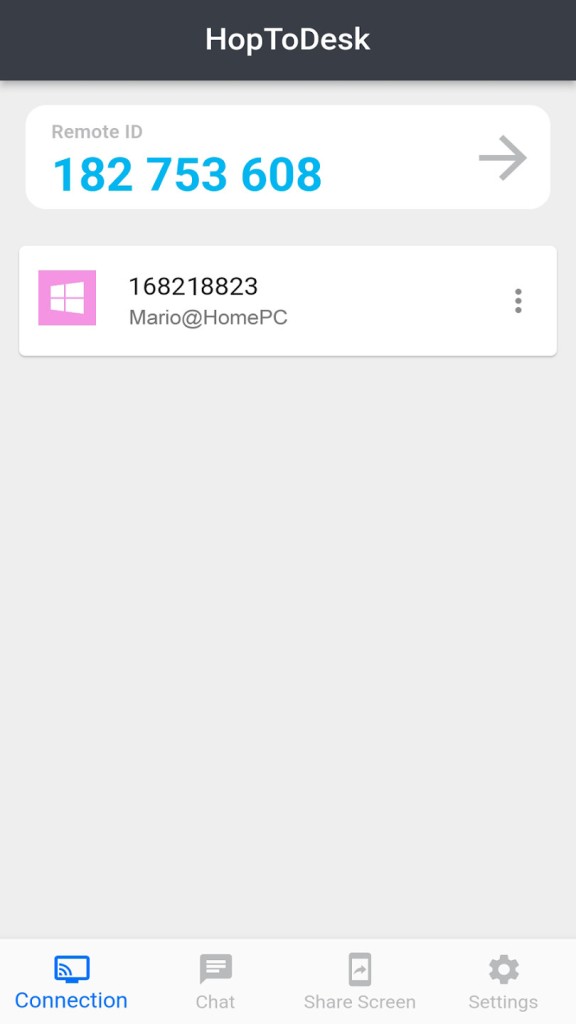
HopToDesk is a remote desktop software that allows individuals to connect to another device via the internet. It provides file transfer, remote control, live chat, and screen sharing between two systems. As used by their users, it is commonly used to access a computer remotely, assist people in troubleshooting technical problems, or remotely operate devices.
The mechanism of HopToDesk is not complicated. Each device receives an ID. A user needs to simply insert that ID to access another device. Once the connection is authorized or a password has been typed in, the remote session begins. It is possible to view the screen, manage the mouse and keyboard, transfer files, or chat there. This applies to remote working, IT support, and personal access.
A web-based dashboard is also offered by HopToDesk. The dashboard assists the user in monitoring numerous devices at a time. Users can set up device IDs, add team members, and change settings through it. The dashboard is a fingertip feature that is mostly helpful to individuals who operate a high number of systems.
It is compatible with end-to-end encryption. This secures information that is exchanged in a session. HopToDesk is open-source, and thus, developers can view or contribute to its code. In main, it is a general-purpose remote desktop application concentrated on accessibility, security, and broad platform readiness instead of incorporating advanced enterprise capabilities.
Why Should I Download HopToDesk?
Individuals download HopToDesk because they want a simple solution to remotely access a computer without any complex installation. It generally does not demand sophisticated network settings; thus, common users can get down to business fast. After it is installed, all that the system requires is an ID and permission to the other device.
Cross-platform support is another reason why it should be selected. HopToDesk is compatible with various operating systems, thereby not restricting the user to the type of device that they are using. One can communicate between a phone and a desktop or between two computers without changing tools.
Remote assistance is frequently done on the software. As an example, assist a friend in resolving a problem, assist clients, or use a work computer at home. All these tasks can be supported using such features as file transfer, live chat, and session recording without the need to use additional applications.
Other users like HopToDesk due to the use of encrypted connections and the lack of use of cloud storage. The optional dashboard is also appreciated by others as it helps to control numerous devices in one environment.
HopToDesk is not a complete enterprise-level remote-management system. It is clear and fitting to individuals.
Is HopToDesk Free?
HopToDesk is free for either personal or business use. The software can be installed, devices connected, and the primary features of the software can be used, free of charge. Normal remote use, file transfers, or connection to a device have no usage restrictions stated.
The software is open source, also supporting its free availability. Others, including self-hosting or on-premise installation, can take additional technical work, but the application itself is not dependent on a subscription.
Since it is open-source and can be used commercially, it attracts freelancers, IT support experts, and small businesses interested in having a remote desktop experience that does not need to be paid a subscription fee periodically. Reviewing updates and official documentation is still recommended for the user, as changes in the usage policies might occur over time.
What Operating Systems Are Compatible with HopToDesk?
HopToDesk is compatible with a great deal of operating systems. You can download and use it with Windows, macOS, and Linux on desktop systems. This enables individuals to transmit between various types of computers without the need of differentiating software.
HopToDesk can be used on Android and iOS devices on mobile platforms. It also works with Chrome OS and Raspberry Pi, which are not as widespread as the tools of remote desktops.
Due to this wide compatibility, it means that HopToDesk can be regarded as applicable in mixed-device settings. As an example, a user can remotely operate a Windows PC using an Android phone or control a Linux system using a Mac. The software is made to work on any platform, depending on the hardware of devices and the internet connection.
What Are the Alternatives to HopToDesk?
A famous alternative is TeamViewer. TeamViewer is a widely used application that has existed for many years and is used in both remote support and business environments. It is good in performance and has numerous features, but the free version has several limitations, and the commercial usage generally demands a paid license. Other users abandon it due to its high price or usage limitations. Many users still download TeamViewer when they need a familiar tool and are comfortable working within its free-use limits.
Another popular tool is AnyDesk. The priorities of AnyDesk are speed and low latency, particularly with low-speed connections. It is compatible with many platforms and is known to be used for speedy remote access. It also has a free and paid version, just like TeamViewer, and in the business world, a subscription is usually mandatory. Some users choose to download AnyDesk for quick sessions where fast performance matters more than advanced management tools.
An alternative that is not widely known is Distant Desktop. It is aimed at users who are interested in having a lightweight remote access tool with fewer advanced functions. It is not intended to rival massive business applications and can be one that the simpler users will like to have. Its ecosystem enabling and feature depth are less than those of bigger platforms. Users who want minimal setup may download Distant Desktop to handle basic remote access without dealing with complex features.