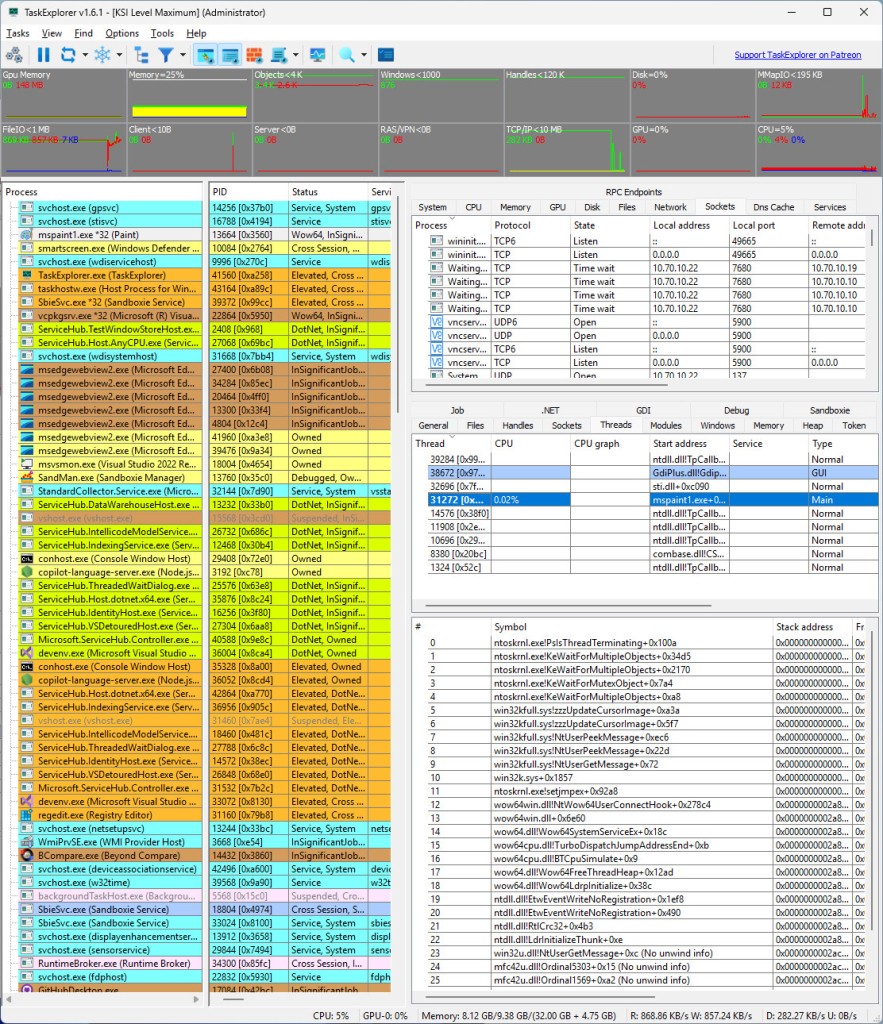
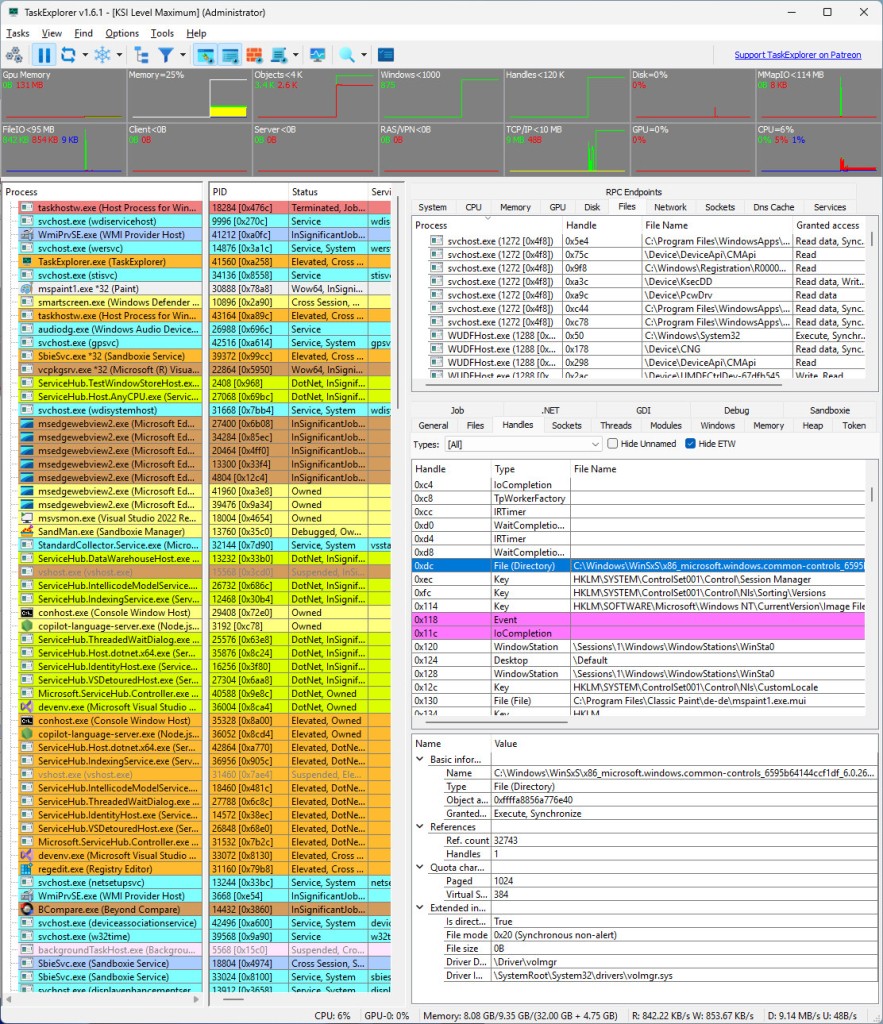
TaskExplorer is a tool similar to the well-known Task Manager. The goal of this platform is to inform you about the health and performance of your computer and help you improve certain processes. At its most basic level, it does so by displaying system performance data visually, in the form of graphs, which are easy to process and understand. You can inspect and monitor the health of your computer’s CPU, memory, network, and more.
To go deeper, take advantage of TaskExplorer’s process analysis capabilities to see what certain apps do to your computer system and its individual parts in real time. You can conduct a full socket inspection and view all the network sockets that take part in a given process. With an overview of all the processes that go on, the control to stop or start a process is in your hands.
Additionally, the program works with VirusTotal to protect your system from malware and viruses.
Why Should I Download TaskExplorer?
TaskExplorer is the right tool for you if the information provided by Task Manager for Windows is simply not enough. It is a more advanced tool designed to give you valuable insight into the processes that run on your Windows computer. TaskExplorer is often used by developers and IT professionals.
Downloading TaskExplorer will enable you to monitor computer processes in real time. That includes an overview of network sockets, memory usage, and other dynamic data. The data can be presented visually using graphs to enhance comprehension.
TaskExplorer is a useful tool for troubleshooting. If you come across a system error or issue, you can conduct an in-depth process inspection to understand where the bottleneck is coming from. To take it one step further, analyze the files used in a certain process.
The platform strives to keep your computer secure with the help of VirusTotal, a tool that checks for malware in your computer processes. If a virus from VirusTotal’s database is detected, the issue will be brought to your attention. Other features that help you keep your computer safe include checking if a certain task is signed by an authorized third party or not, and identifying processes that require network activity.
TaskExplorer has a smart interface that keeps all useful data in one place. Besides monitoring performance, you can take an active part in process management using the intuitive controls provided by TaskExplorer.
Is TaskExplorer Free?
TaskExplorer is a free and open-source app. You can download it and use all of its features for free.
What Operating Systems Are Compatible with TaskExplorer?
The tool was designed for Windows computers. You can download it on Windows 7 or higher, and Windows 11 operating systems. Make sure you have a 64-bit system.
What Are the Alternatives to TaskExplorer?
If you’re searching for an alternative to TaskExplorer, you have a few to choose from.
The first viable option is Process Explorer, or ProcExp for short. It is a free Microsoft tool used to run diagnostics and analyze processes. You will appreciate this platform if you need something even more in-depth than TaskExplorer. ProcExp gives you more information about your processes, including their exact paths. You can use the tool to identify viruses in your processes too. The data is presented in colorful graphs to make it easier to understand. Generally speaking, Process Explorer is a more detailed and accurate version of TaskExplorer.
Another detailed tool available for Windows computers is System Informer, formerly known as Process Hacker. It allows you to keep track of your network usage while processes are running, diagnose bottlenecks, and stop unwanted processes. While less intuitive and easy to operate than TaskExplorer, System Informer gives users access to more advanced metrics and controls. With a hands-on approach, you can use the tool for debugging and keeping your processes in check.
Finally, if you would like to go back in time and view historic data, then you might appreciate AppControl. You can use it to analyze the behavior of different applications and the effect they have on your system processes. If you identify a specific day you were unhappy with the performance of your GPU or RAM, for example, you can find that day in AppControl and see what exactly caused poor performance at the time. At the same time, the platform is useful for privacy monitoring; it keeps a record of all the times an application gained access to your camera, microphone, or location.