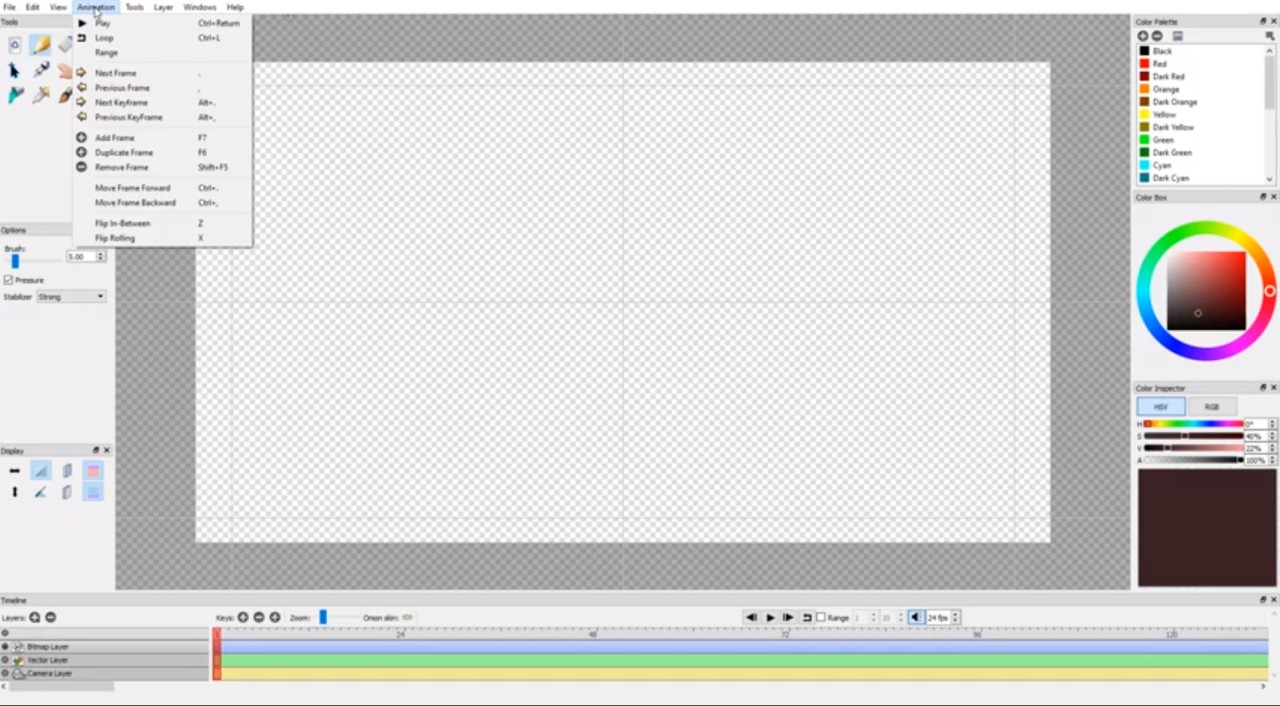
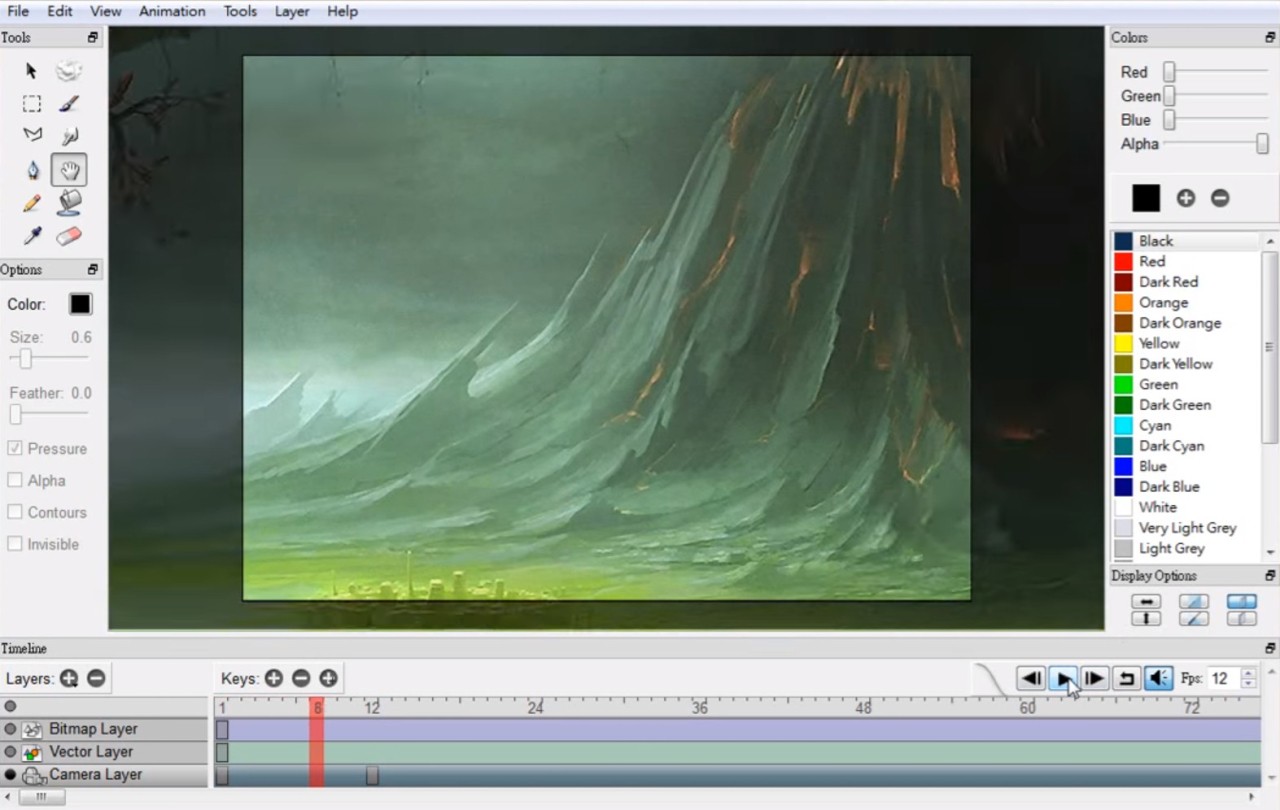
Pencil2D Animation functions as a free open-source application that serves artists needing hand-drawn animation features. The application gives users who want pen and paper animation experiences a digital platform to bring their traditional drawing skills to the computer screen.
The software brings only frame-by-frame animation of two dimensions to the table. This animation program is free from inconvenience because it avoids complex interfaces while requiring basic computer hardware specifications. The software offers a minimalist interface to let users draw, sketch, ink, color sketches, and create their artistic animations. The software provides bitmap along with vector options to enable you to draw sketchy hand-drawn elements and structured digital lines, depending on what a scene requires.
The simple design of Pencil2D creates one of its core attractive features. Using this software program requires no strict formal training. Users can easily navigate through the features, while the application begins with creative work instead of extended navigation. Pencil2D operates as software that enables users to commit fully to their movement techniques, combined with timing expertise and expression abilities. The unusual quality of Pencil2D stands out because of this unique feature. This program does not attempt to execute multiple functions simultaneously. The program operates only on crucial aspects, so users can focus their efforts.
Why Should I Download Pencil2D Animation?
The platform of Pencil2D Animation serves beginner animators perfectly, whether they are new to animation studies or want minimalistic software. Animation can remain easy to learn, since this programming offers simple evidence of that fact. Users gain access to the entire program without expensive licensing requirements, and the program never disrupts work by prompting upgrades. The downloaded version serves as a complete package that activates right away.
The software maintains a deliberate basic interface presentation. Launching the program presents users with three elements: a timeline, simple tools, and an empty canvas. That’s all you need. The application operates without interruption throughout the entire process due to its minimal lag and lack of product-crashing issues.
Older or lower-spec machines can operate the software efficiently because it offers great performance for users who lack advanced computing equipment. There will be no time spent observing loading bars or the application unresponsively waiting. You just animate.
The forgiving aspect that stands out about Pencil2D provides users with flexibility when they work on the application. Experimentation is possible without any risk of damaging the program. Users can change the frame sequence using the timeline while also making scene copies and performing quick video evaluation. Pencil2D will accommodate your tempo when you perform walk cycle exercises or develop short animations or complete animated characters.
Is Pencil2D Animation Free?
Yes, Pencil2D is 100% free. Through an open-source licensing model, users can get Pencil2D at no cost, as they can obtain and utilize the program without financial expense. The program exists completely free of charge, with unrestricted capabilities beyond limited trial limits or premium membership. The application reveals its entire functionality right after you launch it.
What Operating Systems Are Compatible with Pencil2D Animation?
The animation software Pencil2D functions perfectly on Windows, macOS, and Linux operating systems. The application delivers the exact same experience across different platforms, thus users with any operating system benefit from complete functionality. It operates effortlessly on outdated PC configurations, which allows students as well as classrooms or creative share spaces to utilize the software.
What Are the Alternatives to Pencil2D Animation?
The following alternatives provide additional options for users who both love and want more features from Pencil2D. The animation tools provide distinctive approaches to their software outlook, and they adapt to both casual artists and expert studio practitioners.
Among these options, Toon Boom Harmony stands as the first recommendation. Only its own class defines this program. Harmony serves as the technology choice of numerous international professional studios that animate modern TV programs and motion pictures. Rigging systems combine with node-based effects and particle systems when added to advanced layering features and camera integration tools, which make up its set of powerful tools. Users can generate substantial productions through complex scenes and expressive characters that lead to high-quality results. Using this program involves rising through a deep level of difficulty. Learning Harmony requires dedicated time since it operates as a professional-grade tool that comes with a corresponding expensive price point. Investors who choose Harmony for their animation career development will find its studio-level tool to be an essential professional purchase.
Then there’s Adobe Animate. The program functions well as an accessible platform primarily for people with experience working with other Adobe software, including Photoshop and Illustrator. Using Animate, you can generate transitional sequences as well as classical frame-by-frame animation using fewer drawings for path and ease control motions. The tool finds its primary use in web-based animations, together with interactive content as well as short-form videos. The application offers a polished interface together with neat drawing tools, which successfully work with Adobe's additional software products. The program needs a subscription plan that increases the total expense over time. Adobe ecosystem professionals who use this tool will find that it expands their current workflow efficiently.
Moho Pro implements a completely new method of operation. Character animation in Moho Pro happens through bone deformation methods instead of frame-by-frame manual drawings. Radio button rigging in Moho Pro allows creators to move character limbs and heads as well as walk characters throughout the screen without the requirement for frame-by-frame redrawing. The fast creation of complex motion is possible with Moho since it operates at high speed. The program allows users to perform physics simulations and enables lip-syncing features alongside a detailed timeline tool for scene control. The features of Moho won't charm people who prefer authentic hand-drawn appearances, but provide both control and efficiency to creators seeking studio automation. The tool produces highly consistent animations, particularly when repeated movements or character animations need to be done. The paid nature of this tool does not discourage users because they perceive that the time-saving benefits, coupled with enhanced control, make it worthwhile, especially for big productions and small creative groups.
And finally, there’s Blender. The production software Blender offers its users the versatile feature set of Grease Pencil to create professional 2D animation drawings. This tool enables direct 3D space drawing, so your 2D animations become part of 3D environments without equal competition from other programs. The Grease Pencil feature inside Blender enables users to work with layers and do frame-by-frame animation and rigging, in addition to camera movement capabilities. The animation features support cartoon and motion graphic creations, along with complete short film production. New users of Blender will discover that mastering this program requires dedication because it poses learning challenges, but it delivers impressive capabilities. Similar to Pencil2D, Blender offers its services without any charge. A wide community devotes itself to this open-source program, which receives regular updates. Blender proves to be an exceptional choice for creators who wish to experiment through hybrid techniques or intended to extend their 2D abilities.