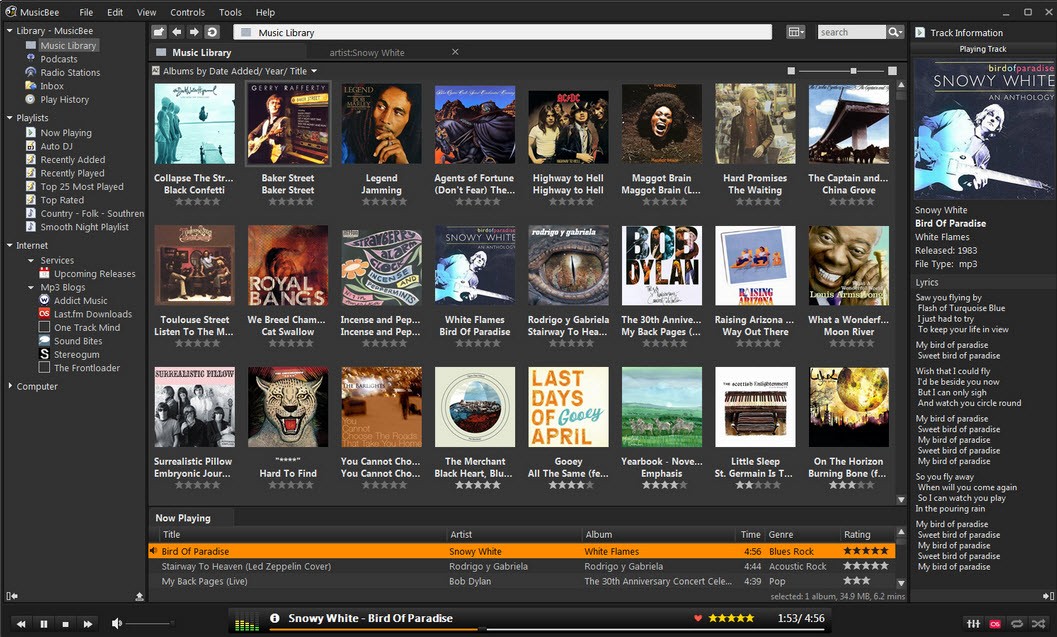
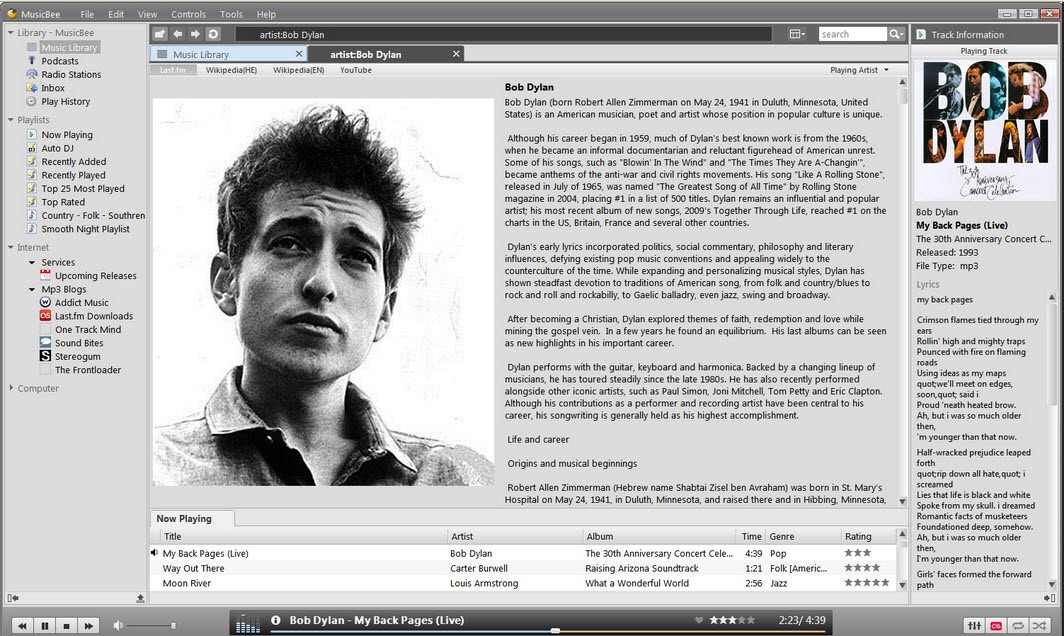
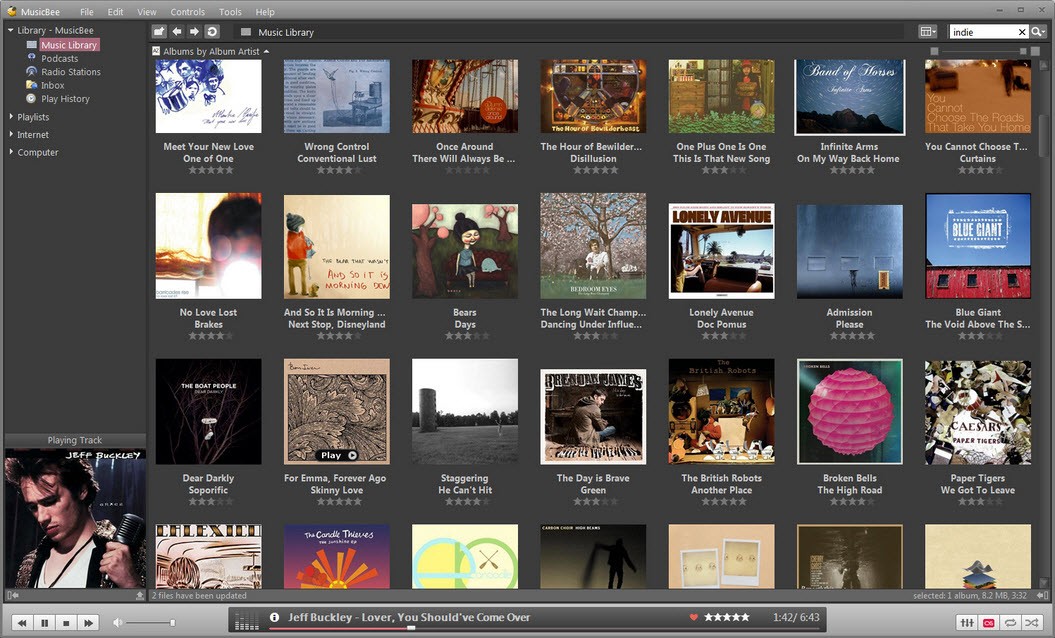
With its library management features and music player, MusicBee gives users total control and organization over their music library. Users need more than random song sorting because MusicBee functions as a personal music interface built for result-oriented listeners.
When you first look, MusicBee resembles an ordinary media player, but as you explore, its extensive capabilities become evident. MusicBee serves as your single solution for managing music, including large-scale track organization and device synchronization, tag maintenance, and advanced audio control.
The largeness of music libraries proves no match for MusicBee in its exceptional management abilities. MusicBee organizes back-end track management when your music collection extends across various folders and storage drives over ten years. With its capabilities, users can automatically tag tracks and retrieve album artwork during audio file conversions.
You can fully customize MusicBee using skins and layouts, as well as plugins, to personalize it based on your preferences. None of the capabilities overpowers the system's user-friendly design. It doesn’t feel bloated. A user who listens to music made these facilities, which provide a better way to manage digital music.
Why Should I Download MusicBee?
Your search for a music player designed for collectors ends with the refreshing experience that MusicBee offers. The music apps available today prioritize streaming services that offer thousands of cloud-based songs. MusicBee treats users who maintain their own music collection with respect, including personal archives and old files, as well as ripped albums and expertly crafted playlists.
The application offers users features beyond simple playback automation. The tagging system is the most extensive tagging feature available. The program provides users with tools for metadata repair, together with automatic file renaming from tags and lyrics synchronization to accompany song playback. The program organizes all your music folders into an easy-to-navigate, smooth user interface while cleaning up disorganized collection databases from years past.
This program operates in two ways: automatic folder scanning maintains the library, while users retain control over organizational schemes through their selected categorization method. The program includes a 10-band equalizer, high-end audio output via ASIO and WASAPI, DSP effects, and gapless playback. The application serves your music, but strives to enhance its quality during playback.
As a bonus, the application does not force users to use any single musical platform. MusicBee allows users to connect their music libraries to Android devices and provides compatible functions with iPods via available add-ons. The software enables playlist mobility by allowing users to take their collections wherever they go without technical difficulties. Users of iTunes or other music players will benefit from import tools that transfer their libraries, as well as playback counts and user preferences. There is no requirement to rebuild everything from scratch.
The dedication shown toward MusicBee development stands out as a strong reason to download the software, reflecting its true passion for the project. Development updates demonstrate thoughtful planning, and the user community remains highly engaged, while plugin development, skin customization, and useful guideline production thrive among users.
Fair use of software has become a rarity in contemporary application development since most programs aggressively market premium plans, whereas others monetize user metadata. MusicBee operates as a passive solution for users who need it because the development team values users above all else in an age where respect for users seems scarce.
Music that maintains special personal value to you should have an equivalent personalized way of listening. The user interface in MusicBee provides complete customization options to match your listening preferences exactly. The application evolves into something beyond basic functionality, enabling users to create meaningful playlists that reflect their individual moods. The solution integrates with the musical pieces as an essential element.
Is MusicBee Free?
Users can access MusicBee for free. The application provides all features at no cost, with no hidden fees, and keeps all promotional content at bay. You can enjoy this program because it offers universal access.
The developer runs this program because of his dedication to it and accepts donations, but never asks for them. The application offers all its features without ever asking users to subscribe or upgrade their accounts.
What Operating Systems Are Compatible with MusicBee?
MusicBee is available on Windows only. MusicBee operates efficiently across all Windows versions from 7 to 11. The software operates on Windows systems through native versions. On macOS or Linux platforms, users have succeeded in running it using Wine and virtual machine systems.
Users achieve the optimal MusicBee experience when running the software on Windows systems, as it delivers full feature support alongside performance stability. The program runs efficiently on current Windows notebook computers, including laptops, and requires no futuristic hardware.
What Are the Alternatives to MusicBee?
Among the available alternatives, VLC Media Player distinguishes itself particularly for its flexibility features. The program supports all existing audio and video formats and runs on multiple operating systems. MusicBee delivers advanced music library functions that VLC cannot match in its core product design. The application lacks advanced tagging capabilities and organizational features, and manual library syncing is not available. VLC is a reliable player that efficiently handles any media content while keeping its performance smooth.
The competitive KMPlayer offers users a stylish interface, complete high-quality audio support, and detailed playback functionality. Customers choose MusicBee for its multimedia support features and customization options. The main area of specialization for KMPlayer consists of video methods over other media types. Your music organizing needs may not find satisfaction from this program because its vivid interface and VR/3D video support points away from music management. Users of KMPlayer note its interface gets in the way, since it contains too many ads that disrupt their attention during music listening sessions.
The other media player option available is MPC-HC for Media Player Classic—Home Cinema. The open-source application maintains similarity with VLC by offering users a minimalist interface while keeping system requirements minimal. Users can play audio and video files with this player, whereas its system resource utilization remains minimal. Music-focused features are absent from its functionality, although the media player does its job well. MusicBee provides a more robust library system, advanced metadata editing and customization, and syncing features that MPC-HC lacks entirely.