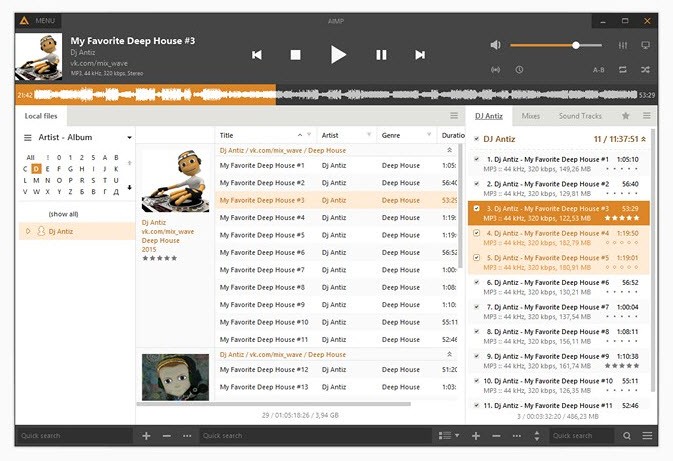
AIMP is a great pick for any music lover. It comes with a broad feature set and enough customization options to satisfy even the most demanding listeners. With this app, you get high-quality sound, an equalizer and other tools to fine-tune playback, and several ways to manage your playlists.
You can download AIMP on Windows computers and Android devices, and the software is built primarily around local music files. You can also listen to online radio stations, even though it does not support integration with streaming services. AIMP handles audio formats ranging from MP3 and FLAC to more niche file types, so you are unlikely to run into any compatibility issues.
It works well whether you are an audiophile with specific requirements, a casual listener who just wants an organized music library, or even a DJ who needs deeper control over playback and playlists.
Why should I download AIMP?
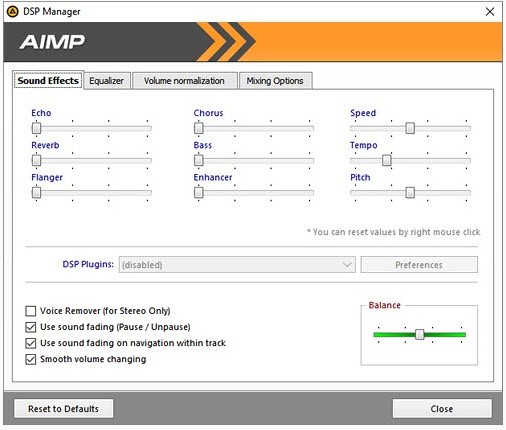
When you use AIMP, you get a tool that delivers excellent audio quality, performance, and usability. Its 32-bit audio processing engine produces crystal-clear playback without straining your system resources or CPU. You can play back even high-resolution audio formats, and a built-in DSP engine lets you control things like pitch, tempo, crossfade, reverb, and more.
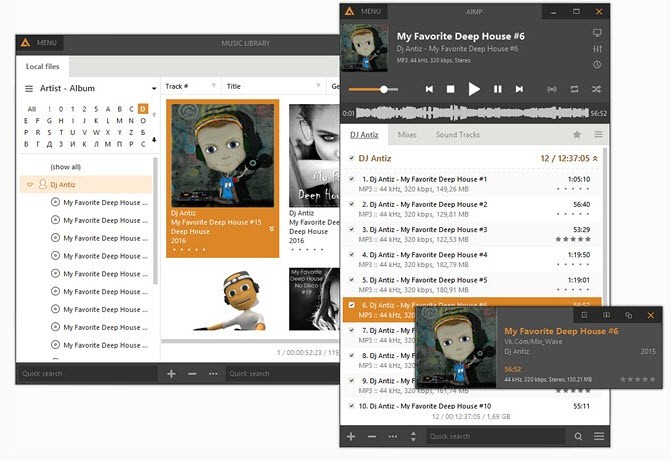
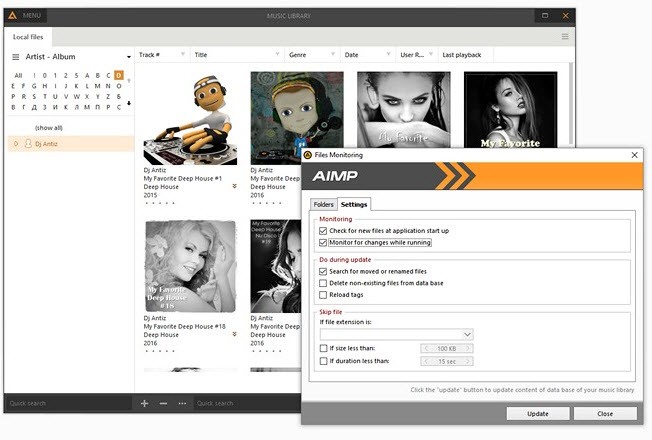
Even though you can only download AIMP on Windows when it comes to desktop computers, and the app focuses on local file management rather than streaming music, it makes up for those limitations with a strong feature set. AIMP lets you manage multiple playlists at the same time, set up rules and filters to create smart playlists, or organize your entire library using metatags or file ratings, which is especially useful if you are a DJ or a sound producer. You also get to edit ID3, Vorbis, and APE tags, fetch album art automatically, or use AIMP to clean up your metadata.
Beyond that, the range of supported formats is impressive, covering MP3, AAC, FLAC, OGG, WAV, APE, TTA, ALAC, MOD, and more. Because of that, you do not need to worry about conversion or hunting down different codec packs for your music. For those who do need conversion, AIMP has a built-in audio converter where you can process files in bulk and control bitrate, sample rate, and encoding options. You can also add more functions through various plugins, or use hotkeys to map out media controls and custom shortcuts on your keyboard.
You can customize how AIMP looks by downloading various skins, changing the app layout, or even using the integrated theme editor. Different display modes range from showing only the most essential controls to providing an entire window with equalizers and other tools. You can also listen to internet radio stations through AIMP or stream your own stations. Each stream can be recorded so you can save it on your machine and listen to it later.
Is AIMP free?
Yes, AIMP is distributed under a freeware license, so you can download it and use it at no cost. There are no hidden fees or paid tiers to upgrade to. You can freely use it for commercial or personal purposes. You do not even need to register an account; you get access to every feature right out of the box.
What operating systems are compatible with AIMP?
While it is an excellent solution, keep in mind that you can only download AIMP's full version on Windows computers. It fully supports multiple versions, including Windows 7, 8, 10, and 11 in both 32-bit and 64-bit editions. AIMP is extremely lightweight, so it can run even on older machines or legacy systems without overwhelming your hardware or resources.
There is also a portable version of AIMP that lets you run the app from an external drive without installing it.
You can also get a mobile app on Android devices starting from Android 5.0 and later.
What are the alternatives to AIMP?
MusicBee is another Windows-only solution that you can use to manage and play your music. In addition to high-quality playback, you can also listen to podcasts or internet radio stations. There are options to organize your library or to automatically fix metatags, album art, and other information. You can download and use MusicBee for free, and you can change how it looks through different themes and customization options. You can also set up a media server with it and stream music to other devices.
If you want something more cross-platform, give Clementine Music Player a try. You can use it on Windows, macOS, and Linux for your local audio files, connect it to cloud storage like Dropbox or Google Drive, and even use Spotify streaming services if you configure it with the API. Smart playlists, tag editing, and visualizations are all part of the package. Clementine Music Player is an open-source program, so you can use it for free and however you like. It also lets you synchronize music with external devices, and it works well even with older operating systems.
Foobar2000 has been around for decades, and it is a cult favorite music player for Windows that delivers high-quality playback, support for various audio formats, and advanced tools for tagging your music. Multiple plugins let you download and install extensions that go beyond what the base version offers, thanks to the component-based approach to its software architecture. Mobile apps are now available for Android and iOS devices as well. Foobar2000 is a free tool that you can expand from a basic audio player into a full-fledged control center with visualizations and DSP modules.