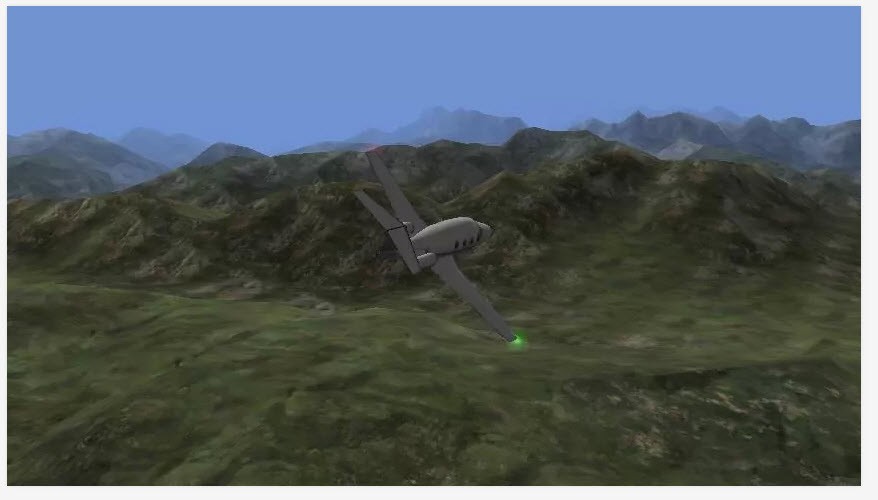
X-Plane isn’t just another flight game you find scrolling through app stores late at night. It’s actually a proper flight simulator, the kind pilots themselves practice on. The desktop version can even be FAA-certified, which means yes—it’s trusted in real training environments. That already tells you this isn’t some toy. It’s built on a physics model that tries to capture how a real aircraft reacts in the air. The wing bends when it should, the landing gear shifts weight, and you feel turbulence like it’s more than just screen shakes.
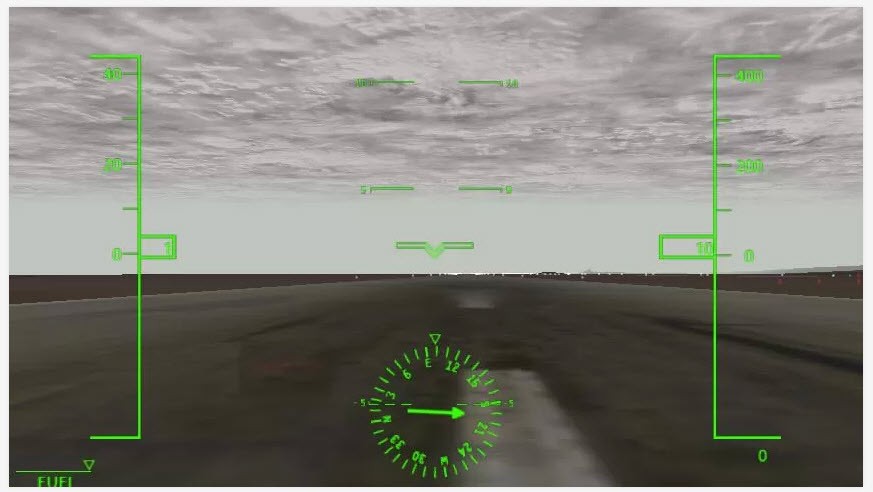
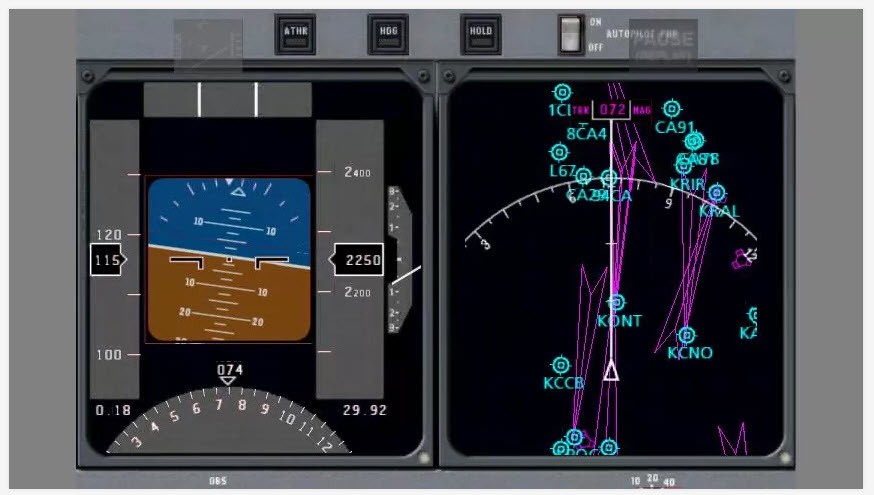
Inside the cockpit, it’s not just a few buttons to “get going.” You’ve got panels, switches, levers, gauges—all wired to behave the way they do in real life. You can actually sit there and run through full startup procedures. It takes time, but that’s exactly why enthusiasts enjoy it. If something goes wrong, like a system failure or even an emergency landing, you deal with it the way a pilot would. That’s where the simulator proves its worth.
The scenery makes the whole experience even richer. Five regions come free—Hawaii’s Oahu, Innsbruck in Austria, the Grand Canyon, Juneau in Alaska, and Seattle-Tacoma. Each has its own personality: rugged mountains, dense city skylines, or long stretches of coastline. For those who don’t like boundaries, global scenery is there with tens of thousands of airports. Imagine flying from tiny regional strips to huge international hubs, each with hangars, terminals, and jetways waiting for you.
Why should I download X-Plane?
There are different kinds of people who download X-Plane. Some are casual users curious about aviation. Others are hobbyists who’ve always dreamed of flying. And then there are the serious learners who want a tool to get closer to real-world skills. Whatever your reason, the simulator has something to offer.
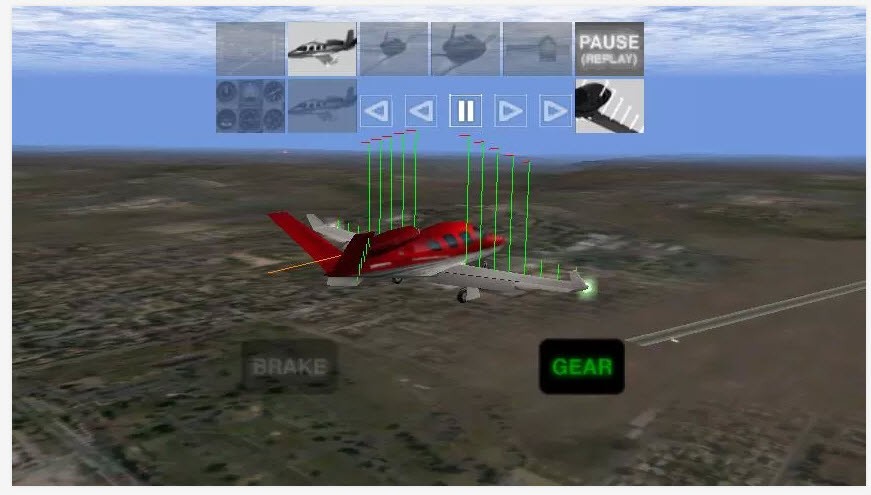
You can start simple. Maybe take the free Cessna 172SP out for a spin, or test the Cirrus Vision SF50 jet. Both come with interactive cockpits, so you’re not missing the realistic part even if you haven’t spent money yet. When you’re ready for more, step into an Airbus A320 or Boeing 737, and you’ll realize how complex commercial aviation can be. Every knob matters, every checklist counts.
The tutorials built into X-Plane help a lot. There are nine of them, each focusing on something useful: takeoffs, landings, patterns, even helicopters. They’re not boring classroom-style lessons; they’re hands-on and keep you busy. If you ever thought “flying a plane must be complicated,” these lessons show you that yes, it is—but also teach you to enjoy that complexity.
Another reason is the multiplayer world. With a professional subscription, you can join thousands of pilots flying together. Sometimes it’s small interactions—passing another plane mid-route—or sometimes it’s events where hundreds meet in one place. Suddenly, your hobby isn’t lonely anymore; it’s shared. You might even make friends who are just as obsessed with aviation as you are.
And then, of course, you’ve got the fun challenges: combat missions, system failures, emergency scenarios. These aren’t there just for drama. They force you to react, to make decisions quickly, and to understand how pilots think under pressure. That mix of fun and seriousness is what makes people stick with X-Plane for years.
Is X-Plane free?
Yes, and no. The download itself is free, and you can get going with two aircraft plus the five scenery regions mentioned earlier. That’s enough to give you a real taste. You also get tutorials and some multiplayer access in a limited form, so technically, you can enjoy quite a lot without paying.
But the moment you want more, you can go with the complete version. Extra aircraft—everything from big Boeings to vintage DC-3s—are available as in-app purchases. Global scenery, which is the full world with over 37,000 airports, comes with a monthly or yearly subscription.
If you need the FAA-certified tool, you’ll need to go with X-Plane Professional as well. This license also allows commercial use of the game for creating simulators on the commercial level (one license for each computer is needed).
So is X-Plane free? It can be, if you’re happy flying in smaller chunks. But most people eventually upgrade because the real magic is in the full package. The nice part is you don’t need to commit upfront. Try it, see how you like it, and expand only if it grabs you—which it usually does.
What operating systems are compatible with X-Plane?
X-Plane works across quite a few platforms. On the desktop, it runs on Windows, macOS, and Linux. That’s already a big deal because not many simulators give you that kind of range. On top of that, the desktop version isn’t just for fun—it’s trusted enough to be used in aviation schools.
It is also available for mobile devices. iOS and Android both support X-Plane, and the mobile app has crossed a million downloads. That shows just how popular it is outside the hardcore pilot crowd. Mobile doesn’t cut corners either. You still get interactive cockpits, detailed aircraft, and real-world terrain. It’s obviously more portable—you could be at the airport lounge waiting for a flight and practicing landings on your tablet.
The fact that you can bounce between desktop and mobile makes it versatile. Some people like the full cockpit setup with joystick, pedals, and three monitors. Others like the convenience of a phone. Both work. That flexibility is why the user base is so broad.
What are the alternatives to X-Plane?
The first alternative is, without doubt, Microsoft Flight Simulator. It is a titan in this field and known to be carnal in its imagery. The most recent version is a replica of the Earth with cloud technology and satellite data to near perfection. Flying around your real houses and seeing the details of landmarks? It is one thing it does so well. The negative side is that it might be PC intensive, and the graphics are unparalleled, but flight dynamics are more of a spectacle than a simulation, according to some pilots. Nevertheless, it remains an amazing option as long as you get immersed in images as your primary objective.
FlightGear is unique in that it is open-source and absolutely free. No memberships, no premiums. It is only constructed by a community, so updates and new content are made by enthusiastic contributors. The possibilities of customization are almost unlimited. FlightGear offers you that playground in case you like to tweak, construct, or experiment with various planes and scenery. It might not seem as refined as either X-Plane or Microsoft Flight Simulator; nonetheless, it gives hobbyists with a desire to be flexible a strong competitor.
Aviassembly is the more recent alternative and does not attempt to compete by being huge. Rather, it is concerned with flight simulation accessibility. The list of aircraft is not so big, and the scenery is not so extensive, but it reduces the entry barrier for newcomers. In the event that you feel like trying aviation, but you are not ready to jump into the deep water, Aviassembly is less daunting. It makes you feel like flying without involving you in the mechanisms to control.