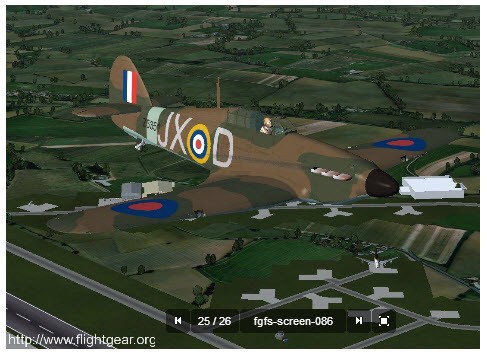
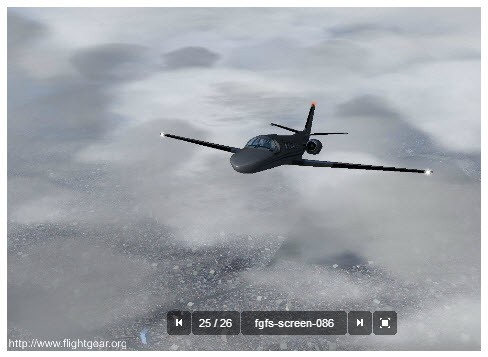
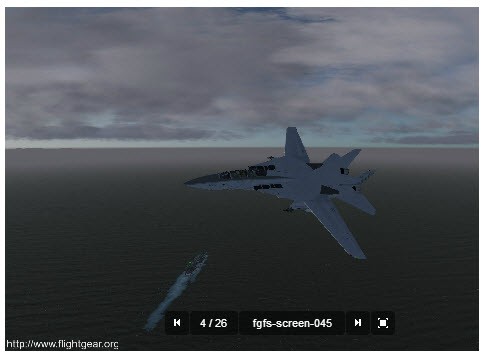
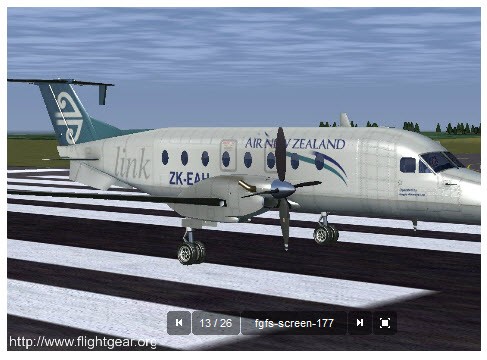
FlightGear is not a glossy menu, movie sim. It is transparent, sincere and is created by a group of aviation fans. The advertising is nonexistent, as are corporate interests. This is a group of people who love to fly and want everyone to love it.
It is entirely open-source, which means that everyone can access the code, introduce some improvements, or design new planes and maps. This transparency continues to make FlightGear grow. It is not new and has evolved into a large international flying adventure to any dreamer who can fly.
One can start a flight almost everywhere. The simulator loads up the scenery when required, and therefore, you do not have to download the whole planet. It retrieves information in real time, displaying terrain, cities, weather, and others. You have many planes to take off: propeller planes, jet planes, helicopters, gliders, and even a spaceship, should you feel like flying outside the Earth.
The best thing is that FlightGear does not take you step by step. You switch on the engine, turn on the throttle and learn to fly. No tutorials or hand-holding. And it’s only you and the cockpit, learning by experience.
Why Should I Download FlightGear?
FlightGear is not a game that should be enjoyed for a short time. It lets you explore, learn and tinker. It does not have a forced career and competitive leaderboard. It is a pure airplane game with a community that does not believe in hype but accuracy.
Every aircraft acts in a different way. Aerodynamics have been approximated in the real world by volunteers and developers. One can make a difference between Cessna and Boeing. The way you fly, you can stall, lose control, recover and even crash. You study without even seeing it.
One of its strongest attractions is its flexibility. FlightGear can be made straightforward or complicated. You are free to fly in sunny skies and can also engage in instrument flying, ATC communication and also realistic weather. You are able to add several computers, flight controls or a mini cockpit. People do just that.
FlightGear is an open-source package, so you can work with and manipulate its mechanics. You are able to edit the scenery, the aircraft or physics models. Everything is open. The majority of simulators monetize features or use proprietary systems. FlightGear just provides all that and tells you, rejoice.
FlightGear is a good instructional aid. It is also used by many aviation students as a practice in navigation. Amateurs put real routes of flight to the test. When flying, you are able to observe the direction of the wind, the altitude, the sounds of the engines, and the way a plane is drifted by the varying air.
FlightGear can be relaxing even with someone who is not serious about aviation. You may leave the island, fly through the sunset light and land with a soft landing to get to know whether you can make a smooth landing. And in that simplicity is beauty.
Is FlightGear Free?
FlightGear is entirely open-source. No secret upgrades and pro versions. You are free to download the entire simulator and use it for as long as possible. It is free under the GNU GPL, and thus you have the right to modify it, re-distribute it, or create your own version.
Every plane, scenery, and equipment is free. The community add-ons can be added at no cost and increase the experience. FlightGear policy: it is a non-corporate philosophy.
What Operating Systems Are Compatible with FlightGear?
FlightGear is capable of operating on Linux, macOS, and Windows and acts identically on all platforms. On Windows, it’s easy to install: download the installer and run it. For macOS, it is a self-contained package (DMG) that can be easily run. Linux users have the option to download an AppImage file, install repositories or compile from source.
You don't need a high‑end computer. The simulator will operate well with mid-range systems when graphics are changed. Higher quality hardware provides more detail and stability in particular conditions (such as difficult aircraft and heavily populated scenery). FlightGear is modular. Download only what you need. When you only fly within one region of the country, just download that scenery set and do not bother with the rest. It streams in extra terrain as needed to maintain file sizes that are small.
Hardware support is robust. FlightGear has joystick, yoke, pedal, throttle, multi-monitor, and multi-computer support. There are users who construct physical panels that are linked to the simulator. It handles all this flexibly. The game is interfaced with third parties. Integrate GPS software, navigation devices or third-party weather information. It is not rigid; it is all up to experimentation.
What Are the Alternatives to FlightGear?
Microsoft Flight Simulator is the flight sim giant. It provides 3D maps, real-time weather, and traffic, which are satellite-based and beautiful to the eye. When flying over your home, you can literally see your home. It is an excellent and free, good-quality realism that requires a strong PC. It is aimed at the audience that desires a visual, film experience. FlightGear is more concerned with freedom and openness; Microsoft is more concerned with polish and presentation.
A more recent cooperative flight sim is Aviassembly. You do not fly alone, but you share missions or challenges, such as team missions or crises. It is less complex than FlightGear and is based on teamwork instead of push-for-realism. It is user-friendly in case you do not desire to understand the intricate navigation or systems. The thick flight sim is combined with a group adventure.
X-Plane is between accessibility and realism. It is not expensive yet very precise. It has the best flight physics in the real world that is used by actual pilots in training. It contains an extensive library of aircraft, rich weather, and numerous mods. It is neither open-source nor as stable as FlightGear, which makes it more graphically developed. X-Plane is an excellent option in case you are interested in dynamics and have the funds.