In a perfect world, I would game headset-free, my nonexistent hair flowing in the nonexistent wind inside my apartment. It’s not that gaming headsets aren’t great—I’ve used a few impressive pairs this year—but there’s something appealing about the idea of being able to plop my ass on the couch and play cooperatively with my friends online without ever donning an additional piece of hardware. Wearing a headset isn’t a big deal, but not wearing one would just feel so much easier.
That’s the world that Asus ROG’s Gjallar gaming soundbar—the company’s first-ever in the category for Asus ROG—promises. With a rectangular row of drivers for in-game audio and an included hub with integrated AI microphones, the Gjallar positions itself as an all-in-one package for both sides of the gaming audio coin: a solution for hearing sound from your game and also projecting your voice to friends. Unfortunately for Asus ROG and my dreams of being headset-free, only one side of that coin is actually worth something, and the other side is… sorry, did you say something?
Asus ROG Gjallar Gaming Soundbar
The Asus ROG Gjallar is cool on paper, but the sound is just okay and the hub with microphones is subpar at best.
Pros
- Big sound
- Compact design
- Lots of low end
Cons
- The microphones barely work
- Expensive
- Brick-like design
- Sound is big but not always nuanced
Big sound, not the best sound
Asus ROG’s Gjallar consists of three main components: the soundbar, a side-firing subwoofer, and a USB-C-tethered hub with mics for communication, controlling sound, switching inputs, and other stuff.
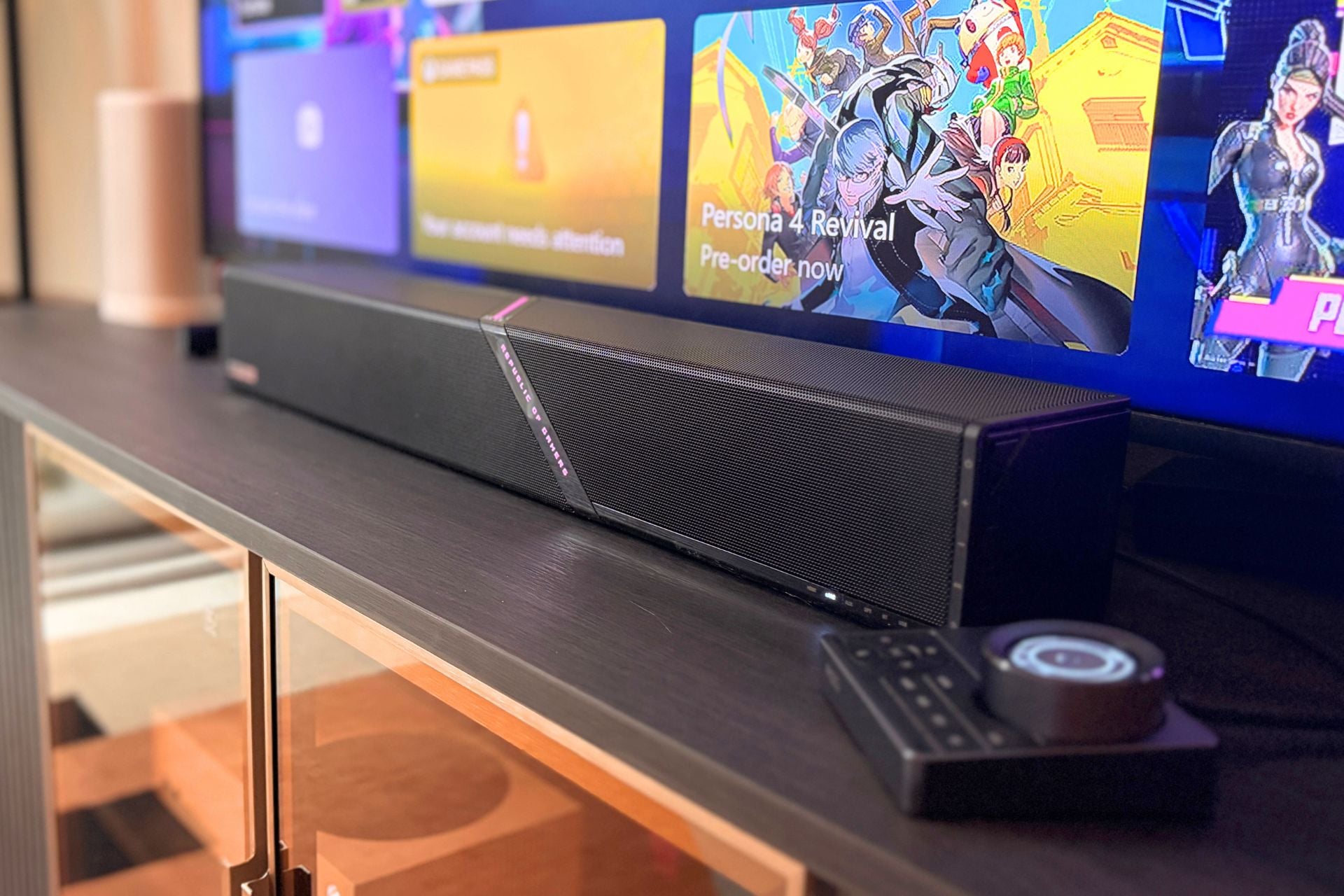
Since this is a soundbar, let’s start with the sound part. It’s not bad! Okay, review over. (Just kidding.) While this is a fairly compact soundbar, it delivers a fairly big sound, thanks to a 2.1.2 channel layout, or 5.1.2 when factoring in Dolby Atmos. Up-firing speakers give the Gjallar a decent amount of height and space, which translates well to the gaming experience.
Playing games like Fortnite, I was able to hear environmental noises on all sides: footsteps, gunfire, etc. And for less co-op experiences like Cyberpunk 2077, the Gjallar was solid, though maybe a little less satisfying. There was plenty of volume for things like gunfire or dialogue, but I wasn’t quite getting the most spatial sound from environmental sounds like rainfall or cars driving by. If I had to describe the Gjallar’s sound, it would be “big.” Big is good in some cases, but it’s not always the most nuanced. Sometimes big is just big, and I was left wanting more finesse.
There are different EQs for various scenarios, so if you want to switch from gaming to watching a movie, you can turn on the movie mode.
Generally speaking, I found the Gjallar to be a little less compelling for non-gaming uses. While it was okay for watching TV (I watched a few episodes of NBC’s Hannibal), I found it to be a little muddy at times. Dialogue was still audible, but it felt a little bit flat even with the movie EQ on.
Compared to the last soundbar I tested, the Bose Lifestyle Ultra Soundbar, things felt just a little less clear, though I guess if you’re buying this soundbar from a company that literally has the words “Republic of Gamers” in the name, then movies and TV probably aren’t the biggest ticket items on your agenda. Still, this is a $600 soundbar, so you might want it to do a little more.
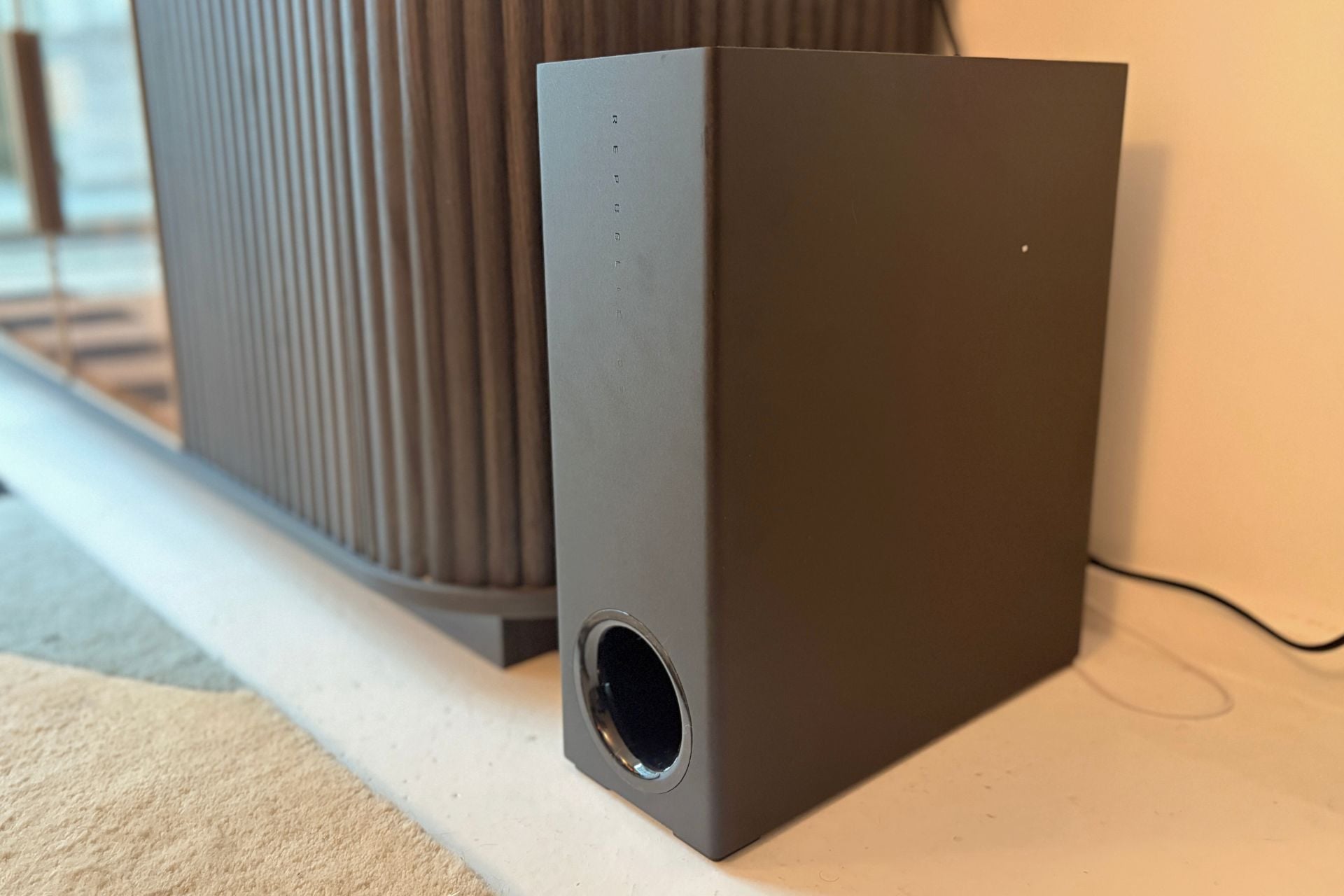
Speaking of blasting, one thing you should be prepared for is a good amount of low end thanks to the (rather large) side-firing subwoofer. The bright side of this woofer being kind of large is that it really puts out low-end sound. The subwoofer was particularly noticeable when watching movies. Again, watching Hannibal, I got all of the low warbles from the score, making the show feel particularly eerie.
Though the low end is a nice touch, this isn’t the best-sounding soundbar I’ve ever used. The sound is powerful but a bit hamfisted at times, and while there’s a sense of space, I don’t think it reaches the highs of other, more expensive soundbars, even with the upfiring speakers.
Sorry, come again?
The sound might be okay, but there is one aspect of Gjallar that does not pass muster, and that’s the microphone. The Gjallar, as I mentioned, has integrated microphones in the included hub. Those microphones have what Asus ROG is calling “Acoustic Echo Cancellation,” or AEC. The idea here is that you can use the hub as a microphone for chatting with your friends while it uses AI to cancel out noise in the background, like gunfire or other distracting stuff that happens in your game.
The good news is the hub seemingly does cancel out background noise—the person I played with reported no echo—but the bad news is they could barely hear a word I said. Despite the fact that the hub was about two feet from my face, I had to frequently repeat myself. The person I played Fortnite with described my voice as “far away,” and oftentimes when I spoke, they reported hearing noise, but not what I was saying. Not great—in fact, it was quite bad. I asked my teammate to rate the experience out of 10, and they gave it a 4.
Another thing I was bummed to learn is that the microphones in the hub are not compatible with consoles that use HDMI. Since HDMI can only pass audio one way (that’s just how the cables are designed), you can only use the microphone if you’re connected via USB-C or Bluetooth. Since my Xbox Series S can’t connect that way, I was out of luck. If you’re playing on a gaming laptop or PC (which is how I tested the Gjallar), this won’t be a problem, but if you’re interested in using this for console gaming, it’s something to be aware of.
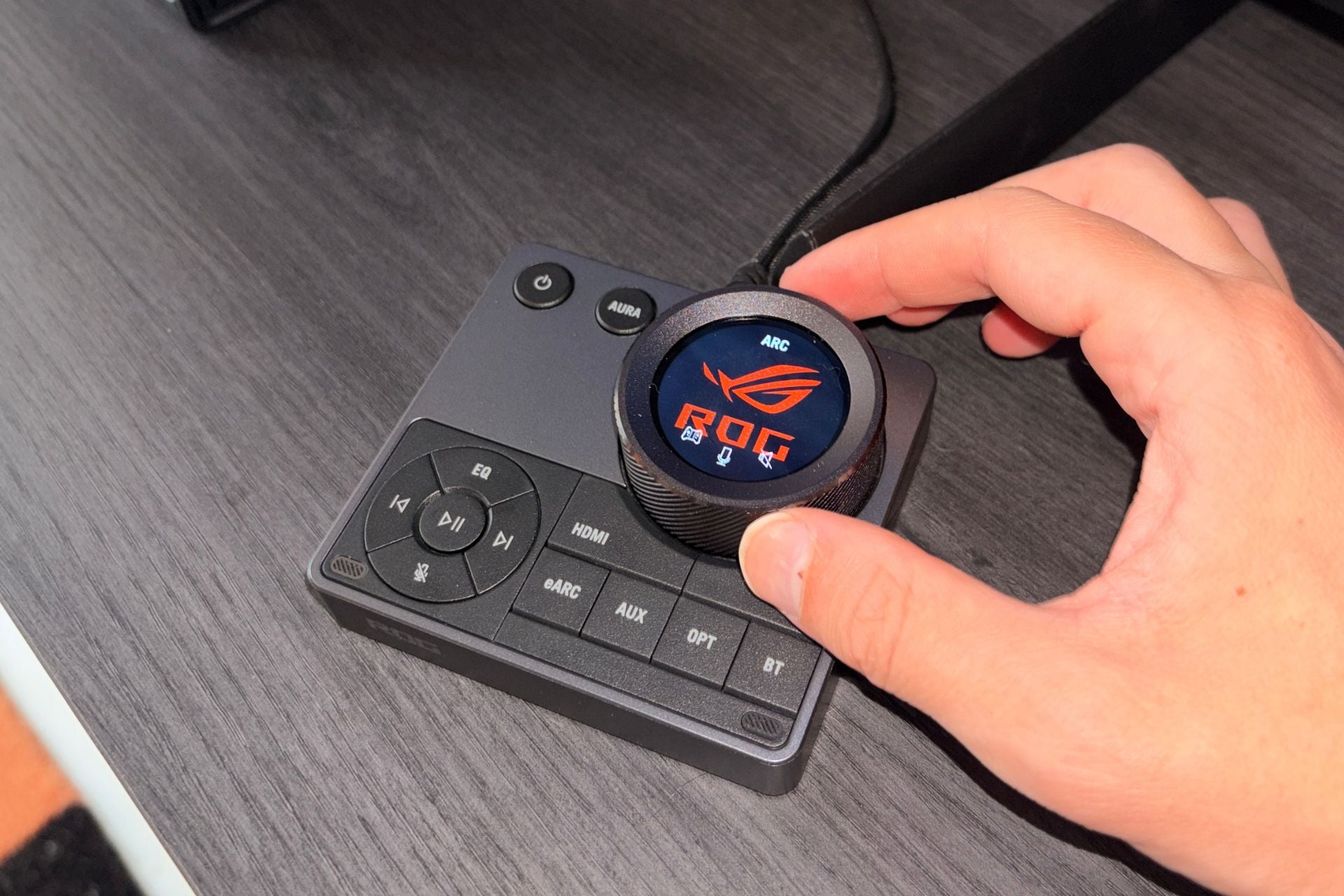
The microphone on the hub sucks, but I do like it as a piece of hardware. It’s got an LCD in the center of a dial that you can use to control volume and also press down to mute or unmute. There are also several buttons to change the input, meaning you can easily switch between HDMI, eARC, USB, or Bluetooth. There’s even a play/pause button, track-skipping buttons, and a button to control the RGB on the soundbar—yes, you can turn it off by holding the “Aura” button.
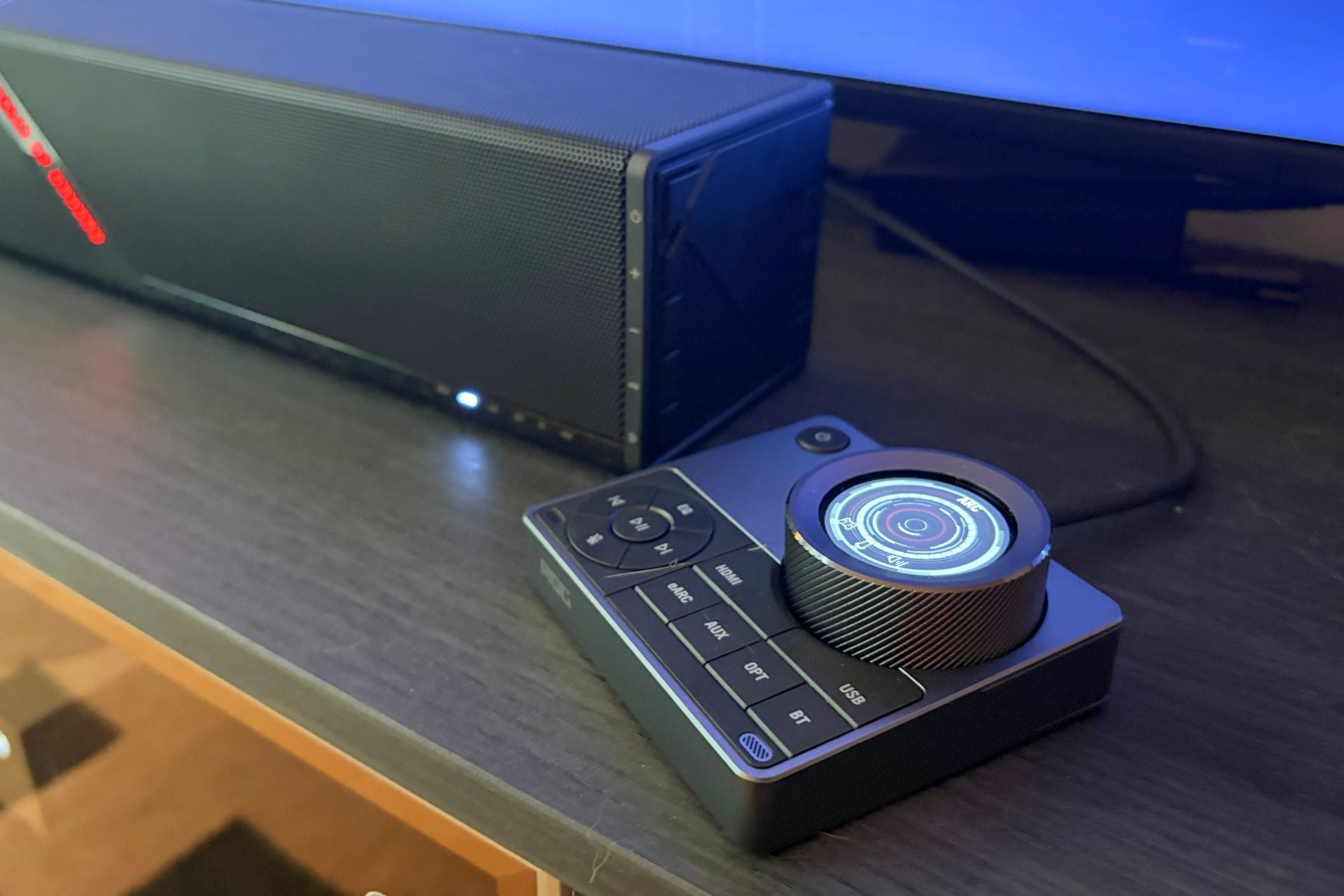
The hub does have to be hardwired, though, which means you’ll have to plug it into the back of the soundbar via the dedicated USB-C port. The cable isn’t particularly long, so I wouldn’t plan on having it super far away from the soundbar. Besides, this thing has a hard enough time relaying your voice as it is, so I wouldn’t add extra distance to the situation.
Brick-like, but at least there are ports
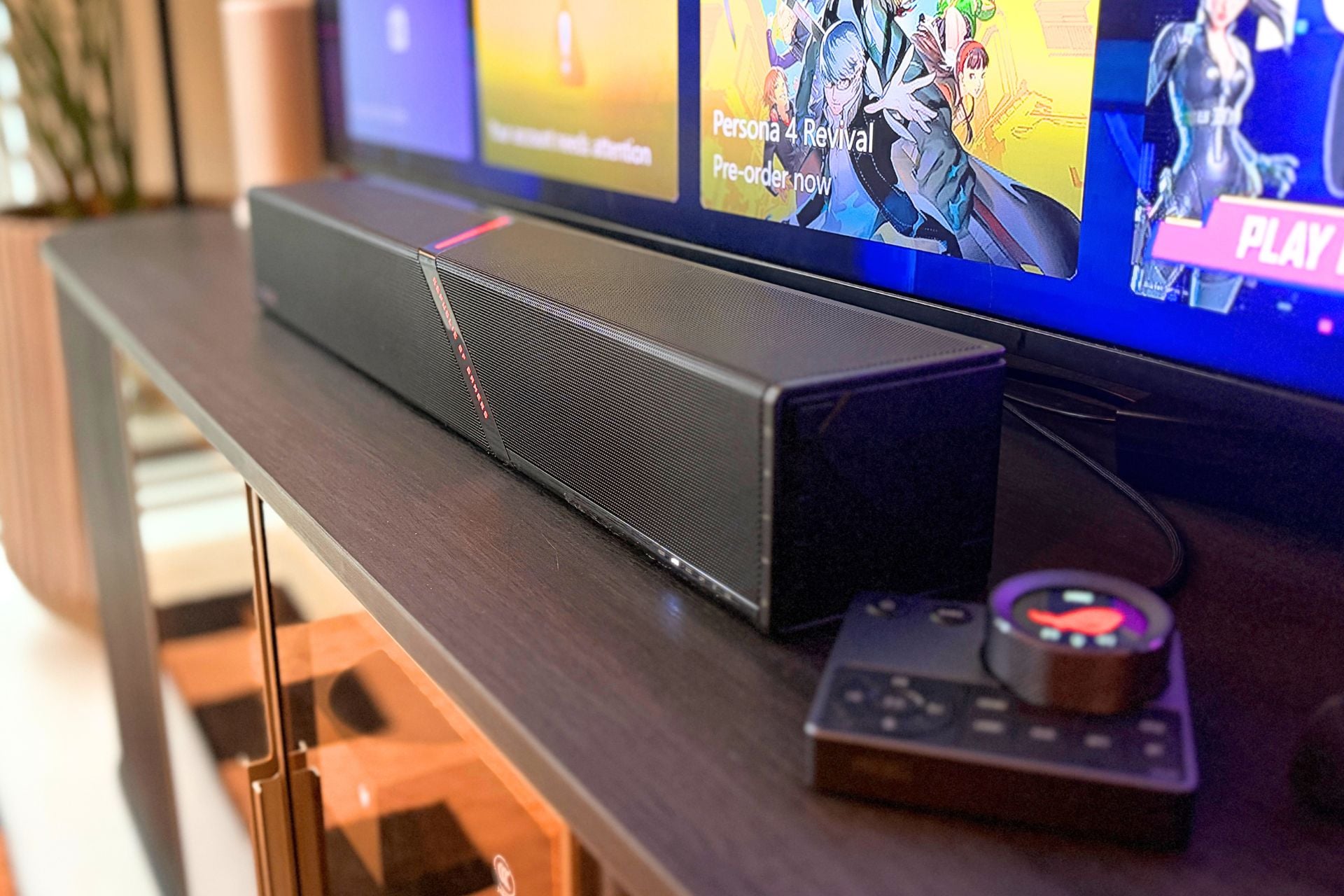
The Asus ROG Gjallar is a bit of a log. Soundbars are hard to make sexy, but this thing truly is a black rectangle with some RGB on it. There’s RGB, of course, and you can cycle between a few colors and a dramatic strip across the top with text that reads “for those who dare.” Oh boy.
While I’m not a huge fan of the aesthetic, the form factor does make it very compatible with desks. The Gjallar is just shy of two feet long and is about three inches tall, so unless your desk is egregiously small, you’ll likely be able to fit this on top under a monitor. The subwoofer, however, is 12.5 pounds, though it’s tall, so you can at least push it to one side.
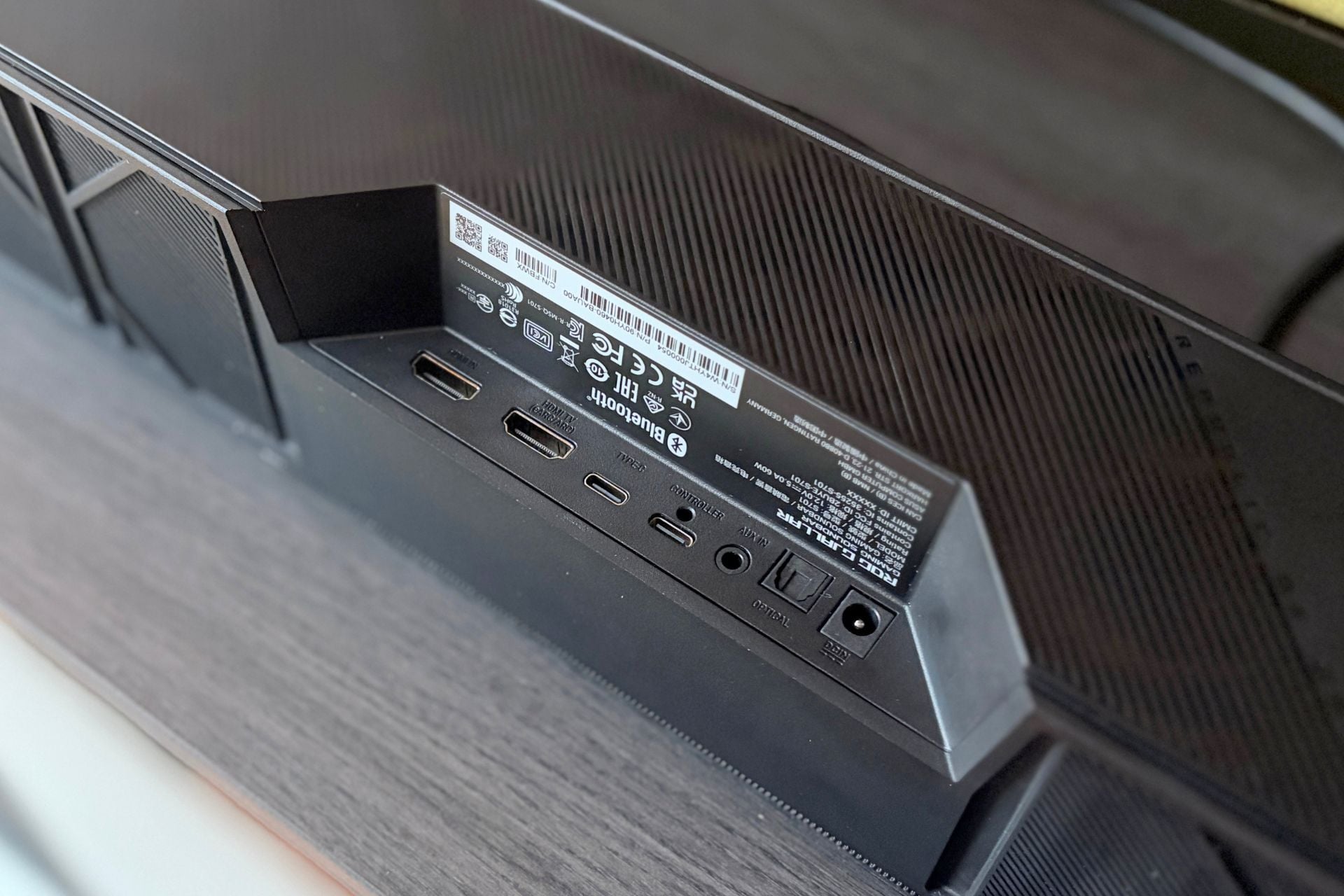
Another perk of the hardware is the number of ports. There’s an HDMI 2.1 in and out (the out is the eARC capable of 4K passthrough at 120Hz), two USB-C (one for the hub and one for connecting a PC), an optical port if you’re old-school like that, and a 3.5mm jack for consoles like the Nintendo Switch. On the side, there are also two USB-A ports that can act as passthrough for accessories like a mouse or a keyboard. That’s a proper port array.
It’s clear that Asus ROG put thought into how a gamer might use a soundbar like this—if one might use a soundbar at all. From a size perspective, I’m awarding the Gjallar points, especially because it puts out a lot of volume for how compact it is. From a visual perspective, I’m not a huge fan, though. Sure, it’s got some RGB gamer flair, but otherwise it is very much just a black log with a cool-looking hub.
Not quite groundbreaking
While I like Asus ROG’s ambitions here, I don’t think the Gjallar brings it all home. The sound is decent, and I like the low end and inclusion of a dedicated subwoofer, but the hub’s dedicated microphones do a poor job of making your comms, um… audible.
Without that feature, the Asus ROG Gjallar Gaming Soundbar feels less exciting and less useful. The inclusion of upfiring speakers and Dolby Atmos definitely adds a sense of space that you may not get with some monitors, but I’m not sure if it’s enough to really justify the price.
Despite the Gjallar’s best efforts, gaming headsets are still the best way to make sure your teammates can actually hear what you’re saying, and they’re also a lot less expensive.