Skip to content

How to Get a New Zealand IP Address

By Florian Gray
How To Get A New Zealand Ip Address
© Gizmodo.com

Ever wondered how to browse the internet as if you were in New Zealand, no matter where you are? A New Zealand IP address gives you access to local streaming platforms, secure online banking, and unrestricted regional news.

But it’s not just about convenience; it’s also about internet freedom and privacy, which is where a simple VPN app can act as a strong safeguard for you.

In this guide, we’ll break down why a New Zealand IP is useful, the easiest way to get one, and the best VPN options to make it happen. Stay tuned for step-by-step instructions and expert recommendations!

Why You Might Need a New Zealand IP Address

A New Zealand IP address does more than just change your virtual location. It unlocks opportunities and keeps you secure for a seamless online experience. Here’s why it’s worth having:

Stream Local Content Abroad

Platforms like TVNZ OnDemand, ThreeNow, and Neon are household names in New Zealand, offering a mix of local shows, movies, and international hits. However, these services are geo-restricted, meaning you can’t access them if you’re outside New Zealand.

With a VPN like NordVPN, you can connect to servers in New Zealand and stream your favorite content as if you were still at home. It’s perfect for expats or travelers missing their Kiwi entertainment. In fact, it’s the best VPN for watching TVNZ abroad.

Secure Online Banking

Accessing your bank accounts with New Zealand financial institutions like ANZ, Kiwibank, or Westpac can be challenging from abroad. Many banks flag foreign IP addresses as suspicious, which could block your access temporarily.

By using a VPN, you can connect through a New Zealand server and log in securely. Providers like NordVPN offer high-speed servers to keep your banking activities private and interruption-free.

Stay Updated with Regional News

Want to keep up with the latest headlines on Stuff or NZ Herald? These news platforms occasionally restrict content to local audiences. Obtaining a New Zealand IP allows you to read without limitations and stay informed about what’s happening back home.

Enhance Your Privacy

New Zealand’s internet policies are relatively free, but that doesn’t mean you’re entirely safe from trackers or potential breaches. A VPN encrypts your data, preventing your online activities from being monitored.

For those who prioritize privacy, a service like NordVPN is invaluable. Its advanced security features and strict no-logs policy to keep your browsing stays completely private.

Whether you’re streaming, banking, or browsing, having a New Zealand IP address enhances your online experience while keeping your data safe.

How to Get a New Zealand IP Address: Full Tutorial

Obtaining a New Zealand IP address is simple when using a VPN, and NordVPN makes the process seamless. Here’s a step-by-step guide to get you connected in minutes:

Step 1: Choose a Reliable VPN

Start by selecting a trustworthy VPN provider that offers servers in New Zealand. NordVPN is our top recommendation, with multiple high-speed servers in the region, for a secure and fast connection.

Try NordVPN risk-free today

Step 2: Download and Install the VPN App

  • Visit the VPN provider’s website or app store for your device.
  • Download the app compatible with your platform (Windows, macOS, Android, iOS, or Linux).
  • Follow the installation prompts to set up the VPN on your device.
Nordvpn Login
© NordVPN

Step 3: Log In to Your Account

Open the app and log in using the credentials you created when subscribing to the VPN. If you haven’t signed up yet, you can do so directly through the app or the provider’s website.

Step 4: Connect to a New Zealand Server

  • Launch the VPN app and navigate to the server list or map.
  • Locate a New Zealand server and click Connect.
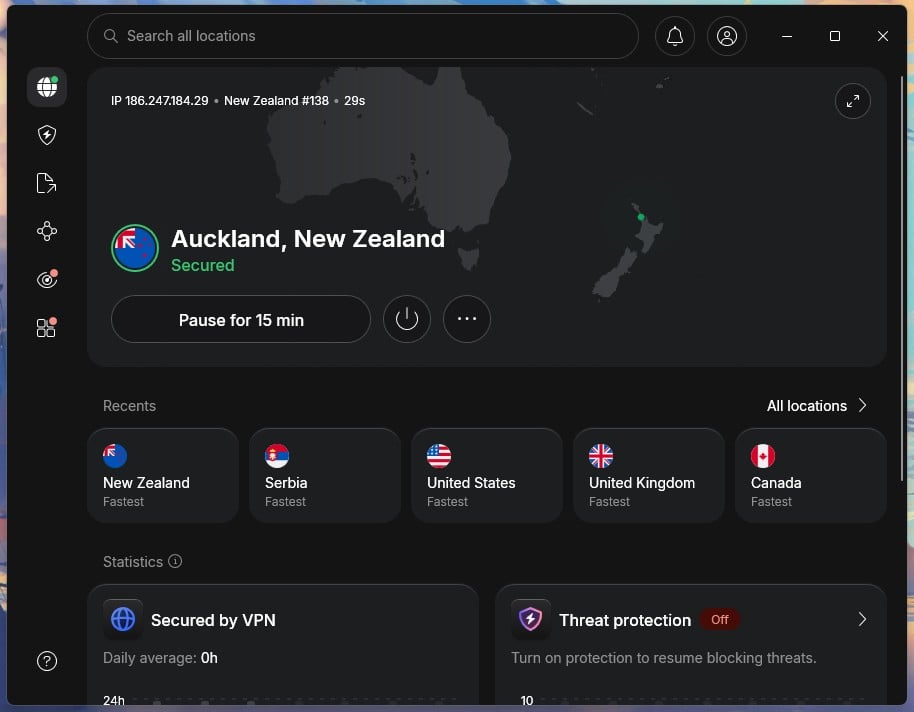
  • Once connected, your device will now use a New Zealand IP address.
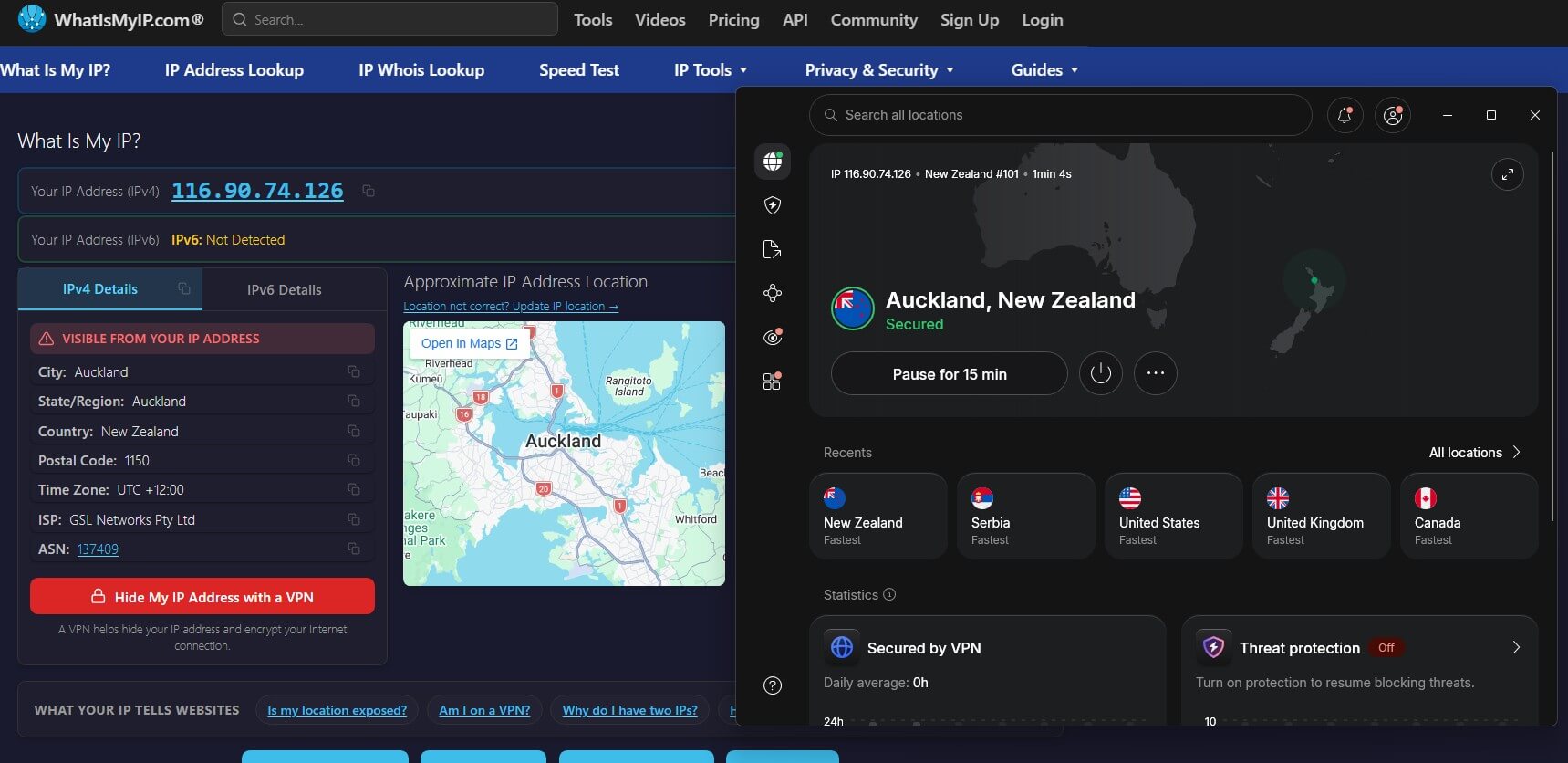
Nordvpn Connected To Newzealand Server
© Gizmodo.com

Step 5: Verify Your New IP Address

To ensure the VPN is working:

  • Visit an IP checker website like whatismyipaddress.com.
  • Confirm that your IP address now reflects a New Zealand location.
Nordvpn Passes Ip Leak Test
© Gizmodo.com

Step 6: Enjoy Access to New Zealand Content

With your new IP address, you can:

  • Stream local platforms like Netflix NZ.
  • Access your online banking accounts securely.
  • Browse regional websites and news platforms without restrictions.

Note that you can easily replicate this tutorial in other scenarios. For example, by connecting to a server in the UK, you’ll have no trouble enjoying BBC iPlayer content from New Zealand (or any other country).

Top 3 VPNs for Obtaining a New Zealand IP Address

Choosing the right VPN can make all the difference when it comes to accessing New Zealand content securely and seamlessly.

We’ve tested several providers to bring you the top options, focusing on speed, reliability, and ease of use. From streaming local shows and managing online banking to browsing privately, these VPNs have got you covered.

NordVPN
Mac Windows Android iOS Linux Router

 9200 servers

 167 covered countries

 30 days money-back guarantee

 10 simultaneous connections

Mac Windows Android iOS Linux Router

9.4 /10

Monthly price
3,09 $
27 MONTHS
4,99 $
12 MONTHS
11,99 $
1 MONTH
Our opinion: The best overall VPN for reliability and security
Speed
Security
Features
Ease of use
Customer support
Value for money
SEE MORE
1
ExpressVPN
Mac Windows Android iOS Linux Router

 3000 servers

 105 covered countries

 30 days money-back guarantee

 10 simultaneous connections

Mac Windows Android iOS Linux Router

9.1 /10

Monthly price
2,44 $
28 MONTHS
2,99 $
15 MONTHS
9,99 $
1 MONTH
Our opinion: The fast and easy to use quality VPN
Speed
Security
Features
Ease of use
Customer support
Value for money
SEE MORE
2
Private Internet Access
Mac Windows Android iOS Linux

 27000 servers

 91 covered countries

 30 days money-back guarantee

 Unlimited connections

Mac Windows Android iOS Linux

9 /10

Monthly price
2,19 $
26 MONTHS
7,50 $
6 MONTHS
11,99 $
1 MONTH
Our opinion: The best VPN at affordable rates
Speed
Security
Features
Ease of use
Customer support
Value for money
SEE MORE
3

1. NordVPN – The Best VPN for Obtaining a New Zealand IP Address

Pros

  • Multiple high-speed servers in New Zealand
  • Seamless 4K streaming with minimal buffering
  • Advanced security with Threat Protection
  • Intuitive app
  • Reliable customer support available 24/7
  • Support for 10 devices simultaneously

Cons

  • Network map on mobile can feel clunky

Visit NordVPN

When it comes to getting a New Zealand IP address, NordVPN is a standout choice. We tested it on platforms like Netflix New Zealand and ThreeNow, and the experience was flawless. The app connected us to a local New Zealand server in seconds, giving us seamless access to geo-blocked content without buffering. Whether you’re streaming in HD or conducting secure online transactions, NordVPN delivers exceptional performance.

One of NordVPN’s biggest perks is its 20+ servers in New Zealand, which brings fast and reliable connections. We noticed no significant drop in speeds even while streaming 4K content on Netflix and browsing simultaneously. The NordLynx protocol, a modern upgrade based on WireGuard technology, played a key role in maintaining speed and stability throughout our tests.

Nordvpn Unblocks Threenow
© Gizmodo.com

For those concerned about online privacy, NordVPN offers robust security features. Its AES-256 encryption keeps your data safe, whether you’re banking with ANZ or accessing public Wi-Fi. We also appreciated the Threat Protection feature, which blocks malware and intrusive ads.

Streaming enthusiasts will love NordVPN’s SmartPlay technology, designed to bypass geo-restrictions effortlessly. It worked seamlessly for us when accessing not only New Zealand-specific platforms but also international services like Netflix (for example, you can use it to access the American Netflix catalog) and BBC iPlayer.

Starting at a bit more than $3 per month, NordVPN is an affordable option packed with value. Plus, the 30-day money-back guarantee means you can try it without risk. If you’re looking for the ultimate VPN for New Zealand, NordVPN is hands-down the best choice in 2026.


2. ExpressVPN – Fast and Reliable for Streaming

Pros

  • Blazing-fast speeds with Lightway
  • Reliable servers in NZ for streaming
  • Independently audited no-logs policy
  • User-friendly app interface
  • Excellent 24/7 live chat support

Cons

  • Only 8 devices per subscription
  • Higher cost compared to NordVPN

Visit ExpressVPN

ExpressVPN is a top-tier choice for users seeking a New Zealand IP address, offering unmatched speed and reliability.

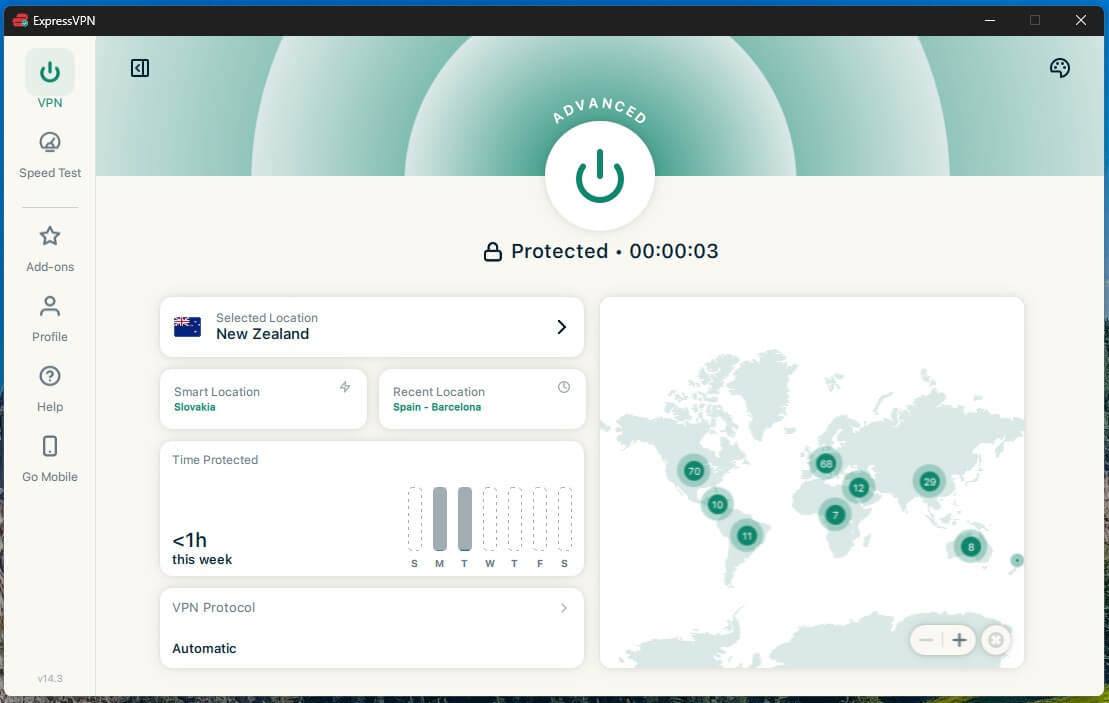
During our tests, connecting to its New Zealand servers was quick and effortless, making it a fantastic option for streaming platforms like TVNZ OnDemand, ThreeNow, and Netflix NZ. Even during peak hours, we experienced smooth playback in HD and 4K without buffering.

Expressvpn Connected To Nz Server
© Gizmodo.com

One of ExpressVPN’s standout features is its Lightway protocol, designed to maximize speed without compromising security. This protocol provides consistent speeds, even when connecting to servers halfway across the globe. Whether streaming or gaming, ExpressVPN kept the experience smooth and lag-free.

ExpressVPN also shines in the privacy department. It uses AES-256 encryption and adheres to a strict no-logs policy, independently audited for added transparency. We felt confident accessing sensitive accounts like online banking or shopping websites.

Thanks to ExpressVPN’s intuitive app interface, setting up ExpressVPN was straightforward. We tested it on multiple devices, including a Smart TV and a Windows laptop. The app worked flawlessly, and we could easily switch between servers.

While ExpressVPN is slightly more expensive than some competitors, its performance justifies the price. Starting at a bit more than $5/month, ExpressVPN is an excellent choice for anyone looking for a VPN that balances speed, security, and simplicity.


3. Private Internet Access – Affordable and Versatile

Pros

  • Unlimited simultaneous connections
  • Ad and malware blocking with MACE
  • Affordable long-term pricing
  • Proven no-logs policy

Cons

  • Slower speeds compared to NordVPN
  • Interface could feel dated to some users

Visit Private Internet Access

If you’re looking for a cost-effective VPN with servers in New Zealand, Private Internet Access (PIA) is a fantastic choice. The service boasts an extensive network of servers across 91 countries, including multiple servers in New Zealand, making it an excellent option for both locals and those wanting a New Zealand IP address.

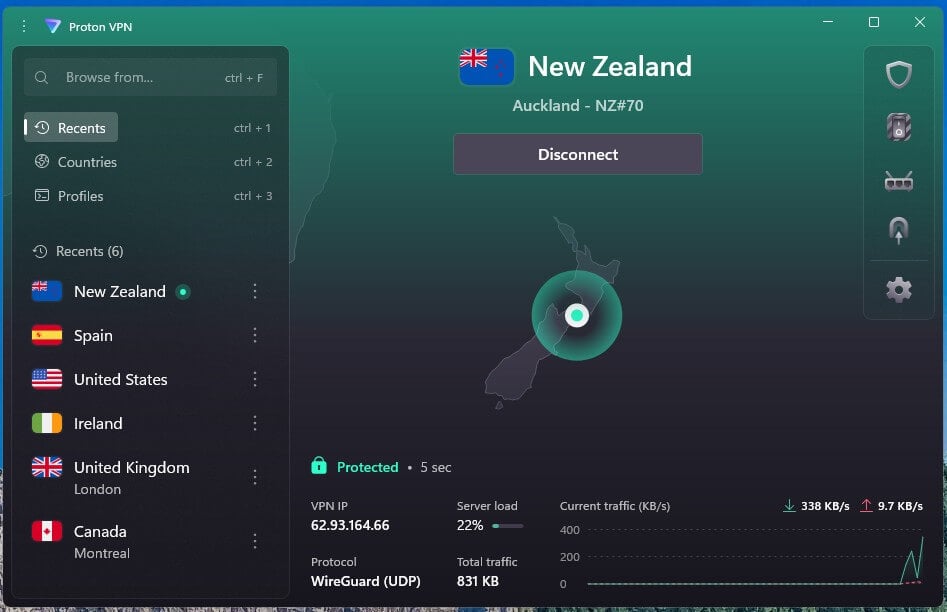
During our tests, PIA’s New Zealand servers performed reliably for streaming platforms like TVNZ OnDemand and ThreeNow. The connection speeds were solid, delivering HD quality with minimal buffering. While it doesn’t have the speed of NordVPN or ExpressVPN, it’s more than sufficient for everyday streaming and browsing.

Pia Connected To Nz Server
© Gizmodo.com

PIA also offers customizable encryption options, allowing you to choose between AES-128 or AES-256 based on your needs. This flexibility ensures a balance between speed and security. Additionally, the MACE feature blocks ads, trackers, and malware, making your browsing experience smoother and more secure.

Additionally, PIA supports unlimited device connections, making it perfect for households with multiple users. Although it is based in the US, a country within the Five Eyes Alliance, PIA adheres to a strict no-logs policy. This policy has been tested and proven in court cases, keeping your data private.

With pricing starting at around $2/month, PIA is one of the most budget-friendly options on the market. It also includes a 30-day money-back guarantee, letting you test its features risk-free. So, If you’re on a budget but still want reliable VPN performance, Private Internet Access is a fantastic choice.


Final Verdict

If you’re looking to get a New Zealand IP address, a VPN is the ultimate solution. Unlike proxies or Smart DNS services, which lack encryption and comprehensive privacy protection, VPNs combine security, functionality, and ease of use. Proxies may work for light tasks like unblocking basic content, and Smart DNS can bypass geo-restrictions, but both leave your online activities exposed.

VPNs, like NordVPN, offer the perfect balance of speed, security, and accessibility. With features like servers in New Zealand, advanced encryption, and tools like SmartPlay, they’re unbeatable for streaming, secure browsing, or accessing restricted content. Whether you’re in New Zealand or abroad, investing in a reliable VPN allows you to enjoy unrestricted, secure internet access.

Get a NZ IP address with NordVPN


FAQs

Still have questions? Here are some common ones answered:

Can I get a New Zealand IP address for free?

Yes, but free options like proxies and free VPNs come with limitations. They lack encryption, are slower, and often have data caps. Premium VPNs like NordVPN offer risk-free trials with a 30-day money-back guarantee, making them a safer and more reliable choice.

What’s the best VPN for streaming New Zealand content?

NordVPN stands out with its blazing-fast servers in New Zealand, offering seamless streaming without buffering. It also bypasses geo-restrictions on platforms like Netflix NZ.

Can I access NZ banking services with a VPN?

Yes, a New Zealand IP address lets you securely access banking services like ANZ, ASB, or Kiwibank while traveling abroad. A VPN ensures your data stays private, even on unsecured networks.

Can a VPN help me avoid ISP throttling?

Yes, VPNs encrypt your traffic, preventing ISPs from monitoring your activity. This helps bypass throttling, especially during activities like streaming or gaming.

How do I set up a VPN on devices without native apps, like gaming consoles?

For devices like Xbox or PlayStation, set up the VPN on your router to share the VPN connection. This ensures all devices connected to your network use the New Zealand IP.