Proton VPN‘s Moscow server opened every Russian site we checked, at 148.74 Mbps. CyberGhost opened 6 of the 8, with 1tv.ru and Match TV blocked. Most VPN companies closed their Russian servers years ago, which leaves these two. Neither operates physical VPN servers in Russia.
Getting a Russian IP Address: October 2026 Steps
- Subscribe to Proton VPN and install it on your computer or phone.
- Open the country list and select Russia, which connects to Moscow.
- Look the IP address up and check that the country reads Russia.
- Open the Russian site or app and sign in as usual.
Proton VPN and CyberGhost Compared
Our October tests used a Windows 11 PC in Europe, on a 190.36 Mbps connection. We verified the IP address on a lookup site, then opened 8 Russian sites in a clean session (with cache and cookies wiped clean every time).
| VPN | Russian servers | Download | Upload | Ping | Sites opened | Price |
|---|---|---|---|---|---|---|
| Proton VPN | 53 in Moscow | 148.74 Mbps | 17.64 Mbps | 87 ms | 8 of 8 | $2.99/mo |
| CyberGhost | 60 in Moscow | 153.72 Mbps | 18.56 Mbps | 100 ms | 6 of 8 | $2.19/mo |
What a Russian IP Address Opens
Russian sites check the IP address before they load. A foreign one shows a regional error or a blank player. With a Moscow IP address in place, Kinopoisk, ivi, Okko, Rutube, VK Video, and Gosuslugi opened on Proton VPN and CyberGhost. 1tv.ru and Match TV opened on Proton VPN only. Banking and government services are the other half of the demand.
Gosuslugi, the state services portal, and most Russian banking sites treat a foreign connection as a risk signal. Customers abroad are locked out on that basis. Russian TV channels abroad have their own guide, with the streaming services listed. Our VPN rankings compare these apps on everything else.
Best VPNs for a Russian IP Address
1. Proton VPN: Every Russian Site Opened
Pros
- Kinopoisk and Okko unblocked
- Gosuslugi unblocked
- IP checks as Russian
- Stealth protocol included
Cons
- Uneven speed while streaming
- Moscow location only
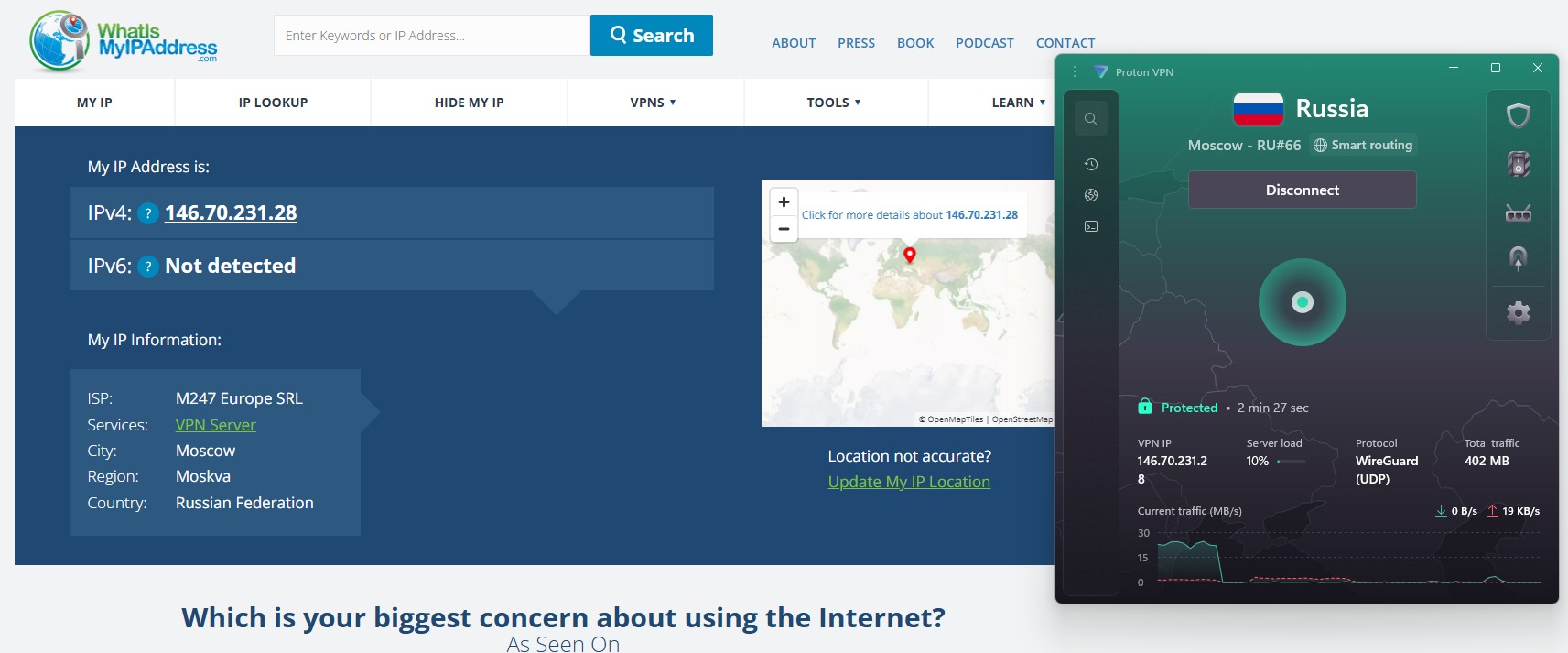
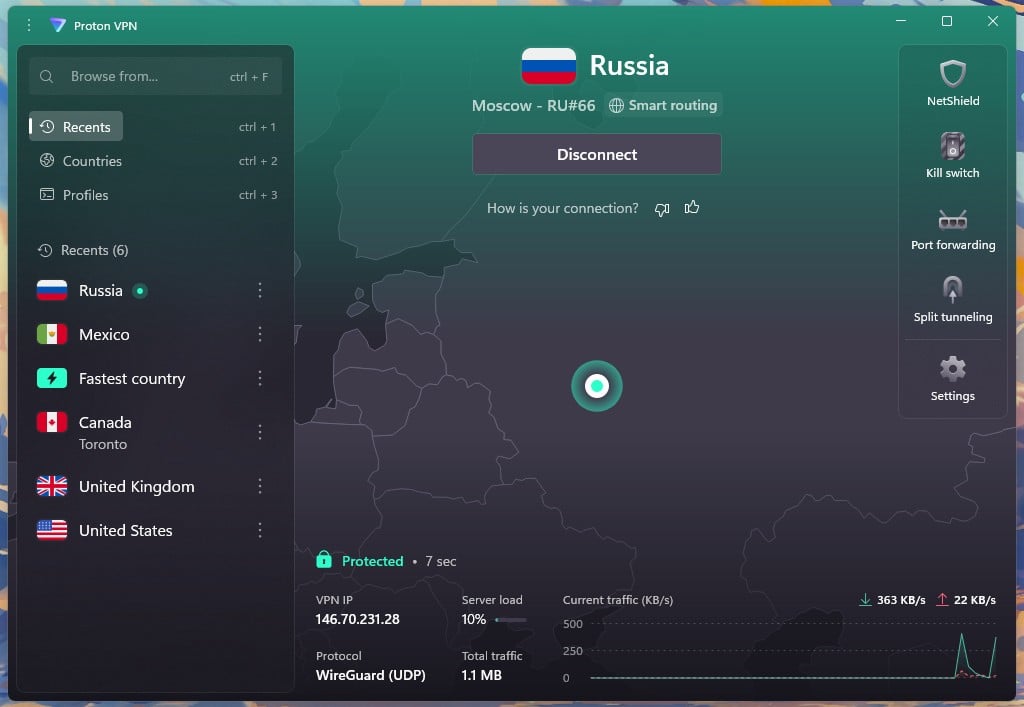
Proton VPN unblocked all 8 sites from its Moscow server, which the app lists as RU#66 under Smart routing. That label means the server answers with a Russian IP address while the equipment operates outside the country, away from Russian data-retention rules. Proton VPN operates 53 servers in Moscow, and the lookup placed the address there.
Speed measured 148.74 Mbps down and 17.64 Mbps up at 87 ms, a 21.9% loss off our baseline. Playback still dipped often enough to interrupt a stream, and video paused to rebuffer. VPN Plus costs $9.99 for a single month, or $2.99 a month across two years, and covers 10 devices. The app lists Moscow alone, with no second Russian city to try.
2. CyberGhost: Cheaper, With a Location Mismatch
Pros
- Fast Moscow connection
- 45-day money-back guarantee
- 24-hour trial, no card
- Rutube and ivi unblocked
Cons
- 1tv.ru blocked it
- Swedish geolocation result
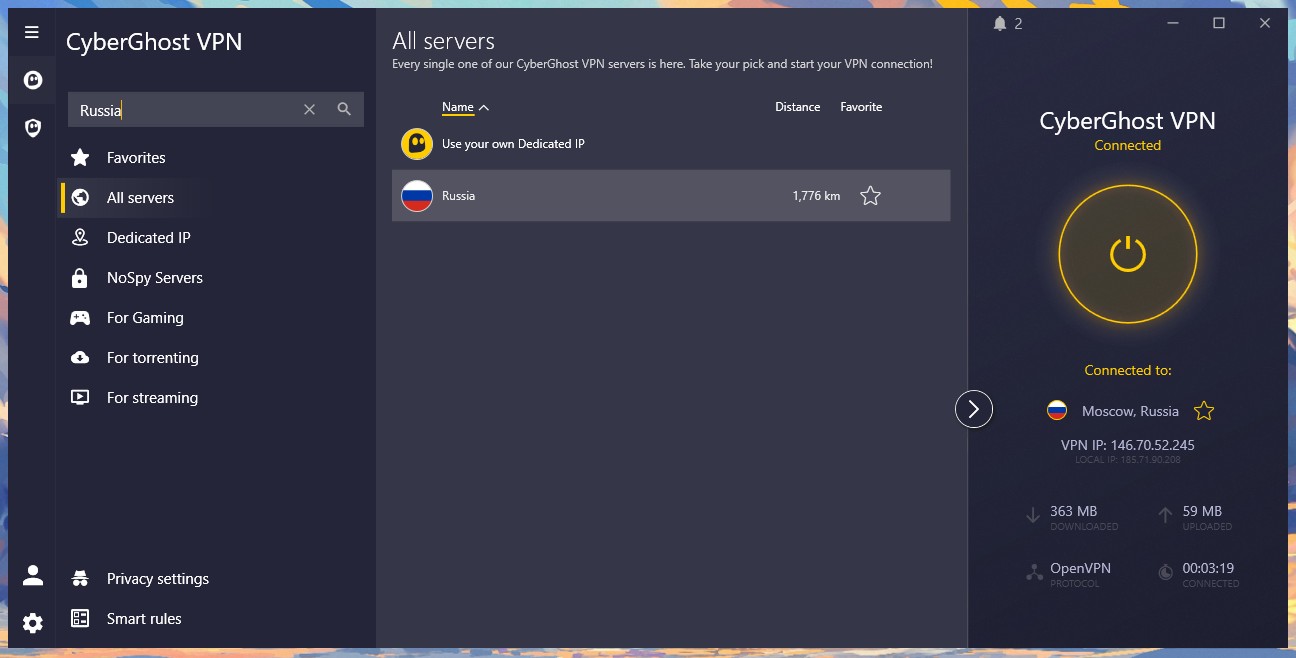
CyberGhost lists a single Russia entry with no city beside it, and the app reports Moscow once connected. Its download measured 153.72 Mbps at 100 ms, the quicker of the two. Six of the 8 sites opened on it, including the film services and Gosuslugi. The catch is where the address appears to be.
The lookup placed it in Stockholm rather than Moscow, and 1tv.ru and Match TV wouldn’t load. A site reading the same Swedish result would block the connection. CyberGhost costs $2.19 a month on the two-year plan and covers 7 devices. It also has a 45-day money-back guarantee, and a 24-hour trial on Windows and macOS requires no card.
Why a Russian IP Address Sometimes Shows Another Country
The two Russian IP addresses we tested belong to M247, a hosting company, rather than to a Russian ISP. Sites decide where an address is by looking it up in a commercial geolocation database, and those databases disagree about leased ranges. Proton VPN’s came back as Moscow on our lookup, and CyberGhost’s showed Stockholm.
Russian sites read that same database, so the country it reports is the one that counts. Check the address on a lookup site before assuming the VPN is broken, then try a second server or protocol if the country reads wrong.
Free VPNs Don’t Offer Russian IP Addresses
- Proton VPN’s free plan covers ten countries, assigned at random, and Russia is absent from that list.
- Windscribe, PrivadoVPN, and Hide.me offer no Russian location on their free tiers either. Our free VPN rankings cover what those plans do cover.
Russian Law and VPN Use
Using a VPN isn’t an offense for individuals in Russia, though the rules around it tightened through 2025 and 2026:
- Searching for banned material has drawn a fine of 3,000 to 5,000 rubles since September 2025, and doing it over a VPN counts against you.
- Advertising a VPN is prohibited, which is why Russian-facing promotion has disappeared.
- Blocking continues: Roskomnadzor confirmed 469 VPN services blocked as of February 2026.
None of this applies to someone abroad connecting to a Russian server, and the servers behind these Russian addresses stay outside Russian jurisdiction. People in Russia who want a foreign IP address should see our guide to the best VPNs for Russia.
Which One to Install
- Proton VPN takes this one. It unblocked every site we tried, its Moscow address checked out as Russian, and 53 servers mean an alternative when one is busy. The trade-off is playback that dips mid-stream, so a film may pause to rebuffer.
- CyberGhost costs less and measured quicker, and it covers the film services and the state portal. Its address reads as Swedish in at least one database, the likely reason 1tv.ru and Match TV were blocked. Check the sites you actually use before the 45-day guarantee expires.
Our guide to changing your IP address covers the same steps for other countries.
Get a Russian IP With Proton VPN
Russian IP Address FAQs
Which VPN has a Russian IP address?
Proton VPN and CyberGhost have Russian locations. Proton VPN connects to Moscow under a Smart routing label, while CyberGhost shows a plain Russia entry, and both connect through servers abroad.
Can you get a Russian IP address for free?
No free plan includes a Russian server. Free tiers cover a short list of countries, and Russia appears on none of them, so a Russian IP address requires a paid subscription.
Are Russian VPN servers safe to use?
Yes, but servers outside Russia are the safer option. Proton VPN and CyberGhost supply a Russian IP address from equipment abroad, which keeps the traffic clear of Russian data-retention law.
Is it legal to use a VPN in Russia?
Yes, VPN use isn't an offense for individuals. Advertising a VPN is prohibited, and a fine of 3,000 to 5,000 rubles applies to deliberate searches for material on the banned list.
Why does my Russian IP address show Sweden?
The address is leased from a hosting company, not a Russian ISP. Some geolocation databases file those ranges under the host's home country, so a site checking one of them sees Sweden.