
Most major Russian TV channels, including Channel One, Russia 1, and Match TV, stream live for free on their own websites, with no account or subscription. From outside Russia, however, most of those players show a region error or never load.
The broadcasters license their programs for viewers in Russia, and the player checks your IP address before the stream starts. A VPN server in Moscow provides a Russian IP address, and the players then treat you as a local viewer.
Watch Russian TV Abroad in Four Steps
- Subscribe to Proton VPN, which has dozens of servers in Moscow, and install it on your device.
- Sign in and search for Russia in the server list.
- Connect to a Moscow server to get a Russian IP address.
- Open the channel’s website or app, such as 1tv.ru or Match TV, and start the stream.
Why Russian TV Channels Don’t Work Abroad
Russian broadcasters don’t own everything they air. Films, series, and sports come from rights holders who license them for viewers in Russia only, so channels such as Mir, Russia 1, and Match TV check your IP address and block streams from other countries.
Some programs, mostly news and in-house shows, still play abroad. A film or a football match on the same channel often doesn’t. Sanctions add a second barrier in Europe.

The EU has suspended the broadcasting licenses of several state channels, including Channel One, NTV, REN TV, and Russia 1, and some European ISPs block their websites. A VPN changes your IP address, but the laws where you live still apply, so check them before you watch.
How to Watch Russian TV Channels Abroad With a VPN
Subscribe to Proton VPN and install it on the device you’ll watch on, whether that’s a laptop, a phone, or a TV with Android TV or Apple TV. Next, sign in, find Russia in the server list, and connect to a Moscow server.
Your device now has a Russian IP address, so the channel’s player treats you as a viewer in Russia. Then go to the channel’s site or launch its app and start the stream. We used Mir TV in the screenshot below, and the same method worked for Channel One and Match TV.

If a site still shows a region error, clear its cookies or open it in a private window, because a session started before you connected can keep your actual location. And if a live stream buffers, reconnect to another Moscow server.
Russian Channels and Streaming Platforms You Can Watch
Free channels and video sites work as soon as you connect, while the film platforms require a subscription.
| Platform | What it offers | Cost |
| Channel One (1tv.ru) | Channel One live and on demand | Free |
| Match TV | Sports channel live | Free |
| VK Video | TV shows, channel clips, and user videos | Free |
| Rutube | TV channel clips and user videos | Free |
| ivi | Films and series | Subscription, some free titles with ads |
| Kinopoisk | Films and series | Subscription |
| Okko | Films, series, and sports | Subscription |
Proton VPN unblocked all seven platforms in our tests. Paying for the last three is harder. Visa and Mastercard stopped working in Russia in 2022, so Kinopoisk, ivi, and Okko generally require a Russian bank card for new subscriptions, and a VPN doesn’t change that.
An account you already pay for works normally once you connect.
Watching Match TV Outside Russia
Match TV is Russia’s main sports channel, with Russian Premier League football, KHL hockey, and biathlon, and its live stream is free. Because sports rights are sold country by country, the stream doesn’t load abroad without a Russian IP address.
Proton VPN unblocked it on its Moscow servers. For major matches, connect a few minutes before kickoff and lower the stream quality if it buffers.
Best VPNs for Watching Russian TV Live Abroad
Few VPNs still offer Russian servers. Russian law requires VPN companies to connect to its blocklist and store user data, so most large VPNs, including ExpressVPN and Private Internet Access, removed their Russian servers.
Proton VPN, CyberGhost, and VyprVPN still offer a Russian location.
1. Proton VPN: Best for Every Russian Channel
Pros
- Unblocked every Russian platform we tested
- Dozens of servers in Moscow
- Independently audited no-logs policy
- Full refund within 30 days
Cons
- No Smart DNS option
- Free plan has no Russian servers
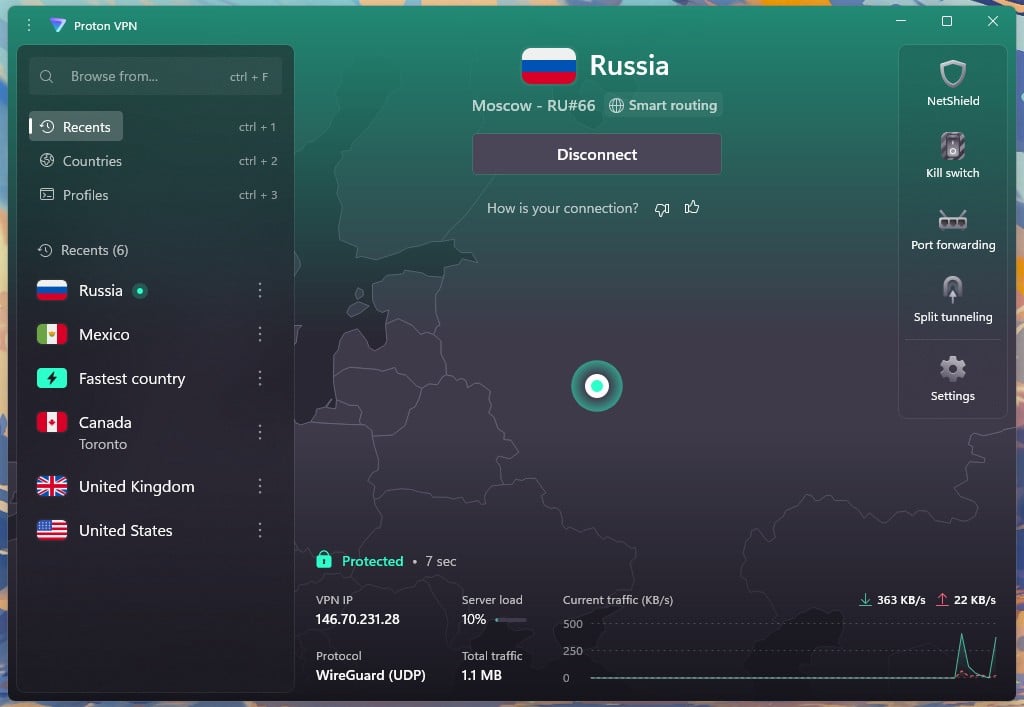
Proton VPN unblocked Channel One, Match TV, Kinopoisk, and every other Russian platform we tested. It has more than 50 servers in Moscow, about half of them built for streaming, so there’s always another to switch to when one is busy. On those servers, it had a 21.9% speed loss, enough for HD streams and live sports.
Our Proton VPN review covers its yearly no-logs audits and the rest of our tests. Russian servers come only with the paid plan. On a two-year term, VPN Plus is about $3 a month for ten devices, and Proton VPN refunds the full amount within 30 days.
2. CyberGhost: Best Low-Cost VPN for Russian Streaming Platforms
Pros
- Fast Russian servers
- Unblocked Kinopoisk, ivi, and Okko
- 45-day money-back guarantee
- Built-in ad blocking
Cons
- Couldn’t unblock Channel One or Match TV
- Seven devices per subscription
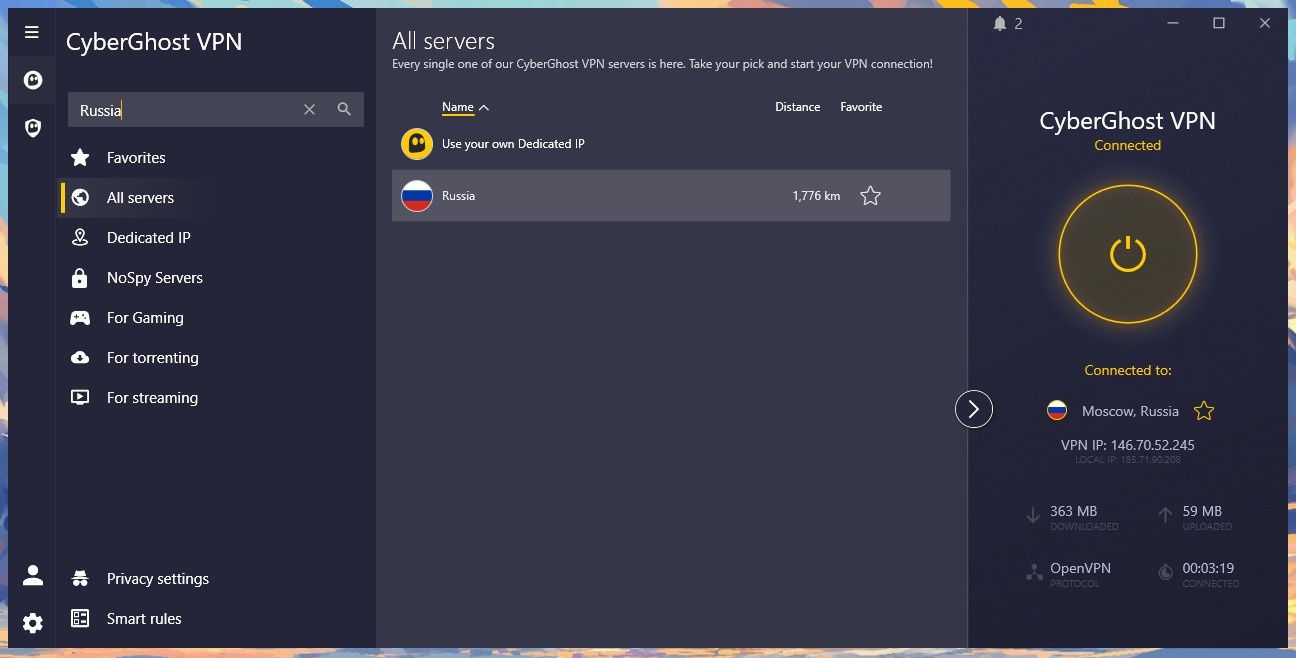
CyberGhost was faster than Proton VPN on Russian servers, with a 19.2% speed loss, and it unblocked VK Video, Rutube, Kinopoisk, ivi, and Okko. However, it failed on Channel One and Match TV, and some IP lookup sites placed its Russian IP address in Sweden.
So if live Russian TV or football is the reason you’re subscribing, choose Proton VPN. For films and series, on the other hand, CyberGhost is the cheaper option. It costs about $2 a month on the two-year plan, and its 45-day money-back guarantee allows a longer trial than most VPNs.
3. VyprVPN: Best for a Steady Renewal Price

Pros
- Russian server location
- Disguises VPN traffic
- Same price on renewal
- Owns all its servers
Cons
- Couldn’t unblock Channel 4 or ITVX
- Fewer countries than larger VPNs
VyprVPN offers a Russian location, and its Chameleon protocol disguises VPN traffic on networks that block VPNs, such as some hotel and office Wi-Fi. It also owns all of its 700+ servers, so no third party controls them. Its biggest advantage is the price.
The two-year plan costs about $3 a month and renews at the same rate, while most VPNs charge much more after the first term. In our tests for the VyprVPN review, it had a 20.8% average speed loss, enough for HD streams. Every plan also comes with a 30-day money-back guarantee.
Summary
Watching Russian TV abroad takes a Moscow server and a few seconds of setup. Connect first, then open the channel’s site or app, and Channel One, Match TV, and the free video sites work as they would in Russia. The same method works for foreign TV channels from other countries.
Traveling to Russia yourself? Install the VPN before you leave. Many VPN apps and websites are blocked in Russia, and the VPNs that work in Russia use obfuscation to connect.
Frequently Asked Questions
Can you watch Russian TV for free abroad?
Yes. Channel One, Russia 1, NTV, and Match TV stream live for free on their own websites. Outside Russia, most of these streams require a Russian IP address before they load.
Can you watch Russian TV with a free VPN?
No, not reliably. Free VPNs rarely offer Russian servers, and Proton VPN's free plan doesn't include Russia. Geo-blocked Russian channels require a paid VPN with a Moscow location.
Is Match TV free to watch online?
Yes. Match TV's main channel streams live for free on its website and app, while Match Premier requires a paid subscription. Viewers outside Russia require a Russian IP address.
Is it legal to watch Russian TV with a VPN?
In most countries, yes. Using a VPN to stream is generally legal, but EU sanctions restrict several Russian state channels, so viewers in Europe should check their national rules first.
Which VPNs have Russian servers?
Proton VPN, CyberGhost, and VyprVPN offer Russian server locations. Many large VPNs, including ExpressVPN and Private Internet Access, pulled out after Russia tightened its rules for VPN companies.