
VyprVPN, established in 2009 by Golden Frog and owned by US-based Certida, has built a solid reputation over the years for its privacy-centric approach and innovation. While its move from Swiss to US jurisdiction sparked some debate, VyprVPN has held firm to its no-logs policy, offering reassurance to privacy enthusiasts.
Of course, like any service, it has its drawbacks. VyprVPN may not always achieve the highest speeds or be the most budget-friendly option, and its server network is limited compared to some larger competitors. However, for those who value privacy, strong security features, and simplicity, it is a VPN worth considering.
Our VyprVPN review will help you determine whether this tried-and-true service is still worth your attention or just another option to ignore. Continue reading as we explore its every nook and cranny, highlighting its pros and cons.
VyprVPN
VyprVPN is a safe and secure VPN you can trust. It's easy to use, offers decent performance, and is affordable. However, it lacks the server size and advanced security features of its more popular competitors.
Pros
- Chameleon protocol bypasses censorship
- User-friendly interface
- Robust 256-bit AES encryption
- Stable performance on local servers
- Affordable pricing for long-term plans
- Wide device compatibility
Cons
- Lacks an ad-blocker
- Split Tunneling only on macOS and Android
- No cryptocurrency payments
- Speed drops on distant servers
- Smaller server network
VyprVPN Pricing: Is It Affordable?
VyprVPN offers a straightforward pricing structure that balances affordability with features. It is one of the cheapest VPNs on the market and provides value through options tailored to different budgets. In our VyprVPN review, we’ve broken down each aspect of its pricing to help you decide if it’s right for your needs.
Plans and Pricing
- Monthly Plan: Priced at $10, this plan is more suitable for those who need a short-term solution. However, it’s on the higher side compared to long-term options and is less economical for extended use.
- Annual Plan: At $4 per month (billed as a single payment of $48), this plan is a more budget-friendly choice for those willing to commit for a year. It’s a great way to save if you plan to use VyprVPN consistently.
- Two-Year Plan: Offering the best value, the two-year plan comes to $3 per month (billed as a single payment of $72). This makes it one of the most cost-effective options for those looking to save in the long term while taking full advantage of VyprVPN’s features.

These plans make it one of the most affordable ones in the VPN market, but it still falls short of the value offered by top contenders like NordVPN and ExpressVPN. With blazing speeds, top-notch privacy features, and generous discounts, these industry leaders set a high bar for performance and affordability.
You can get a better understanding in the ExpressVPN vs VyprVPN comparison. However, if you value VyprVPN’s Chameleon protocol and proprietary DNS server, purchasing a long-term plan is ideal as it gets you covered.
Money-Back Guarantee
VyprVPN stands by its product with a 30-day money-back guarantee, giving you ample time to try out its features without risk. If you find that the VPN doesn’t meet your needs, you can request a refund within the first month of service.
Payment Methods
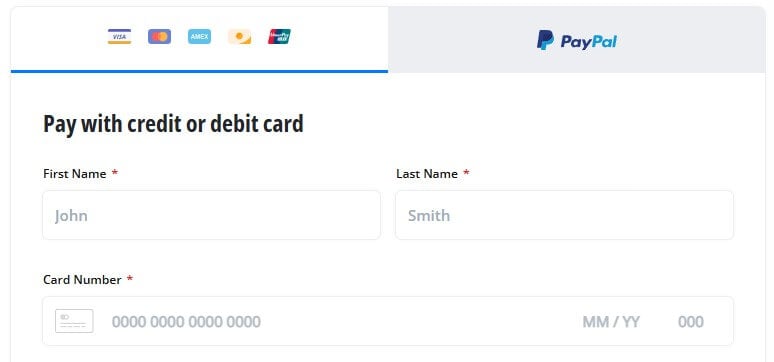
In terms of payment options, we found in our review that VyprVPN covers the basics. You can pay via credit/debit cards and PayPal. However, VyprVPN does not support cryptocurrency payments. This could be a downside for those who prefer added anonymity and flexibility in their payments.
Renewal Costs and Considerations
VyprVPN prides itself on its transparent pricing—what you see is what you get. Unlike some other VPNs, it doesn’t double the price upon renewal. Monthly, annual, and biennial plans remain the same price throughout your subscription, so there are no surprises when it’s time to renew.
If you’re seeking even more value for your money, it’s worth comparing VyprVPN to other options on the market. For instance, Private Internet Access offers longer-term deals that may bring your monthly cost even lower while offering more features.
Security Features: How Safe Is VyprVPN?
VyprVPN has built a solid reputation around safeguarding user privacy and online data. With a mix of fundamental security tools and advanced technologies, it caters to everyday internet users and those requiring more robust privacy.
Basic Security Features
- AES-256 Encryption: The VPN uses AES-256 encryption, the industry standard. This powerful encryption method, widely adopted by governments and cybersecurity professionals, offers top-level protection.
- Multiple VPN Protocols: VyprVPN supports WireGuard, OpenVPN, IKEv2, and its proprietary Chameleon protocol. These offer different levels of security, speed, and the ability to bypass restrictive networks.
- Kill Switch: If your VPN connection drops unexpectedly, the kill switch ensures no data is leaked by blocking all internet traffic until you’re reconnected.
- Split Tunneling: VyprVPN’s Split Tunneling feature, or Connection per App, allows you to decide which apps use the VPN and which access the internet directly. This is useful for accessing local services while keeping selected apps protected. It’s limited to Android and macOS.
- Public Wi-Fi Protection: VyprVPN automatically connects to the VPN whenever you access an unknown or public Wi-Fi network, keeping your device secure from potential hackers or snoops when using shared or unsecured connections.

Advanced Security Features
To make everything even safer, the provider offers advanced security features. In the next part of the VyprVPN review, we will discuss all in detail.
Chameleon Protocol
VyprVPN’s proprietary Chameleon protocol helps bypass VPN blocking and censorship by scrambling OpenVPN packet metadata, preventing deep packet inspection. This makes it effective for accessing content in restricted regions like Russia and the Middle East; it’s a solid VPN for use in Saudi Arabia, as well.
More on that later on in this analysis. Our in-depth VyprVPN review also showed that it uses Smart IP to periodically change your server IP, avoiding detection.

Zero-Knowledge VyprDNS
VyprDNS is a private, zero-knowledge DNS that securely processes your DNS requests without logging or external exposure. Unlike VPNs using third-party DNS servers, VyprDNS operates on VyprVPN’s servers, keeping your requests encrypted. In our VyprVPN review, we found that this enhances privacy and bypasses censorship.

NAT Firewall
VyprVPN’s NAT Firewall adds an extra security layer by blocking unrequested inbound traffic, protecting against cyberattacks and intrusions. It’s particularly useful for mobile devices or routers without conventional firewalls.
WireGuard Protocol
WireGuard is a modern, lean protocol offering enhanced speed, privacy, and security. It provides faster connections and improved performance without compromising security. In our review, VyprVPN allowed us to easily switch to WireGuard, with OpenVPN and Chameleon available for specific needs.
Perfect Forward Secrecy
VyprVPN uses Perfect Forward Secrecy (PFS) to secure your sessions. Each session has a unique encryption key, making it nearly impossible to decrypt past data if a session key is compromised. This isolates and secures each session.
Does VyprVPN Keep Logs? Full Analysis
VyprVPN positions itself as a champion of transparency and privacy in the VPN world. The service was built in response to concerns over government surveillance, specifically sparked by the NSA’s activities in Room 641a in San Francisco, where AT&T’s networks were being monitored.
Unlike many competitors who outsource their infrastructure, VyprVPN owns and operates its entire server and network. This allows it to have complete control over its servers and keep user data away from third parties. It also emphasizes its no-log policy, committing not to track or retain user activity.
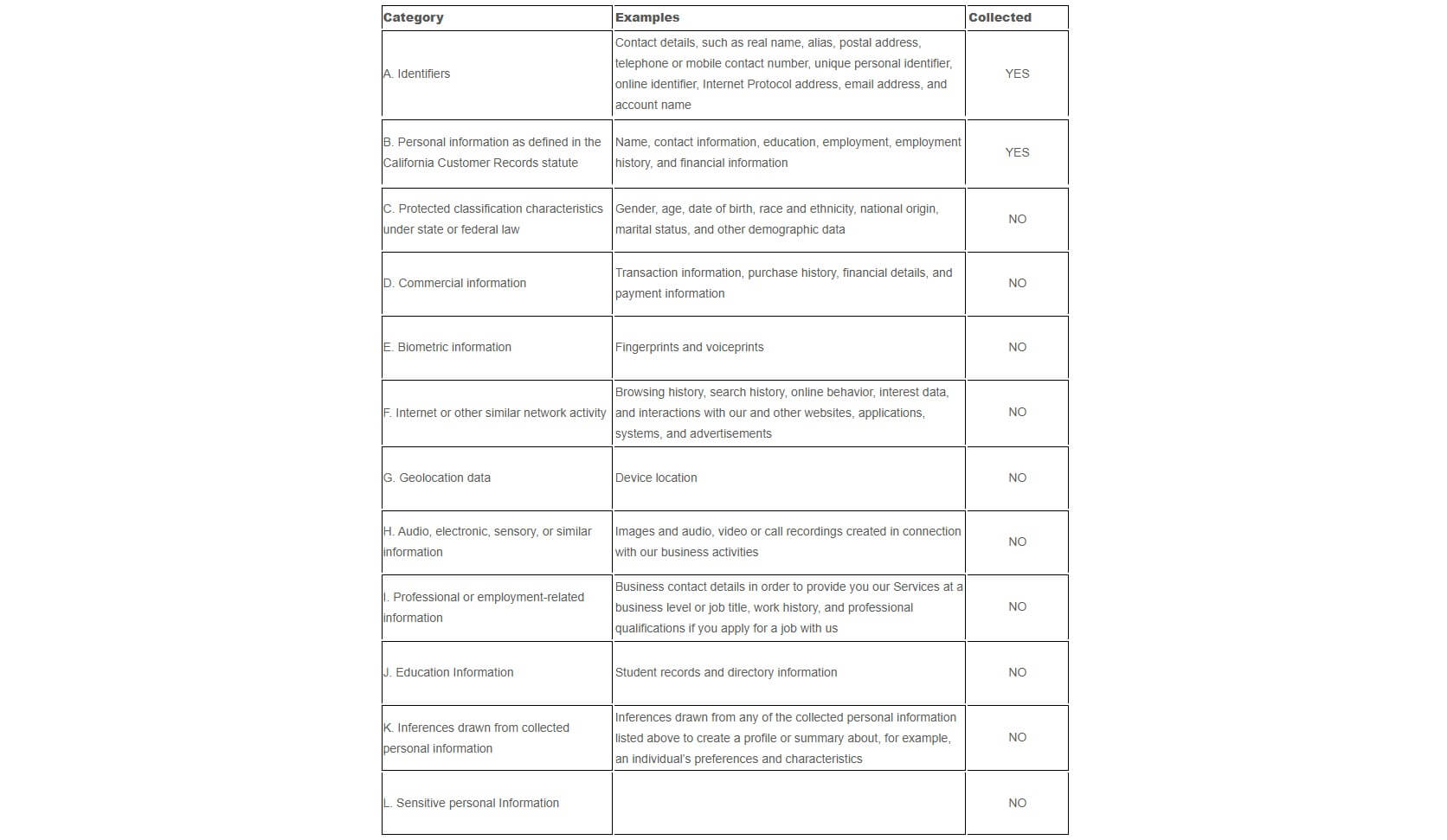
To prove its claim, VyprVPN underwent an independent audit by Leviathan Security in 2018, which confirmed its dedication to not logging user data. While it was conducted a few years ago, VyprVPN’s commitment to privacy remains apparent, and no significant incidents have raised any concerns since then.
For this reason, it’s definitely one of the best no-logs VPNs. It’s worth noting that its current jurisdiction is the USA, which may sound discouraging, but you can disregard it. The VPN is still extremely secure, like PIA or other US-based services.
But, if you simply can’t get over it and would love complete peace of mind, consider NordVPN and ExpressVPN as alternatives based in more privacy-friendly jurisdictions, such as Panama and the British Virgin Islands, respectively.
How Does VyprVPN Perform: Speed Tests
When we reviewed VyprVPN for streaming and bypassing censorship, it had some notable strengths and a few weak points. Its proprietary Chameleon protocol is designed to tackle VPN blocking and deep packet inspection, making it an attractive option for those in countries with strict censorship policies.
But how does it hold up in real-world performance for streaming, speed, and reliability? Let’s break it down with the speed test results we fetched in our review.
Speed Test Results
Speed plays a crucial role in your VPN experience, especially for streaming and gaming. Our tests on VyprVPN’s speed spanned local and long-distance servers, and we focused on evaluating the speed drops and the protocol performance. For comparison, here is the speed test result before connecting to VyprVPN.

Local Server Speeds
When connecting to nearby servers (within the same region or country), we noticed VyprVPN retained an average of 80-90% of the base internet speed. This is reliable for most online activities, such as streaming and web browsing, without causing buffering, lag, or noticeable performance drops.

Long-Distance Server Speeds
On distant servers, such as connecting from the US to Asia or Australia, we observed VyprVPN speed drops ranging from 50-60%. While this is fairly common among VPNs, it’s more noticeable if you’re engaging in high-bandwidth activities, like streaming 4K videos or online gaming.

Protocol Efficiency
WireGuard, the newest protocol available on VyprVPN, delivers faster speeds and stable connections than OpenVPN. The Chameleon protocol, while effective against restrictions, reduces speed due to its advanced obfuscation. In our in-depth review, VyprVPN provided reliable speeds for local connections.
Though there is a noticeable drop when connecting to more distant servers. To avoid this, we recommend checking our comparison of the fastest VPN services for 2026 and picking one for the best performance.
Encryption and Leak Tests
VPNs secure your data by encrypting it, making it unreadable to anyone who tries to access it without authorization. It uses secure algorithms to prevent tampering during transmission, ensuring your privacy is protected.
To analyze a VPN’s effectiveness, leak tests are essential to confirm that your data, IP address, and DNS requests remain private and hidden.
Encryption Test
To review VyprVPN’s encryption capabilities, we used Chameleon to assess the security of the data packets. When connected to VyprVPN’s server using Chameleon, the data was entirely encrypted, and no readable information was available.

IP Leak Test
To test VyprVPN’s ability to mask your IP, we connected to various servers and checked for leaks on ipleak.net. Throughout our in-depth review, VyprVPN successfully hid our actual IP address, displaying only the IP address of the VPN server, indicating a pass in all scenarios.

DNS Leak Test
We connected to VyprVPN and ran a DNS leak test on DNSleaktest.com. The results revealed no DNS leaks, showing that all DNS requests were routed through VyprVPN’s servers, and our browsing activity remained private.

WebRTC Leak Test
WebRTC is a browser-based technology that can unintentionally reveal your real IP address even while using a VPN. To assess VyprVPN’s performance against this risk, we tried it out by connecting to its servers and conducting a WebRTC leak test on BrowserLeaks. VyprVPN passed the test, preventing any WebRTC leaks.

Streaming and Torrenting
If you’re looking to unblock streaming services or securely download torrents, VyprVPN delivers solid performance. During our analysis, VyprVPN effectively handled both tasks, though we encountered a few minor issues.
Access Various Streaming Platforms
In our review, VyprVPN successfully unblocked major streaming services, such as Netflix (US and UK), Hulu, and BBC iPlayer. If you’re Australian, know that it can also help you access Kayo Sports live from outside Australia.
However, accessing more specific content libraries, like Netflix Canada or Japan, was sometimes inconsistent, requiring server switching at times. Note that VyprVPN is not a reliable VPN for changing your location on Prime Video. For the most part, the streaming quality was impressive.

We could watch shows in HD and even 4K without noticeable buffering on local servers. However, during our review, some long-distance servers occasionally led to slower buffering times when using the Chameleon protocol, but we could gain access to the content without restrictions.
Torrenting Is Fast and Secure
VyprVPN supports torrenting across all servers, and our experience with P2P downloads was smooth. Torrent speeds were stable on nearby servers, and the added security features, such as DNS leak protection and a kill switch, ensured secure downloading. What is our opinion on this?

VyprVPN performs well for streaming and torrenting, though certain content libraries may require trial and error with server selection. To unblock streaming platforms effortlessly, NordVPN is definitely a better choice than VyprVPN.
Additionally, the lack of dedicated P2P optimized servers feels like a letdown, considering some competitors offer them. However, its security features and performance compensate for these limitations and make torrenting secure.
Are VyprVPN Servers Reliable?
VyprVPN offers a solid network with 70+ locations worldwide, providing a balanced spread across North America, Europe, Asia, and less-covered regions like South America and the Middle East. Although not the largest network, it focuses on a quality range of locations rather than just numbers.
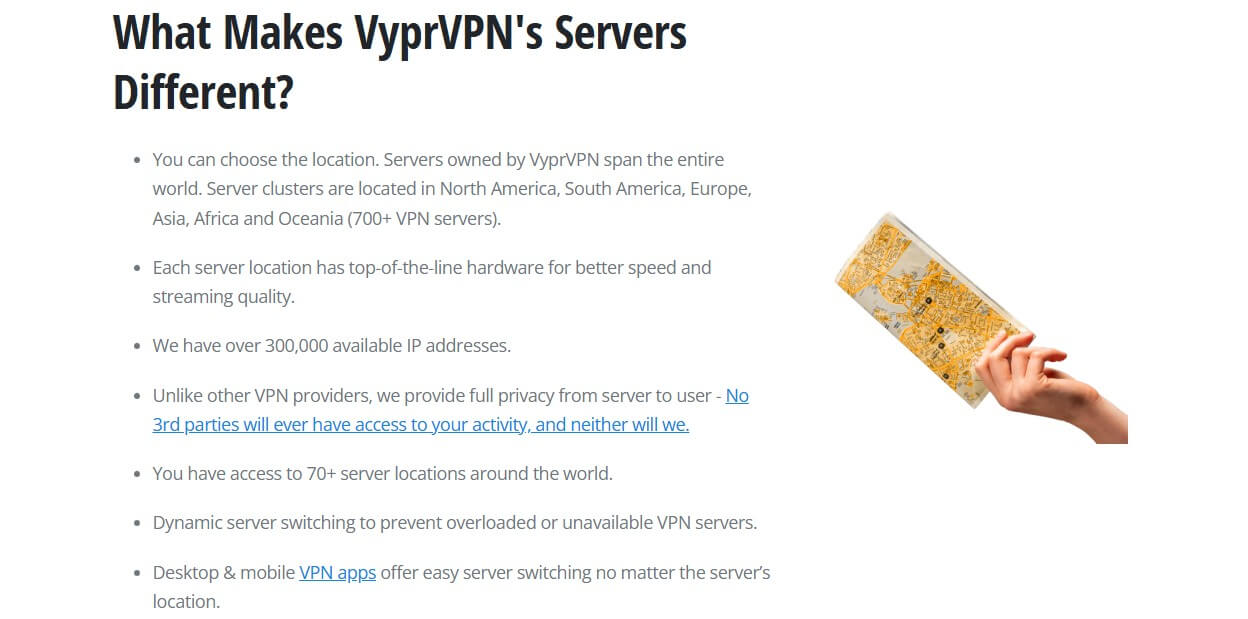
While this network is smaller than some of its competitors, the servers are distributed across diverse regions, offering good global coverage. Plus, it offers over 300,000 IP addresses for privacy and to prevent server overload. In our VyprVPN review, the connections remained stable with no unexpected drops.
Server-switching was quick, especially when using WireGuard, which averaged a two to five second connection time. OpenVPN and IKEv2 protocols were a bit slower but remained reliable. VyprVPN maintains stable connections across its server network, though the relatively lower server count might limit your options.
While its Chameleon protocol comes with a speed trade-off, it is effective for bypassing censorship in countries with strict VPN regulations.
Bypassing Censorship: Is It Effective?
When trying out VyprVPN, we were impressed with how its Chameleon protocol handles censorship in restrictive regions. It masks VPN traffic and evades deep packet inspection (DPI) with only minor speed decreases—a huge plus for anyone looking to access content in heavily censored areas where most VPNs would struggle.
The Smart IP feature, which dynamically shifts your IP without breaking your connection, added an extra layer of reliability. While it may not be flawless on all platforms or in all regions, VyprVPN provided a solid experience for bypassing censorship in countries like China, the UAE, Russia, or even Saudi Arabia.
Ease of Use & Compatibility
VyprVPN offers a straightforward and user-friendly experience, making it easy to navigate and use even for VPN beginners. The app interface is simple, with a clean layout that doesn’t overwhelm users. However, during our analysis, we found some room for improvement.

The app’s fixed screen size means it can’t be resized or adjusted to your preference, which can be inconvenient on smaller screens. Additionally, the app occasionally experienced responsiveness issues, requiring us to open and close it at random times to regain control. Other than that, we have nothing to complain about.
VyprVPN App Interface
VyprVPN’s app maintains a consistent design across both desktop and mobile platforms, offering an intuitive experience. The mobile interface is clean and simple, making it easy to navigate settings. When we installed VyprVPN on an Android, the interface was responsive and offered a seamless experience.

Core features like split tunneling, known as Connection Per App, are added and are easy to find and use. Overall, the design ensures the app remains user-friendly and accessible for all levels of users.

Device Compatibility
VyprVPN supports a wide range of devices and systems, providing flexibility and security across your digital assets. Here’s a closer look at what’s covered:
- Desktop & Laptop Devices: VyprVPN is available on Windows, macOS, and Linux (Ubuntu and Mint). The interfaces are straightforward, offering easy access to core features, although Linux users will need to rely on manual setup as there is no dedicated GUI app. As the competition is tough, we believe that VyprVPN does not rank among the top VPNs for Mac.
- Mobile Devices: VyprVPN’s Android and iOS apps are user-friendly. Android supports version 7.0+, and iOS requires version 13 or later.
- Smart TVs & Streaming Devices: Native support for Amazon Fire TV Stick ensures a seamless streaming experience. Chrome OS devices (OS version 53+) are also supported, allowing users to download the VyprVPN Android app for full access.
- Routers & Network Devices: VyprVPN can be configured on routers, extending protection to all connected devices. It’s compatible with a variety of router firmware, including Tomato, DD-WRT, OpenWRT, and AsusWRT (including AsusWRT-Merlin). Setup is also available for QNAP and Synology NAS, offering secure access for network storage devices.
- Media Centers: VyprVPN supports OpenELEC/Kodi on OpenELEC v5 and higher, making it a great choice for media streaming and entertainment systems.
Up to Ten Simultaneous Device Connections
VyprVPN allows for up to ten simultaneous device connections on one account, standard for many VPNs. We tested this limit by connecting various devices, including a smartphone, laptop, and smart TV, and were able to maintain a stable connection across all. During our VyprVPN review, we wished it had offered more.
At this price, or even lower, you can still get better VPNs, like NordVPN, which also offers ten, or go for Private Internet Access, at about two dollars per month, with no limit on concurrent connections.
Setting Up VyprVPN on Routers
Setting up VyprVPN on a router is beneficial for protecting all connected devices at once. VyprVPN supports several router firmware options, such as Tomato, DD-WRT, OpenWRT, and AsusWRT (including AsusWRT-Merlin). While the setup process was straightforward, it was slightly more technical than the standard app installations.
That said, VyprVPN provides detailed guides on its website, and once configured, you can protect all connected devices with a single VPN connection.

Customer Support
VyprVPN’s customer support stands out with its range of options to assist users, but the experience is mixed. While 24/7 live chat support is available and is quick and helpful, the depth and quality of the information provided can fall short.
When we had an issue with the VPN not connecting to servers during our review, the live agents were responsive and efficient. The solution they suggested worked, but complex issues could occasionally stump them, requiring a more thorough follow-up. Email support is also available for those who prefer detailed explanations.

In our experience, response times were decent, with answers typically arriving within a few hours. However, the quality of the responses varied, sometimes concise and well-informed, other times requiring further clarification.
VyprVPN also features a comprehensive knowledge base with setup guides, FAQs, and troubleshooting tips. When we checked these, we found they are straightforward and helpful for most issues, but we felt that breaking down complex steps with clear images would make them better.

Final Verdict
While VyprVPN offers a decent array of privacy and censorship-bypassing tools, it still falls short in key areas. The Chameleon protocol is unique, and VyprDNS enhances privacy, but these aren’t enough to place it among the best VPN providers of 2026. Our VyprVPN test implies it performs well, but not at the top level.
The lack of an ad-blocker or split tunneling on Windows is also a missed opportunity. While VyprVPN might be a reasonable choice for privacy and bypassing censorship, it doesn’t quite match the competition in speed, feature richness, or streaming capabilities (there are way better VPNs for watching sports live, for example).
If you’re willing to compromise on certain features, it is viable, but for top-tier performance across all fronts, you’d be better off with alternatives like NordVPN, ExpressVPN, or Private Internet Access. VyprVPN still has some growing up to do.