Dotclear is a free and open-source CMS and blogging system that you can install on any self-hosted environment, including cloud, that supports PHP, MySQL, MariaDB, or PostgreSQL. This engine offers a flexible template system, and you can expand its functionalities with various plugins and add-ons. There's a big developer community behind it that regularly contributes to its growth.
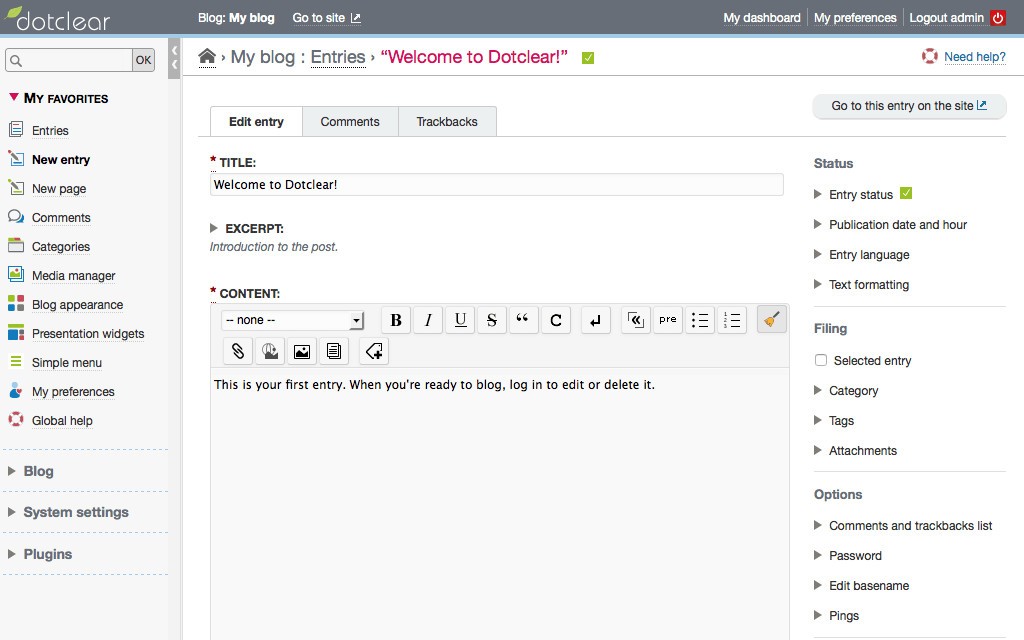
You can use Dotclear to manage posts, pages, and comments through its WYSIWYG or Markdown editors, customize the layouts without extensive technical knowledge, and even publish content in multiple languages. All these features make this a perfect solution for personal bloggers, writers, or small community pages.
With Dotclear, you have complete control over your website, domain, and data, and you can run it on any modern browser. The community also releases regular security patches and performance fixes, and with plugins, you can access features like social media sharing or SEO tools.
Why should I download Dotclear?
Using Dotclear allows you to self-host your writing website or blog, and this platform is focused on content creators rather than big commercial users. It's the right choice if you're running a small business or organization, or are a writer who wants to have control over your data and infrastructure.
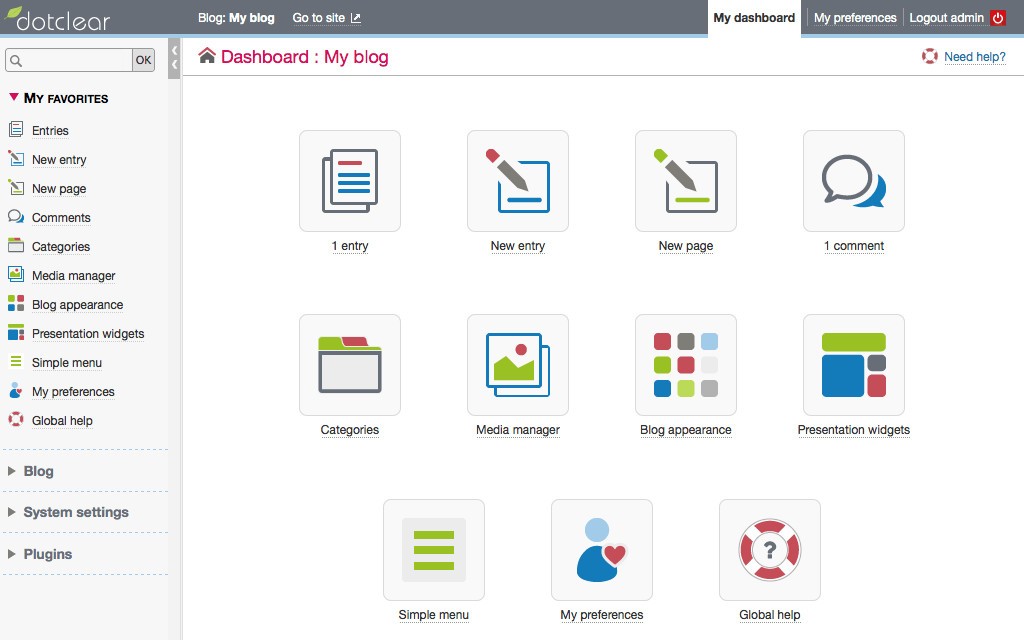
The design of Dotclear focuses on simplicity and minimalism, and you can find a clean and easy-to-navigate dashboard once you launch this engine. Whether you need to create posts, add media, manage various categories or tags, Dotclear has a straightforward way to do that without technical knowledge. You can write your content using a well-known WYSIWYG editor or by using markup, and this platform also supports publishing pages and posts in multiple languages. Dotclear has built-in localization tools you can use to serve multilingual content to your readers.
On top of that, with Dotclear, you also get a media management system to upload, organize, and reuse images, videos, and various documents. All of them can be inserted into your page or post through a simple UI, or you can also choose to embed external media.
If you plan to collaborate with others, Dotclear allows you to create and assign various roles such as admins, editors, or contributors. You can then fine-tune each of them with different permissions according to your needs. There are also multiple themes for your page look that you can choose from, or develop your own with HTML, CSS, and JavaScript.
Additionally, when using Dotclear, you can create custom URLs, categories, and tags, control your SEO structure, and organize your content. It even features options to publish RSS feeds or moderate comments on the page by default. After installing Dotclear, you can run multiple blogs from it, and they can have their own addresses and content rules.
If you need more, you can use Dotclear's plugin system and architecture to add features such as social media integration, more SEO tools, contact forms, or advanced analytics. The community behind Dotclear often publishes updates and security patches while also following modern W3C web standards and keeping the platform accessible.
Is Dotclear free?
Yes, since Dotclear is an open-source project, you can use it entirely for free under the GNU General Public License (GPL). All the features you get out of the box are available without cost; you can also freely modify and distribute your own versions. Some plugins or add-ons for Dotclear might be paid, but it's entirely up to you to purchase them or look for a free alternative.
What operating systems are compatible with Dotclear?
Since Dotclear is web-based software, you need to host it on a server for it to work. You also need to meet a couple of system requirements, which include having Apache, Nginx, or a similar web server, support for PHP 7.1 or newer, MySQL (5.5+), and a PostgreSQL or SQLite database structure.
Dotclear is compatible with Linux-based hosting environments, macOS and Windows servers, various Cloud platforms like AWS or DigitalOcean, and shared hosting accounts.
You can open pages based on Dotclear on any modern browser, including Chrome, Firefox, Edge, and Safari, on all operating systems. However, you can access only part of Dotclear's administrative features on mobile devices.
What are the alternatives to Dotclear?
WordPress is the world's most used CMS, and it supports thousands of plugins and themes from which you can choose. It has a robust developer community behind it, and you can use it both for blogs and full-scale websites. WordPress runs on PHP and MySQL, and you can work with it on Windows, Linux, macOS machines, and all major browsers. You can choose between a self-hosted approach or wordpress.com and not worry about managing the infrastructure.
Joomla is another open-source solution that gives you a nice balance of complexity and a user-friendly interface. You can use it to create multilingual websites, utilize different content blocks, and assign granular user roles. You might need to have more technical knowledge to use Joomla, but it's also a more flexible solution. It's a free PHP platform that supports MySQL or PostgreSQL and will be best if you need to create a content-heavy platform or a more complex website.
Drupal is often used by larger organizations and is targeted at developers because of its advanced security features, modular architecture, and content modeling. Many government, educational, and enterprise-level websites are based on Drupal, even though it's a free and open-source platform. You can run it on Linux, macOS, and Windows servers, and it requires PHP, MySQL, or PostgreSQL to work.
Wix offers you a totally different approach to website building, where you need to drag and drop different blocks, making it a perfect choice when you're a beginner or are running a small business. It's an all-in-one solution where you get hosting, templates, e-commerce tools, and other integrated options. While there's a freemium version of WiX you can use, the paid options unlock features like custom domains, increased bandwidth, and more storage. To use Wix, you only need a browser, as it's a web service that doesn't require you to set up a backend server.