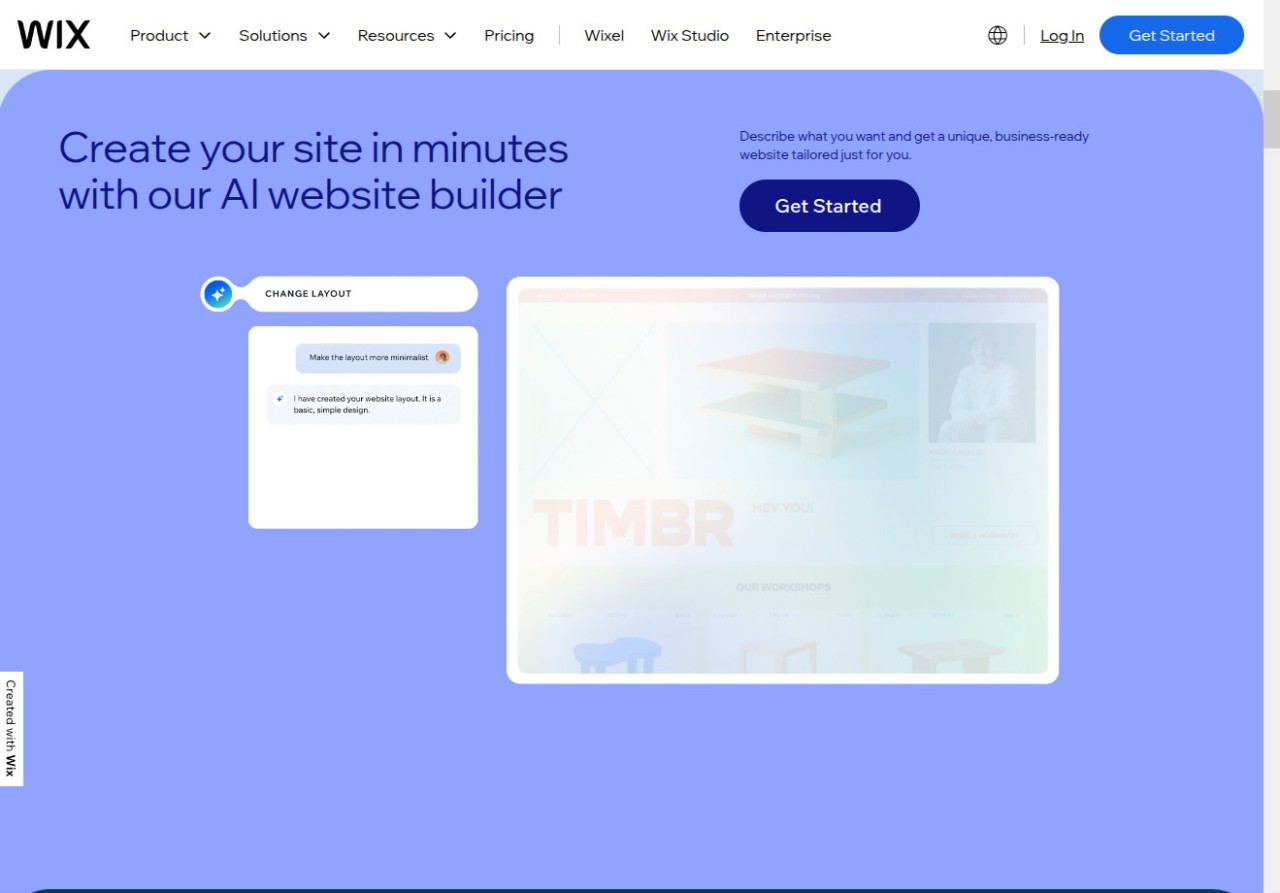
In order to create your website with Wix, you don't need to know how to code, as it's an online service that you can open in any browser, and it provides you with everything you need. It has an editor where you simply drag and drop different elements onto your page design. You can customize font, color, or even how the page behaves and preview the changes in real time.
There's also an AI-powered website reaction assistant called ADI. You can answer a few questions, and it will generate a website for you that you can then tweak as you want. There's also a big library of templates for pages such as blogs, portfolios, online stores, and more. All of them are responsive to mobile, tablet, and desktop views and allow you to start setting up your website quickly and easily.
Wix also offers many integrations, so you can link services like Stripe or PayPal, and use the marketplace to add contact forms, live chat, booking systems, and shopping carts. Wix is the perfect solution if you're looking for a flexible yet easy way to host a website, as it also offers custom domains and hosting.
Why should I download Wix?
With Wix, anyone can create and host a website, as it's a very flexible and intuitive tool that offers robust features, and you don't even need to know how to code. The service is based on its drag-and-drop editor, where you can place, resize, and customize different elements live on the canvas that is your page draft. Even nontechnical users will be able to use it, but if you have more experience, you can adjust spacing, work on layers, or apply various animation effects without using HTML or CSS.
The editor offers a tool with which you can manage fonts and color schemes. Responsiveness, embedding media like images, videos, audio files, animations, and parallax effects, as well as your section's order and grid layout. You can also give Wix ADI (Artificial Intelligence Design) a go, where, after answering a couple of questions, it will deliver a ready-to-use draft you can customize. There are also over 800 templates created by designers that you can use to get started. You'll find templates for restaurants, online stores, photographers, blogs, and more in Wix, and each of them will also have a built-in responsive version.
If you need more features, you can use the Wix app market to find various integrations and additional site elements like live chat, social media feeds, form builders, marketing automation, and other solutions created by third-party developers or companies like Mailchimp, Google Analytics, or PayPal.
Wix also offers a full suite of ecommerce tools that allows you to list products in multiple variants (size, color, etc), track your inventory and calculate shipping costs, link secure payment gateways like Stripe or PayPal, automate recovering of abandoned carts, deliver digital products like ebooks, and even set up recurring payments for products based on subscription. There's also a tool called Wix Bookings that allows you to schedule an appointment straight from your website.
With Wix, you enjoy a whole blog manager that allows you to schedule posts, embed various media, add tags, configure SEO options, and even set up social sharing. You can use either a classic WYSIWYG or a block-based one. There are also multiple SEO tools so that your website can rank better in search engines, and they give you the option to set meta titles and descriptions, use structured data markup, create URL slugs, and even generate sitemaps.
You can use Wix as a free service or choose from different paid options, like its suite of business tools called Wix Ascend. The platform also provides SSL certificates, has DDoS protection and CDN distribution, and lets you host your websites in the cloud with automatic backups.
Is Wix free?
You can start using Wix by choosing its freemium option, which allows you to build and publish a website without any cost. However, this option has some limitations. Your site will be hosted on a Wix domain (wixsite.com), there will be Wix ads on the page, there are limits in terms of storage and bandwidth, and you only get access to basic support.
If you need more, you can upgrade to one of the paid plans like Combo, where all ads are removed, and you can use a custom domain or Light if you only want the basics. There are also Business and Business Elite plans that unlock more advanced options and are perfect for bigger brands and companies.
What operating systems are compatible with Wix?
As a platform entirely based on the cloud, you can access and use Wix on any modern browser like Google Chrome, Mozilla Firefox, Safari, or Microsoft Edge. There are also dedicated mobile apps for iOS and Android devices so that you can quickly manage the webpage on the go, chat with your visitors, or check analytics.
What are the alternatives to Wix?
The most popular alternative is WordPress, as currently 40% of all websites are run on it. You can select to self-host the site you built or use wordpress.org, and the service lets you fully customize your page. You can install multiple plugins to get more features, and there's also a library of thousands of add-ons and other extensions, but it's a more technical tool than Wix. WordPress' base version is free, but you can upgrade to paid options to get more features, and the service works on Windows, macOS, and Linux computers.
Joomla is a CMS targeted at developers and more advanced users. It has a steep learning curve but offers enterprise-level solutions. With Joomla, you can host multilingual sites, assign and create different user roles, and structure content to your liking. It's a free and open-source solution that works with Windows, Linux, and macOS.
Drupal is another great option for large organizations and even government services. It gives you access to advanced content modeling, access control, and multilingual publishing, but you need to know how to code and have some programming experience to use it. It's a free and open-source service that can run on Windows, macOS, and Linux PCs.
If you're looking for a simpler solution, Dotclear is a great option, as it's a lightweight blogging platform focused on open-source standards. You can run multiple blogs on a single Dotclear installation, and the service also has a plugin system, though it's much simpler than the other options. You can run Dotclear on Windows, macOS, and Linux via PHP-enabled web servers.