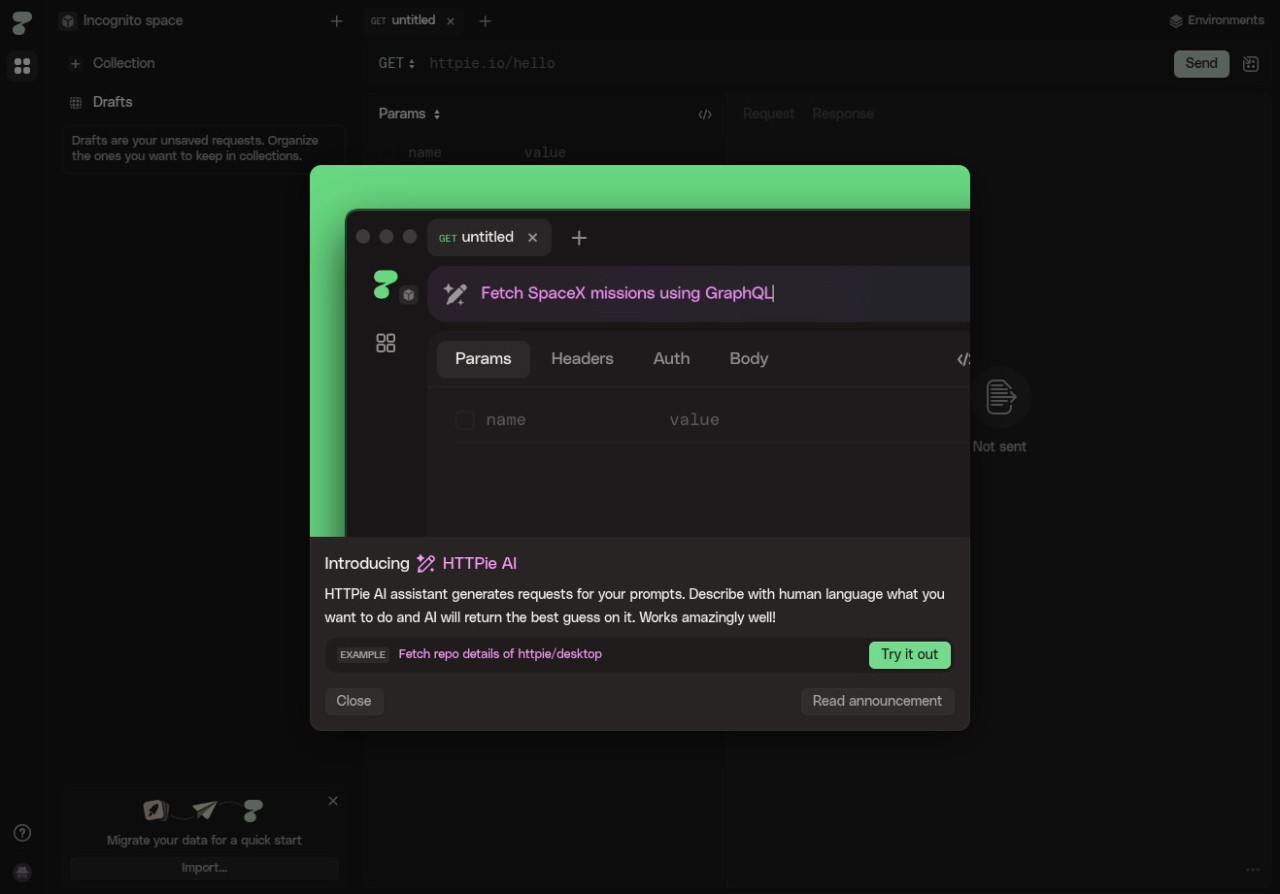
HTTPie is an excellent tool for teams and developers who want a simple and efficient solution for testing APIs. While it offers command-line support, it also has an accessible interface that simplifies HTML requests and interactions. The output HTTPie gives is easy to read and color-coded, and you can use the tool to debug services based on REST, GraphQL, and more.
You can use HTTPie with a wide range of protocols and authorization types. The utility is syntax-based to make it easy to create requests and control the tool, and it's a great solution whether you want to manage environments or save request collections on top of other features.
With HTTPie, you can also build API requests visually and browse through your history to replay requests or check saved sessions. Because HTTPie works on all major operating systems and supports very advanced operations through various interfaces, it's now one of the most chosen tools of this type among developers, DevOps, and QA specialists.
Why should I download HTTPie?
HTTPie allows you to quickly and intuitively interact with various web services through its interface or by writing terminal commands, making it a comprehensive option. Unlike other utilities for these purposes, it is focused on giving readable, clear, and understandable results in an understandable syntax. This way, you can focus more on the request structure and what data you want to send or receive, rather than struggling to operate an app.
The desktop and web client for HTTPie has a clear design and lets you build and save collections of API requests, visualize HTTP responses with different colors and collapsible JSON sections, organize projects, and set environment variables. If you're more of a visual worker, then it is the right tool for you.
You can work with a wide range of HTTP methods like GET, POST, PUT, DELETE, PATCH, etc., and HTTPie can also handle form data, JSON, uploaded files, and query parameters. The tool has a built-in detection tool that automatically recognizes different types of content, validates your input, and renders smart responses so that you can create requests faster and with fewer errors. It also supports various authentication mechanisms like Bearer Token, Basic Auth, OAuth2, and API Key headers, which help when working with third-party tools or private endpoints. This way, you can perform secure authentications consistently across multiple sessions.
With WebSocket support, you can use HTTPie to communicate in real-time with services based on socket protocols, like chat apps, live dashboards, or other solutions that react to various events. You can also integrate HTTPie with CI/CD pipelines, deployment checks, monitoring endpoint health, and other automated processes. HTTPie also helps when configuring and allowing configurations for development, staging, and production servers.
In the interface, you'll also find tools like request history, custom themes, response preview tabs, and search filtering, and HTTPie lets you fork your requests, view full request/response logs, and replay or edit them with a single click. If you're working with the multi-step workflow or new APIs, these features help you complete your tasks faster.
HTTPie is also a good tool when you need to collaborate with a team and sync API requests, share environments, and work on different projects together. Overall, it's a visually simple solution with a rich feature set for developers with varying experience levels. You can use the service on the web or download HTTPie as a desktop client for Windows, macOS, and Linux.
Is HTTPie free?
Yes, since HTTPie is an open-source project, you can download and use it for free, both through its web and desktop versions, or the terminal version. The platform also follows open-source privacy principles and includes no advertising to monetize your data.
What operating systems are compatible with HTTPie?
HTTPie comes in both a CLI version and a web/desktop client with a full interface.
If you want to use HTTPie in the terminal, you can download and install it on Windows, macOS, Linux, and FreeBSD environments.
To use HTTPie for Web and Desktop, you need to open the app on any major browser (Chrome, Firefox, Safari, Edge) on all operating systems or download the HTTPie app for Windows or macOS.
What are the alternatives to HTTPie?
Postman is a comprehensive API platform that offers a wide set of features for designing, testing, and documenting APIs across different projects. You can use it to create collections, environments, mocks, monitoring systems, and automated test scripts. The tool works on Windows, macOS, Linux, and its web version. Postman offers a free option that's perfect for personal and local projects, but if you need to collaborate with a team, sync your work to the cloud, or integrate it into CI/CD, then you'd need to purchase its paid version.
Hoppscotch is an open-source option that works on browsers where you can send HTTP requests, view responses, and manage collections or work with REST, GraphQL, WebSocket, and Socket.IO protocols. All the main features are available for free, but if you need to use Hoppscotch in a big organization, then it has a paid plan with additional support and an admin dashboard. You can use Hoppscotch in a CLI version, open the web app, or download it for macOS, Windows, or Linux.
Insomnia is another HTTP client dedicated to REST, GraphQL, and gRPC workflows that also offers code generation tools, supports advanced environment variables, and can be further expanded with plugins. It offers a robust free version and two paid plans, and you can use Insomnia on Windows, Linux, and macOS computers.