The Geekom A9 Max is a premium mini PC intended to compete with Apple’s Mac mini. The M4 Mac mini is almost two years old, but I’m mentioning it here for a reason: it’s a compact powerhouse that has stood the test of time, with a mix of size, efficiency, and performance that is hard for Windows mini PCs, even ones pumped out in 2026, to beat. Unfortunately, the Geekom A9 Max doesn’t quite measure up.
The 2026 Geekom A9 Max that I reviewed features a Ryzen AI 9 HX 470 CPU, which is not terrible but is certainly pricey for the performance it offers. Inconsistent graphics output, in particular, makes it difficult to justify its $2,299 MSRP.
There certainly are reasons to consider the A9 Max over the M4 Mac mini, depending on your needs. But a simple price-to-performance calculation, as well as underwhelming comparisons to last year’s Ryzen AI 300 configuration (which, by the way, Geekom is always discounting these days), lay bare the mini PC’s noteworthy flaws.
Geekom A9 Max (2026)
Uneven performance, but decent value if Windows is a requirement.
Pros
- Great general and video encoding performance
- Plenty of ports
- Lightweight and easy to mount
- Base configuration is often on sale
Cons
- Inconsistent graphic output
- Ryzen AI 400 isn’t worth the price hike
A lightweight machine
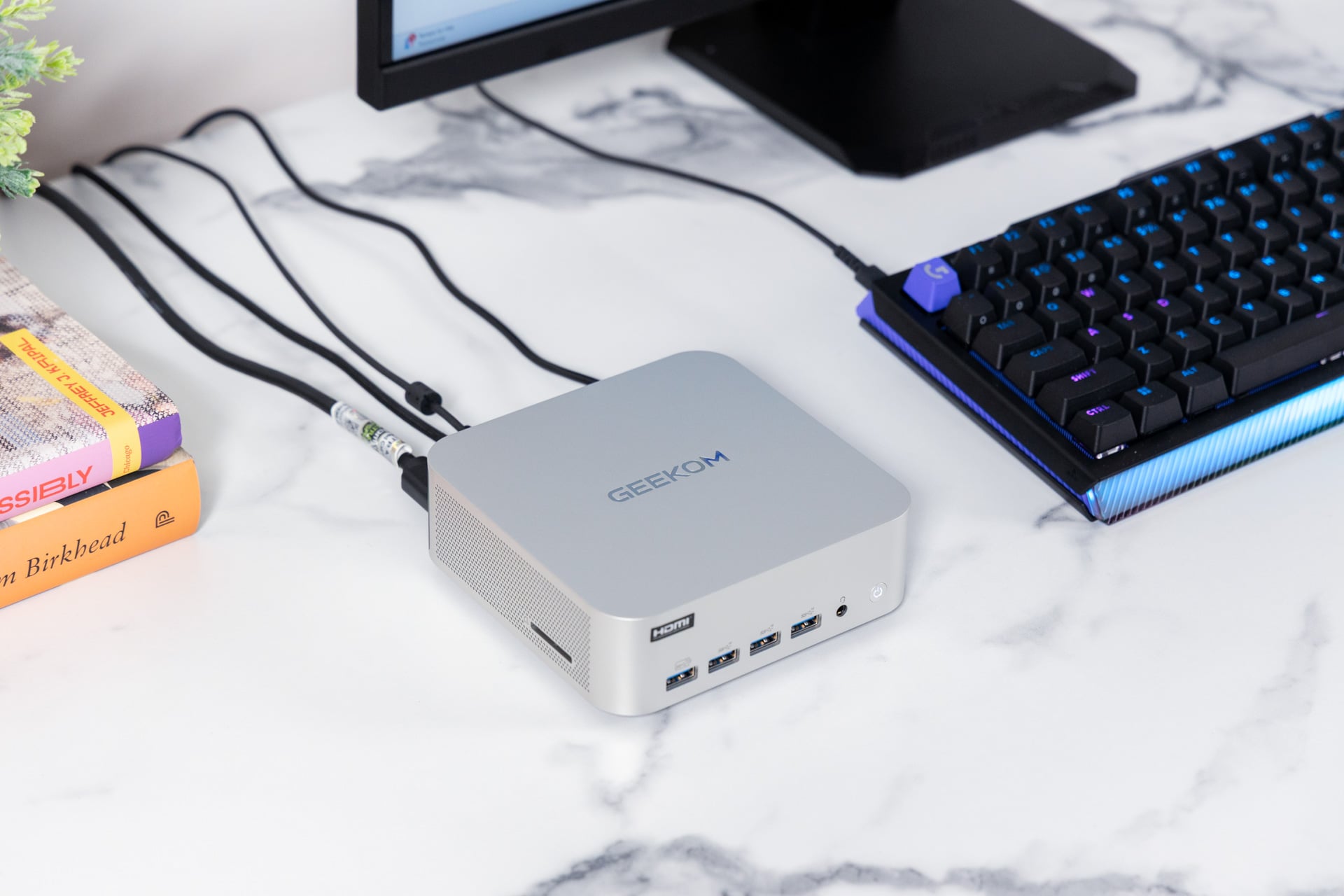
Comparisons between the A9 Max and the M4 Mac mini are unavoidable. Both PCs have a silver rectangular chassis. The Mac mini is 5 x 5 x 2 inches and weighs just 1.5 pounds; the Geekom A9 Max is slightly larger (5.3 x 5.2 x 1.8 inches) and weighs 1.8 pounds. Realistically, the two take up about the same desk space, and if you plan to bolt your mini PC to a monitor or carry it to the office every now and then, the weight difference will not be noticeable.
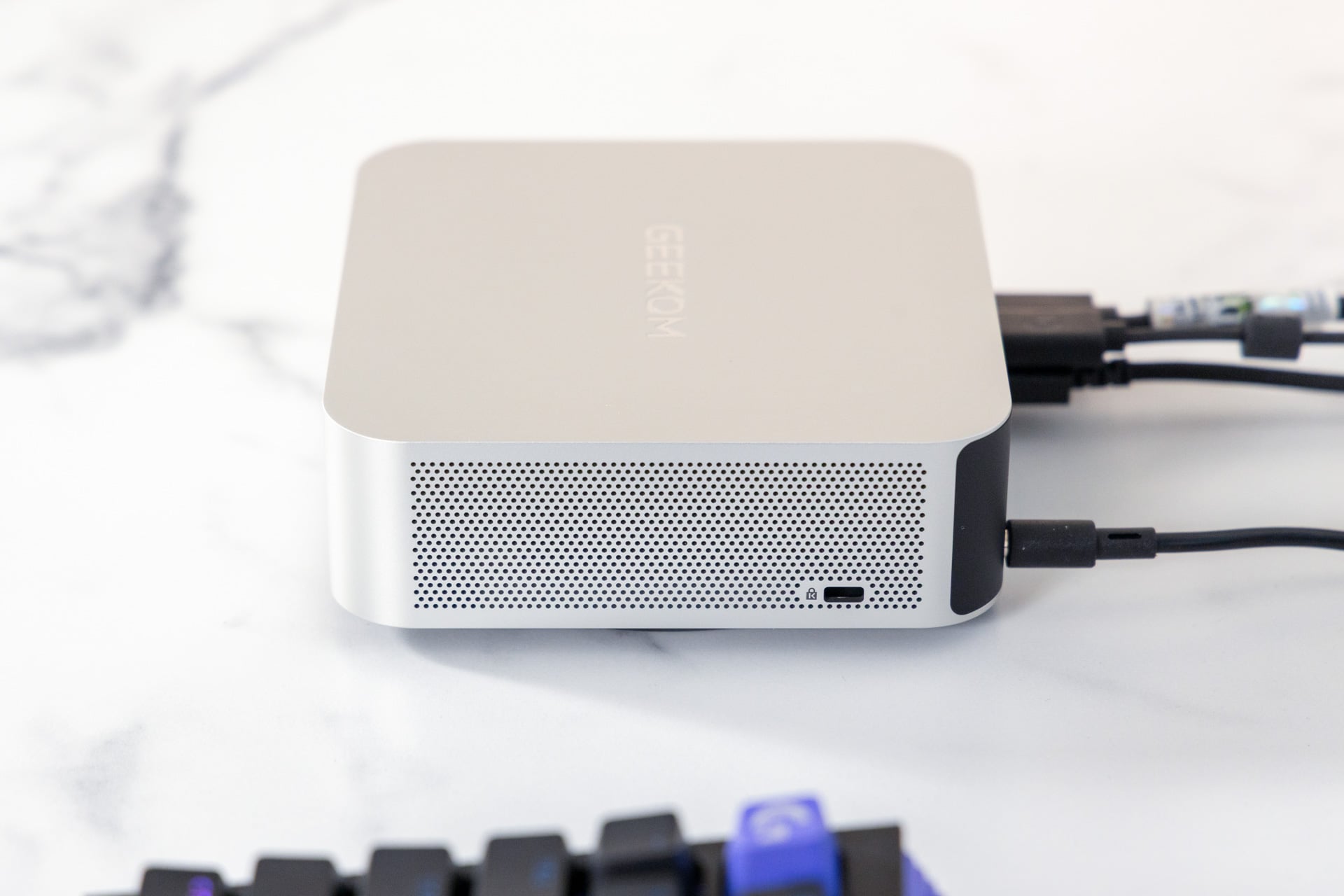
You may, however, notice that the M4 Mac mini has a sleeker, more rounded look (unsurprising; it’s Apple) and that Geekom’s logo is rendered on top of the A9 Max in shiny, debossed lettering. The Geekom also has lattice vents along the sides, while the M4 Mac mini manages heat via a downward-facing bevel. (The two systems, for what it’s worth, manage airflow equally well in my experience.)
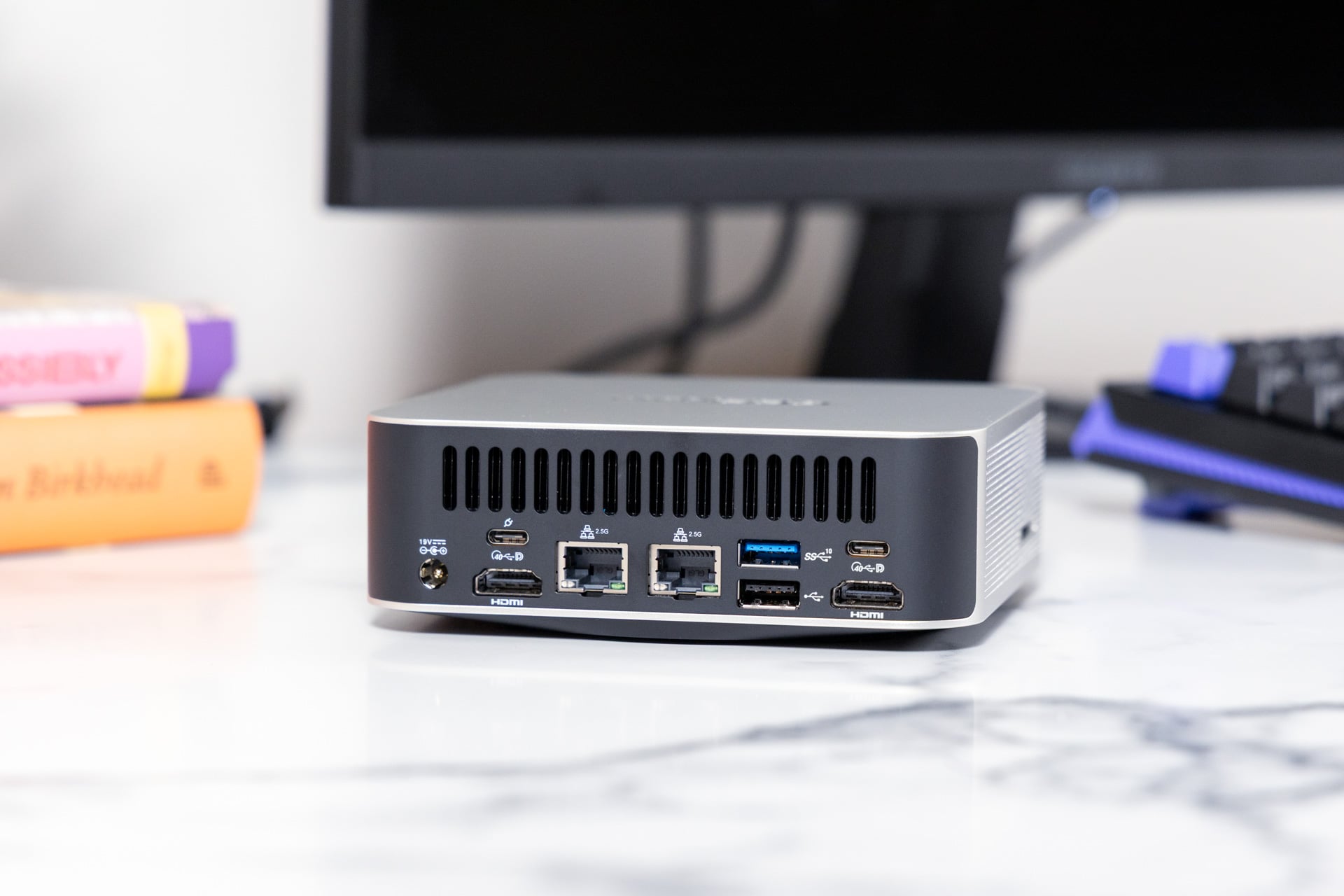
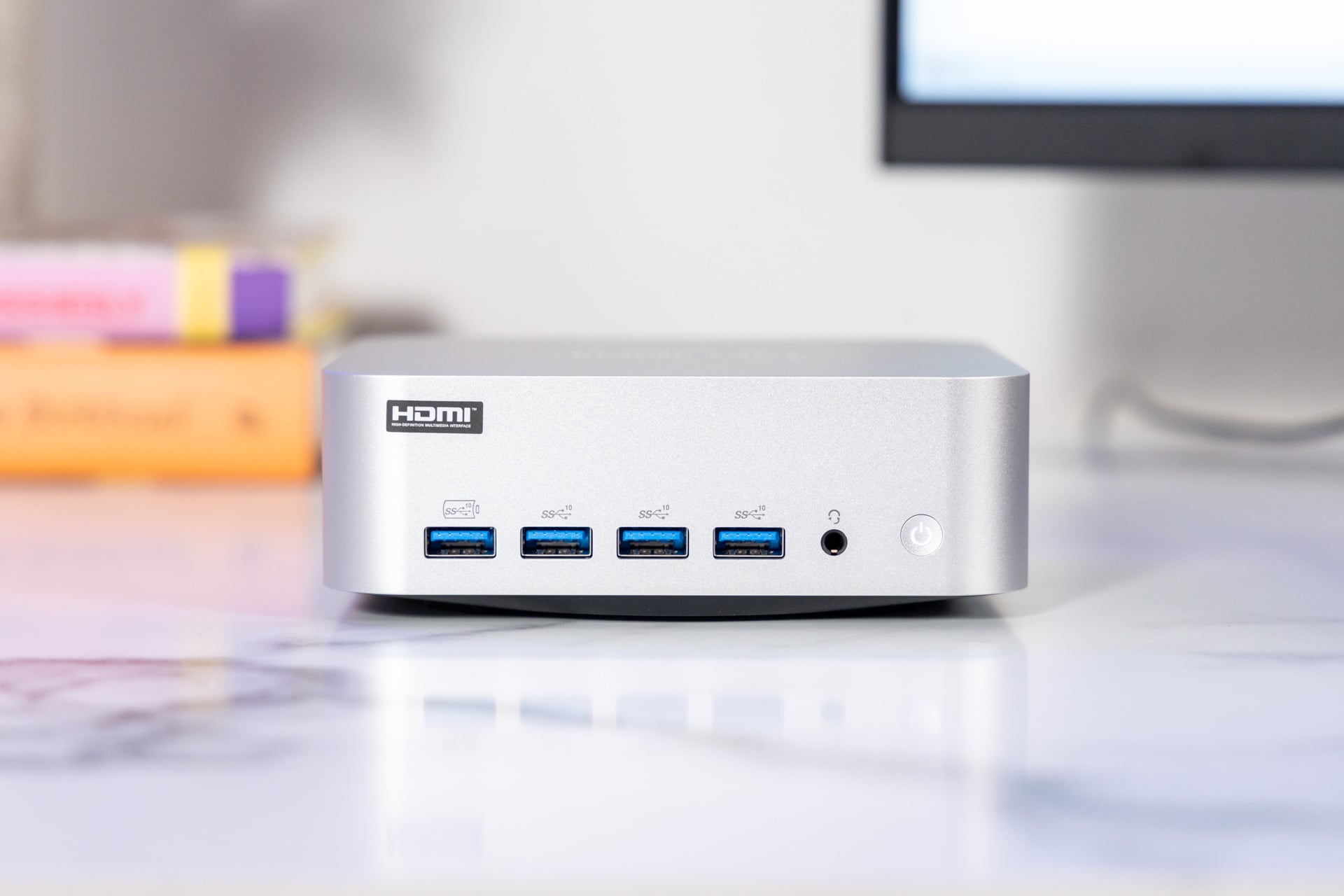
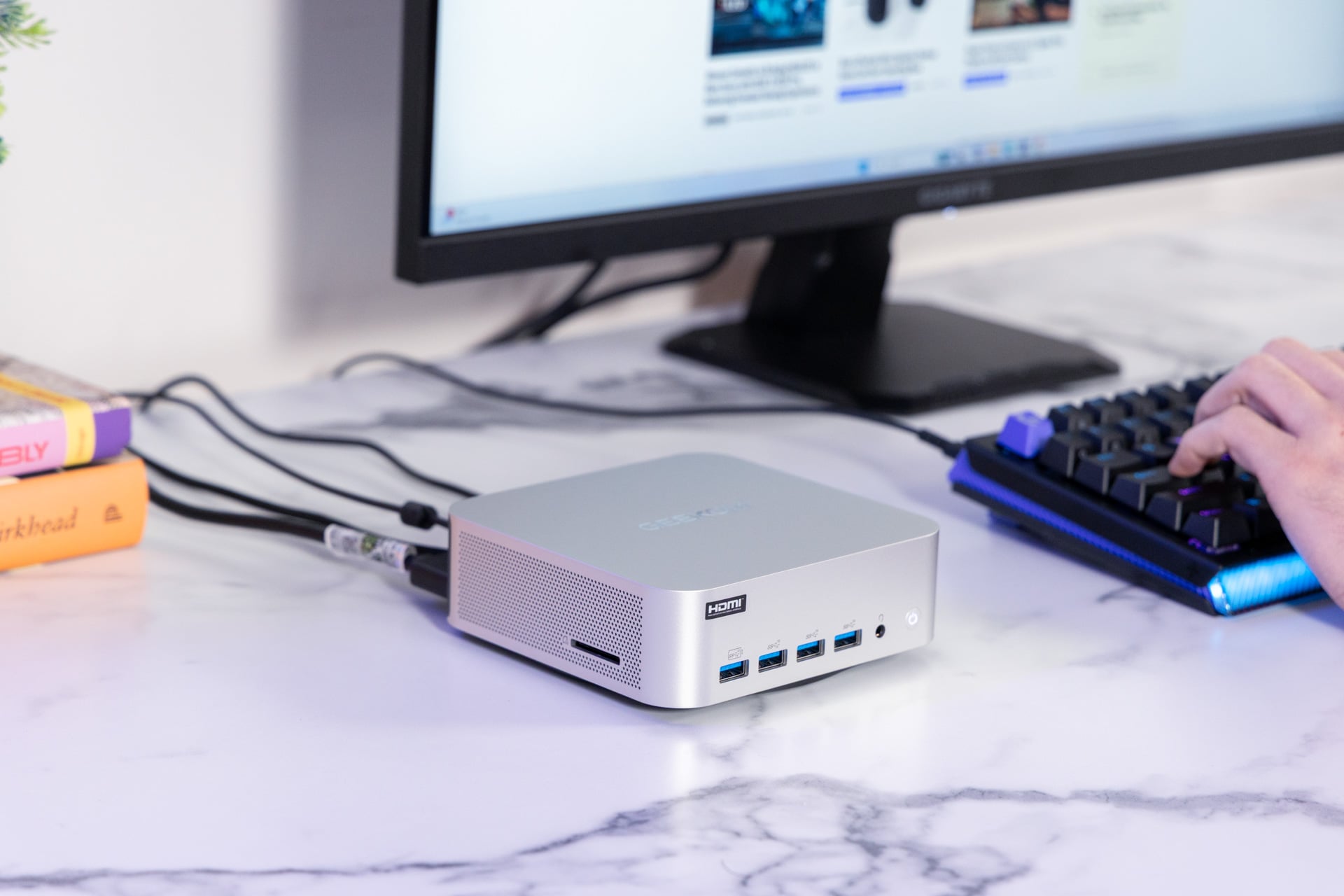
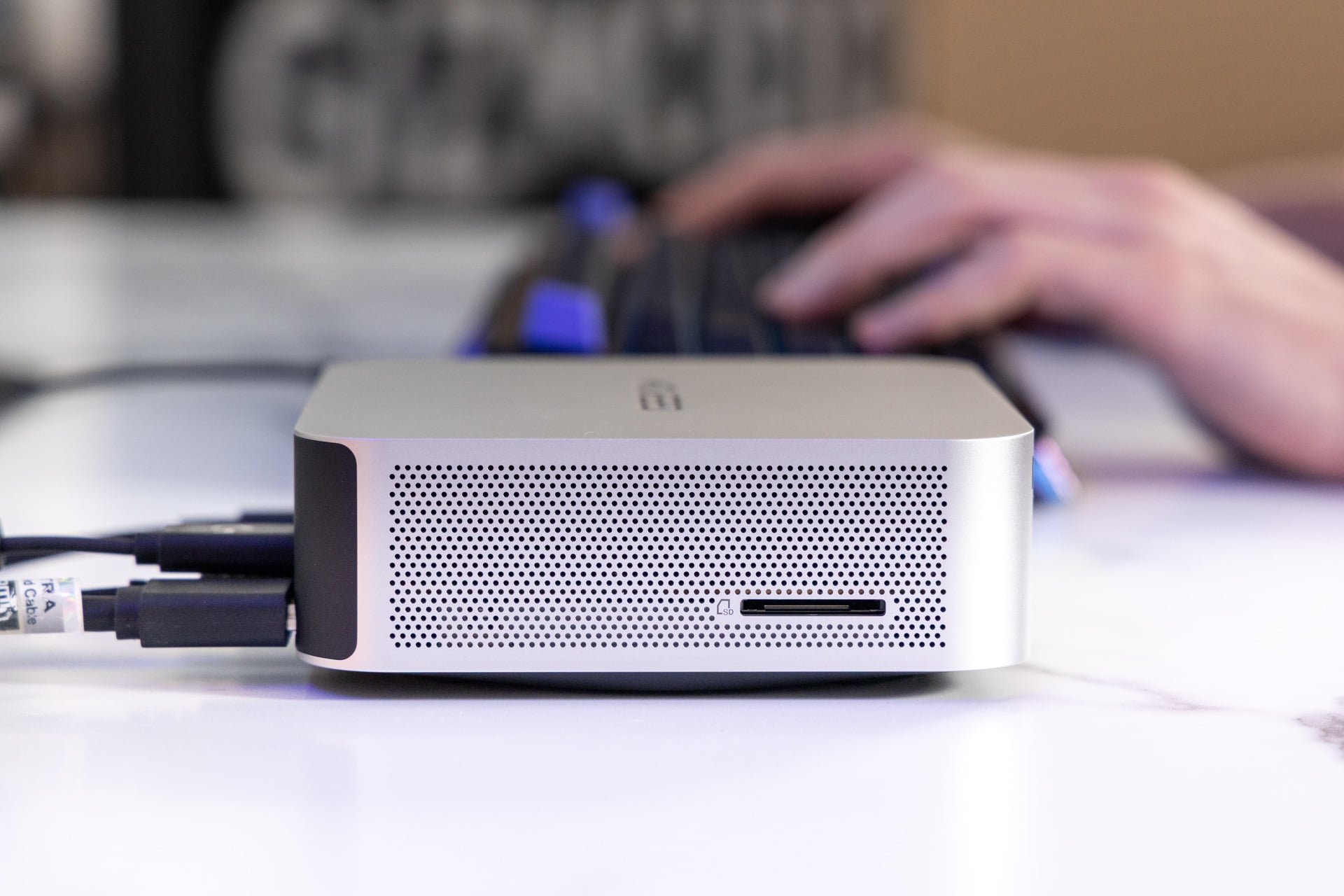
Connectivity, particularly on the front, is where the Geekom A9 Max stands a chance of coming out ahead. The A9 Max has four USB 3.2 Type-A ports and a combo audio jack on the front of its case. On the back, you’ll find a DC-in, two USB 4.0 Type-C ports, one USB 3.2 Type-A port, one USB 2.0 Type-A port, two HDMI 2.1 ports, and an RJ45 ethernet jack. There’s also an SD card reader on the left side.
The M4 Mac mini, on the other hand, only has two USB-C ports and an audio combo jack on the front, with three USB-C, an ethernet, and one HDMI 2.1 on the rear. If you have a lot of accessories, particularly an older keyboard and mouse that need USB-A, or want to run multiple monitors without giving up valuable port space, the Geekom will look more attractive. The latter’s power button is also on the front of the case, offering ease of access that the M4 Mac mini’s bottom-hidden equivalent famously lacks.
One other possible point in the A9 Max’s favor: it’s compatible with a standard VESA mount, so you can easily bolt it to the back of your desktop monitor for a more streamlined setup. You’ll generally need a third-party bracket if you want to do anything similar with the M4 Mac mini.
That’s about where the Geekom A9 Max’s advantages end, though. The numbers (both performance and price) tell a different story.
Base(ic) value
Listed with a $2,299 MSRP (though sometimes on sale for as low as $1,609) for the 12-core Ryzen AI 9 HX 470 CPU, 32GB of RAM, and 2TB of SSD storage, the A9 Max is expensive—near the high end of Geekom’s offerings and pricey for the category overall. Of course, Apple is a premium company, so Geekom’s mini PC ends up being competitive here. The M4 Mac mini currently starts at $799, but that’s for a measly 10-core CPU, 16GB of RAM, and a 512GB SSD. Jumping up to an M4 Pro chip’s 12-core CPU, 24GB of RAM, and a 2TB SSD brings the M4 Mac mini’s cost to $2,399; doubling the RAM to 48GB adds $600.
However, Geekom does make other mini PCs. The older Ryzen AI 9 370 model, with 32GB of RAM and a 2TB SSD, has a $1,899 price tag, and the base model, with half the storage, is $1,799. In other words, it’s more affordable than either of the above devices.
Comparative benchmarks make clear that the older system (despite being, well, older) is a better deal.
Geekom bills the A9 Max as an all-purpose powerhouse capable of crypto mining, high-end gaming, and LLM hosting. But there are some caveats to those performance claims.
The 2026 A9 Max performs well on most CPU benchmarks, but the 2024 M4 Mac mini with the 10-core CPU (that’s two fewer cores than the A9’s CPU has) outperforms it by about 15% in Geekbench 6’s multi-core test, which measures the CPU’s general capabilities. The Geekom A9 Max’s extra CPU cores did give it an 8% lead on rendering benchmarks like Cinebench 2024, and it was faster on our custom Blender CPU test, in which we time how long it takes the PC to render a scene of a BMW. In summary, there are performance trade-offs between the Ryzen AI 400 and Apple M4 platforms: Geekom’s Ryzen AI chip offers better CPU rendering, but when it comes to raw compute horsepower and graphics, the M4 outshines it.
However, AMD’s Ryzen 9 AI HX 370 (in a 2-year-old Asus TUF Gaming A14 laptop) also outperformed this year’s Geekom on Geekbench 6 multi-core by about 7%. On Cinebench 2024, the TUF was only about 15% behind. The latter is some decent progress for AMD, but not gains worth $400 extra. Compared to a Razer Blade 14 laptop from 2025 with the AMD Ryzen AI 9 365 (a more recent CPU compared to the Ryzen 9 AI HX 370 with 10 instead of 12 CPU cores), the Geekom mini PC was 17% behind in Geekbench 6 multi-core tests. These are not apples-to-apples comparisons, but they showcase the imbalance of AMD’s Ryzen AI 9 HX 470 chip if you dream of treating the A9 Max as your mainstay workstation.
Again, in terms of raw performance, the AMD chip doesn’t offer the raw CPU performance of a competing chip like the Intel Core Ultra X7 358H. A Dell XPS 16 (2026) beats the Geekom’s AMD-made mobile chip in Geekbench 6, but it wins by close to 19% in the latest Cinebench 2026 CPU-rendering benchmark. However, when running our Handbrake test, where we transcode a 4K movie to 1080p, the A9 Max managed the task in 3 minutes and 37 seconds. That was more than 30 seconds faster than the Dell XPS 16 with the Intel chip. For specific tasks that involve more processing power on the CPU side, like in video editing, the AMD chip can still hold its own.
Graphics-wise, the Geekom A9 Max can’t boast the same graphics potential as some of those recent Intel chips that carry the extra 12 GPU cores, like the Intel Core X7 and Intel Core X9 variants. Additionally, although this year’s A9 Max has a redesigned cooling system, the AMD Ryzen AI 9 HX 470 CPU can still throttle during intense tasks such as crypto mining or heavy gaming. Just compiling the shaders for the Black Myth: Wukong benchmark was enough to get the A9 Max revving its fans and throwing off an impressive amount of heat.
Unless you wish to bow to the AI-generated frame gods, gaming on the A9 Max is a little rough around the edges, even on highly optimized titles like Baldur’s Gate III and Final Fantasy XIV: Dawntrail. Baldur’s Gate III ran well above 30 fps at 1080p, on “medium” settings, with no FSR or frame generation enabled. Bumping graphics to “high” led to slight stuttering and visual artifacts. Final Fantasy XIV was running at a stable 30 fps on the “High (Laptop)” preset at 1080p resolution in less-busy zones but dropped to about 20 fps in combat or busy social hubs. That’s borderline unplayable, even for someone who can navigate the game blindfolded. At the “Standard (Laptop)” preset, I eked out a few more frames of wiggle room, but not enough to make the game playable—and this was all with FSR on. Without it, the game dropped to 18 fps at that preset and hovered around 20 fps during combat. Take any claims that this system can run Black Myth: Wukong with a full table of salt.
While the Geekom A9 Max handles general usage and some light video encoding and 3D rendering tasks well enough, its overall graphics performance is inconsistent, whereas the Mac mini is a more all-around powerhouse. Plus, the all-around performance boost over the previous-generation Ryzen AI 300 series isn’t quite enough to justify the increased cost.
Just get the Ryzen AI 300 model
While the Geekom A9 Max excels at general productivity, has plenty of ports, and is small and lightweight enough to easily mount to the back of a monitor, the graphics performance is inconsistent across gaming and video editing workloads, which makes the new Ryzen AI 400 CPU feel like a poor investment. You’re better off getting the older Ryzen AI 300 model instead. The integrated GPU performance is similar, and the Ryzen AI 400 series CPU is just about 10% better on average, though it even underperforms the previous generation on certain workloads. An average performance improvement of 10% is hardly worth the $300 price difference when both will give you a similar CPU and GPU experience.
Or, if Windows isn’t a requirement for you, just go for the M4 Mac mini. Even with the pricey upgrades, it’s got better performance than the Geekom A9 Max and comes with Apple’s flawless build quality. The only major drawbacks are the port selection and the lack of easy VESA-mount compatibility. That’s an easy fix, though: invest in newer Bluetooth accessories rather than relying on an old-school hardwired keyboard and mouse. Or get a docking station.