
At my desk, with the PC buzzing beside me, my games are one of my few comforts. They are rarely comfortable. My desk is a cell where I must hunch over a mouse and keyboard. Valve’s $100 Steam Controller changed how I game on PC by letting me play my favorite RTS and CRPGs while reclining in my best impression of a Roman-era hedonist.
That doesn’t mean it will be the same for the casual crowd. Those who don’t want to edit control schemes for every game they play will be ill at ease with the Steam Controller and should look elsewhere for a cheaper, more ergonomic gamepad.
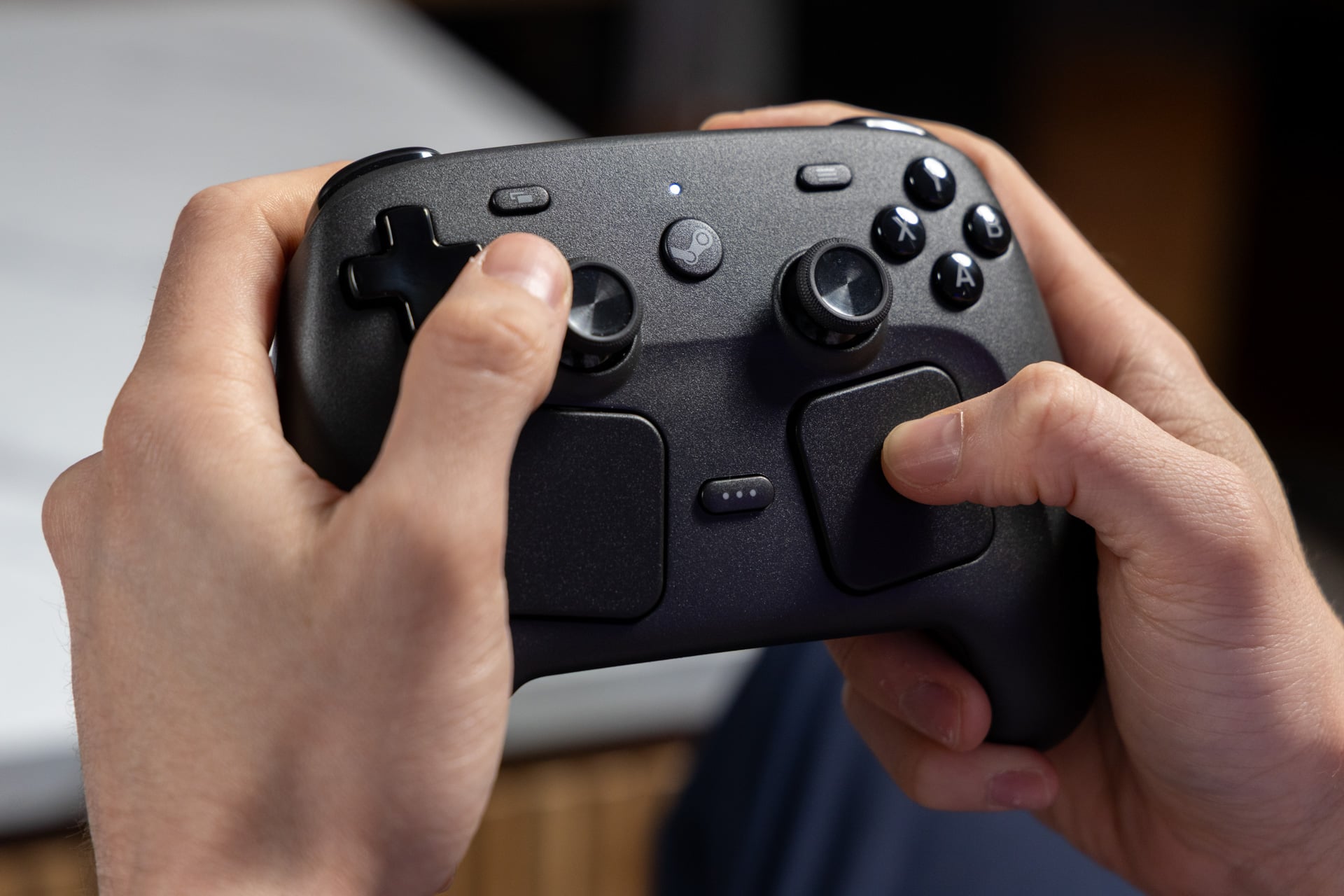
I talked with Valve programmer Pierre-Loup Griffais and engineer Jeff Mucha about the gamepad. They told me the company doesn’t imagine it is an “enthusiast”-level controller. It contains all the buttons, triggers, and—yes—the two joysticks players expect. Unique to the Steam Controller are its two Steam Deck-like square trackpads that act as either a mouse or thumbstick alternative. It’s this feature alone that makes this gamepad more versatile than even ones with swappable buttons like the 8BitDo Pro 3 that I reviewed last year.
Steam Controller
Valve's redesigned Steam Controller will let you play all your PC games comfortably on the couch. It will probably be even better on Steam Machine.
Pros
- Precise trackpads play RPG and RTS games
- Comfortable fit
- Clacky controls
- Drift-resistant joysticks
Cons
- Need to change controls for every game
- Lack of instant triggers
- Magnetic puck connects only one way
- Not great for smaller-sized hands
One piece of the Steam hardware puzzle
The Steam Controller was designed for PC gaming, but more specifically, it’s a component of Valve’s PC/console hybrid, the Steam Machine, as well as its upcoming Steam Frame VR headset. Neither device has a release date yet. The Steam Controller is an early glimpse of how we can make PC gaming more living room-friendly. If anything, it’s just one way PC gaming may not exactly become less expensive, but at least it will feel more comfortable.
Griffais hinted to me that the Steam Machine pricing and timing may be just around the corner. And still, he reiterated it will cost “the same as a PC with similar components.” Translation: it won’t be cheap. The Steam Controller’s near-$100 price is just right for what you get, especially with its excellent battery life. As part of a broader Valve hardware ecosystem, it’s still unproven.
The Steam Controller will be available to purchase starting May 4 on Valve’s Steam platform.
A squat and surprisingly light gamepad
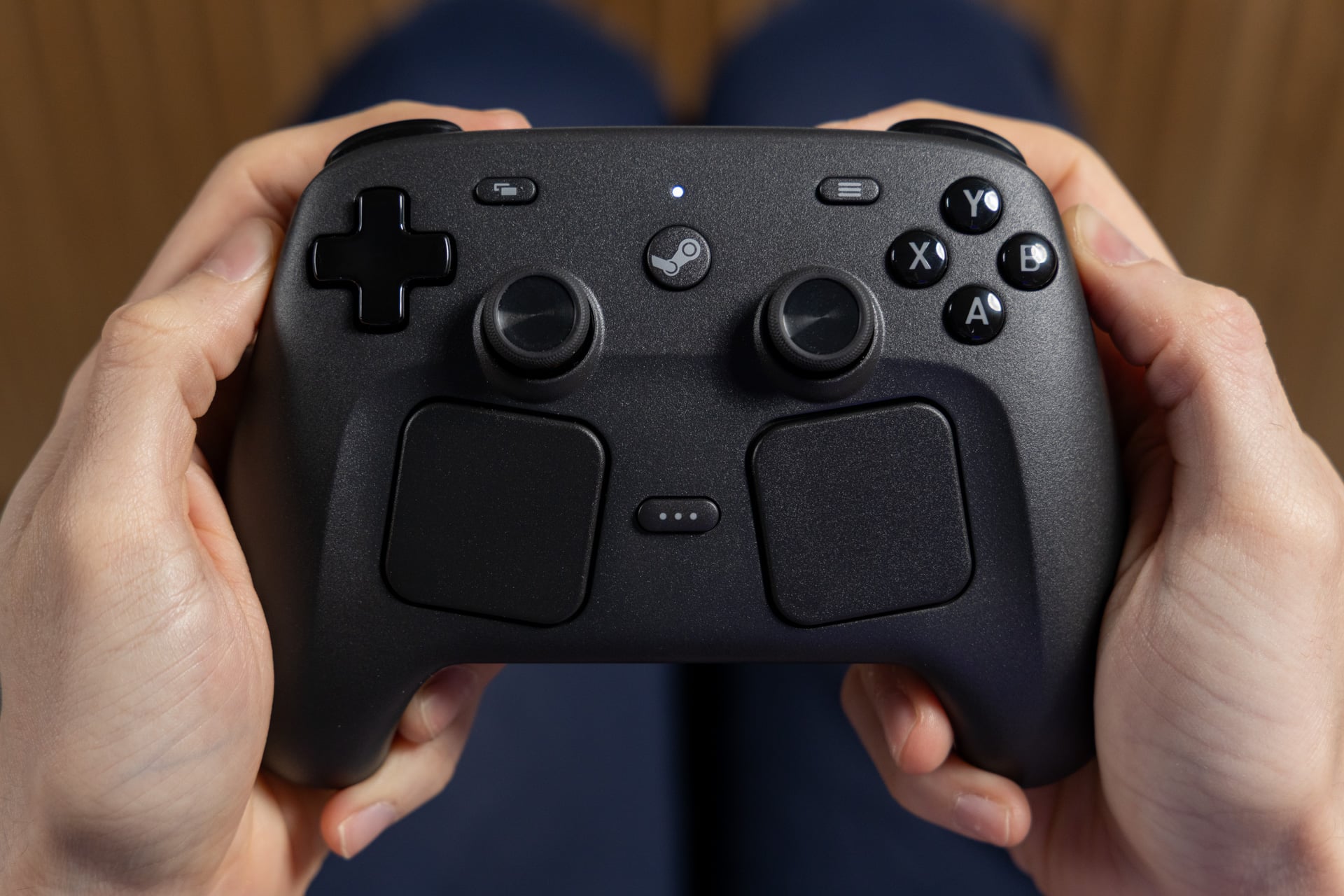
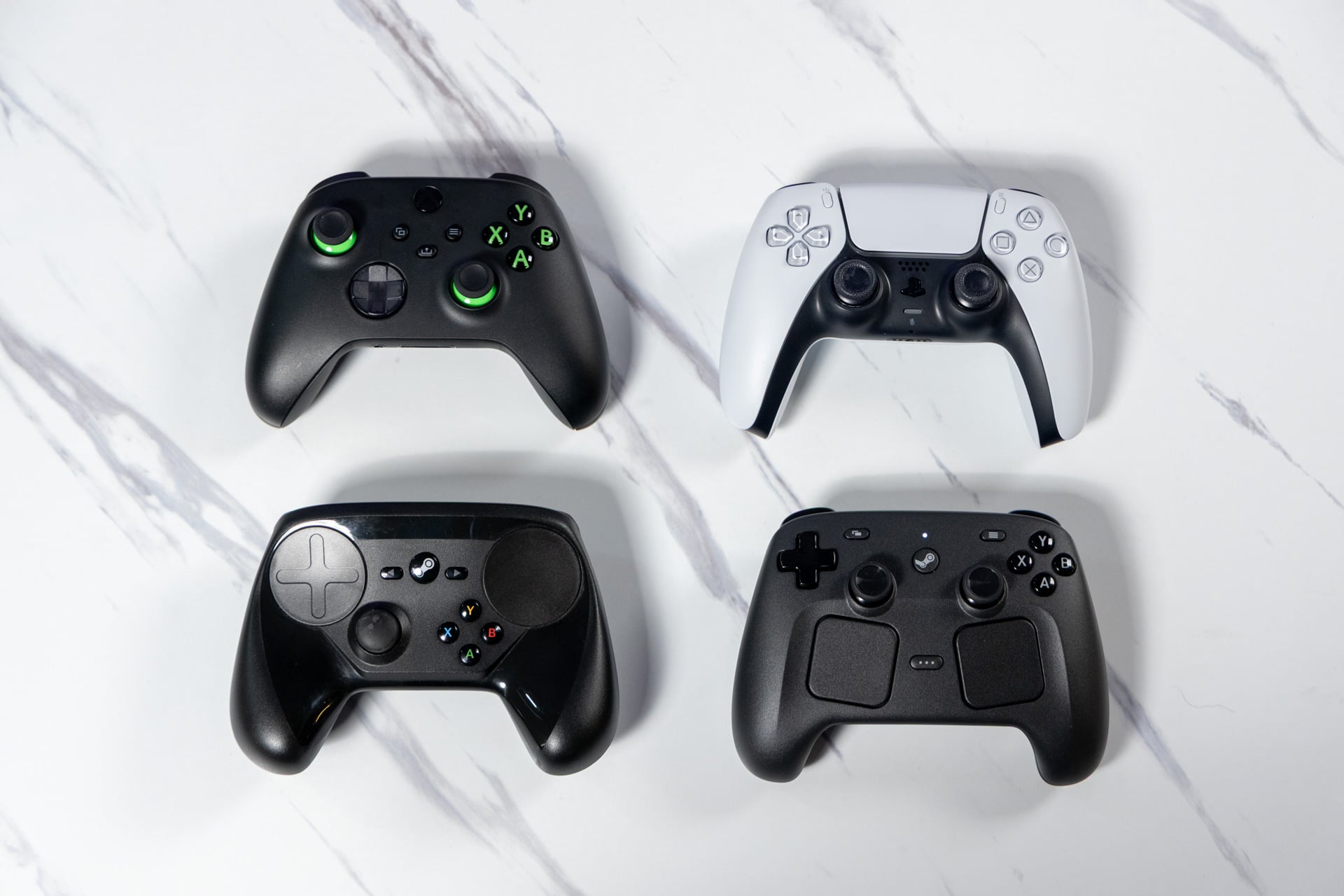
If you ever used the original Steam Controller that first hit the scene back in 2015, you may remember the massive satellite dish trackpads that replaced the traditional thumbsticks. The controller also had a bowl shape that turned off traditionalists who preferred the classic Xbox layout. The new Steam Controller feels far more natural for anybody used to a PS5 DualSense-like design. The controller uses symmetrical thumbsticks, unlike an Xbox controller with its left stick above the D-pad.
It’s a factor of first impressions. Our eyes imagine the controller is bigger and less ergonomic than it actually is. If you compare the size, it’s equivalent in width and height to a PS5 controller. The difference is the two trackpads that push the thumbsticks up until they’re nearly parallel to the face buttons. My hands wrapped around it and found their comfort positions near instantly. Folks in my office with smaller hands immediately complained about having to flex their fingers to reach the sticks and face buttons.
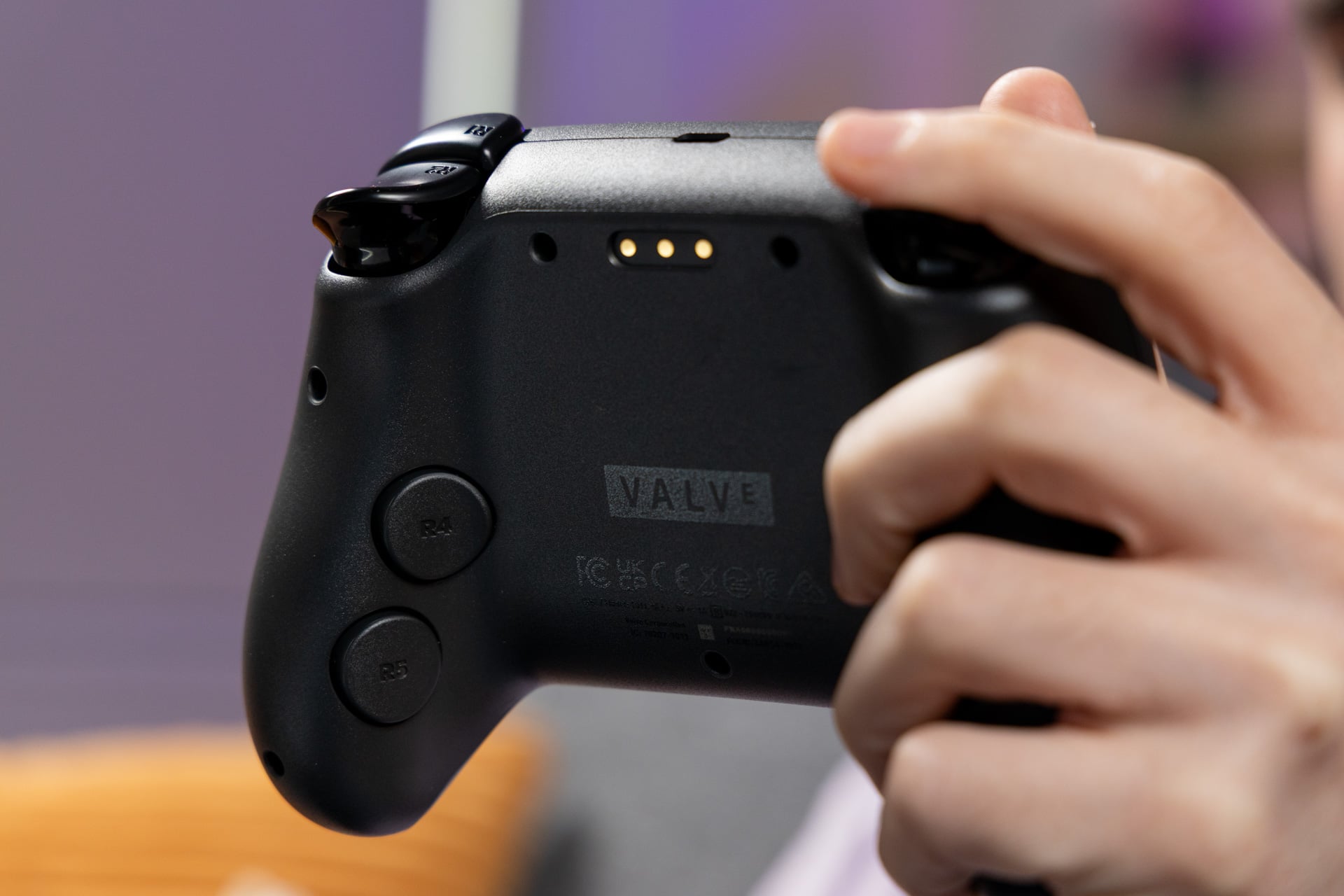
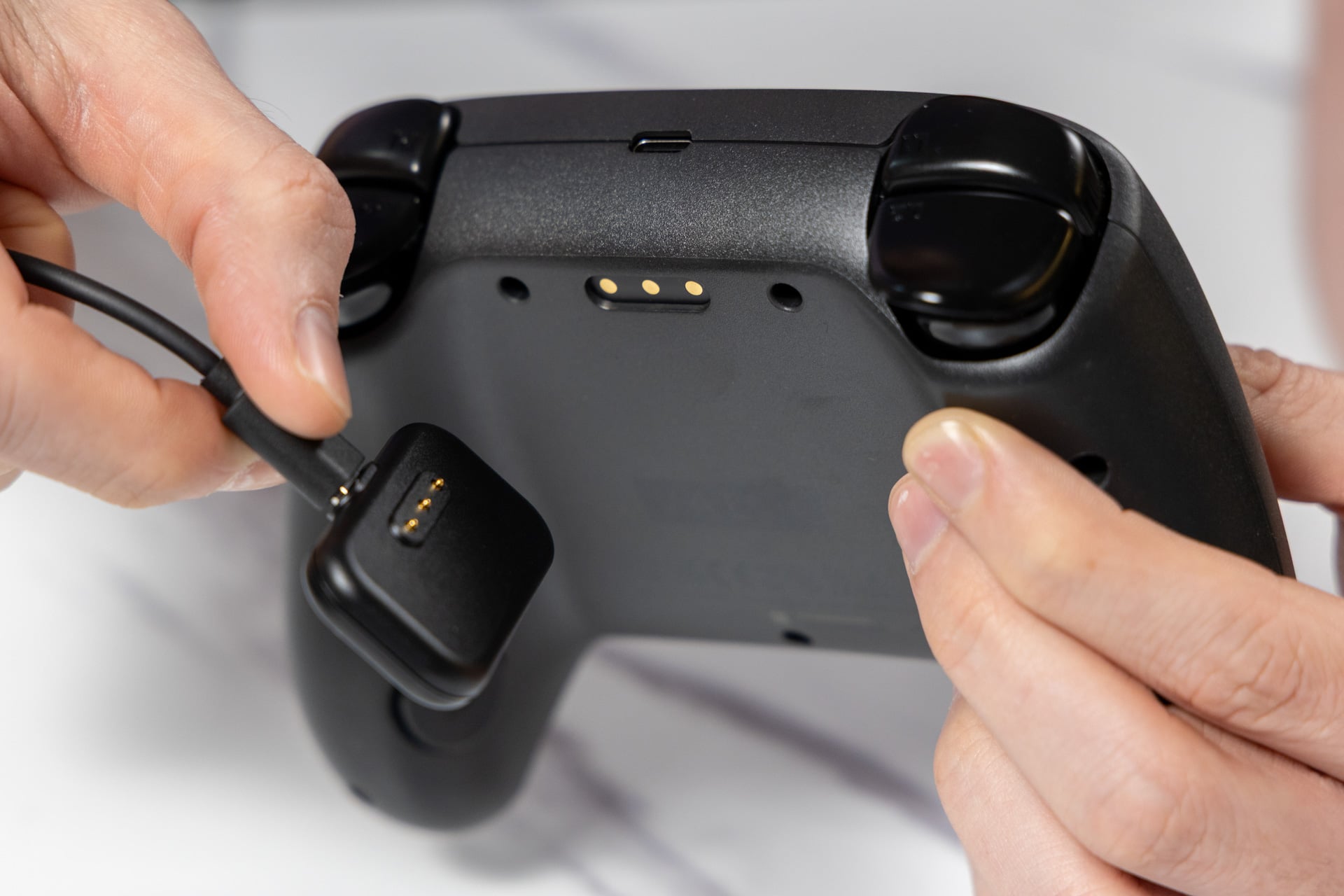
The Steam Controller is not heavy at 292g, or just a little more than 0.6 pounds. It’s barely any more than a DualSense controller, and it still comes with a larger 8.39 Wh battery. Alongside the gamepad, you also get a charging puck that doubles as the controller’s 2.4GHz connection point. That magnetic puck needs to connect to the Steam Controller in a specific way, with the cable going out and above the controller. A charging station, like the 8BitDo Pro 3’s cradle, would have offered a better way to display the controller without needing to flip the puck around.
In our interview, Griffais told me that the puck was designed for any kind of tabletop. The crafty Steam community will likely create files to 3D print your own cradle with a slot for the Steam Controller puck. You can connect up to four Steam Controllers to a single puck. The Steam Machine, when that eventually arrives, will have the puck’s capabilities built in, so you can connect all your controllers and leave the puck out of sight.
Valve claims you should get more than 35 hours of playtime. After several multi-hour play sessions throughout the past two weeks I blew past the 25-hour mark, and it was still going strong. This should be a long-lasting controller, and with the easy-to-access charging puck, you shouldn’t come across too many scenarios where you run out of juice. If only there were an easier way to track your Steam Controller’s battery percentage inside Steam’s UI.
A PC gamer’s kind of controller
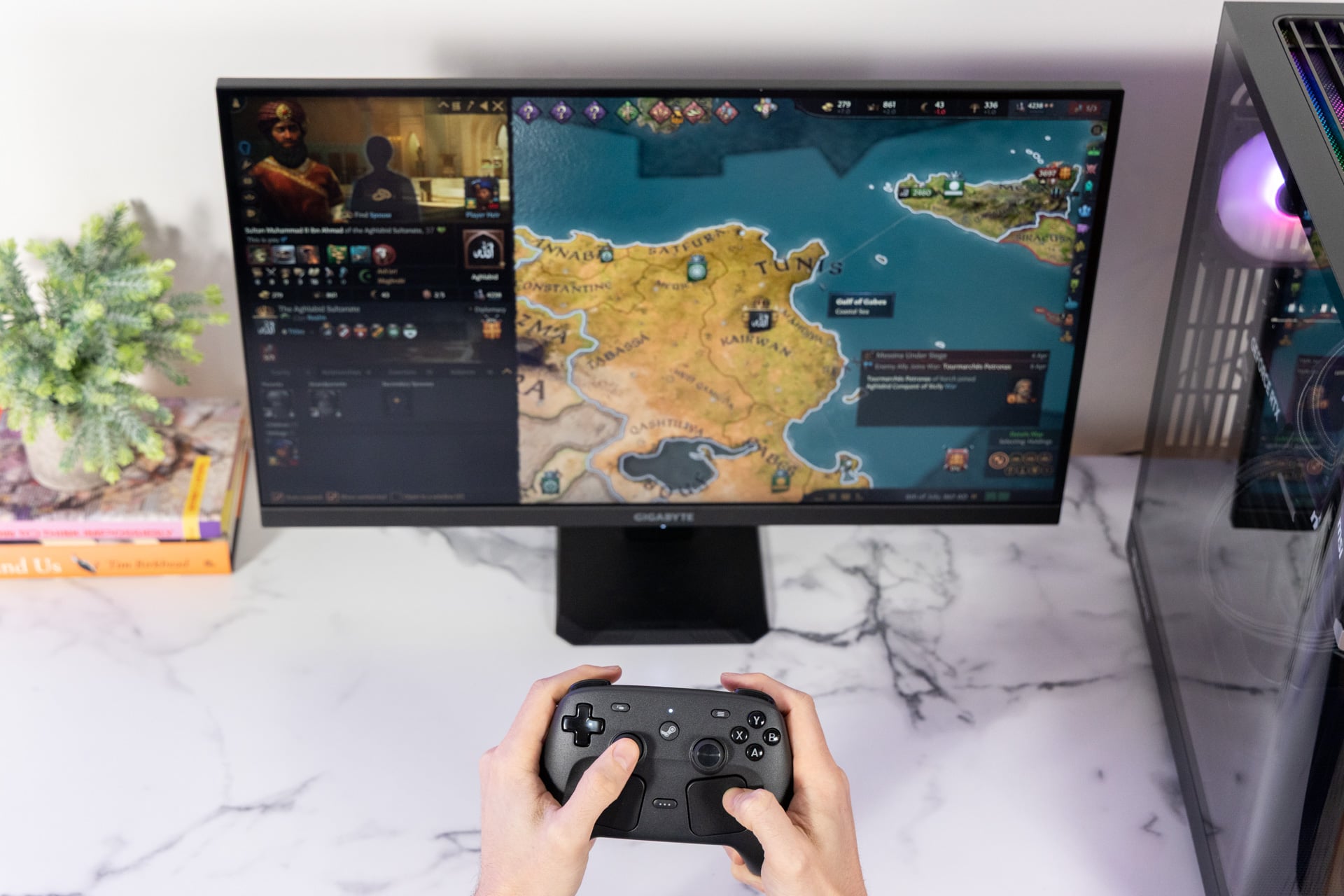
There won’t be any variety of PC controls that could offer anywhere close to the breadth of options as the keyboard and mouse setup. But beyond any other device of this shape and size I’ve used, the new version of the Steam Controller will let you play the kinds of genres that—for too long—were too cumbersome on console-like setups, such as CRPGs (top-down computer role-playing games) and RTS (real-time strategy) titles.
I sat back on my couch and ran through RTS games like Total War: Warhammer III. After I finagled the control setup, I managed to find a mode where I could zoom in and out and then select units with the right trackpad. The left and right triggers became my let and right click buttons, respectively. I had to assign some camera controls to the four back buttons, then remember which key did what. I also had to rely more on pausing to direct units than I otherwise would with a mouse.
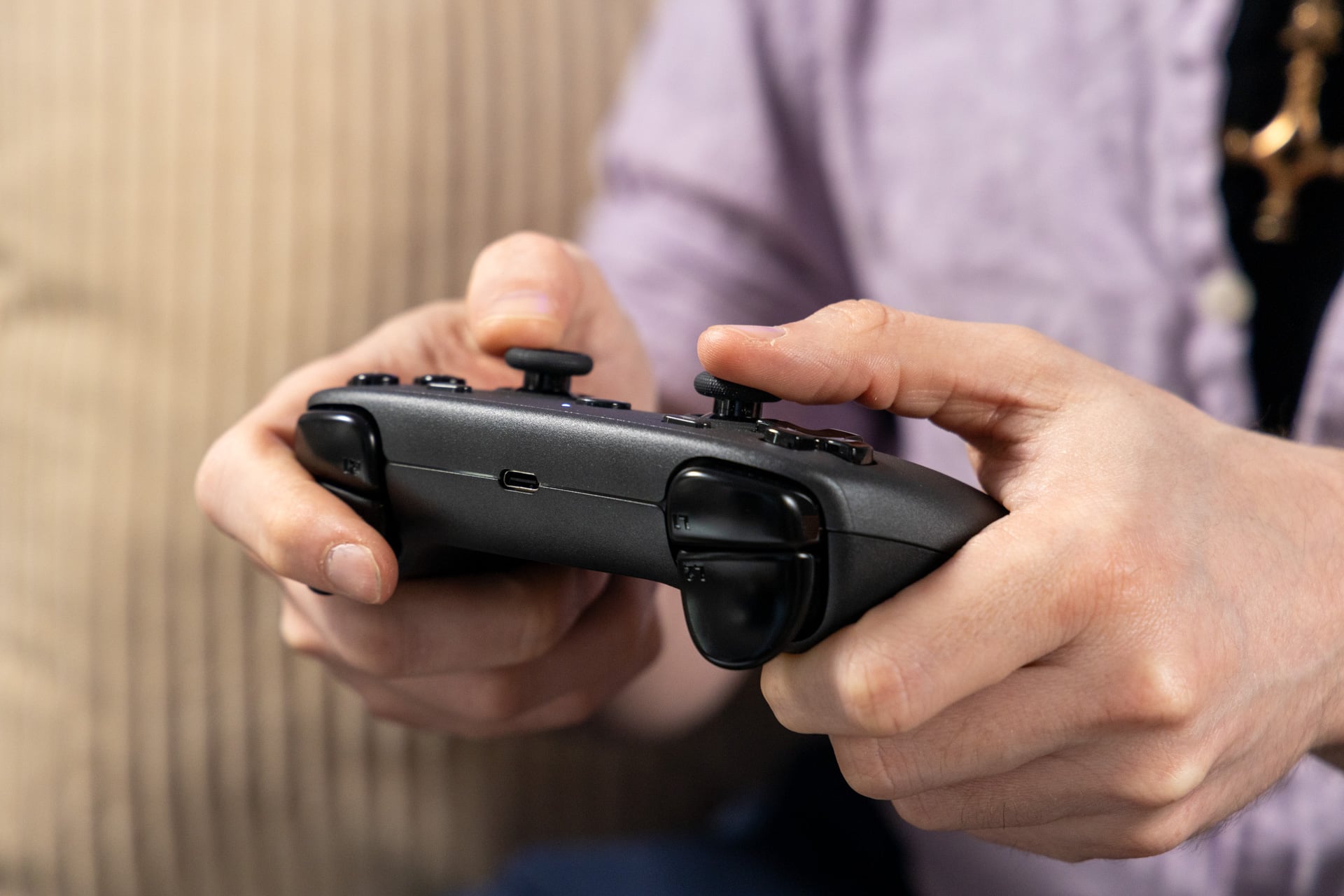
The fact that so many of these types of games default to triggers for mouse clicks made me wonder why Valve didn’t install an option for instant triggers. This would have shortened the actuation point to make each more “clicky.” Griffais told me Valve would rather players use the Steam controller settings software to customize their triggers’ actuation points. Software cannot replace the tactile benefits of a physical limiter.
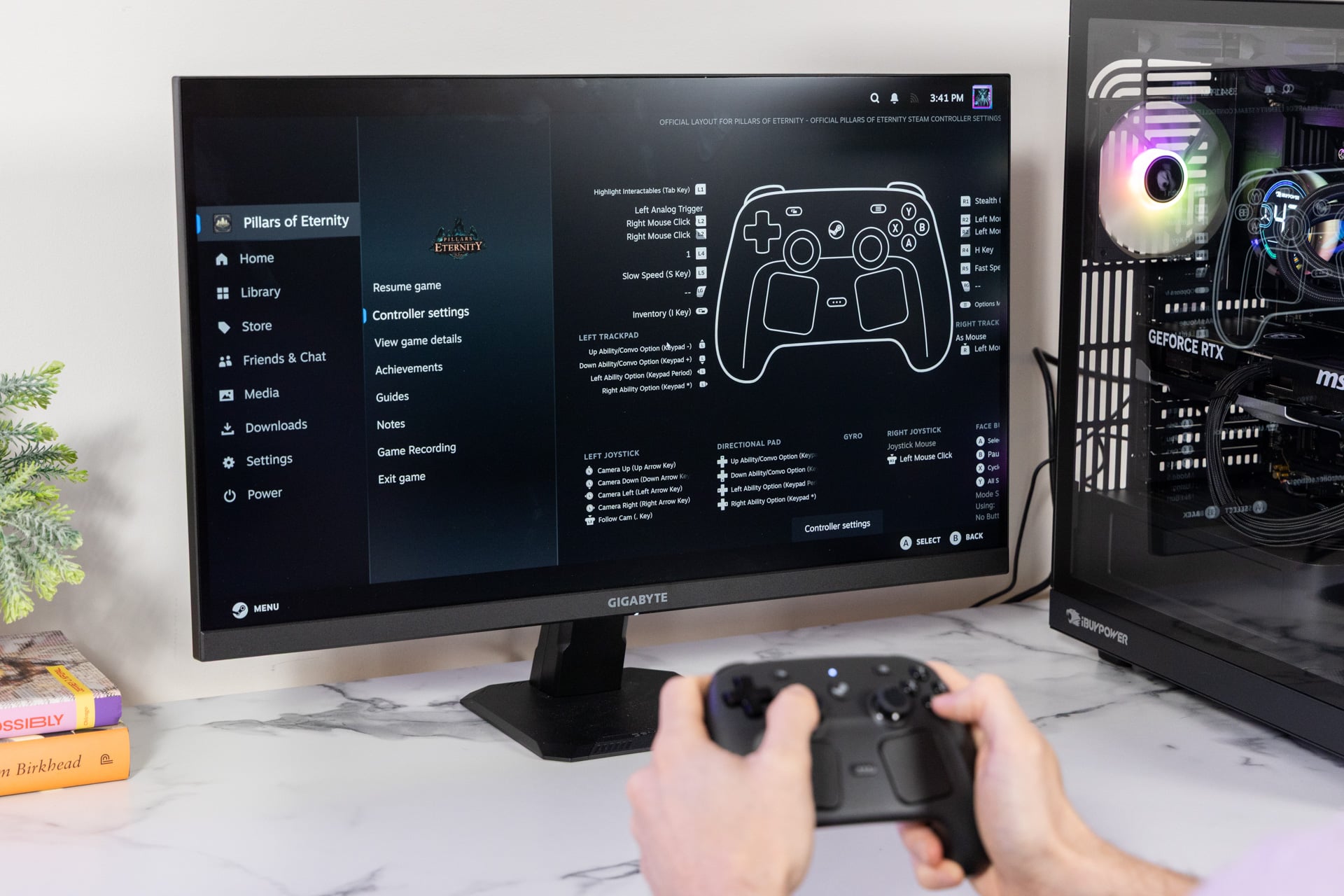
There are few games that support the new Steam Controller natively. In my searching through the wealth of my Steam library, the games that worked best out of the box were games built for the original Steam Controller. The 2015 CRPG Pillars of Eternity used the trackpads as your mouse cursor and the triggers as your left and right clicks. The addition of another joystick doesn’t matter that much in this game specifically.
You can transfer the pad-as-mouse scheme to modern top-down isometric RPGs, like Baldur’s Gate III. I had originally played the game in co-op with my brother, with me on a Steam Deck and him on the PC. My turns would inevitably take more time than his. The gamepad controls for Baldur’s Gate III grew more awkward the more items I had to cycle through in my inventory. The Steam Controller offered the best of both worlds. I could easily access my hotbar for all my abilities without shuffling through a million item wheel menus.
The Steam Controller is easily the most customizable PC gamepad available for Steam fanatics. You can set the actuation point of the triggers. You can even set up a touch menu for one or both trackpads and assign specific in-game commands to it. It takes time to set up as you click through half a dozen menus to figure out what works for you. It meant I could play Baldur’s Gate III and access all the various crafting, map, and alchemy menus without having to take up precious buttons. Let’s put it this way: Baldur’s Gate III is worth a replay on a 4K TV, especially now that Astarion’s sexy vampire saga continues with a prequel book.
The problem is getting to that point. You need to get familiar with Steam’s controller settings. You have to individually go through and assign each key and trackpad input. You can cheat by first opting for a community-made control scheme made for the Steam Deck, if you can find one that’s available. Either way, to get your perfect play experience, you need to be ready to fine-tune your controls for every single game you play.
You need to care about Hall effect
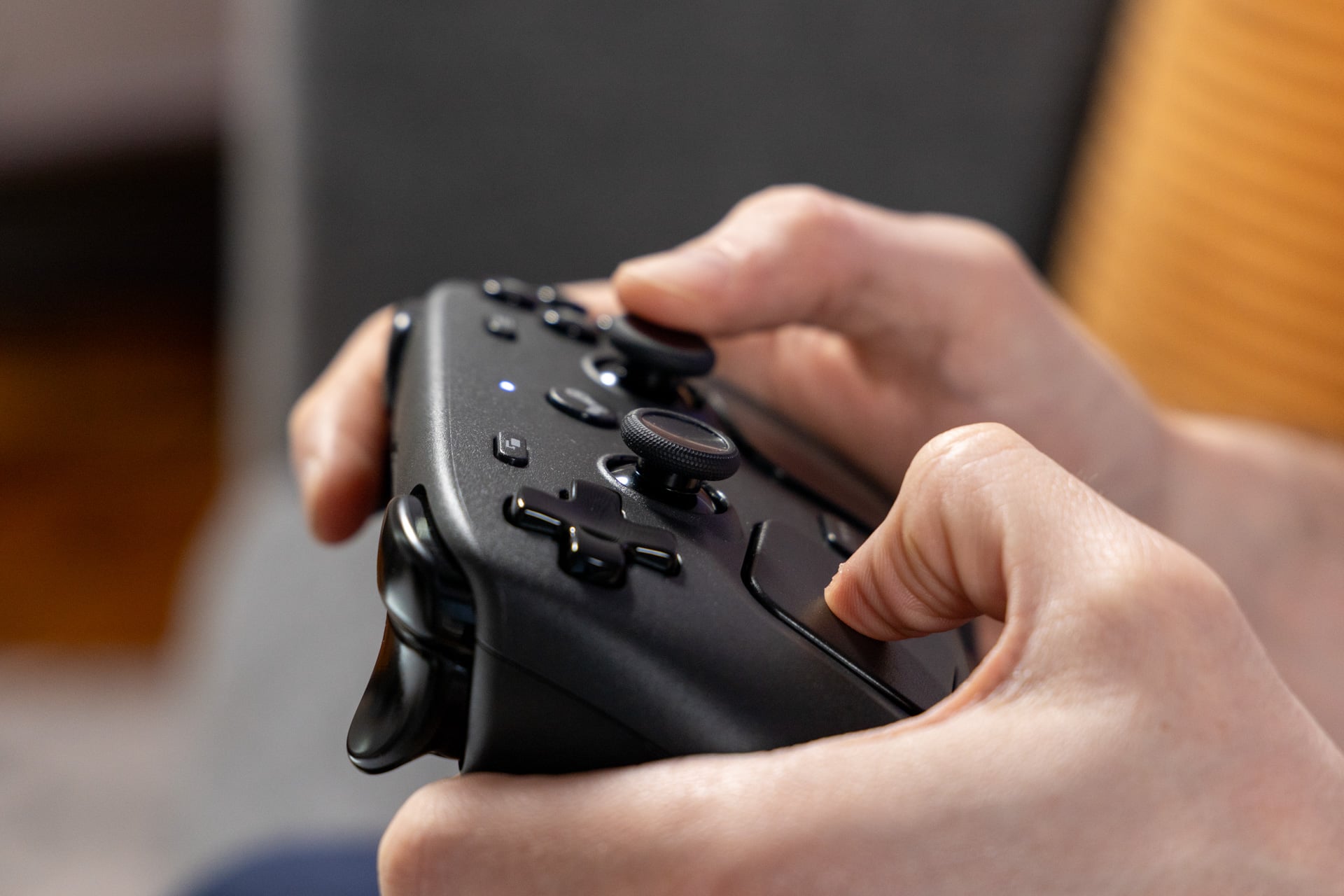
All first-party controllers, whether they’re PlayStation, Xbox, or Nintendo Switch, use a type of joystick that will eventually break. That’s because they use potentiometer joysticks, which use physical connections to recognize the stick’s orientation. This will wear over time. Dust and other debris may seep in and cause the dreaded “stick drift” problem. This causes unintended inputs and makes the controller feel unplayable.
The majority of third-party controllers have switched to Hall effect-style joysticks. These use magnetic sensors to determine stick orientation. They’re far less prone to stick drift. Now, the new hotness is TMR, aka tunneling magnetoresistance—sticks, which Valve used in the Steam Controller. The technology measures the electrical resistance caused by magnetic fields. This means the stick’s inputs are precise, energy-efficient, and drift-resistant. I’ve used Hall effect controllers whose sticks felt thin. The Steam Controller’s joysticks have the right amount of resistance to add a tactile feel to your movements.
The controller’s other buttons also feel on point. The A, B, X, and Y buttons all have a light, solid thunk on every press without sounding overtly clicky. The D-pad is relatively small for my hands, but it also has a sharp maneuverability that resists accidental diagonal inputs. The Hall effect analog triggers have a springy sound to them that may prove distracting to some, but I enjoyed the feel of them all the same. The back buttons also seem perfectly placed for my size of hand. They’re more clicky than what I found on the Steam Deck.
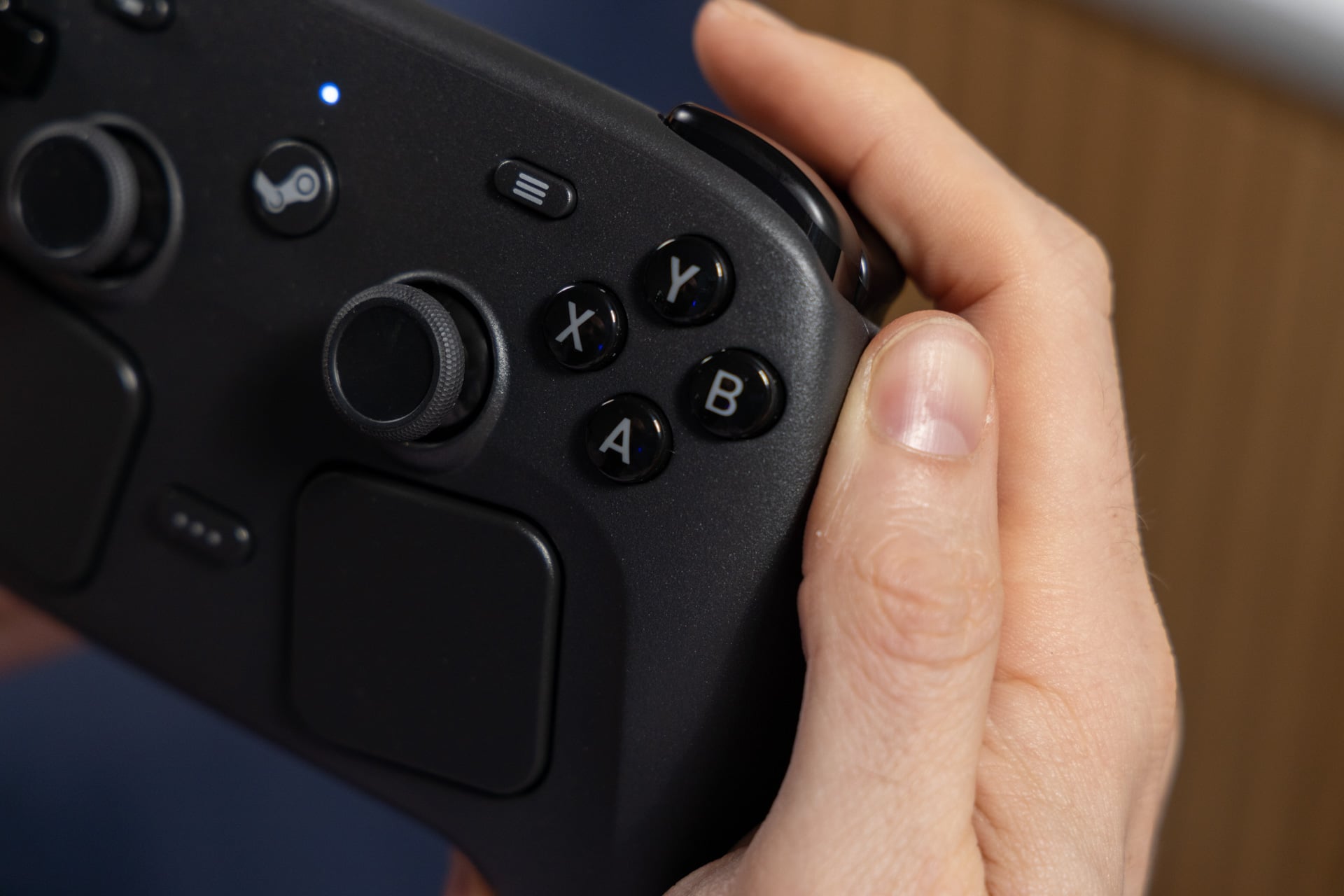
The trackpads are still the star of the show. These are subtly improved versions of what you get from the Steam Deck. They work well on a screen the size of a TV as well as on a teenier monitor. The subtle haptic clicks behind the trackpad help you know where your fingers are at any time. The only awkward thing about them is trying to click by pushing in the pad. It’s so sensitive that trying to select a dialog option in an RPG your cursor may accidentally slide off its intended target.
I prefer my controllers with more oomph in their rumble. The Steam Controller feels a little light on that end, but there is a subtle variation to the effect that easily matches the best from the Switch 2 Pro controller and PS5 DualSense. The gyro, however, feels less refined. It’s supposed to be enabled with a “Grip Sense” function that activates gyro when you release your fingers from around the controller then return your gip. I could rarely get the Grip Sense feature to activate on command however I tried holding the controller. You can change the sensativity of Grip Sense, so you may find use for it beyond activating gyro controls.
It’s not that gyro isn’t precise. After some fine-tuning, I could aim with gyro and trackpad together, making it easy to sweep around and line up headshots. The larger problem, again, is how you have to change every individual game’s controller settings to enable it.
Does this controller turn your PC into a console?
The Steam Controller, despite releasing before the Steam Machine, won’t turn your PC into the dream console you had hoped for. The gamepad won’t wake a plugged-in PC from sleep. If your computer is on, you hit the Steam button once to bring up the Steam app and again to load in Big Picture Mode. The larger picture makes navigating your games with a controller easier. Then, inevitably, you’ll want to change volume sources or adjust some Windows setting you can’t access without closing out Big Picture Mode or hitting Alt+Tab on a keyboard.
The Steam Controller gets you partway to a better PC gaming experience. You can navigate various pop-up game launchers with ease, thanks to the trackpad. I didn’t get the opportunity to test the controller on another device running Bazzite, itself another Linux-based OS that emulates SteamOS. If this controller and the Steam Machine include features like Steam Deck’s instant sleep and wake-up, I imagine it will be the most comfortable way to play your Steam library.
Microsoft plans to add a gamepad-native mode to Windows 11. The new UI is based on what we already saw from the Asus ROG Xbox Ally. The latest Windows Insider build has this “full-screen experience” enabled, so we’ll have an opportunity to test it soon. It likely won’t have any controller wake up functionality. For that, you’ll need to wait for a Steam Machine running the Linux-based SteamOS.
Traditions exist for a reason. The mouse and keyboard offer far more minute controls than any controller can. The Steam Controller is a simulacrum. It’s all the more clear since you have to change settings in every game you play.
But as I grow older and simultaneously come to terms with a life of constant pressures, stress, and an aging body, the last thing I want to consider is propping myself upright in a chair, like a Micro Center mannequin, just to enjoy my favorite pastimes. The Steam Controller may be the perfect companion to the Steam Machine, eventually. Even without that console, Valve’s second go at a controller offers nearly everything I want. If I ever find a Steam Controller (let’s call it a Steam Controller Pro) with instant triggers, I’ll be in PC gaming heaven.