If you have an iPhone, iCloud is already there. It backs up the phone and syncs your photos, and once the free storage fills up, more space requires a monthly plan. pCloud works on an iPhone too, with the option to pay for storage once. Which one should you use for your photos and files?
I used both side by side, timed the same large file on each, and set up pCloud’s photo upload on an iPhone. One of them wins on most things, but the other does a couple of jobs that no alternative can, and those may decide it for you. I scored each round separately, starting with the apps.
pCloud vs iCloud: The Short Answer
My pick is pCloud. It’s faster, keeps file history, protects share links, and offers lifetime plans.
- Pick pCloud if you have a growing photo and video library, use Android or Linux devices too, or want to stop paying a monthly bill.
- Pick iCloud if you want full iPhone backups, Live Photos kept intact, or free end-to-end encryption for what you store.
- Or use both. Keep iCloud’s free tier for phone backups and move your photos and files to pCloud.
pCloud vs iCloud: Quick Comparison
| pCloud | iCloud | |
| Storage sizes | 500 GB, 2 TB, 10 TB | 50 GB, 200 GB, 2 TB, 6 TB, 12 TB |
| 2 TB price | $99.99 a year or $499 once | $9.99 a month |
| Free storage | 2 GB, up to 10 GB | 5 GB |
| Apps | Windows, Mac, Linux, iPhone, Android | iPhone, iPad, Mac, Windows |
| 2 GB upload / download | 15:14 / 1:45 | 16:48 / 1:53 |
| File history | 15 to 30 days, or a year with an add-on | Not kept for most files |
| Maximum file size | No limit | 50 GB |
| End-to-end encryption | Crypto Folder only, paid add-on | Free, with Advanced Data Protection |
| Full iPhone backup | No | Yes |
Apps and Ease of Use
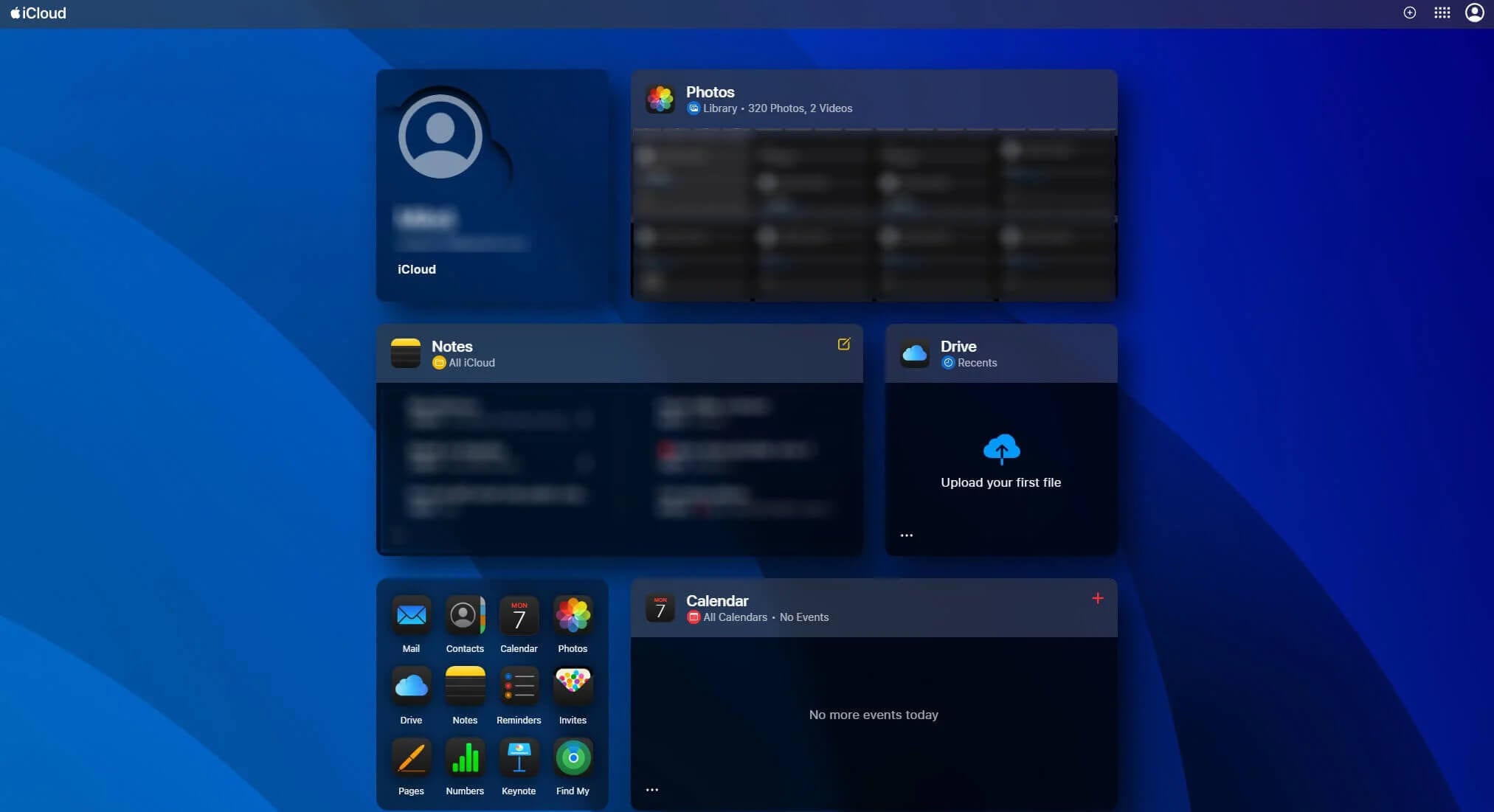
iCloud is part of iOS, iPadOS, and macOS, so there’s nothing to install on Apple devices. Photos, iCloud Drive, Notes, and Contacts sync in the background once you sign in. A Microsoft Store app brings iCloud Drive and iCloud Photos to Windows PCs, but there’s no app for Android or Linux, only iCloud.com in a browser.
pCloud has apps for Windows, Mac, Linux, iPhone, and Android, plus a web app. Its desktop app adds pCloud Drive to File Explorer or Finder, and files download only when you open them, so even a 2 TB account barely touches the disk. Apple’s Files app lists pCloud too, so you can attach cloud files to emails from any app.
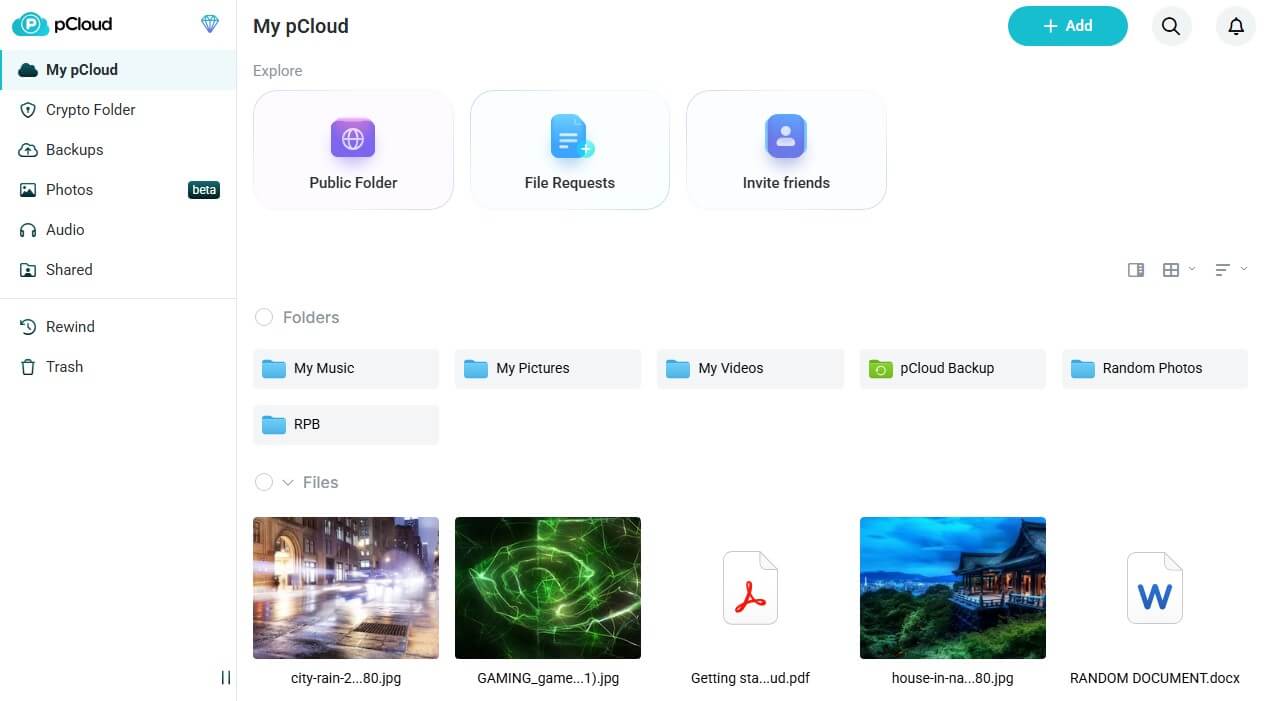
Both web apps are clean and easy to learn. iCloud.com adds Apple’s own apps, such as Notes and Pages, while pCloud’s web app focuses on files, music, and photos. The pCloud review covers each app in more detail.
Winner: pCloud
pCloud has native apps for Linux and Android too, alongside Windows and Apple devices. Outside Apple devices, iCloud offers a Windows app and a website, nothing more.
Features: File History, Sharing, and Editing
File History
pCloud keeps deleted files and earlier file versions for a set period:
- Free accounts: 15 days
- Premium and Premium Plus plans: 30 days
- Business plans: 180 days
- Extended File History add-on: one year
Rewind can also return the account, or specific folders, to any date in that window, for example to recover files that ransomware encrypted. iCloud Drive keeps no version history for most files, so an overwritten file usually can’t come back. Pages, Numbers, and Keynote documents have their own version browser, and deleted files stay recoverable for 30 days.
Winner: pCloud
Sharing Files
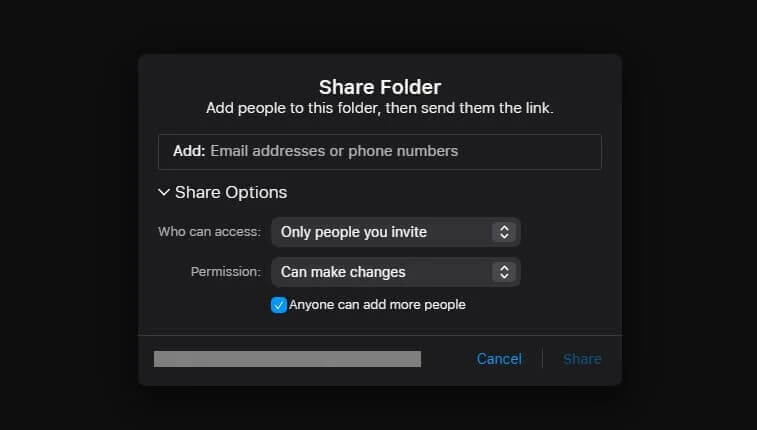
Like most cloud storage services, iCloud lets you share a public link or invite named people, each with view-only or editing rights. Recipients can download a file without an Apple Account, but there’s no option for a password or an expiry date, so avoid public links for private files.
On paid pCloud plans, a shared link can require a password, stop working on a set date, and show your own logo and cover image. Each link shows its download count, and file requests work in reverse, collecting uploads from clients into one folder that they can’t browse.
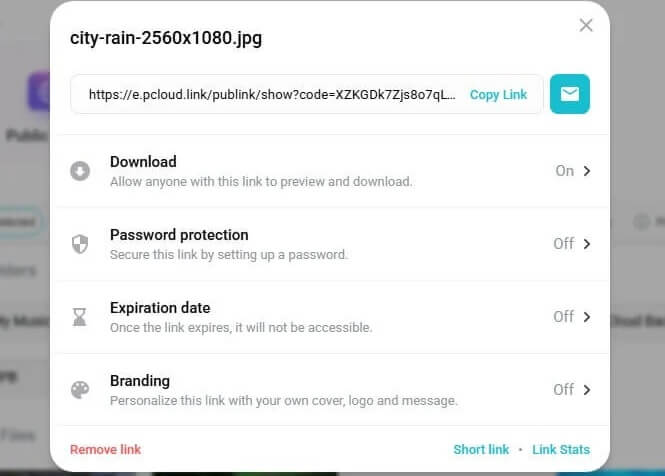
Winner: pCloud
Document Editing and File Size
Apple’s Pages, Numbers, and Keynote support group editing on Apple devices and iCloud.com, but each editor signs in with an Apple Account. pCloud added browser editing in September 2026: pCloud Docs opens Office formats, PDFs, and text files on paid plans and saves them in their original format. Files of any size upload to pCloud.
iCloud Drive’s cap of 50 GB per file affects video storage most: a 4K iPhone recording at 60 fps (frames per second) passes 50 GB in under two hours. pCloud’s only monthly limit is on shared-link traffic: 4 TB of downloads by other people on the 2 TB plan.
Winner: pCloud
Extra Features
pCloud plays music and video in its apps, builds playlists, and streams to Kodi and similar players over WebDAV, a standard file-access protocol. It also imports libraries from Google Photos, Google Drive, Dropbox, and OneDrive, and backs up a home NAS, a network storage drive, on a schedule. Paid iCloud+ plans include extras that aren’t about storage: Private Relay hides your IP address in Safari, Hide My Email creates throwaway email addresses, and HomeKit Secure Video stores home camera footage. Both sets of extras are useful, so I’d call this one a tie.
Tie
Winner: pCloud
pCloud takes features with file history, protected share links, and no file size limit. iCloud’s extras protect privacy on Apple devices but don’t add storage features.
iPhone Backups and Apple Integration
An iCloud backup restores a new iPhone or iPad to the state of the old one, with apps, settings, and message history in place. iCloud also keeps passwords in iCloud Keychain and powers Find My, and pCloud can’t do either.

The first time I opened pCloud on an iPhone, it offered Automatic Upload. I could limit it to one media type, skip older pictures, and keep uploads on Wi-Fi. In my iPhone test, pCloud stored each Live Photo as a separate still and video, while iCloud Photos kept the motion. If you shoot Live Photos for the movement, leave them in iCloud.
iCloud also offers a Shared Photo Library, where you and up to five other people add pictures to one collection. The guide to the best cloud storage for photos compares more photo backup services.
Winner: iCloud
No other cloud service can restore a whole iPhone, and iCloud keeps Live Photos intact. pCloud backs up photos and files well but can’t replace a device backup.
pCloud vs iCloud Speed Test
I timed the same 2 GB file going up and coming back down during my October tests, once through pCloud Drive and once through iCloud for Windows. The Windows 11 PC in Europe had a baseline of 19.69 Mbps for uploads and 187.95 Mbps for downloads.
| pCloud | iCloud | |
| Upload | 15:14 | 16:48 |
| Download | 1:45 | 1:53 |
| Upload speed used | 96% | 87% |
| Download speed used | 87% | 81% |
pCloud finished the upload 1 minute 34 seconds sooner, and no service I’ve timed with this file uploaded slower than iCloud. Downloads were 8 seconds apart, too close to notice. pCloud also had the lowest combined time on the fastest cloud storage page, and iCloud uploads have been slow in my everyday use too.
Winner: pCloud
pCloud was faster in both directions, and the difference is largest on uploads: pCloud used 96% of my upload speed, iCloud 87%.
Security and Privacy
In their default setup, Apple and pCloud can decrypt what you store, because each keeps the keys. Both offer two-factor login, which requires a one-time code after your password. The difference is in the extra protection each one includes or sells.
iCloud
Apple’s free Advanced Data Protection switches iCloud Drive, Photos, Notes, and iPhone backups to end-to-end encryption, locking Apple out of them. Turning it on requires a trusted recovery contact or a printed recovery key, because Apple can no longer restore access for you. UK accounts can’t use it after Apple pulled the feature there in 2025, and in other countries it stays off until you enable it.
Advanced Data Protection doesn’t cover iCloud Mail, Contacts, Calendar, or files shared through public links. With it on, browser access at iCloud.com stays off until you allow it. In December 2022, Apple dropped its plan to check iCloud Photos uploads against known abuse images. The 2014 celebrity photo leaks came from accounts broken into with stolen passwords, a risk that two-factor login now covers.
pCloud
pCloud is a Swiss company, and accounts choose a US or EU data region at signup. Files are encrypted with AES-256 on its servers and protected by TLS in transit. AES-256 is the encryption standard banks and governments rely on, and TLS secures the connection the same way it does on HTTPS sites. End-to-end encryption covers only the Crypto Folder, and it requires the pCloud Encryption add-on, at about $150 for life or about $50 a year.
A 2024 ETH Zurich paper found that an attacker who controlled pCloud’s servers could plant or rename files in a Crypto Folder and substitute a user’s keys, exposing files uploaded afterward. pCloud called the attacks theoretical and hasn’t announced a fix. A separate February 2026 fault showed some customers the file and folder names of other accounts, an incident pCloud described as small.
Winner: iCloud
Apple’s encryption option costs nothing and covers files, photos, and backups. pCloud’s end-to-end encryption costs extra, covers one folder, and still has published flaws without an announced fix. Services that encrypt every file by default lead the most secure cloud storage list.
Prices and Plans
iCloud’s US prices, charged monthly only:
- 50 GB: $0.99 a month
- 200 GB: $2.99 a month
- 2 TB: $9.99 a month
- 6 TB: $29.99 a month
- 12 TB: $59.99 a month
pCloud sells each size yearly or as a lifetime license:
- Premium 500 GB: $49.99 a year or $219 once
- Premium Plus 2 TB: $99.99 a year or $499 once
- Ultra 10 TB: $299.99 a year or $1,499 once
Over five years, 2 TB costs about $600 on iCloud and just under $500 on pCloud’s lifetime plan, and pCloud costs nothing more after that. At the top end, pCloud’s 10 TB lifetime license costs the same as 25 months of iCloud’s 12 TB plan. Both share storage with family: iCloud+ with up to five other people, and pCloud through family lifetime plans. pCloud’s refund window is 14 days, so try its free plan before buying.
Winner: pCloud
pCloud’s yearly 2 TB plan undercuts iCloud’s monthly billing, and its lifetime plans end the bill altogether. pCloud also features in the cheap cloud storage rankings.
Free Plans Compared
pCloud’s free tier begins at 2 GB. Each completed setup step, such as confirming your email or installing an app, adds 1 GB, and referrals cover the last 3 GB, up to 10 GB. Free accounts can’t add passwords to links.
pCloud deletes free accounts left unused for 12 months, so sign in now and then. iCloud’s free tier is 5 GB, shared with iPhone backups, photos, and mail, so photos and backups together fill it quickly. Bigger free allowances appear in the free cloud storage guide.
Winner: pCloud
pCloud’s free tier can grow to 10 GB, and phone backups don’t count toward it.
Can pCloud Replace iCloud?
Partly. pCloud can take over photos, videos, and documents, but not iPhone backups, Keychain, or Find My. A practical setup keeps iCloud’s free 5 GB for device backups and puts the photo library on pCloud. The iCloud alternatives guide explains how to switch.
Verdict
Should you move your photos and files from iCloud to pCloud? For most iPhone users with a growing library, yes. It won five of my seven rounds: apps, features, speed, price, and free storage. Its uploads finished sooner in my test, deleted and overwritten files stay recoverable, and a lifetime plan replaces the monthly bill with one payment. iCloud is still the better choice in two situations.
Its device backups return a new iPhone to the old one’s state, with apps, settings, and messages. Advanced Data Protection also encrypts files end to end for free, while pCloud charges for that protection and the ETH Zurich findings remain unresolved.
If either of those is your priority, stay with iCloud. Otherwise, use both: iCloud for device backups and pCloud for the photo library. Check that every photo arrived before you delete any from your phone.
Frequently Asked Questions
Is pCloud better than iCloud?
Yes, for most photo and file storage. pCloud is faster, keeps file history, protects share links, and offers lifetime plans, but iCloud is still better for full iPhone backups and free end-to-end encryption.
Can pCloud replace iCloud on an iPhone?
Partly. pCloud can back up photos and videos automatically and store documents, but it can’t restore a whole iPhone, sync Keychain passwords, or power Find My, so iCloud’s free tier stays useful.
Is pCloud more secure than iCloud?
No. iCloud’s free Advanced Data Protection encrypts files, photos, and backups end to end, while pCloud charges extra for end-to-end encryption that covers one folder and has published weaknesses without an announced fix.
Is pCloud cheaper than iCloud?
Yes, over time. pCloud’s yearly plans cost less than iCloud’s monthly billing for the same storage, and its lifetime plans replace the recurring bill with a single payment.
Does pCloud work on iPhone and Mac?
Yes. pCloud has apps for iPhone and Mac, adds its storage to Finder and the Files app, and uploads new photos and videos from the iPhone camera roll automatically.
Is pCloud better than IDrive?
For most personal storage, yes. pCloud offers lifetime plans, fast sync, and built-in media streaming, while IDrive focuses on backing up whole computers and phones, which suits users who mainly want device backups.