pCloud and Internxt finished our 2 GB upload test 14 seconds apart, so speed won’t decide between them. Encryption and storage limits will. Internxt encrypts all files locally at no extra cost, while pCloud charges $150 for that protection and covers only one folder with it.
pCloud accepts files of any size, keeps longer file history, and sells lifetime plans up to 10 TB, including family plans for five people. pCloud won four of our six rounds: apps, features, speed, and the free plan. Internxt won security and price.
pCloud vs Internxt: Quick Comparison
| pCloud | Internxt | |
| Lifetime plans | 500 GB $219, 2 TB $499, 10 TB $1,499 | 1 TB €285, 3 TB €435, 5 TB €585 |
| End-to-end encryption | Crypto Folder only, $150 add-on | Every file, every plan |
| 2 GB upload / download | 15:14 / 1:45 | 15:28 / 1:51 |
| Maximum file size | No limit | 10 GB to 100 GB, by plan |
| Deleted files kept | 30 days, or a year with an add-on | 7 to 30 days, by plan |
| Free storage | Up to 10 GB | 1 GB |
| Family plans | Lifetime, up to five people | Per-user subscription |
| Extras | pCloud Docs, music player, Rewind | VPN, antivirus, Send |
| Refund window | 14 days | 30 days |
Apps and Ease of Use
Both services have apps for Windows, Mac, iPhone, and Android, plus a web app, and both add a virtual drive to File Explorer or Finder. Files stay in the cloud until you open them, so a large account takes almost no disk space.
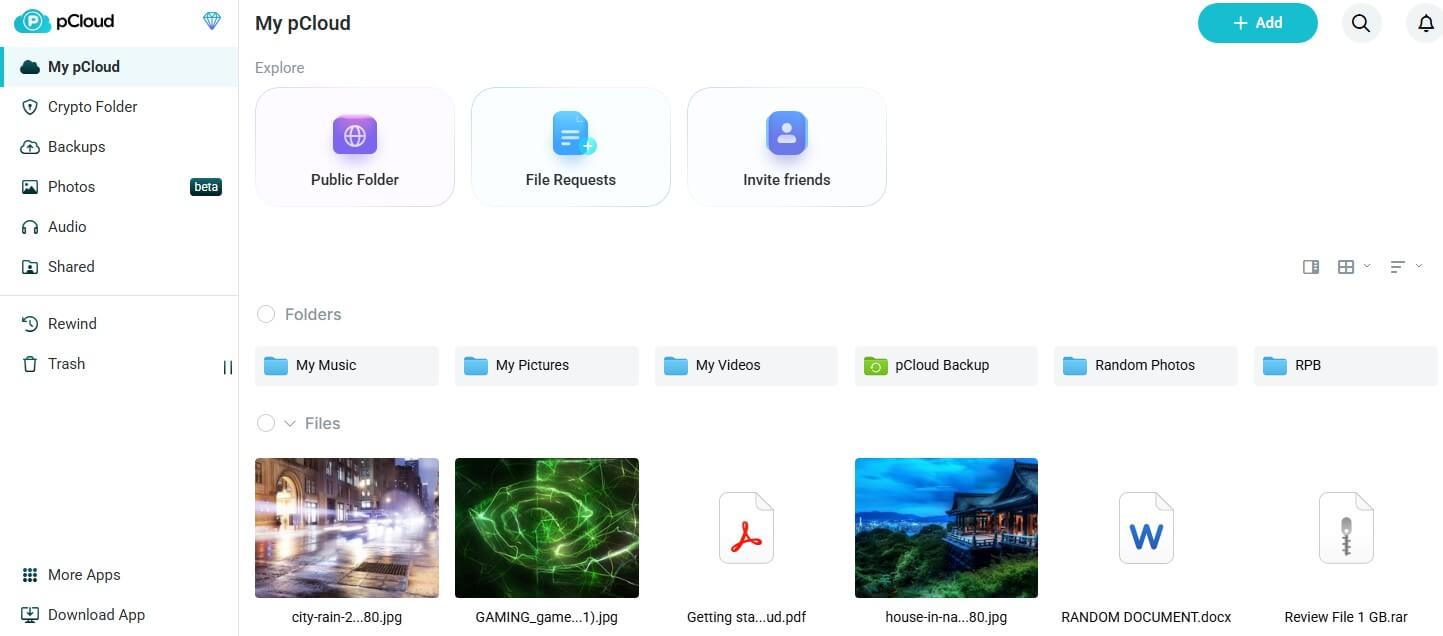
pCloud’s apps do more. The web app plays music and video, builds playlists, and opens Word, Excel, and PowerPoint files for editing with pCloud Docs, added in September 2026. Its phone app offers automatic photo upload during setup and lists pCloud in Apple’s Files app.
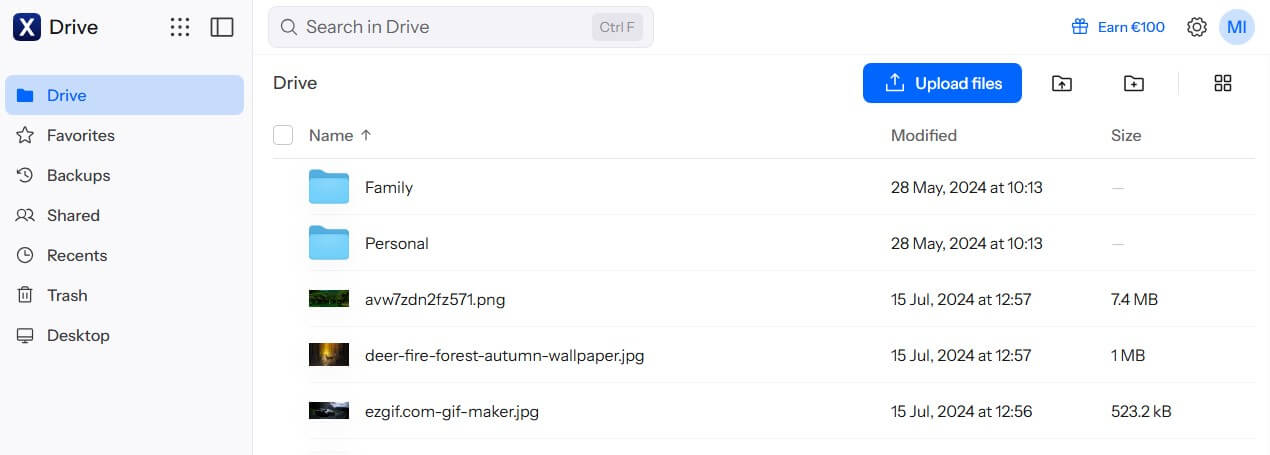
Internxt’s web and phone apps are simpler and focus on files and photos. Each sign-in shows a short pause while the app decrypts your file list. On paid plans, its phone app also backs up photos automatically to Internxt Photos, while free accounts have that option locked.
Winner: pCloud
Both are easy to set up, but pCloud’s apps open and edit more file types in the browser, including Office documents. Our pCloud review covers each app.
Features Compared
File History and Recovery
Paid pCloud plans restore deleted files and earlier versions from the past 30 days, and free accounts from the past 15. The Extended File History add-on stretches that to a year, and Rewind can return the whole account to an earlier date. Internxt keeps deleted files for 2 days on free accounts, 7 days on Essential, 15 days on Premium, and 30 on Ultimate.
Older versions are saved only on Premium, up to 10 per file for 15 days, and on Ultimate, up to 20 for 30 days. They cover PDF, Word, Excel, and CSV files, up to 10 MB on Premium and 20 MB on Ultimate.
Winner: pCloud
Sharing
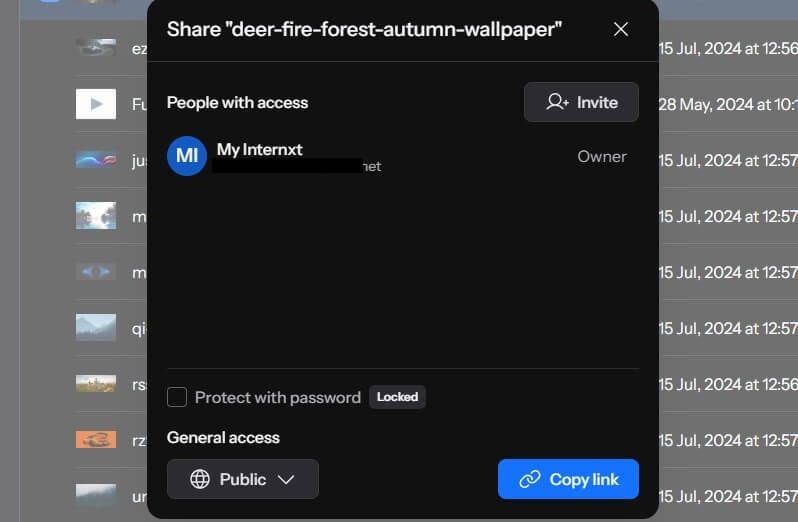
Paid pCloud plans can lock a share link with a password, set it to expire, and brand it with a logo and cover image. Its file request links let other people upload into a folder without seeing the folder’s contents. Internxt protects links with passwords on paid plans and invites people to shared folders by email.
Winner: pCloud
File Size and Backups
pCloud doesn’t limit the size of a single file. Internxt’s free plan accepts files up to 100 MB, and its paid tiers allow up to 10 GB, 50 GB, or 100 GB per file. Long video recordings can exceed those caps. Both back up chosen PC folders, though Internxt reserves computer backup for paid plans.
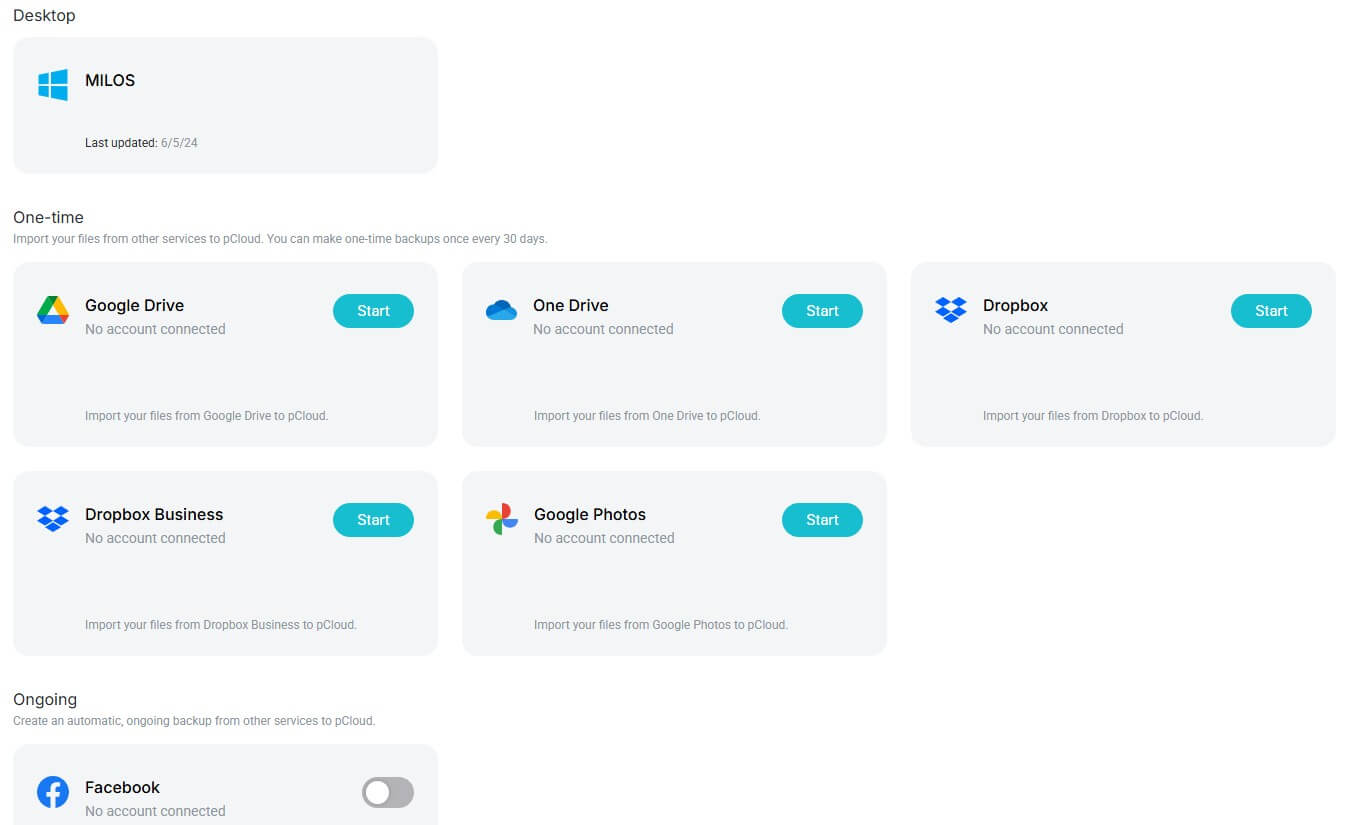
Libraries from Dropbox, Google Drive, OneDrive, and Google Photos can be pulled into pCloud directly. On Internxt, rclone and WebDAV access and network drive mapping come only with the Ultimate plan.
Winner: pCloud
Extra Apps
Internxt’s paid plans include a VPN and antivirus, the Premium plan adds a disk cleaner, and the Ultimate plan adds Internxt Meet for video calls. Internxt Send, a free encrypted file transfer service, works without an account. pCloud sells its extras separately. Its password manager, pCloud Pass, is free on one device, and pCloud Transfer sends large files.
Winner: Internxt
Winner: pCloud
pCloud takes three of the four feature categories with longer file history, richer sharing controls, and no file size limit. Internxt’s VPN and antivirus are useful extras, but they don’t change how the storage itself works.
Speed Test: pCloud vs Internxt
Our October test timed a 500 MB file and a 2 GB file in both directions, using each service’s desktop app. On the test PC in Europe, the connection allowed 19.69 Mbps up and 187.95 Mbps down.
| pCloud | Internxt | |
| 500 MB upload / download | 3:32 / 0:24 | 3:34 / 0:24 |
| 2 GB upload / download | 15:14 / 1:45 | 15:28 / 1:51 |
| Upload speed used (2 GB) | 96% | 94% |
pCloud was quicker by 14 seconds on the 2 GB upload and 6 seconds on the download, and the 500 MB downloads tied. Internxt encrypts each file before upload, so finishing that close to pCloud is a good result. Our fastest cloud storage guide puts both near the top of its ranking.
Winner: pCloud
pCloud’s lead was 14 seconds or less in every test. On a typical home connection, neither service will feel slow.
Security, Encryption, and Privacy
Internxt
Before upload, each Internxt file is encrypted on the device with AES-256, and Kyber-512, a post-quantum algorithm, protects the keys. That applies to free accounts too. Its apps are open source and independently audited, and the company is based in Spain, under the GDPR. Two-factor login is available.
pCloud
pCloud encrypts files on its servers with keys it manages, unless you actually buy pCloud Encryption. That add-on protects one Crypto Folder end to end and is sold as a $150 lifetime license, a $49.99 yearly plan, or a $4.99 monthly plan. pCloud is a Swiss company with data regions in Dallas and Luxembourg, and its apps aren’t open source.
A 2024 ETH Zurich paper described attacks on the Crypto Folder, and pCloud has yet to announce a fix. pCloud also had a February 2026 fault in which some accounts displayed other customers’ file and folder names.
Winner: Internxt
Internxt encrypts everything you store by default, at no extra cost, with open-source apps. Our encrypted cloud storage ranking puts it first for that reason.
Plans and Prices
Both sell lifetime licenses alongside yearly plans. Internxt prices in euros for every buyer, including in the US, and pCloud prices in dollars:
- pCloud lifetime: $219 for 500 GB, $499 for 2 TB, and $1,499 for 10 TB
- pCloud yearly: $49.99, $99.99, and $299.99
- Internxt lifetime: €285 for 1 TB, €435 for 3 TB, and €585 for 5 TB
Per terabyte, Internxt’s lifetime plans cost less. Its 3 TB plan costs about €145 per TB, and the 5 TB plan €117. pCloud’s 2 TB license comes to about $250 per TB. Adding encryption to pCloud’s 2 TB plan brings it to $649, while Internxt includes it. Internxt’s yearly plans come with large first-year discounts, so check the renewal price before choosing one. Internxt also refunds within 30 days, compared to 14 for pCloud.
pCloud keeps two advantages. It sells a 10 TB license, while Internxt’s standard plans stop at 5 TB. Its family plans also cost a single payment for up to five people, $749 for 2 TB at full price. Internxt’s family plans are monthly or yearly subscriptions charged per user. Every plan and sale price is in our pCloud pricing guide.
Winner: Internxt
Internxt offers more storage per euro on lifetime plans, includes encryption, and has a 30-day refund window.
Free Plans Compared
A free pCloud account opens with 2 GB and grows to 10 GB through setup tasks, such as installing the apps, and friend invites. Deleted files can be restored for 15 days. Internxt’s free account is 1 GB with a 100 MB file cap and two days of trash, though its encryption matches the paid plans.
Winner: pCloud
With up to 10 GB, compared to Internxt’s 1 GB, pCloud’s free plan is usable for photos and documents, while Internxt’s works as a trial. For other no-cost plans, check the free cloud storage ranking.
Final Verdict: pCloud Wins, Internxt Is Close
- pCloud is the better everyday service. It has the more capable apps, longer file history, protected links with expiry dates, no file size limit, and the larger lifetime and family plans. It was also slightly faster in both of our upload tests.
- Internxt is the better choice when privacy comes first. It encrypts every file with post-quantum protection at no extra cost, publishes its code, costs less per terabyte, and allows 30 days for a refund.
Choose pCloud for big media libraries and shared family storage, and Internxt for documents that only you should be able to read.
Frequently Asked Questions
Is pCloud better than Internxt?
Yes, for features and large files. pCloud stores deleted files longer and has no file size limit, while Internxt is better for privacy, with end-to-end encryption included on every plan.
Is Internxt more secure than pCloud?
Yes. Internxt encrypts every file on the user's device with post-quantum protection and publishes audited, open-source apps. pCloud charges extra for encryption that covers only its Crypto Folder.
Which is cheaper, pCloud or Internxt?
Internxt costs less per terabyte. Its 3 TB lifetime plan is about €435, while pCloud charges $499 for 2 TB and another $150 for end-to-end encryption.
Which is faster, pCloud or Internxt?
pCloud, by a few seconds. It uploaded a 2 GB file in 15 minutes 14 seconds, compared to 15 minutes 28 seconds for Internxt, and downloaded it six seconds sooner.
Does Internxt have a family plan?
Yes, but it's a subscription charged per user, with separate accounts for each member. pCloud's family plans are one-time payments that cover up to five people.