NordLocker encrypts every file and file name before it leaves your device, on every plan, including the free one. In our November tests, it uploaded a folder of 1,000 photos and videos at close to the full speed of our connection. Everyday use was less convincing. A file we deleted was removed permanently, with no trash to restore it from.
A five-second clip we recorded wouldn’t play in the browser either. A July 2026 rebuild removed lockers and made sharing more flexible, but it also left Mac users without an app. Its yearly plans start low, and the renewal price is much higher.
NordLocker Cloud Storage
NordLocker encrypts every file and file name on the device, on free and paid plans, and uploaded a 1,000-photo folder at close to full connection speed. It has no trash, no file history, no Mac app, and no video or audio previews, and every session requires the cloud password. First-year prices are low, and renewals cost much more.
Pros
- Client-side encryption on every plan, including free
- Encrypted file names
- Fast uploads of large photo folders
- Cloud password protects every session
- Share links with a security code and custom expiry
- Included with NordVPN's Complete plan
- Low first-year prices
Cons
- No trash or version history
- No macOS or Linux app
- No video, audio, or text previews
- No automatic camera upload
- Password prompt on every unlock
- Large price increase at renewal
What NordLocker’s Rebuild Changed
In July 2026, NordLocker replaced its locker system with a new storage engine across the web, Windows, iOS, and Android apps. Lockers were encrypted top-level folders, and every upload had to go into one. Files now upload straight to My Files and can be organized in folders at any depth.
The macOS app didn’t return. NordLocker’s download page offers the Windows app and lists Web Access, iOS, and Android as the other platforms. Local-only lockers, which encrypted files on a computer without uploading them, were discontinued in 2025. Every file NordLocker protects is now stored in its cloud.
Windows, Web, and Phone Apps
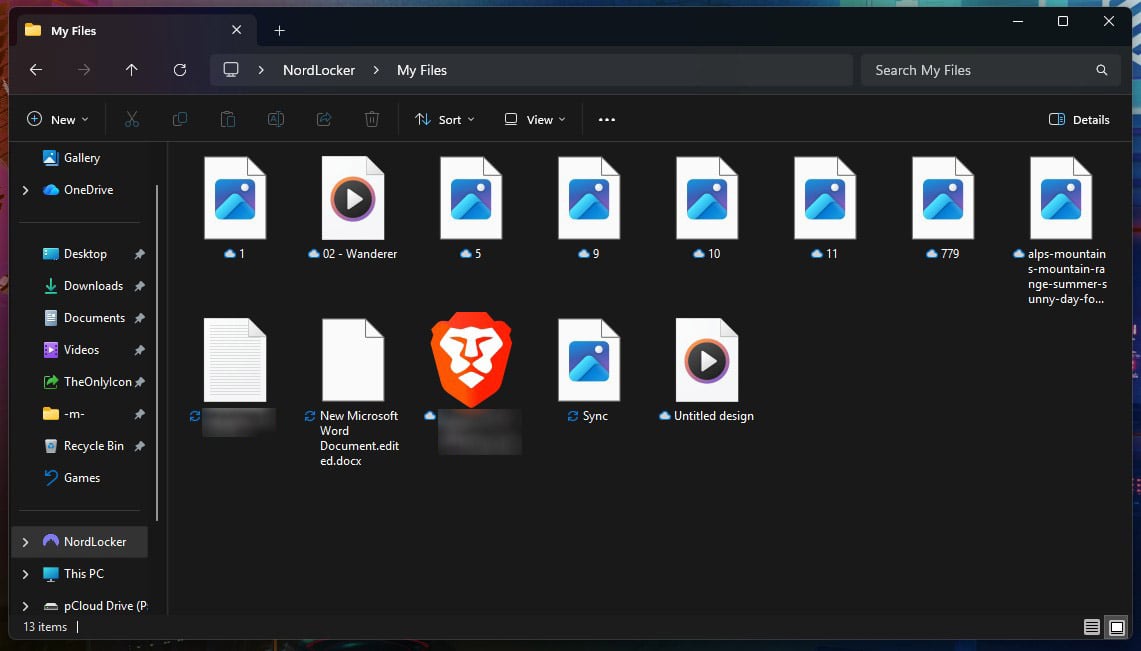
On Windows 11, NordLocker adds a location to File Explorer’s sidebar with a My Files folder in it. Files stay online until opened, and a right-click option, Always keep on this device, stores chosen files on the PC for offline use. Only that folder syncs. NordLocker adds nothing to the right-click menu for other files on the PC.
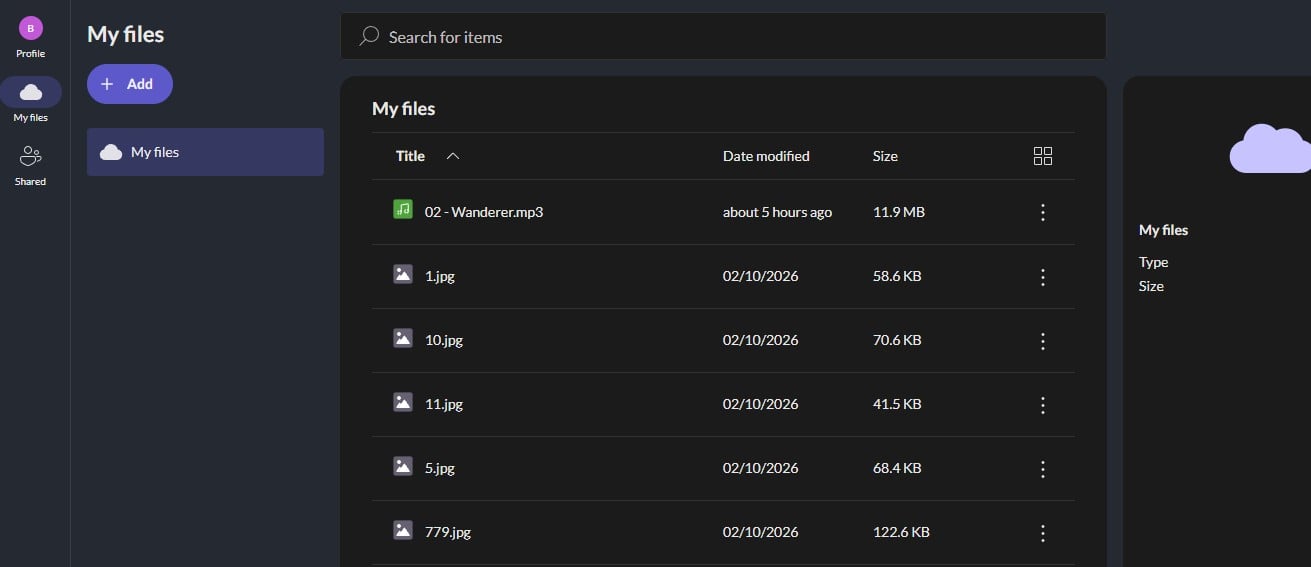
It can’t pair Documents or another folder with the cloud, and has no backup feature. A tray panel shows recent transfers and opens the folder or the web app. On a Mac, NordLocker works only in a browser, and there’s no Linux app. Web Access uploads, renames, moves, and shares files, but it can’t keep a folder in sync.
The iOS app requires iOS 17 or later and supports iPhone and iPad. Automatic photo sync is still in development, so phone photos have to be uploaded manually.
Upload and Download Speed
We timed NordLocker’s Windows app during our November tests, on a PC in Europe with 187.95 Mbps download and 19.69 Mbps upload speeds. We used a 500 MB RAR of songs and video clips and a single 2 GB file. The third test was a folder of 1,000 phone photos and videos, 1.67 GB in total.
| Upload | Download | |
| 500 MB archive | 3:48 | 0:27 |
| 2 GB file | 15:58 | 2:00 |
| 1,000 photos and videos (1.67 GB) | 12:38 | 1:52 |
The folder of 1,000 files was NordLocker’s best result. Its upload used 97% of our upload speed, compared to 92% for the 2 GB file, and every file arrived without an error. NordLocker says its July rebuild made transfers more than ten times faster, with the largest gains on batches of many files. Our folder result fits the second part of that claim.
We have no figures from before the update to check the first. Downloads used less of the connection: 77% on the 2 GB file and 69% on the folder. We downloaded the folder with Always keep on this device. Among the services we timed, only Sync.com downloaded the 2 GB file more slowly. Our fastest cloud storage tests list the times for every service.
File Previews in the Browser
Word documents and PDFs open as previews in the web app, but neither can be edited. Our five-second, low-resolution test clip showed no preview, only a download button, and an MP3 and a short text file looked the same. We had expected at least the clip to play. The iPhone and Android apps offered the same download prompt.
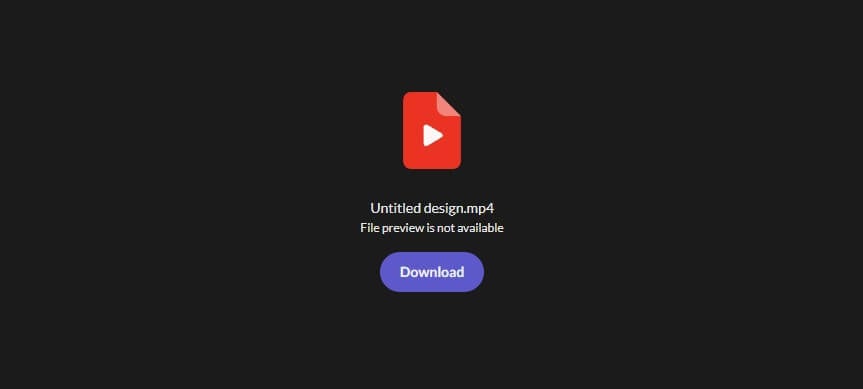
Every video and song has to be downloaded before it plays, which makes NordLocker impractical for a media collection. Services with built-in previews and players are compared in our cloud storage for photos guide.
Share Links and Collaborators
A share link comes with a security code, and NordLocker advises sending the link and the code separately. The code can be disabled. New links expire after 14 days by default, and the date can be changed. We set one link to expire 11 months later.
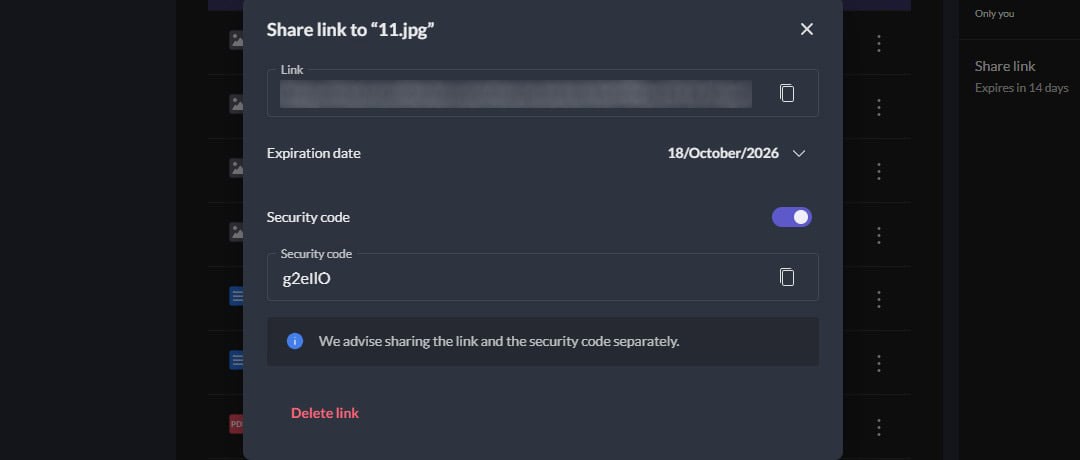
Files and folders can also be shared by email with other NordLocker users, who receive an Editor or Viewer role. On Windows, the Shared with me folder is still marked as coming soon, so files from other people are accessed through the web app.
Deleted Files and Old Versions
NordLocker keeps no trash folder and no version history. When we deleted a test file, it disappeared immediately, and there was nothing to restore. An overwritten document has no earlier version to return to. The Windows app has a setting that warns before many items are deleted at once. The Windows app adds a second risk.
Dragging a file from the Desktop into the NordLocker folder moved it, leaving no copy on the Desktop. If that file is later deleted in NordLocker, nothing remains. Ransomware has the same effect: encrypted copies from the synced folder replace the originals in the cloud. NordLocker is developing a cloud trash bin. Version history isn’t part of its announced plans.
Encryption and Privacy
Setup starts with a Nord Account login. NordLocker then requires a separate cloud password of at least 10 characters. It also generates a recovery key, which resets that password if you forget it. The web and phone apps require the cloud password at the start of every session and before any security setting changes. Phones can use Face ID or biometric unlock instead.
The prompts protect files on a shared or lost device, but they add a step each time you open your storage. Encryption happens on your device with AES-256, and NordLocker stores only public keys, so it can’t decrypt your files or their names. Multi-factor authentication supports authenticator apps and backup codes. NordLocker hasn’t published an independent audit of its encryption.
It also wasn’t among the five services in ETH Zurich’s 2024 study of encrypted cloud storage. Its GDPR notice places the company outside the EEA but doesn’t say where files are stored, and accounts can’t choose a data region. Services with published audits are covered in our guide to the most secure cloud storage.
NordLocker Pricing
NordLocker offers a free plan and two paid sizes, billed yearly or monthly:
- Free, 3 GB: the same features as paid plans, with no credit card required at signup
- 500 GB: $35.88 for the first year, then $59.88 a year, or $7.99 month to month
- 2 TB: $83.88 for the first year, then $179.88 a year, or $19.99 month to month
NordLocker’s business page leads to the same two plans, with no separate business pricing listed. With renewals, five years of the 2 TB plan add up to $803.40. A pCloud lifetime plan with the same space costs $499 once. Paid NordLocker plans come with a 30-day money-back guarantee.
A NordVPN subscription on the Complete plan comes with 1 TB of NordLocker storage and the NordPass password manager. NordVPN users on that plan can skip a separate NordLocker subscription.
Final Thoughts
NordLocker is a secure place to store documents and an awkward one to use every day. Its encryption covers every plan, and its share links can be locked with a code. Deleted files can’t be recovered, though, media won’t play in the browser, and Mac users have no app.
NordLocker works for:
- Encrypted storage for documents and photo archives
- Sharing files that require a code to open
- NordVPN Complete subscribers who already have the storage
Look elsewhere for:
- Mac or Linux computers
- Music and video collections
- Restoring deleted or overwritten files
pCloud keeps 30 days of file history on paid plans and plays music and video in the browser. Internxt also encrypts every file and keeps deleted files on every plan, as our Internxt review explains. Our best cloud storage guide compares pCloud and Internxt with NordLocker.
Frequently Asked Questions
Is NordLocker safe?
Yes. NordLocker is end-to-end encrypted, so files stay unreadable to the company and to attackers who breach its servers. The main risk is deletion: removed files can't be restored.
Does NordLocker have a Mac app?
No. NordLocker's only desktop app is for Windows. On a Mac, files can be uploaded, downloaded, and shared through Web Access in a browser, without automatic folder sync.
Is NordLocker free?
Yes. NordLocker's free plan includes 3 GB of encrypted storage, and its features match the paid plans. Paid plans differ only in storage, at 500 GB or 2 TB.
Does NordVPN include NordLocker?
Yes. NordVPN's Complete plan and the tiers above it include NordLocker with 1 TB of cloud storage. The Basic and Plus plans don't, so NordLocker otherwise requires a separate subscription.
Can NordLocker recover deleted files?
No. A file deleted from NordLocker is removed permanently, and an overwritten file can't be rolled back to an earlier copy. The service has no trash folder yet.