
NordVPN, Proton VPN, and ExpressVPN assigned our Windows 11 PC an Israeli IP address from Tel Aviv, and Kan 11 and N12 loaded on all three. Israeli sites that filter by country treat that IP address as local, and our real IP address stayed hidden even when we pulled the network cable. NordVPN comes first, with the fastest Tel Aviv result and a browser extension that adds location spoofing, so sites that check the browser’s position also see Tel Aviv.
Get an Israeli IP Address: Setup Steps for October 2026
- Subscribe to NordVPN or another VPN with servers in Tel Aviv.
- Install the app on the phone, computer, or TV you plan to use.
- Connect to Israel in the app.
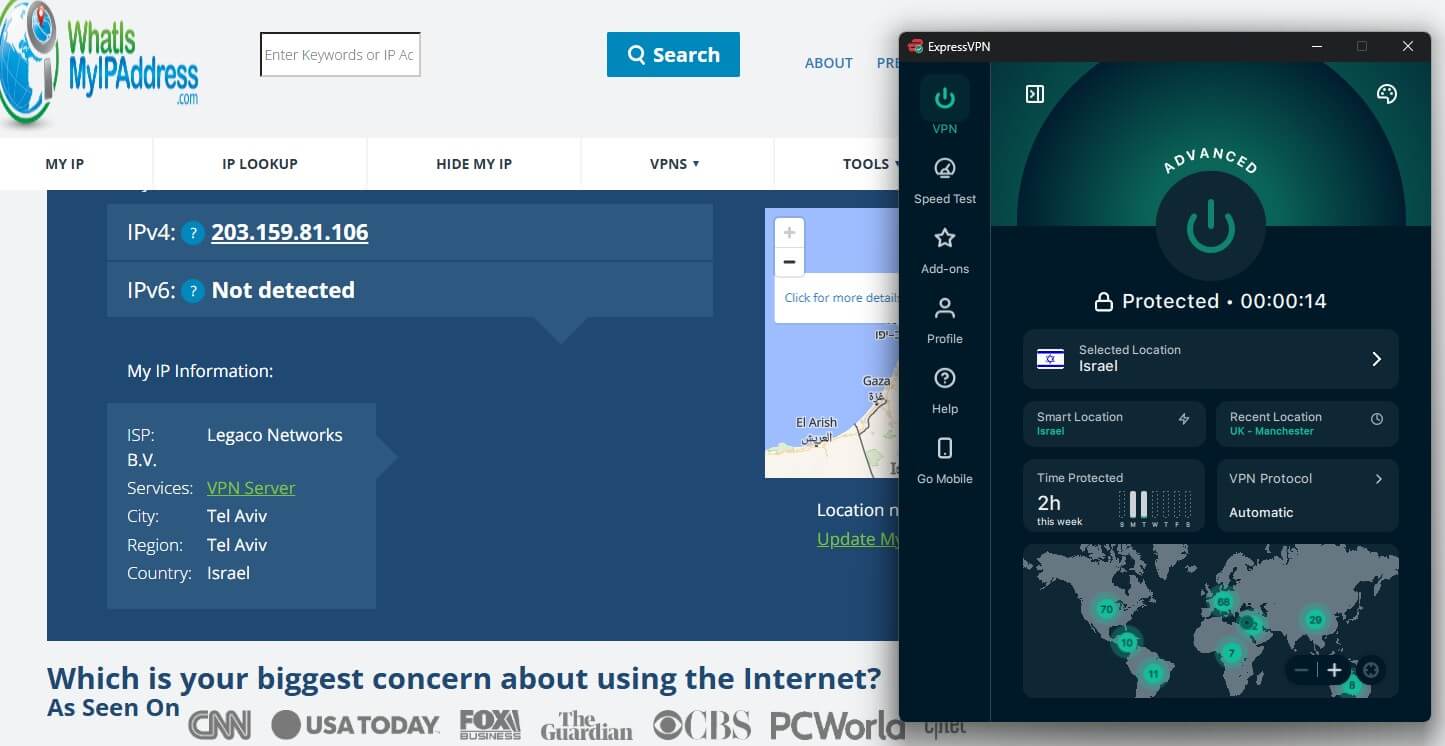
- Check the IP address on an IP lookup site. It should read Israel.
- Open the Israeli site or app. If the foreign version loads, clear cookies and refresh.
How to Get an Israeli IP Address With a VPN
A VPN is the most dependable way of changing your IP address to an Israeli one. Proxies rarely encrypt traffic, and Tor Browser picks its last server at random.
Subscribe to a VPN With Israeli Servers
Check the location list for Israel before paying. We use NordVPN, our first choice for Israel, as the example. Pick a plan on the VPN’s website and create an account. Tel Aviv may be thousands of miles away, so choose a VPN that stays fast on long-distance connections.
Install the App on Each Device
Download the app from the VPN’s website or app store and sign in. Versions exist for iPhone, Android, Mac, Windows, Linux, Apple TV, and Android TV. Samsung and LG TVs don’t support VPNs, and Smart DNS leaves the IP unchanged, so those sets require a router with the VPN, as our smart TV VPN guide shows.
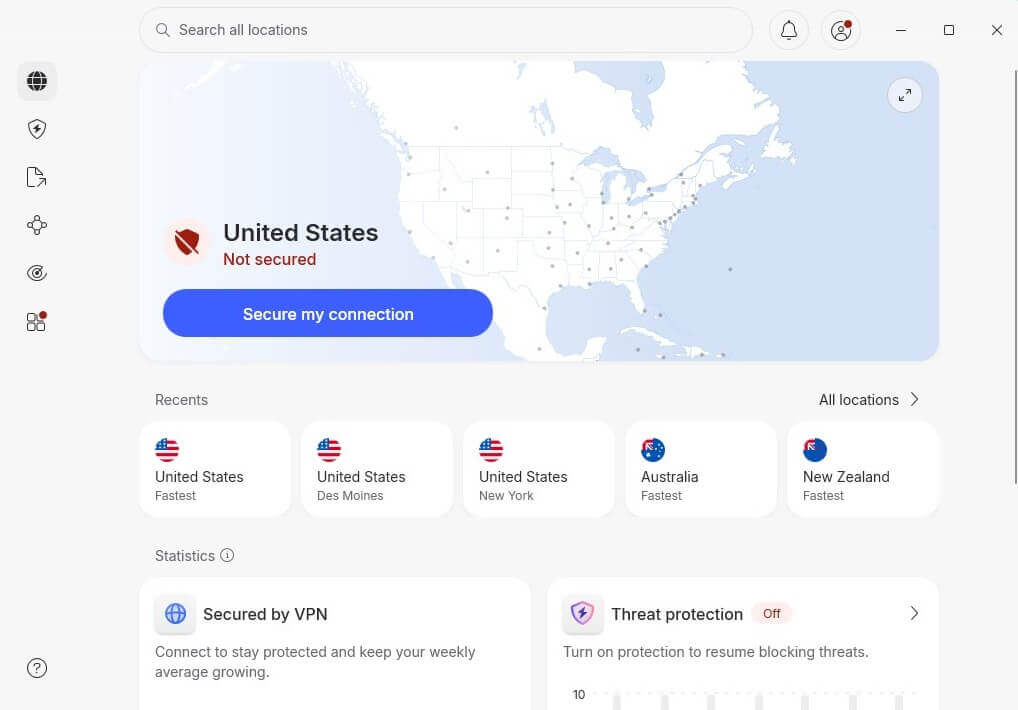
Roku OS supports no VPN app and blocks DNS changes, so the Roku VPN methods also depend on a router or a shared computer connection.
Connect to Israel and Confirm the IP Address
Type Israel into the app’s search bar and click Connect.
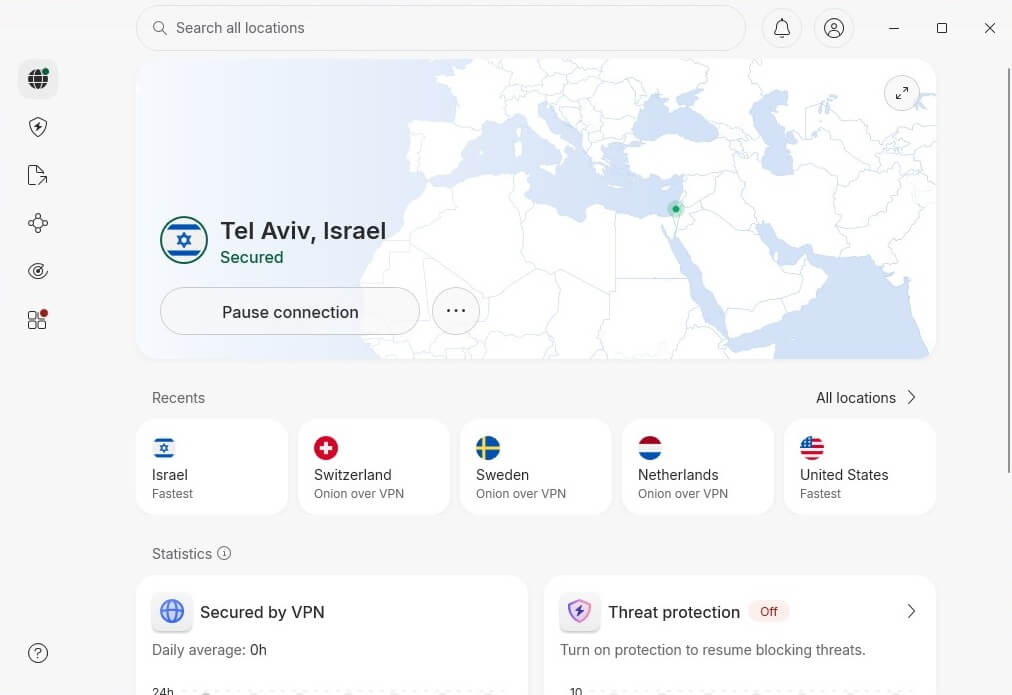
The optional step is to load an IP lookup page such as whatismyipaddress.com, which should show Israel and Tel Aviv. A home-country result means the VPN isn’t connected. Split tunneling can keep a banking app on Tel Aviv while maps and delivery apps use the home connection.
Why Israeli Sites Block Foreign Connections
- TV and streaming: Kan 11 and N12 limit part of their programming to Israeli IP addresses under Israel-only broadcast rights. Our guide to streaming Israeli TV from abroad lists the channels.
- Banking: Israeli banks read a foreign login as a fraud signal. In January 2012, after a credit card leak, Israel Discount Bank and First International Bank of Israel closed their websites to overseas visitors while Israeli connections kept working.
- Government portals: In March 2022, a DDoS attack left Israel’s government network unreachable from abroad after access in Israel returned. Later that year, an attack intermittently blocked foreign visitors from the Health Ministry site.
Israeli IP Address VPNs Compared
Figures come from our October tests on a Windows 11 PC with a 190.36 Mbps connection in Europe. We measured speed with Speedtest on each VPN’s Tel Aviv server. Upload and ping barely differed, at 18.38 to 18.41 Mbps and 87 to 89 ms.
| VPN | Israeli servers | Tel Aviv download | Price, longest plan | Standout feature |
|---|---|---|---|---|
| NordVPN | 24, Tel Aviv | 179.43 Mbps | $3.49/mo | Double VPN |
| Proton VPN | 40, Tel Aviv | 174.12 Mbps | $2.99/mo | Secure Core |
| ExpressVPN | Tel Aviv, count unpublished | 175.18 Mbps | $2.99/mo | Automatic obfuscation |
Best VPNs for an Israeli IP Address
NordVPN, Proton VPN, and ExpressVPN are the top three in our full VPN rankings. For the reverse direction, from Israel to foreign servers, see our guide to VPNs for Israel.
- NordVPN: Best overall, with an app kill switch that can close a banking app.
- Proton VPN: Best for privacy, with Secure Core connections through Switzerland, Iceland, or Sweden.
- ExpressVPN: Best for one-click use, with obfuscation applied to every connection.
1. NordVPN: Best Overall VPN for an Israeli IP Address
Pros
- Post-quantum NordLynx
- Onion over VPN servers
- Double VPN servers
- Meshnet included
- Native Apple TV app
Cons
- Unreliable Windows connections
- Anti-malware excluded from Basic
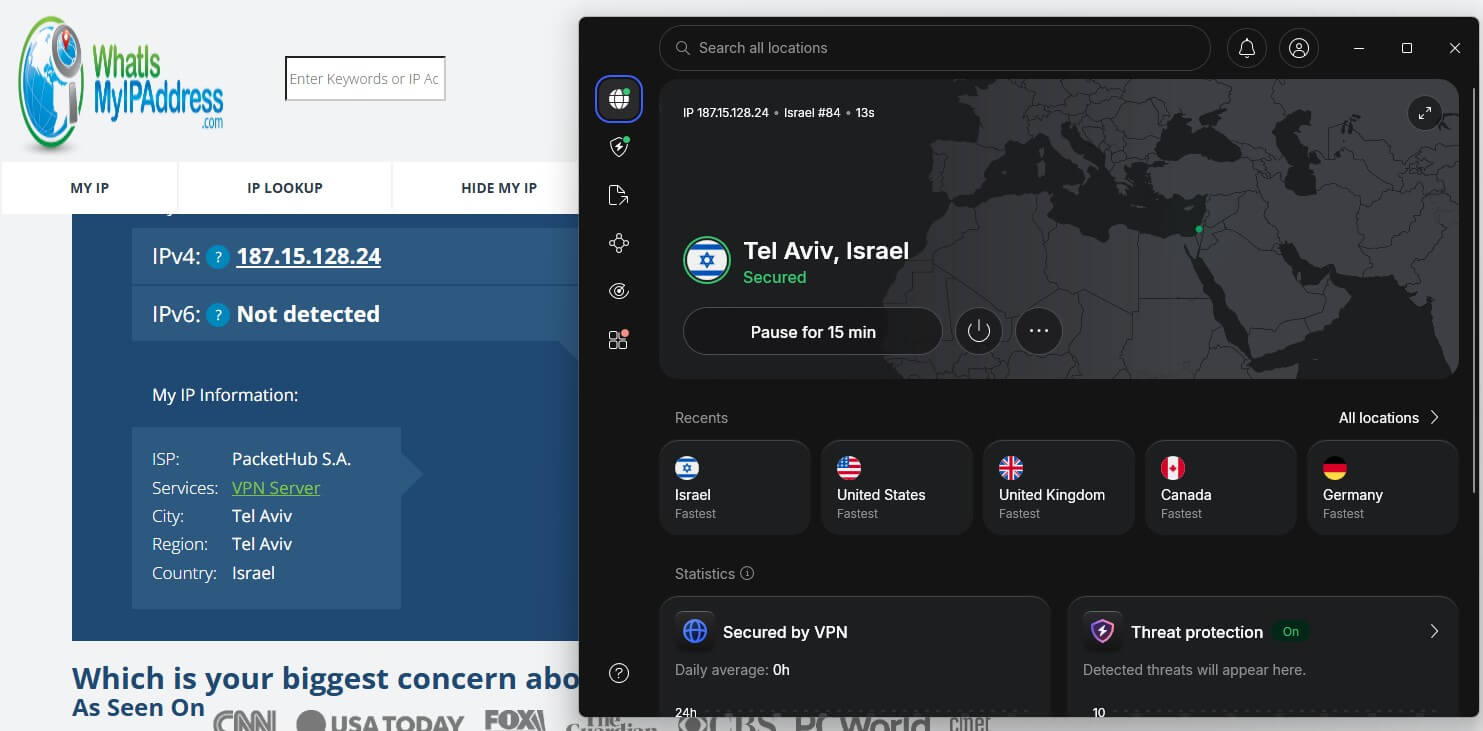
NordVPN has 24 servers in Tel Aviv. Its Tel Aviv server recorded 179.43 Mbps, the fastest Israeli result we measured, and NordVPN’s head-to-head speed tests cover its other locations. Its browser extension adds location spoofing, so sites that ask the browser for its position see Tel Aviv too. With spoofing on, the extension opened Disney+ after the desktop app was blocked.
The kill switch passed our cable-pull, force-close, and PC restart tests, and an app kill switch can close a chosen program, such as a banking app, if the VPN disconnects. On some days, the Windows app wouldn’t connect until we used NordVPN’s diagnostics tool, restarted it, and signed in again, with no pattern we could find. That rules it out for a Windows PC that has to connect unattended.
The Basic plan costs $3.49 a month, $94.23 for the first 27 months, then $139.08 a year, and it covers 10 devices. The discount applies automatically, as our NordVPN coupon page explains in more detail.
2. Proton VPN: Best for Privacy-Focused Israeli Connections
Pros
- Swiss jurisdiction
- Open-source apps
- Stealth protocol
- Torrenting on Israeli servers
- Annual no-logs audits
Cons
- Slow support replies
- No post-quantum cipher
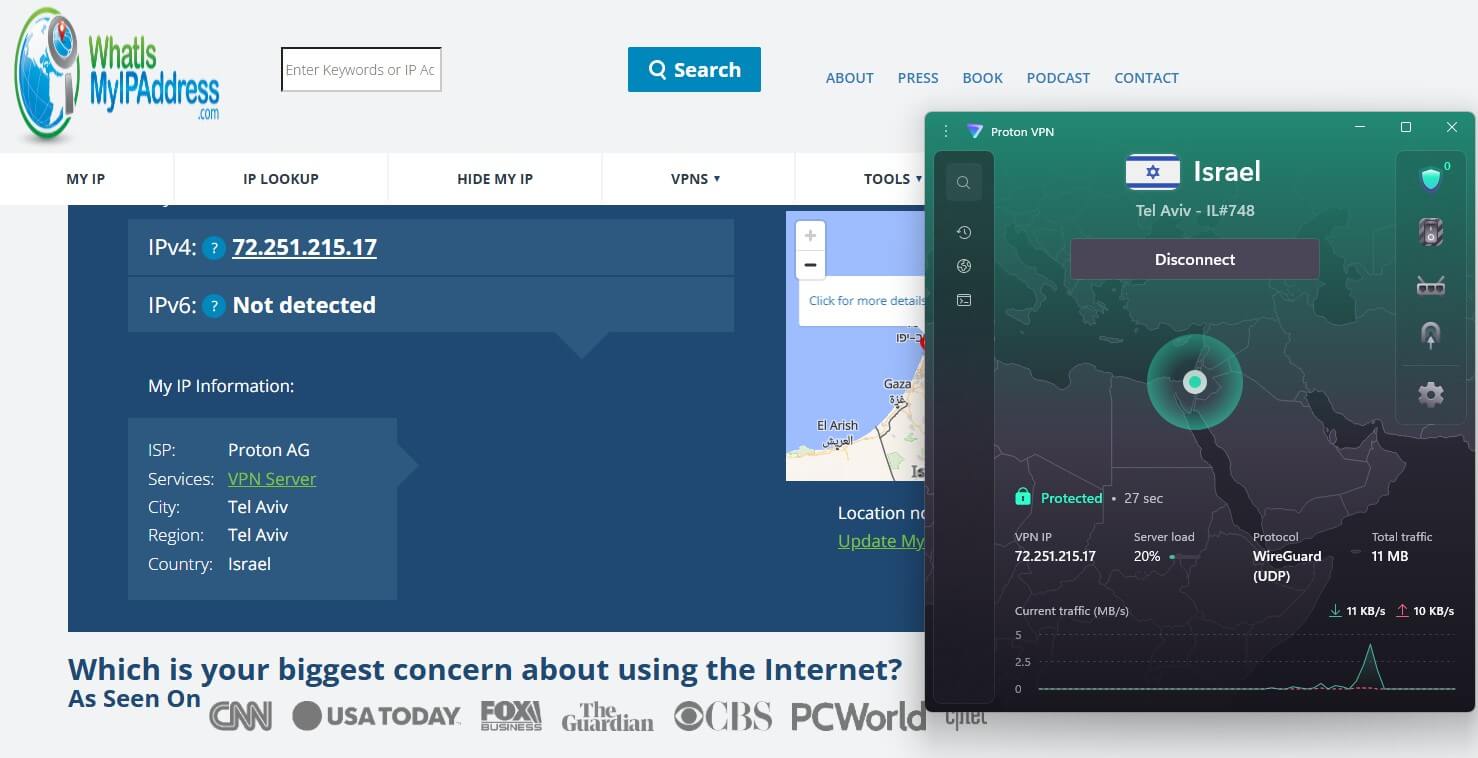
Proton VPN has 40 servers in Tel Aviv, and the VPN Plus plan adds Secure Core, which sends traffic through a hardened server in Switzerland, Iceland, or Sweden first. Measured on a US server, Secure Core cost 12.1% of download speed and added 84 ms of ping. Its Tel Aviv server delivered 174.12 Mbps. The browser extension works with the desktop app closed and connects each browser to its own server. One browser can use Tel Aviv for an Israeli bank while another keeps the local IP address.
Support was slower than we expected from a VPN of Proton’s standing. Live chat took about a minute to connect us to an agent, and email replies took up to a day. The VPN Plus plan costs $2.99 a month, $71.76 for two years, then $83.88 a year. Refunds within 30 days cover only the unused part of the term, and the account has to be downgraded first.
3. ExpressVPN: Best for One-Click Israeli Connections
Pros
- RAM-only servers
- Post-quantum Lightway
- Dedicated router app
- Automatic obfuscation
- KPMG-audited no-logs policy
Cons
- No double-VPN servers
- Limited customization
ExpressVPN connected in two seconds, the quickest app we’ve timed, and its Tel Aviv servers use 10 Gbps and 40 Gbps ports. On one of them, download speed fell 8.0% from our baseline. On Windows, switching on Lightway Turbo grays out split tunneling, and Turbo added only 0.45 Mbps in our tests while costing 9 ms of ping. The Chrome extension spoofs location too, but in its default mode it requires the desktop app to stay open.
Users who want double-VPN servers should choose NordVPN or Proton VPN. ExpressVPN’s Basic plan charges $83.72 for its first 28 months, about $2.99 a month, then $99.95 a year. 10-14 devices can connect at once.
Israeli Site Still Blocked? Fixes to Try
- Clear cookies or open a private window. A stored cookie can keep the foreign version loading.
- Reconnect to Israel. A new connection usually brings a different Tel Aviv IP address.
- Turn on location spoofing. The NordVPN and ExpressVPN extensions supply an Israeli location to sites that request the browser’s position.
- Limit GPS access on phones. Banking and TV apps can read GPS, so switching location access off for the app leaves the IP address as the only signal.
- Keep roaming on for the Israeli SIM. Banks send one-time codes by SMS to the number on the account.
- Check for WebRTC leaks. A WebRTC test page should show only the Israeli IP address. The NordVPN, Proton VPN, and ExpressVPN extensions passed that check in our tests.
Can a Free VPN Give You an Israeli IP Address?
None of the free VPNs we recommend offer Israel without payment. Proton VPN’s free plan covers ten countries, PrivadoVPN’s also covers ten, and Hide.me’s covers seven, with Israel on none of those lists. Windscribe keeps Tel Aviv for paying users. Lesser-known free apps that list Israel rarely publish an audited no-logs policy, which rules them out for banking logins. NordVPN’s 3-day Android trial through Google Play requires a card. Several low-cost paid VPNs start under $3 a month.
Which VPN to Use for an Israeli IP Address
Match the VPN to the Israeli service you use most. For banking and everyday browsing, start with NordVPN. Its app kill switch protects a banking session if the tunnel fails, and its extension covers sites that check the browser’s location.
Choose Proton VPN for Swiss jurisdiction, a Secure Core server between the device and Tel Aviv, or separate browsers for Israeli and home accounts. ExpressVPN reduces the process to a location search and one connect button, and its obfuscation requires no configuration.
FAQs About Getting an Israeli IP Address
Why can't I access Israeli websites?
Many Israeli sites accept only Israeli IP addresses. Broadcast rights, bank fraud rules, and cyberattack defenses lead them to block foreign connections until the visitor connects through an Israeli server.
Is it legal to use an Israeli IP address from another country?
Yes, in most countries. Israel places no restrictions on VPN use, and countries that restrict VPNs, such as China and the UAE, are the main exceptions.
How do I get an IP address located in Israel?
A VPN with Israeli servers, such as NordVPN or Proton VPN, supplies one. Once its app connects to Tel Aviv, the device uses an Israeli IP address until the VPN disconnects.
Can a free VPN give an Israeli IP address?
No, not among reputable free VPNs. Proton VPN, Windscribe, PrivadoVPN, and Hide.me leave Israel off their free server lists, so a Tel Aviv connection requires a paid subscription.
How can I check that my IP address is Israeli?
IP lookup sites match the current IP address to a country and city in a geolocation database. With the VPN on, the result should say Israel, and usually Tel Aviv.
Which VPNs have servers in Israel?
NordVPN, Proton VPN, ExpressVPN, Surfshark, CyberGhost, and Windscribe offer Israeli servers, mostly in Tel Aviv. Windscribe's Israeli location requires a paid account.